Table of Contents
Claude computer use and ChatGPT agent mode let an AI take actions through graphical interfaces instead of only returning text. They can inspect a page, click controls, type into forms, and move through a multi-step task. The important difference is how they are delivered: Claude's computer-use capability is primarily a developer tool, while ChatGPT agent mode is a user-facing product that operates in a controlled remote environment.
Neither system should be treated as an unsupervised replacement for a person. Interfaces change, screenshots can be misread, websites may contain malicious instructions, and a small mistake can send a message, expose data, or purchase the wrong item.
Why computer use is different from an API
An API gives software a structured command such as “create calendar event” with defined fields. A computer-using agent works more like a person: it looks at the interface and decides where to click and what to type.

Visual interaction can reach services that do not expose the required API, but it is slower and more fragile. A button can move, a pop-up can hide a field, or two accounts can look similar. When a reliable API exists, it is often the safer automation method.

How the action loop works
- The agent receives a goal and the current screen or browser state.
- It interprets visible elements and chooses a next action.
- A controlled tool performs the click, keystroke, scroll, or navigation.
- The agent receives an updated screen and checks the result.
- It repeats until the task is complete, blocked, or requires user confirmation.
Some systems combine visual interaction with browser, terminal, file, or connector tools. That hybrid approach can be more reliable than forcing every step through pixels.
Claude computer use
Anthropic exposes computer use through its API and developer tooling. A developer supplies the execution environment and tool implementation, sends screenshots or other state to Claude, and applies the requested actions. This provides flexibility but makes the developer responsible for isolation, permissions, logging, confirmation, and recovery.
It is suited to controlled application testing, internal workflows, or specialized automation where a team can build the surrounding safeguards. Anthropic's computer-use documentation describes the current API and safety considerations.
ChatGPT agent mode
ChatGPT agent mode combines research and action tools in a user-facing workflow. It can browse sites, work with files, and perform supported online tasks in a remote environment while pausing for confirmation on sensitive steps. Operator's browser-interaction capabilities were incorporated into this broader agent experience.
Availability, usage limits, and supported tools depend on plan and region. The official ChatGPT agent help page has the current details.
Tasks these agents can help with
- researching options across several websites and organizing the findings;
- filling repetitive form fields from an approved source;
- creating a draft itinerary, spreadsheet, or report;
- navigating an internal tool that lacks a suitable API;
- testing a web workflow from a user's point of view;
- assembling files or moving information between supported applications.
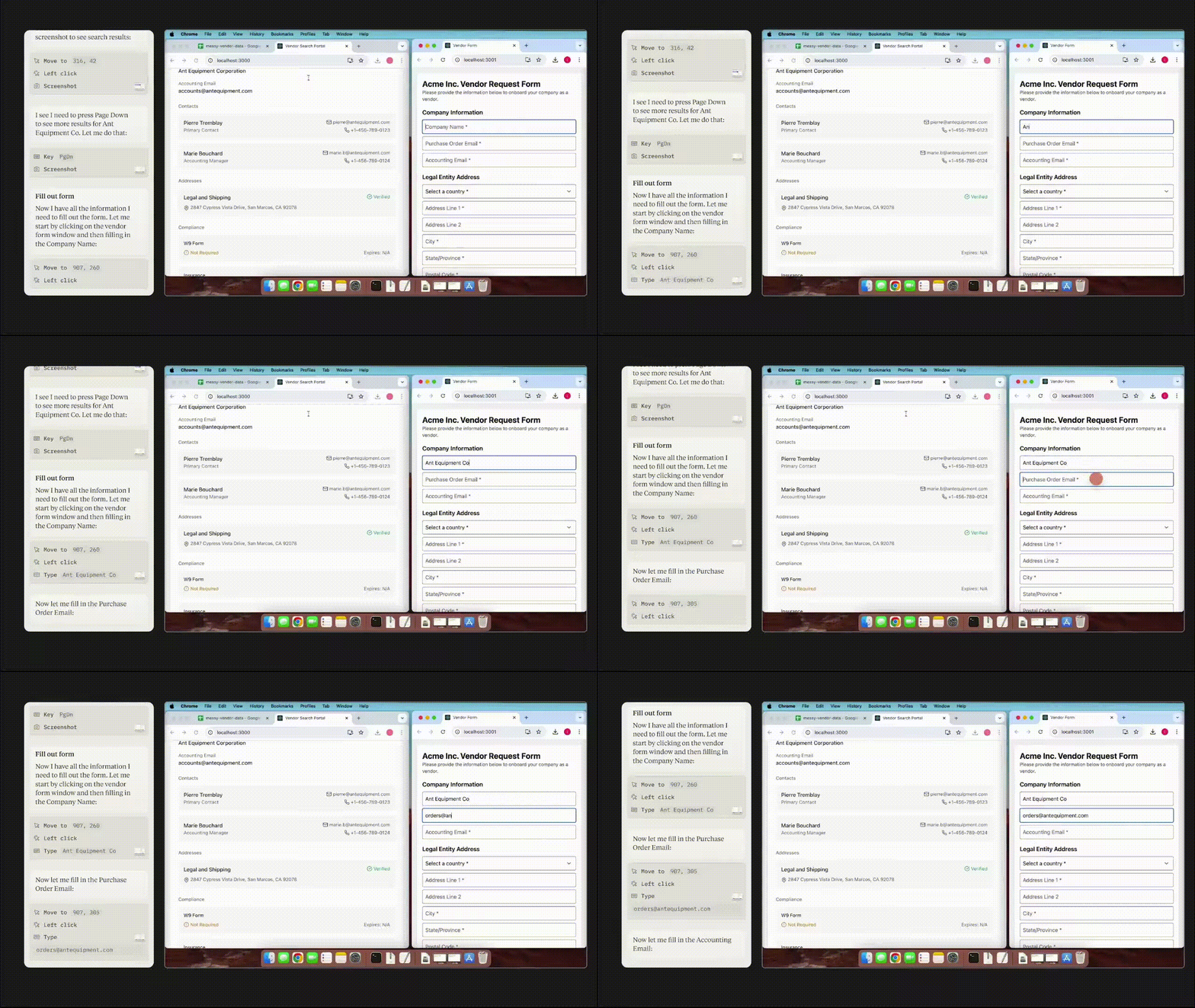
Start with reversible, low-impact tasks. A request to compare flight options is safer than an instruction to purchase a non-refundable ticket without review.
What current agents still get wrong
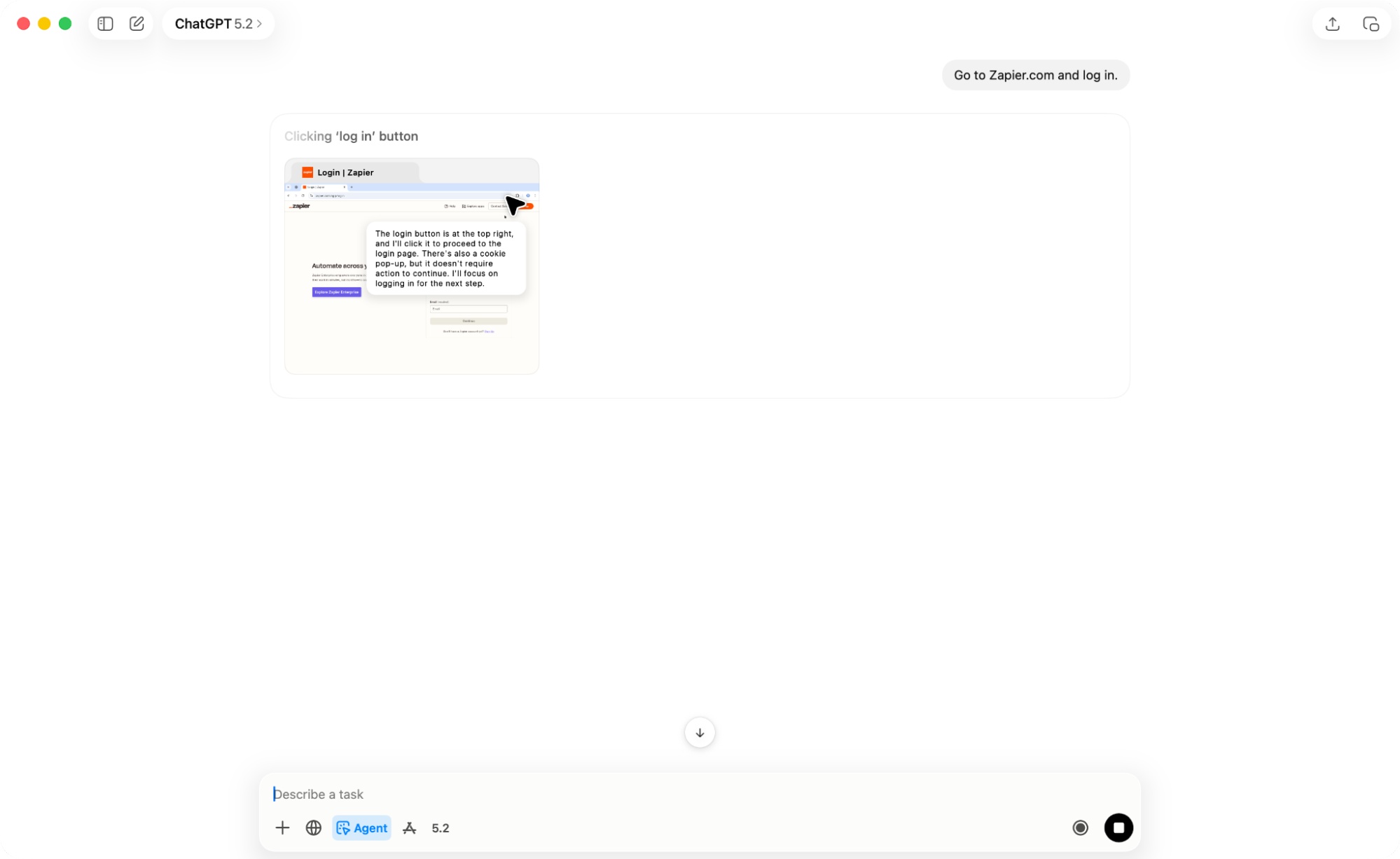
Benchmarks show rapid progress, but aggregate scores do not establish reliability on a particular website or account. Agents can click the wrong control, lose track of state across tabs, repeat an action, overlook a warning, or stop when an interface changes. They are also generally slower than a skilled person on short tasks.
Success on a benchmark may use a specific model, virtual machine, screen resolution, tool implementation, and retry policy. Compare those conditions before describing a result as “human level.”
The prompt-injection problem
A webpage, document, or email can contain text that tells the agent to ignore the user's task, disclose information, or take another action. To the model, malicious instructions may look similar to legitimate content.
Do not give an agent access to unrelated private data while it browses untrusted material. Treat webpage instructions as data, limit available tools, and require explicit confirmation before sending, buying, deleting, changing permissions, or revealing sensitive information.
Use computer agents safely
- Limit scope: provide only the accounts, files, and sites required for the task.
- Use a separate environment: isolate experimental agents from the main desktop and confidential sessions.
- Keep credentials private: enter passwords yourself through a protected handoff when supported.
- Review consequential steps: confirm recipients, prices, dates, quantities, and final text before submission.
- Prefer reversibility: draft rather than send; add to cart rather than purchase; copy rather than delete.
- Monitor the run: stop the task when the agent deviates or encounters unexpected instructions.
- Keep records: save logs or screenshots appropriate to the workflow and privacy policy.
Which one should you choose?
Use ChatGPT agent mode when you want a ready-made, guided experience and the task fits its supported environment. Use Claude computer use when you are building your own automation and can implement the security boundary, tool calls, and approval flow.
For stable production integrations, prefer an official API when possible. Computer use is most valuable for interfaces that have no structured alternative or for tasks where visual verification is part of the work.
Related Articles
 Claude vs ChatGPT: Which AI Assistant Should You Use?10 minutes read
 Should I Buy ChatGPT Plus or Claude Pro?10 minutes read
 4 Ways AI Claude Chatbot Outperforms Chatgpt6 minutes read
 The Difference Between Claude and ChatGPT13 minutes read
 6 Reasons to Use Claude Instead of ChatGPT7 minutes read
 Why Does Chatting with Claude Feel More Intimate Than ChatGPT?9 minutes read
Reader Comments 0
Sign in with email or Google to join the discussion.