Table of Contents
This updated guide explains how to Find Songs on 7 Music Streaming Services at the Same through clear steps, practical examples, and important checks that help prevent common errors.
Instructions for Using StreamScout to Find Music
Step 1:
Users access the link below to go to the homepage of StreamScout
https://stream-scout.com/Step 2:
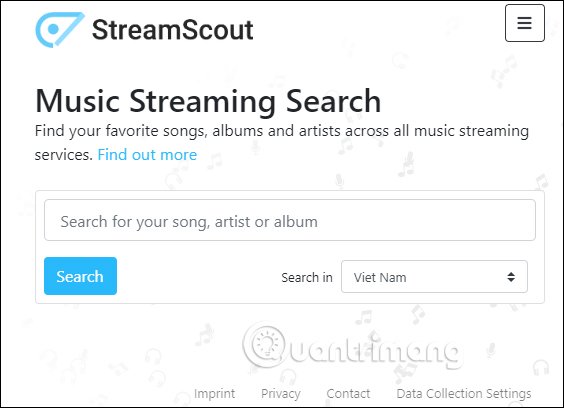
In the homepage interface, you select the search country by clicking on the United States, then enter the name of the song or artist in the search bar above to conduct a search.
Step 3:
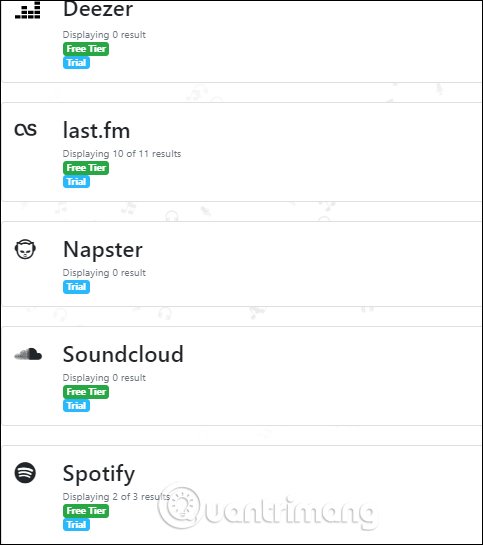
The results will display songs found in 7 music streaming services including Apple Music, Deezer., Last. fm, Napster., SoundCloud., Spotify, Tidal. Services without songs found by the keyword you entered will display 0. If there are results the song will show the number for you to know.
Step 3:
The results show the different songs and you just need to click a song to go to the music streaming service to listen to music.

FAQ
What is the easiest way to Find Songs on 7 Music Streaming Services at the Same?
Start with the requirements in this guide, then follow each step in order. Check the result after every major change so problems are easier to identify.
Can beginners follow these instructions?
Yes. The process is organized into practical steps, and you can repeat any step before moving forward.
What should I check if the method does not work?
Confirm your software or device version, permissions, settings, file format, and internet connection when the task depends on online services.
Related Articles
 How to Choose the Right Music Streaming Service for You9 minutes read
 9 Interesting but Little-Known Streaming Services7 minutes read
 Will Socializing and Streaming in Tandem Become the New7 minutes read
 5 Free Music Streaming Apps Better Than Spotify: Practical Guide7 minutes read
 How to Use Shazam to Find Songs According to Words3 minutes read
 Instructions on How to Search for Songs, Find Music Through Fast and3 minutes read
Reader Comments 0
Sign in with email or Google to join the discussion.