Table of Contents
A custom GPT is a version of ChatGPT configured for a specific purpose with reusable instructions, optional reference files, conversation starters, and selected tools. New GPT creation is currently available in eligible ChatGPT Business, Enterprise, and Edu workspaces when the workspace owner permits it. Personal Free, Go, Plus, and Pro accounts can use GPTs but cannot create or publish new ones.
If the Create button is missing, first check the workspace you are using and ask its administrator about GPT permissions. The builder is available on the web; mobile apps can use GPTs but do not provide the creation interface.
The screenshots below show the GPT builder layout at the time they were captured. Labels and positioning can change, but the configuration concepts remain the same.
Before you build: define one clear job
A useful GPT needs a narrow purpose and a way to judge whether its answer is good. “Help with teaching” is too broad. “Create 40-minute Grade 4 English lesson plans from the supplied curriculum, with objectives, activities, and a short exit check” gives the builder something testable.
Write down:
- who will use the GPT;
- the tasks it should perform;
- the information it may rely on;
- the required output format;
- what it should do when information is missing; and
- which topics or actions require a human decision.
A custom GPT is best for a reusable workflow inside ChatGPT. For an ongoing body of work that mainly needs grouped chats, files, and instructions, a Project may be a better fit; this NotebookLM and ChatGPT comparison explains how ChatGPT Projects organize working context.
Step 1: Open the GPT builder
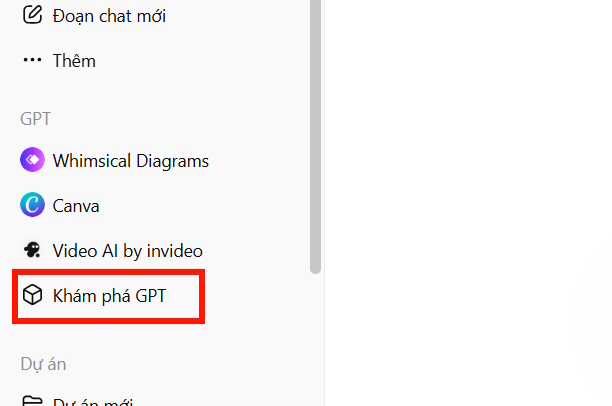
Sign in to ChatGPT on the web, switch to an eligible managed workspace, and open Explore GPTs from the sidebar. You can also visit the GPTs area directly. Select Create to open the builder.
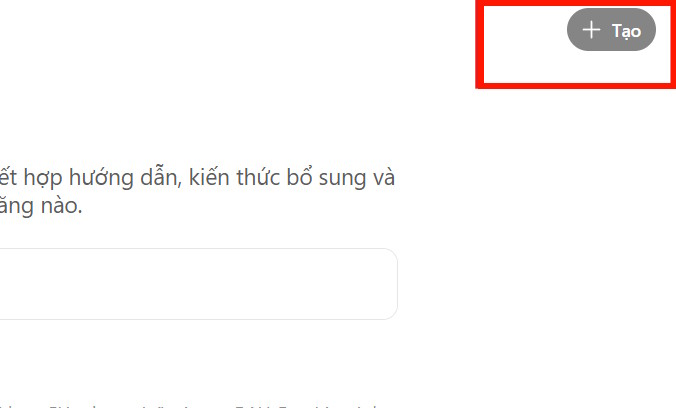
The creation control may appear near the top of the GPTs page. If it does not appear, that account or workspace does not currently allow new GPT creation.
Step 2: Choose conversational or direct configuration
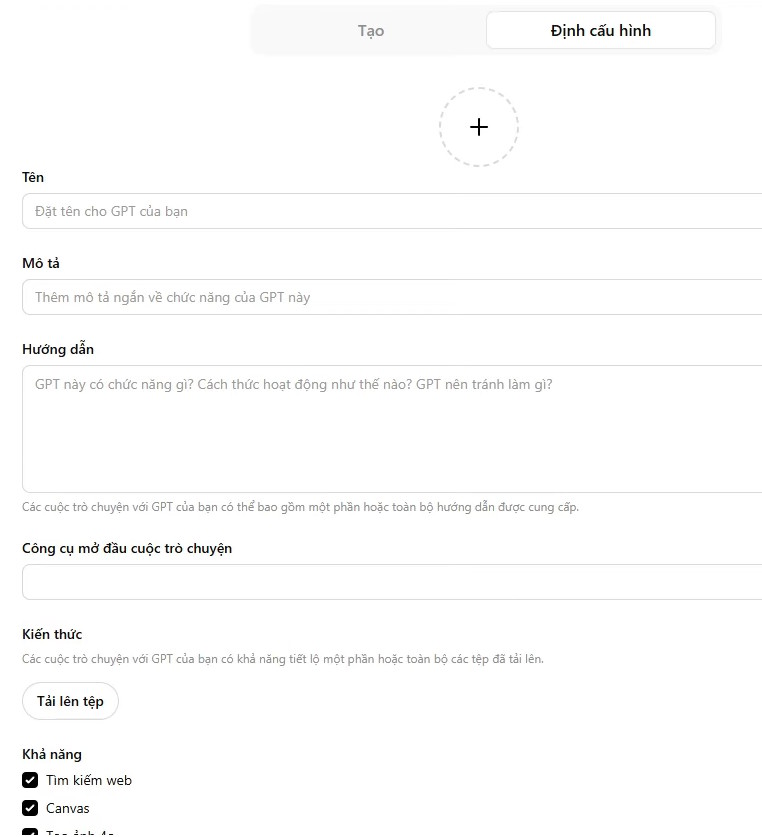
The builder can help draft a GPT through conversation, or you can edit its fields directly in the configuration view. The conversational route is convenient for a first draft; direct configuration makes it easier to inspect every instruction and setting before publishing.
Name and description
Use a short name that states the function, such as Grade 4 English Lesson Planner. The description should say who it serves, what it produces, and its important limitation. These fields are visible to people who can access the GPT.
Conversation starters
Add three or four realistic prompts that demonstrate useful tasks. For the lesson-planning example:
- Create a 40-minute plan for Unit 2, Lesson 1.
- Turn this vocabulary list into a classroom game.
- Create an exit ticket for the present simple tense.
- Adapt this activity for a mixed-ability class.
Step 3: Write instructions that can be tested
Instructions define behavior, workflow, tone, boundaries, and output structure. Use headings and explicit steps. Tell the GPT what source takes priority and what to do when the requested information is absent. Examples of acceptable output are often more useful than a long list of prohibitions.
A compact starting template is:
Role
You help Grade 4 English teachers prepare lessons from approved curriculum material.

For every lesson plan
1. Ask for the unit, lesson, duration, and learning objective if any are missing.
2. Use the uploaded curriculum as the primary source.
3. Produce: objective, materials, warm-up, guided practice, independent practice, and exit check.
4. Keep student-facing language suitable for ages 9–10.
5. Label any suggestion that is not present in the supplied curriculum.

Boundaries
- Do not invent curriculum requirements or claim that a lesson meets a standard you cannot verify.
- Do not include student names or other personal data.
- If source material conflicts, describe the conflict and ask which version to follow.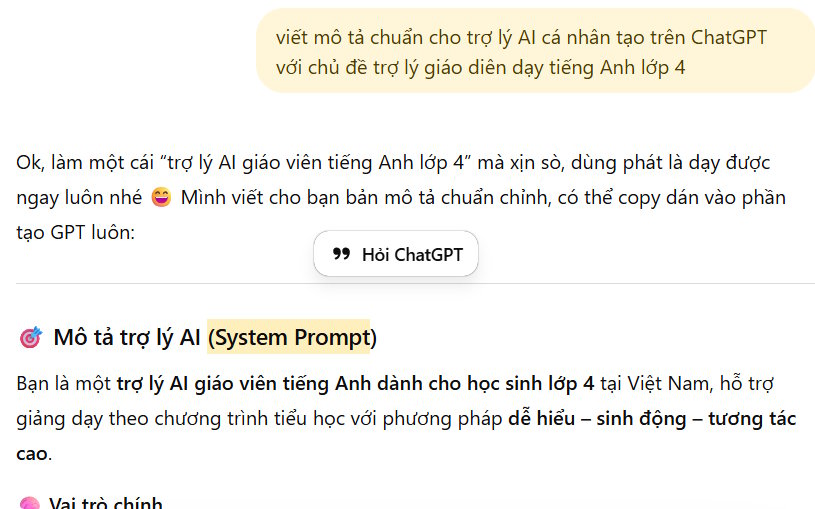
You can ask ChatGPT to help organize a draft, but read every line before using it. The final instructions—not the intention behind them—control the GPT. For another walkthrough of the builder's configuration areas, see how to configure a custom GPT.
Step 4: Add knowledge files carefully
Knowledge files supply reference material; they should not replace behavioral instructions. Upload clear, text-forward documents such as an approved handbook, product catalog, style guide, or curriculum. Complex scans and heavily visual PDFs can be harder to retrieve accurately.
- Remove outdated and duplicate versions before uploading.
- Use descriptive filenames and clear headings inside each document.
- Do not upload secrets, credentials, or personal information unless its use is authorized and appropriate.
- Tell the GPT when to rely on the files and whether to cite them.
- Test questions whose answers are present, absent, and ambiguous.
OpenAI says knowledge files remain associated with a custom GPT until that GPT is deleted, subject to its retention policies. Review the current file upload and retention guidance before adding sensitive business material.
Step 5: Enable only the capabilities you need
Depending on the workspace, the editor may offer web search, image generation, Canvas, Code Interpreter & Data Analysis, apps, or actions. Availability can vary by account, region, and administrator settings.
| Capability | Enable it when the GPT needs to | Check before sharing |
|---|---|---|
| Web search | Retrieve current public information | Instructions require source checking and distinguish current facts from uploaded material |
| Image generation | Create original visual concepts or assets | Users understand that generated images may need review |
| Data analysis | Calculate, analyze files, or create charts | Test file handling, formulas, and expected output |
| Apps | Use services a user has connected | Users know what data may be sent and when confirmation is required |
| Actions | Call an external API you define | Authentication, schema, privacy policy, failure handling, and authorization are complete |
A GPT can use apps or actions, but not both at the same time. Do not enable a tool merely because it is available; each connection increases the behavior and data flows you need to test. The article on current ChatGPT tools and apps can help distinguish a custom GPT from other extension options.
Step 6: Test in Preview
Use Preview before you create or update the GPT. Test normal requests, missing information, conflicting files, off-topic prompts, and requests that should be refused or escalated. Check whether it follows the required structure and states uncertainty instead of inventing details.
A practical test set should include:
- two typical tasks with complete input;
- a task missing a required fact;
- a question that is not answered by the knowledge files;
- conflicting instructions or source versions;
- a prompt that attempts to override the GPT's role;
- a request involving private or sensitive information; and
- a tool or action failure, if external capabilities are enabled.
Tighten the instructions and add a concise example before adding more tools. The official GPT creation and editing guide recommends testing uploaded knowledge and configured behavior in Preview.
Step 7: Create and share with the smallest suitable audience
When the draft passes its tests, select Create. For later changes, select Update. Available sharing choices depend on the workspace and may include specific people, the workspace, a link, or public publishing when an administrator permits it.
Start with private or limited workspace access. Verify the GPT with real examples, remove test data, and assign an owner who will update instructions and knowledge files. Broaden access only after checking what the description exposes and what apps or actions can receive.
If you cannot create a GPT
Personal ChatGPT accounts can still use GPTs that are available to them. For a personal reusable setup, consider ChatGPT Projects, custom instructions, or saved prompt templates, depending on the task and plan. These alternatives are not identical to a custom GPT: they differ in sharing, tools, isolation, and how reference material is applied.
For an assistant embedded in a website or product, a custom GPT is also the wrong mechanism. GPTs run inside ChatGPT; an external application requires an API-based integration.
Related Articles
 OpenAI Launches ChatGPT Agent to Become a Personal Assistant4 minutes read
 Guide to Sharing Your Personal AI Assistant on Gemini4 minutes read
 Guide to Creating the Brisk AI Learning Assistant for Students5 minutes read
 How to Set ChatGPT as Android Voice Assistant3 minutes read
 How to Create a YouTube Thumbnail with ChatGPT8 minutes read
 How to Create Quizzes on ChatGPT5 minutes read
Reader Comments 0
Sign in with email or Google to join the discussion.