Table of Contents
NotebookLM is the better fit when your task starts with a defined collection of sources and every answer should be easy to trace back to them. ChatGPT is the broader choice for writing, analysis, brainstorming, coding, web research, and multi-step work. Neither tool is universally better: the right choice depends on whether you need a source-grounded notebook or a general-purpose AI workspace.
This comparison focuses on durable workflow differences rather than prices, plan limits, or model names, which can change frequently.
NotebookLM vs ChatGPT at a glance
| Criterion | NotebookLM | ChatGPT |
|---|---|---|
| Core approach | Organizes a notebook around selected source material. | Acts as a general AI assistant across conversations, files, web research, and tools. |
| Best for | Reading, comparing, and learning from a specific body of documents. | Creating, transforming, analyzing, and completing a wider range of tasks. |
| Citations | Answers about notebook material include citations linked to the supplied sources. | Can cite sources during web and research tasks, but ordinary responses are not necessarily cited line by line. |
| Source control | You select or discover sources and add them to a notebook before using them. | You can combine uploaded files, conversation context, web sources, and enabled tools. |
| Generated formats | Source-based notes, reports, study aids, mind maps, and audio or video overviews. | Drafts, code, data analysis, documents, visuals, research reports, and other task-specific outputs. |
| Main caution | A weak or incomplete source set produces weak or incomplete analysis. | Unsupported claims can sound confident, so important facts still need verification. |
What is NotebookLM?
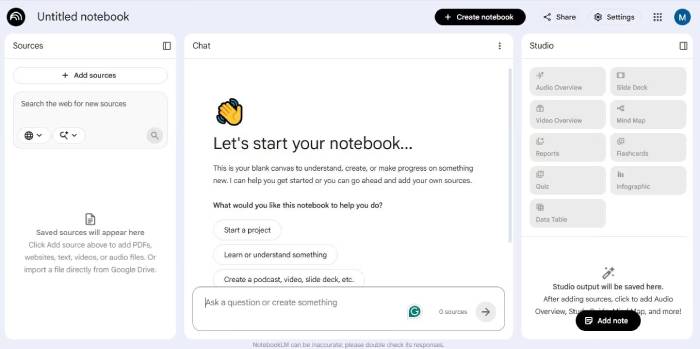
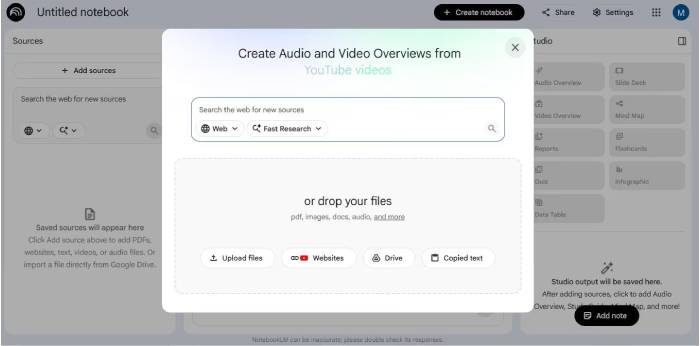
NotebookLM is Google’s source-grounded research and learning tool. You create a notebook, add material, and then ask questions or generate outputs based on that collection. Supported sources can include PDFs, Google documents and slides, websites, public YouTube videos, audio, and pasted text. Google also provides source-discovery tools that can suggest web material for you to add.
The important difference is that the source set remains visible and central to the workflow. NotebookLM’s chat responses link back to relevant passages, making it convenient to inspect the evidence behind a summary or comparison. It can also transform sources into formats such as study guides, reports, mind maps, flashcards, quizzes, and Audio or Video Overviews. Feature availability may vary by account or plan.
This design does not guarantee perfect accuracy. NotebookLM can misread a source, omit context, or make a poor connection. Its outputs reflect the material you provide, so you still need to open citations and check consequential claims.
NotebookLM is especially useful for
- comparing several reports, papers, transcripts, or policy documents;
- creating a study guide from course material;
- finding where a name, requirement, or conclusion appears across sources;
- turning a collection of references into a briefing or overview;
- exploring a long source set while retaining links to the original passages;
- sharing a curated notebook with collaborators when account settings allow it.
Google describes NotebookLM as a tool for understanding information from your sources. Its generated Audio Overviews are summaries and interpretations of those sources—not a complete or objective account of the topic. See Google’s NotebookLM source-format overview for examples.
What is ChatGPT?
ChatGPT is a general-purpose AI assistant developed by OpenAI. It can explain concepts, draft and edit text, work with uploaded files, analyze data, help with code, search the web, and perform longer research or tool-based tasks when those capabilities are available.
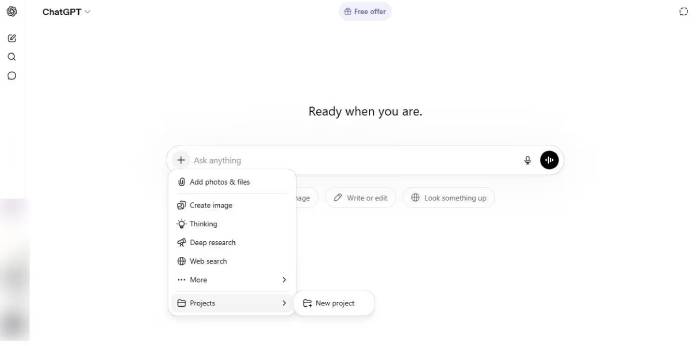
ChatGPT Projects can group chats, instructions, and reference files around an ongoing piece of work. Unlike NotebookLM, however, ChatGPT does not require every conversation to be organized around a fixed source collection. You can start with an open-ended question, add files when needed, or ask it to gather current information from the web.
ChatGPT is especially useful for
- drafting and revising emails, articles, reports, and structured documents;
- brainstorming options and developing an idea through conversation;
- analyzing spreadsheets, images, and uploaded documents;
- writing, explaining, and debugging code;
- conducting web research and synthesizing multiple sources;
- turning one form of content into another, such as notes into a plan or a table into a narrative;
- carrying a project through several steps with files and contextual instructions.
OpenAI’s official ChatGPT documentation describes projects, file work, browser use, and output creation. Exact tools and usage limits depend on the product surface, plan, region, and administrator settings.
Key difference: controlled sources or flexible context
NotebookLM starts with a bounded research space. You decide which sources belong in a notebook, and its responses point back to that material. This makes it well suited to questions such as:
- “Which of these contracts contains a renewal clause?”
- “How do these three papers explain the same finding?”
- “Create a study guide using only my lecture materials.”
ChatGPT can also analyze files, but its context can be broader. Depending on the task and enabled tools, it may use uploaded documents, earlier project context, information from the web, or general model knowledge. That flexibility helps with questions such as:
- “Turn this research into a presentation outline for executives.”
- “Compare the attached data with current public information.”
- “Create a working script, test it, and explain the result.”
Research accuracy and verification
NotebookLM makes source checking convenient because citations lead back to the notebook material. That is useful when the goal is to represent a defined set of documents faithfully. It does not make the answer automatically correct: the source may itself be wrong, outdated, biased, or incomplete, and the model may still summarize it poorly.
ChatGPT can produce documented research with links or citations when you explicitly use web or research capabilities. In an ordinary uncited conversation, it may draw on general model knowledge and can produce a plausible but unsupported statement. Ask for sources, open them, and verify important details yourself.
For legal, financial, medical, security, or business-critical decisions, neither tool should be the final authority. Check primary documents and involve an appropriately qualified professional where necessary.
Content creation and transformation
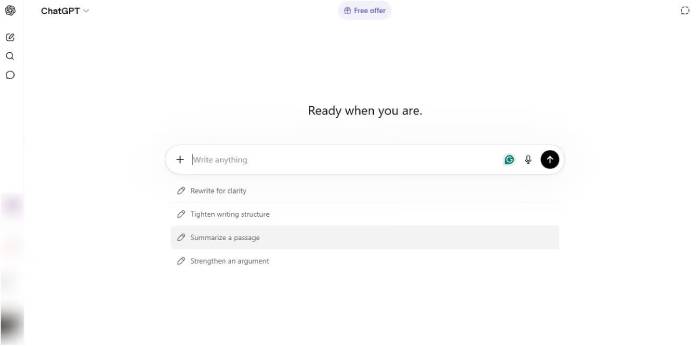
ChatGPT is generally more flexible for generating an original first draft, changing tone, iterating on a structure, or producing several alternative versions. It can move between research, writing, analysis, and implementation without requiring every output to stay within a fixed notebook.
NotebookLM is strongest when the content must remain tied to supplied references. For example, a communications team could load approved product documentation and customer research, then create a source-based briefing or outline. It is less appropriate when you want broad, unconstrained ideation beyond the notebook.
Knowledge management and ongoing projects
NotebookLM works naturally as a curated knowledge space. A notebook can contain the source material for one class, client, investigation, or subject. The visible source list and inline citations help users navigate that collection.
ChatGPT Projects are better suited to work that mixes reference material with active production. A project can keep related chats, files, and instructions together while you draft, analyze, plan, or create outputs over time. For organizational use, assess access controls, data policies, sharing settings, and retention requirements before uploading sensitive information to either service.
Which tool should you choose?
| Task | Better starting point | Why |
|---|---|---|
| Study a fixed reading list | NotebookLM | The notebook and citations keep answers connected to assigned material. |
| Compare policies or research papers | NotebookLM | It is easy to inspect cited passages across a controlled source set. |
| Draft and revise original content | ChatGPT | It supports open-ended iteration, tone changes, and format conversion. |
| Analyze data or write code | ChatGPT | Its broader workspace and tools are designed for analysis and creation. |
| Research a current topic on the web | ChatGPT | It can gather and synthesize current online sources when web research is enabled. |
| Create an audio or video explanation from references | NotebookLM | Its Studio outputs are specifically built around notebook sources. |
| Maintain a source-backed team knowledge notebook | NotebookLM | The source collection is the organizing unit. |
| Manage an evolving project with many kinds of outputs | ChatGPT | Projects combine context, files, conversations, and task work. |
Using NotebookLM and ChatGPT together
For many workflows, the best answer is to use both:
- Add primary documents to NotebookLM.
- Use its citations to identify relevant passages, conflicts, and missing evidence.
- Verify the important findings in the original sources.
- Move an approved summary—not confidential raw material—into ChatGPT.
- Use ChatGPT to create the deliverable, such as an outline, email, presentation plan, or analysis script.
- Compare the finished output with the verified source notes before publishing it.
This division of labor keeps research traceable while taking advantage of ChatGPT’s broader creation and analysis capabilities.
Bottom line
Choose NotebookLM when you need to understand and cite a defined collection of sources. Choose ChatGPT when you need a flexible assistant that can research, create, analyze, and move through multiple steps. If accuracy matters, do not choose by brand or familiarity: choose the workflow that makes evidence easiest to inspect, then verify the result.
Related Articles
 How to Use NotebookLM with ChatGPT8 minutes read
 Tips for Using NotebookLM's Mind Mapping Tool9 minutes read
 NotebookLM's New Features Will Amaze You8 minutes read
 Turning YouTube into a Learning Tool8 minutes read
 Google NotebookLM Mobile App No Longer Requires a Computer7 minutes read
 How to Share NotebookLM Publicly6 minutes read
Reader Comments 0
Sign in with email or Google to join the discussion.