Table of Contents
The old ChatGPT plugin recommendations are outdated. Code Interpreter and DALL·E are now built-in ChatGPT capabilities rather than plugins, while third-party services are reached through the current app directory, connected apps, custom GPTs, or newer plugin infrastructure. The best choice depends on whether you need ChatGPT to analyze a file, create an image, search the web, or exchange data with another service.

Availability varies by plan, workspace policy, region, and device. Use the Tools menu or visit the app directory shown in your ChatGPT account instead of following an old installation guide.
What replaced the original ChatGPT plugins?
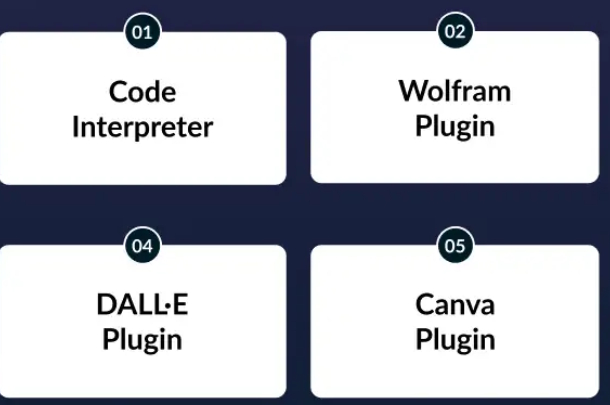
| Old recommendation | Current equivalent | Use it for |
|---|---|---|
| Code Interpreter plugin | Data Analysis | Spreadsheets, calculations, Python-based analysis, tables, and charts |
| DALL·E plugin | Image generation | Creating and editing images from natural-language instructions |
| Browsing plugin | Web search or deep research | Current information with sources |
| Canva plugin | Canva app in ChatGPT | Turning ideas or outlines into editable designs and presentations |
| Zapier, Slack, or other service plugins | Apps, connected apps, or supported workspace integrations | Using data or actions from a third-party service |
| Specialist plugin | Custom GPT or current plugin | Reusable instructions, knowledge, and purpose-built tools |
OpenAI introduced conversational apps in ChatGPT in 2025 and later added an in-product app directory. Current developer-facing plugins can also use the Model Context Protocol, but ordinary users should start with the tools and apps visible in their own interface.
1. Data Analysis for files, calculations, and charts
Data Analysis is the current name for the capability once commonly called Code Interpreter. Upload a CSV, XLSX, PDF, or another supported file and describe the result you need. ChatGPT can inspect structured data, run calculations, create tables and charts, and provide downloadable outputs when supported.
Useful tasks
- Clean inconsistent spreadsheet values and identify missing data.
- Group sales or survey records and calculate summary statistics.
- Create a chart from selected columns.
- Compare two files and explain mismatched rows.
- Extract structured information from a document for review.
Give the file's purpose, define important columns, specify units, and ask for intermediate checks. OpenAI's data-analysis guide recommends clear column names and one record per row for structured files.
Do not accept a chart or total without checking it against the source. Ask ChatGPT to show formulas, excluded rows, assumptions, and any parsing errors. TipsMake also explains how spreadsheet analysis works in its comparison of AI tools for spreadsheet analysis.
2. Image generation for creating and editing visuals
Image generation is built into ChatGPT on supported plans; it is not a DALL·E plugin you install. You can describe a new image or upload an existing one and request edits such as changing a background, removing an object, or adjusting the style.
Get better results
- State the subject, composition, viewpoint, lighting, and intended format.
- For an edit, identify exactly what must stay unchanged.
- Request space for headlines or interface elements when designing a layout.
- Inspect text, hands, logos, and product details before publishing.
- Confirm usage rights and brand requirements for commercial work.
OpenAI's capabilities overview describes both image understanding and generation. For alternatives and output checks, see TipsMake's guide to AI image generators.
3. Web search for current information
Use web search when the answer depends on news, prices, product changes, schedules, laws, or other time-sensitive facts. Ask for sources and open the most important citations. Search is more appropriate than relying on the model's general knowledge for information that may have changed.
A practical prompt
“Compare the current support policies for these products. Use official sources, state the date checked, and separate documented facts from your conclusions.”
Even cited answers can misread a page or rely on a secondary summary. Verify key claims in the linked source before acting on medical, legal, financial, security, or purchasing advice.
4. Canva and other apps in ChatGPT
Apps let ChatGPT work with services that provide an interactive interface or connected capability. Canva was one of the early app partners: a user can start with an outline and ask Canva to turn it into a design or slide deck, then continue editing in the app.
To find an app, open the Tools menu or the app directory available in your account. You may also be able to call an app by name in a prompt. The first connection should show what information may be shared; read that notice before continuing.
When an app is useful
- The result must remain editable in a specialist service.
- You need account data from a connected platform.
- The service provides actions ChatGPT cannot perform by itself.
- An interactive map, playlist, design, or course view improves the workflow.
For Canva-specific editing features, see TipsMake's overview of Canva AI tools.
5. Automation tools such as Zapier
Automation services can connect messages, forms, spreadsheets, task managers, and other applications. The integration method may appear as a ChatGPT app, connected app, custom GPT action, plugin, or a workflow created in the automation service itself. Do not assume an old “Zapier plugin” installation path still applies.
Start with a low-risk workflow
- Choose a reversible task, such as drafting a task from a labeled email.
- Limit the connected account and permissions to what the workflow needs.
- Require human confirmation before sending messages, deleting data, or spending money.
- Test with sample records.
- Review logs and add failure handling before enabling the workflow for a team.
Automation is valuable when it removes a repeated handoff, not when it creates an opaque chain of actions. TipsMake compares Zapier with other managed and self-hosted options in its guide to n8n alternatives.
6. Custom GPTs for reusable expertise
A custom GPT packages instructions, optional knowledge files, and selected capabilities into a reusable assistant. It is a better fit than an app when the main need is consistent guidance or a repeatable method rather than an external service interface.
For example, a team might build a GPT that follows its editorial checklist, reads an approved style guide, and uses Data Analysis for content inventories. OpenAI's GPT creation guide lists capabilities such as web search, image generation, Canvas, and Data Analysis. Availability depends on account and workspace settings.
How to choose the right extension path
- Use a built-in tool when ChatGPT can complete the work directly, such as analyzing a file or generating an image.
- Use an app when another service's data or interactive interface is central to the task.
- Use a custom GPT when you need reusable instructions, reference files, or a consistent workflow.
- Use automation when a repeated event should trigger actions across systems.
- Use a developer plugin when a purpose-built, managed connection is required and you understand its permissions.
Privacy and permission checklist
- Confirm who published the app, GPT, or plugin.
- Read the data-sharing notice before connecting an account.
- Grant the minimum permissions required.
- Avoid uploading secrets, regulated data, or private customer information unless the account and service are approved for it.
- Disconnect unused apps and review workspace controls regularly.
- Keep human approval for external messages, purchases, publishing, and destructive changes.
The useful question is no longer “Which old ChatGPT plugin should I install?” It is “Does this task need a built-in tool, an app, a custom GPT, or an automation?” Starting from the task keeps the setup smaller, safer, and easier to maintain.
Related Articles
 What Is ChatGPT Pro? Is It Worth It in 2026?8 minutes read
 ChatGPT Explained8 minutes read
 Is ChatGPT Plus Still Worth Using in 2026?9 minutes read
 The 4 Top Copilot Plugins Today: Recommended Choices5 minutes read
 What Is ChatGPT Go? Is It Worth It?10 minutes read
 How to Register for ChatGPT's New Plugin Feature: Complete Guide5 minutes read
Reader Comments 0
Sign in with email or Google to join the discussion.