Table of Contents
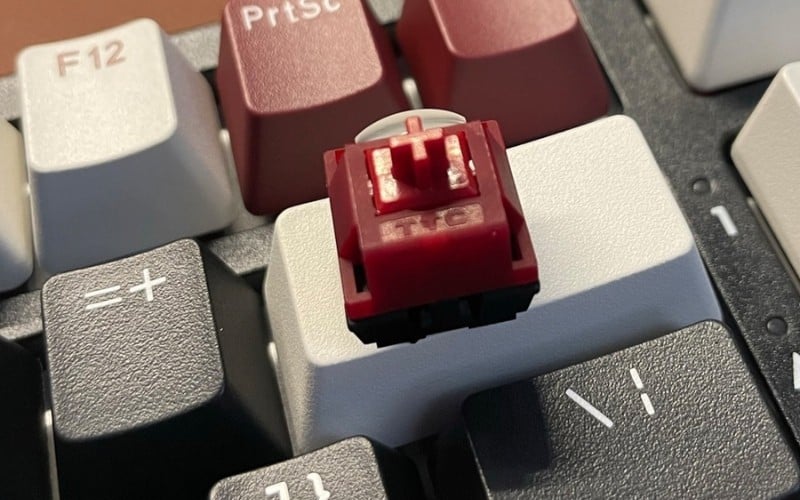
A Red switch is a light linear mechanical switch: the key moves without the tactile bump of a Brown switch or the deliberate click of a Blue switch. That can suit fast repeated inputs and people who prefer a smooth keypress, but the switch color alone does not determine whether a keyboard feels or sounds good.
This comparison covers six models across compact, TKL, near-full-size, and full-size layouts. Availability and switch options vary by country, so match the exact model code and switch configuration before ordering.
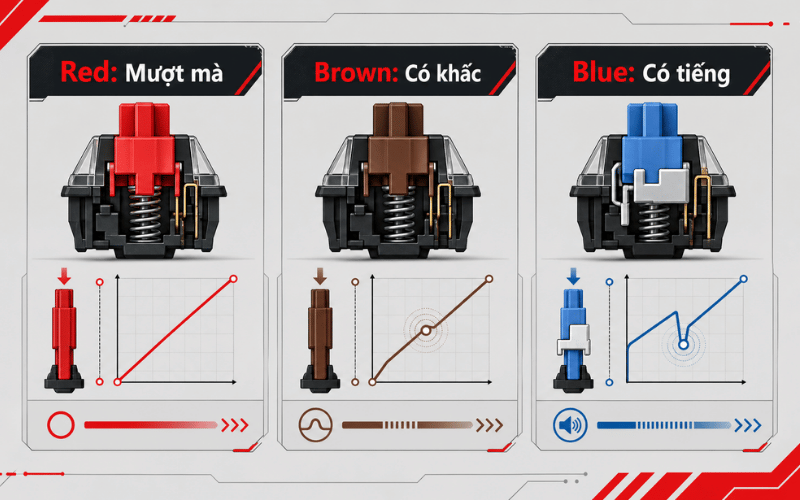
Is a Red switch right for you?
“Red” is a category name used by many manufacturers, not one universal specification. Spring weight, travel, factory lubrication, housing material, and tolerances can differ. A Cherry MX Red and an EDRA or DareU Red switch may all be linear, yet feel noticeably different.
- Choose Red: if you want smooth travel, light repeated presses, and no click mechanism.
- Consider Brown or another tactile switch: if you want a bump that confirms actuation.
- Consider Blue or another clicky switch: if you enjoy a deliberate click and will not disturb nearby people.
- Consider a silent linear switch: if reducing sound matters more than the familiar Red-switch feel.
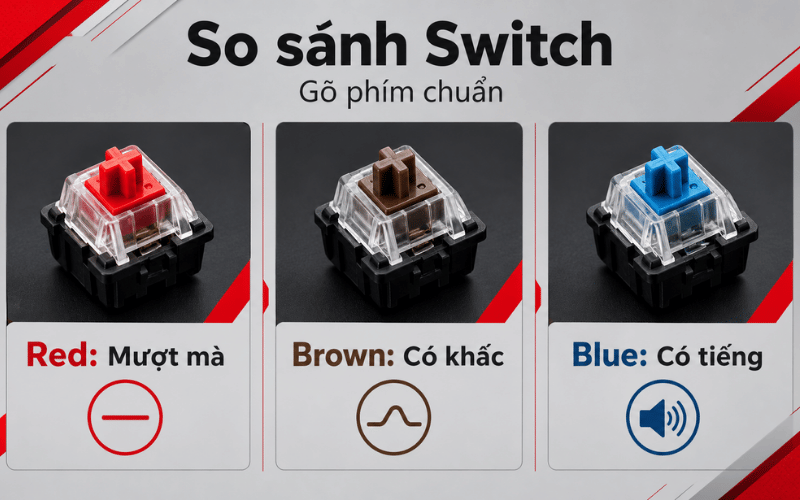
Red switches are often quieter than clicky Blue switches, but they are not silent. Keycaps hitting the top case, switches bottoming out, stabilizers, the desk surface, and the keyboard enclosure all contribute to noise. A well-built board with ordinary Red switches may sound better than a poorly damped board with a premium switch.
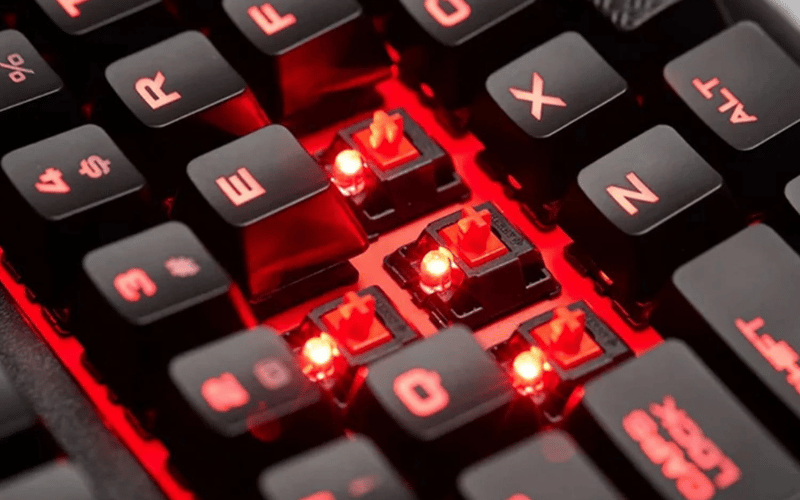
For a deeper explanation of linear feel and switch terminology, read what a Red switch is.
What to check before buying
Layout
| Layout | What it keeps | Best suited to |
|---|---|---|
| Full-size | Function row, navigation cluster, arrows, and number pad | Data entry and users who rely on a numpad |
| 96%/98% | Most full-size keys in a compressed arrangement | Small desks where a number pad is still important |
| TKL | Function row, navigation keys, and arrows; no number pad | Gaming with more mouse space and general typing |
| 75% | Function row and arrows in a tightly packed layout | Mixed work and gaming with limited desk space |
| 65% | Letters, number row, modifiers, and arrows | Travel and minimal setups; shortcuts replace missing keys |
Connection
- Wired USB: no charging and the simplest dependable gaming connection.
- 2.4GHz wireless: usually the preferred wireless mode for gaming, but latency and reliability depend on the implementation.
- Bluetooth: convenient for laptops, tablets, and device switching; check supported devices and shortcuts.
- Tri-mode: combines wired, 2.4GHz, and Bluetooth. It adds flexibility but also batteries, pairing controls, and another specification to verify.
Hot-swap compatibility
A hot-swappable socket lets you remove compatible switches without soldering. It is useful for experimenting or replacing a failed switch, but socket support varies: some accept only 3-pin switches, others accept 3-pin and 5-pin switches, and optical switches are not interchangeable with ordinary mechanical switches. See how hot-swap keyboards work before buying replacement switches.
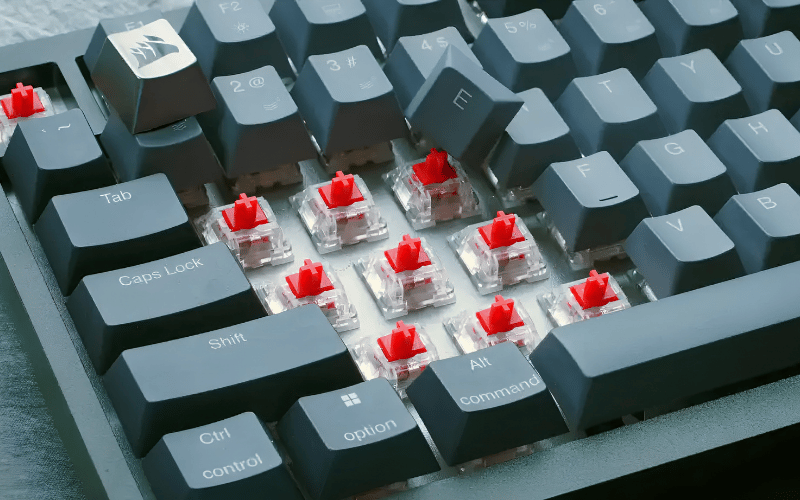
Keycaps, stabilizers, and case construction
PBT keycaps usually resist shine better than ABS, while ABS can produce crisp legends and is common on affordable boards. Material alone does not establish quality. Check thickness, molding, profile, legend method, and compatibility with replacement keycap sets.
Space, Enter, Shift, and Backspace depend on stabilizers. Rattle or uneven movement on these keys can be more distracting than the switch itself. This guide explains mechanical keyboard stabilizers and what affects their feel.
Six Red-switch keyboards compared
| Model | Layout | Connection | Keycaps | Important buying note |
|---|---|---|---|---|
| DareU EK87 V2 | 87-key TKL | Wired USB | ABS double-shot/two-color injection | Select the D-Switch Red variant |
| EDRA EK375S | 83 keys plus knob | USB, 2.4GHz, Bluetooth | ABS double-shot | Official page names an EDRA switch but not a color; confirm Red SKU |
| EDRA EK384 Triple Mode | 84 keys | Wired, 2.4GHz, Bluetooth | ABS double injection | Official listing offers Blue, Red, or Brown options |
| EDRA EK398S | 101 keys plus knob | USB, 2.4GHz, Bluetooth | ABS double-shot | Official page names an EDRA switch but not a color; confirm Red SKU |
| AULA S100 Pro | 95% layout | Wired, 2.4GHz, Bluetooth | Varies by regional SKU | Hot-swappable; confirm switch and keycap configuration |
| Corsair K70 RGB PRO | Full-size | Wired USB | PBT double-shot on the cited US Red-switch SKU | Check exact regional part number and switch option |
The table uses manufacturer specifications available at review time. Retailer titles sometimes combine details from different variants, so verify the box label or part number rather than relying on a product photo alone.
1. DareU EK87 V2: simple wired TKL
The DareU EK87 V2 is an 87-key wired keyboard with N-key rollover, Rainbow lighting, and DareU D-Switch options including Red. Its TKL layout removes the number pad while keeping the function row, arrow keys, and navigation cluster.
Choose it for: a straightforward wired desk setup and more room for mouse movement. Look elsewhere if: you need wireless device switching, a numpad, or confirmed hot-swap support.
2. EDRA EK375S: compact tri-mode board with a knob
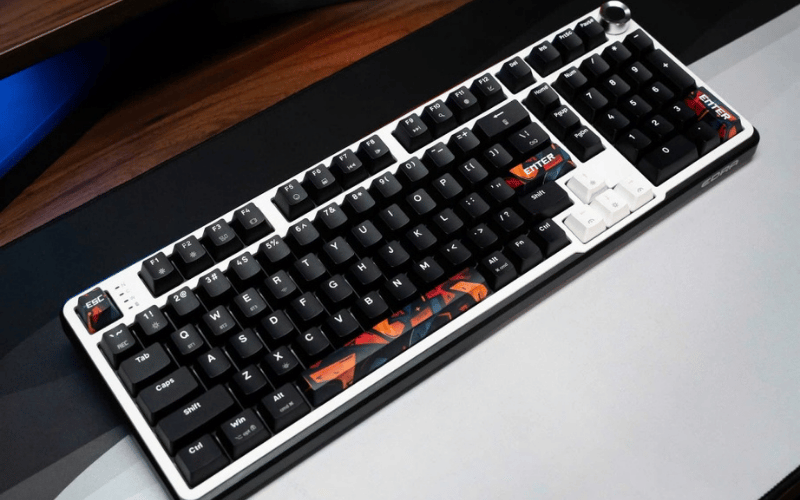
The EDRA EK375S has 83 keys, a metal knob, USB/2.4GHz/Bluetooth connectivity, a gasket-mount structure, ABS double-shot keycaps, and a 4000mAh battery according to EDRA's product page.
The manufacturer currently lists the switch simply as “EDRA,” without a color on that page. If a retailer advertises a Red-switch EK375S, ask for the exact switch option or a photograph of the label before buying.
Choose it for: a compact layout, wireless flexibility, and a volume knob. Look elsewhere if: you require a clearly documented Red-switch SKU or PBT keycaps.
3. EDRA EK384 Triple Mode: compact 84-key option
The EDRA EK384 Triple Mode uses an 84-key compact layout and offers wired, 2.4GHz, and Bluetooth connections. EDRA lists Red, Brown, and Blue switch choices, ABS double-injection keycaps, RGB lighting, full-key anti-ghosting, and a 1200mAh battery.
Choose it for: an explicitly listed Red-switch option in a compact tri-mode board. Look elsewhere if: you need a number pad or prefer more widely spaced navigation keys.
4. EDRA EK398S: near-full-size tri-mode layout
The EDRA EK398S has 101 keys plus a metal knob, USB/2.4GHz/Bluetooth connectivity, gasket mounting, ABS double-shot keycaps, and a 4000mAh battery on the manufacturer's specification page.
As with the EK375S, the official page names an EDRA switch but does not identify a Red option. Confirm the switch variant with the seller.
Choose it for: number-pad access and tri-mode connectivity without a traditional 104-key footprint. Look elsewhere if: your mouse area is limited or the Red-switch configuration cannot be verified.
5. AULA S100 Pro: hot-swappable 95% tri-mode design
The AULA S100 Pro is a 95% keyboard with wired, 2.4GHz, and Bluetooth modes. AULA's global product page identifies it as fully hot-swappable, but regional listings may differ in switch, keycap, color, and battery details.
Choose it for: a compact number-pad layout and the ability to replace compatible switches. Look elsewhere if: the seller cannot confirm the Red-switch SKU, socket compatibility, and included keycaps.
6. Corsair K70 RGB PRO: full-size wired Cherry MX Red model
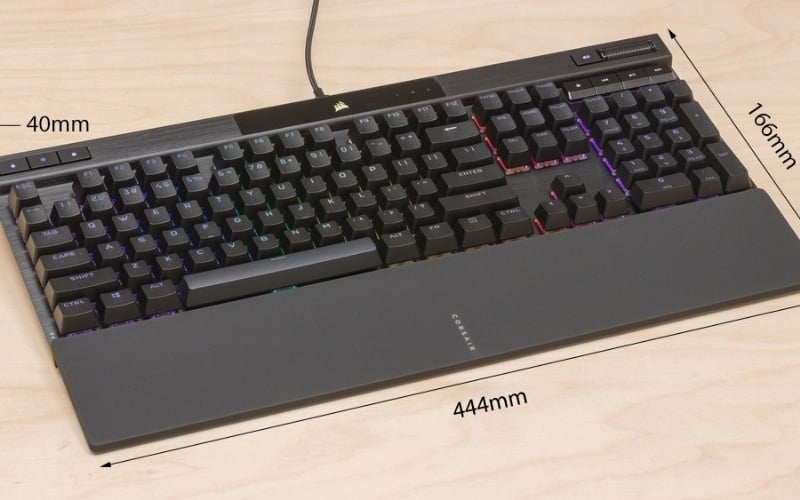
The Corsair K70 RGB PRO Cherry MX Red is a full-size wired keyboard with an aluminum frame, PBT double-shot keycaps on the cited US model, per-key RGB lighting, a detachable USB-C cable, a magnetic wrist rest, and up to 8,000Hz USB polling.
High polling rates have a small practical benefit compared with layout, key feel, stabilizers, and comfort for most users. They can also increase CPU overhead, so the highest setting is not automatically the best choice.
Choose it for: a traditional full-size layout, wired connection, and a clearly specified Cherry MX Red configuration. Look elsewhere if: you want wireless use, hot-swap sockets, or a compact board.
Which model fits your use?
Competitive gaming on a small desk
Start with the DareU EK87 V2 for wired TKL simplicity or the EDRA EK384 Triple Mode if you want a smaller 84-key layout and wireless options. Check key placement carefully: compressed layouts can move Delete, Home, End, and other navigation keys.
Office work with frequent number entry
The EDRA EK398S, AULA S100 Pro, and Corsair K70 RGB PRO retain a number pad. The full-size Corsair has the most conventional spacing, while the 95% and 101-key layouts save width by compressing the clusters.
One keyboard for several devices
The EDRA EK375S, EK384 Triple Mode, EK398S, and AULA S100 Pro offer wired, 2.4GHz, and Bluetooth modes. Before purchase, verify how many Bluetooth devices can be stored, how switching works, and whether the advertised shortcuts match your operating system.
Switch experimentation and repair
The AULA S100 Pro is the clearly documented hot-swappable model in this group. Do not assume another keyboard is hot-swappable just because replacement switches are sold for it.
How to compare prices without buying the wrong variant
- Match the full model and regional part number.
- Confirm that “Red” describes the installed switch, not only an available option.
- Check whether the quoted price includes a warranty and local return support.
- Verify keycap material, language legends, battery, receiver, cable, and wrist rest.
- Compare the total cost of any desired switches, keycaps, and wrist rest.
- If possible, test the keyboard's long keys, spacebar sound, wireless switching, and layout before the return period ends.
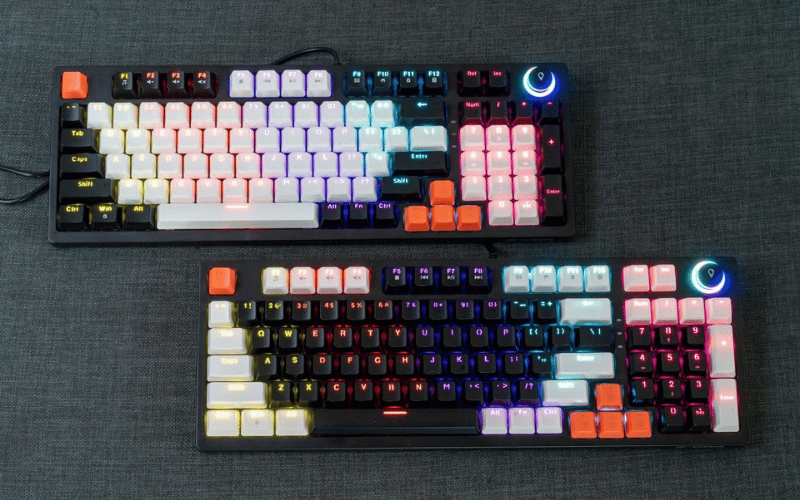
There is no single best Red-switch keyboard for everyone. The DareU is the simplest wired TKL choice in this group; the three EDRA models cover compact through near-full-size tri-mode layouts; the AULA emphasizes hot-swap flexibility; and the Corsair offers a conventional full-size wired Cherry MX Red configuration. Choose the layout and connection first, then verify the exact switch variant and construction details.
Related Articles
 Keyboard Red Switch: Top 5 Keyboards with Red Switches Worth Buying9 minutes read
 How Does a Mechanical Keyboard Work?: Complete Guide4 minutes read
 How to Change the Mechanical Keyboard Switch at Home with 5 Steps10 minutes read
 Check Out the 7 Top Quality Red Switch Mechanical Keyboard Models in 202317 minutes read
 How to Choose the Right Mechanical Keyboard Switch7 minutes read
 Blue Switch Mechanical Keyboards: Features and Comparisons9 minutes read
Reader Comments 0
Sign in with email or Google to join the discussion.