Table of Contents
Forgetting your laptop password is a very common situation. A common mistake is resetting the machine too soon, while in many cases, simply identifying the correct account type to unlock it without affecting data is sufficient. This article from TipsMake will share simple ways to unlock your Acer laptop when you've forgotten your password.
Start by identifying what Windows is asking for. A Microsoft account password can be recovered online, a Windows Hello PIN is reset for that device, and a local account password may be reset with security questions or a reset disk created in advance. These are separate credentials, so using the wrong recovery path wastes time.
Before changing anything
- Confirm that this is your device or that you are authorized to administer it.
- Keep the laptop connected to power and avoid third-party password-removal utilities. Offline bypass tools can damage the account profile, expose data, or create new security problems.
- If Windows still opens through another sign-in method, back up important files first.
- Locate the BitLocker recovery key before using recovery media, firmware settings, or Reset this PC. An encrypted drive may request it.
Microsoft documents the current options for resetting a Windows PIN or password, finding a BitLocker recovery key, and using the Windows Recovery Environment. TipsMake also provides a BitLocker recovery guide and a general factory-reset checklist.
Choose the correct recovery path
- It's important to correctly identify the type of Windows account before resetting your Acer laptop password to minimize the risk of data loss.
- With a Microsoft Account, you can recover their passwords online via their linked email or phone number.
- Local Accounts can be reset using security questions if the user has previously set them up on Windows.
- USB boot is an advanced unlocking method, so it's best to have a technician perform it if you lack experience.
1. Reset a Microsoft account password
1.1. When this method applies
This method only works when your Acer laptop is logged in using a Microsoft Account. This is the first method you should try because it doesn't directly access the data on your computer. Your Microsoft password is your online account password, different from the PIN used for quick unlocking on your device.
1.2. Reset the password from the sign-in screen or web
- Step 1: Access the Microsoft password recovery page using another phone or computer HERE. Log in with the Microsoft account linked to the computer.
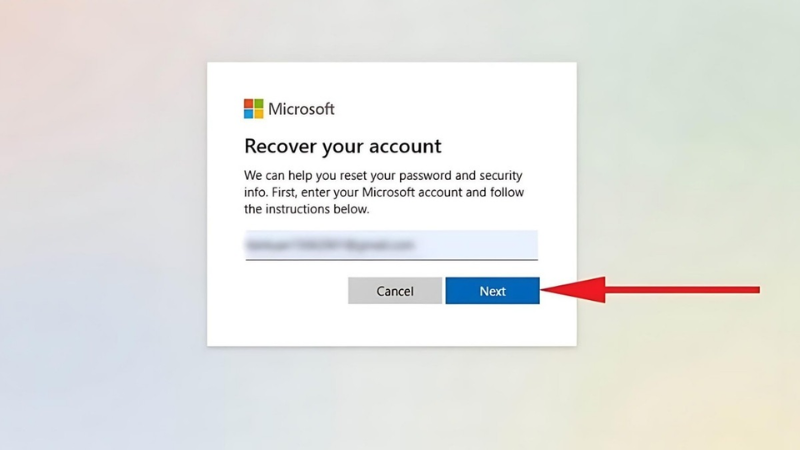
Access the Microsoft password recovery page.
- Step 2: Select " Get code" and check your email for the verification code.
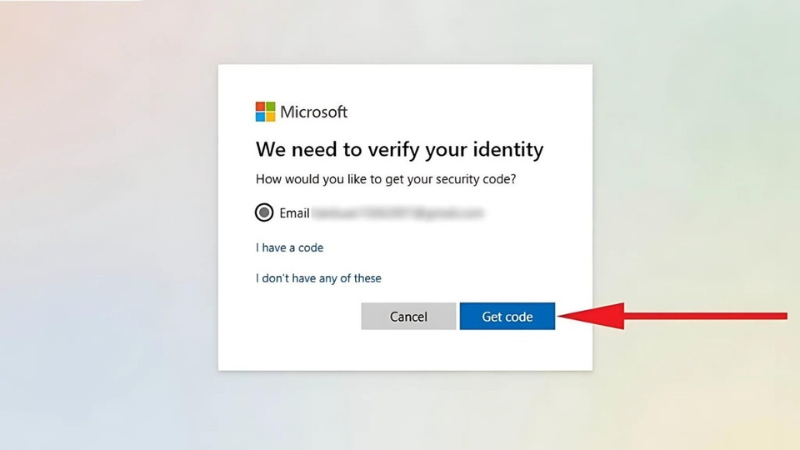
Select the Get code option.
- Step 3: Enter the code sent to your email or phone. Create a new password, then return to your Acer laptop and log in again with the new password.
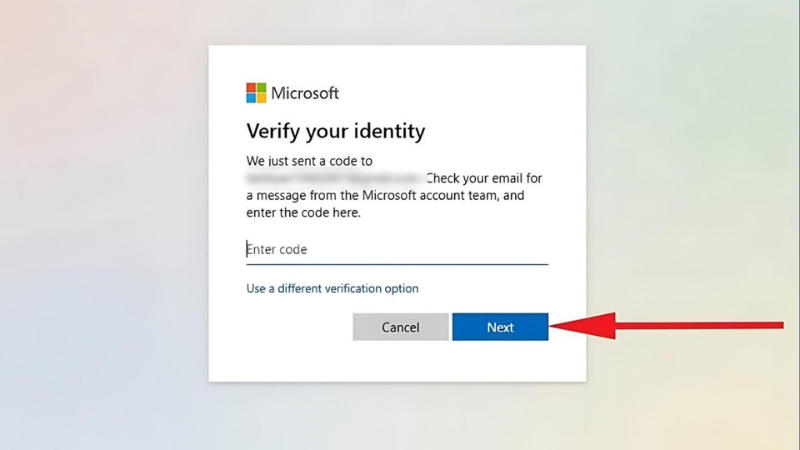
Enter the code that was sent to you.
2. Method 2: Use a different Administrator account to change the password
2.1. When this method applies
This method applies when the laptop has multiple user accounts and there must be another Administrator account that can log in. If there are no other administrator accounts, skip this step to avoid wasting time.
2.2. Change the local account password
- Step 1: Log in with a working Administrator account.
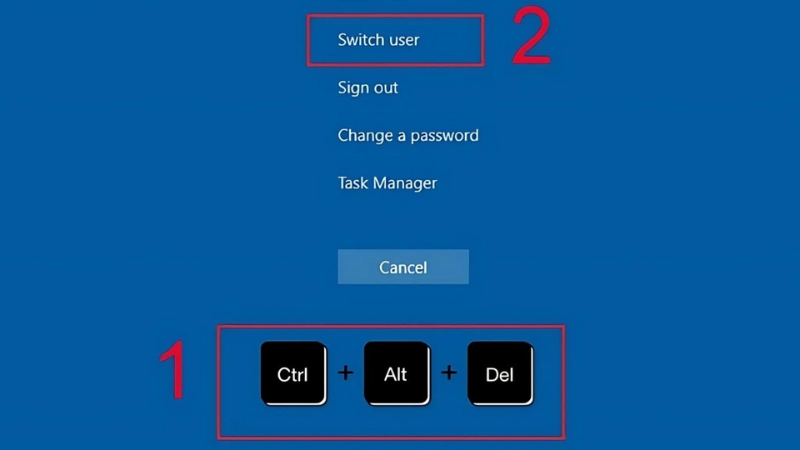
Log in with a different Administrator account.
- Step 2: Open the Control Panel on Windows. Select User Accounts.
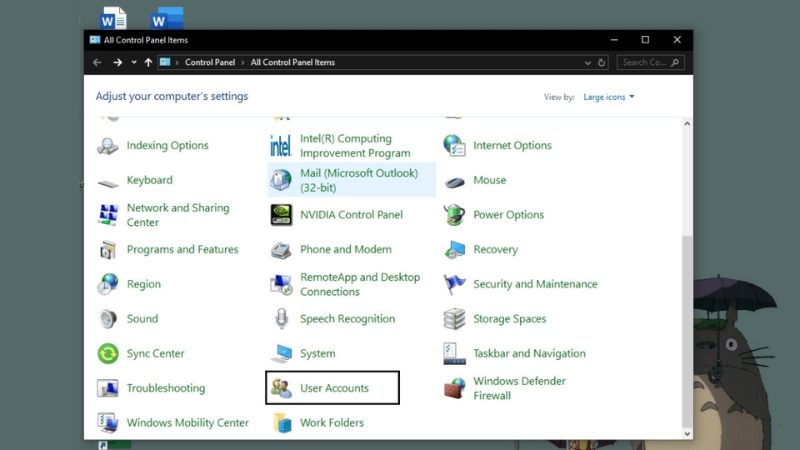
Select the User Accounts section.
- Step 3: Click on the "Manage another account" option.
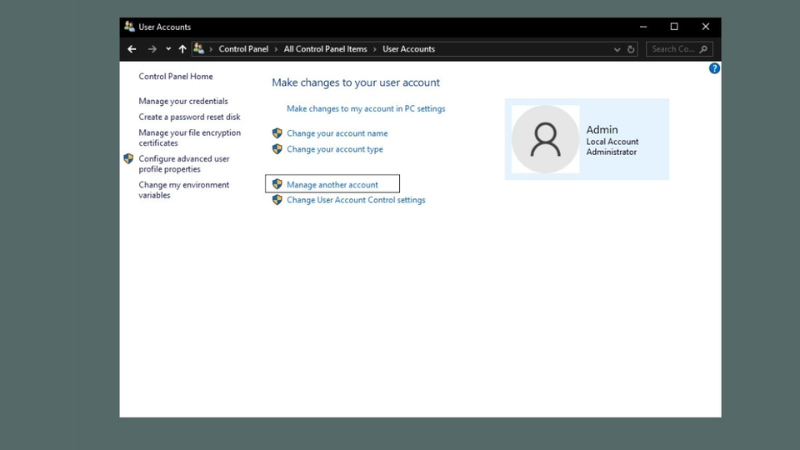
Click on Manage another account
- Step 4: Select the account for which you forgot the password and change it.
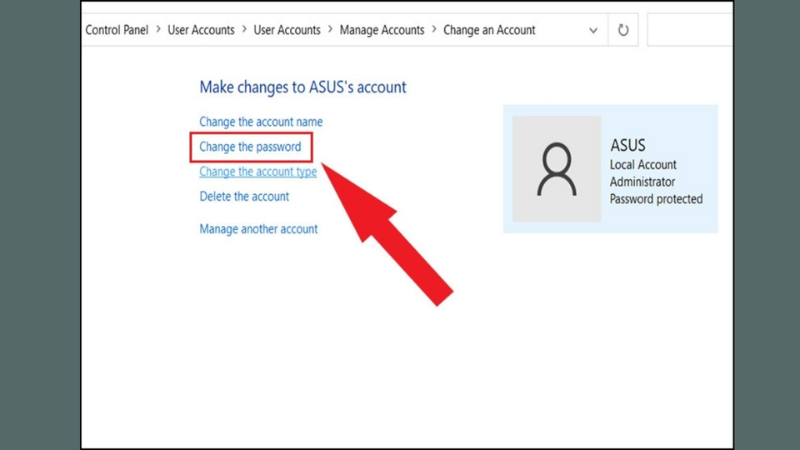
Select the account for which you want to change the password.
- Step 5: Enter your new password and confirm.
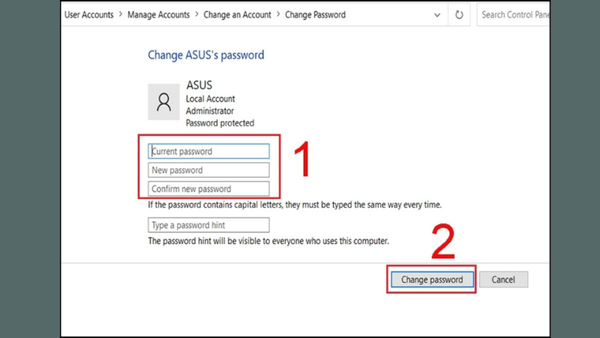
Enter your new password and confirm.
3. Method 3: Reset your Local Account password using a security question
3.1. What a local account is
A Local Account is a local account stored on the laptop itself, not directly linked to Microsoft email, and is typically used by users who want to log in internally on a specific machine.
3.2. Answer the security questions
- Step 1: On the login screen, select the arrow next to the password input field.

Select the arrow next to the password input field.
- Step 2: Answer the pre-set security questions correctly. Create a new password and log in again.
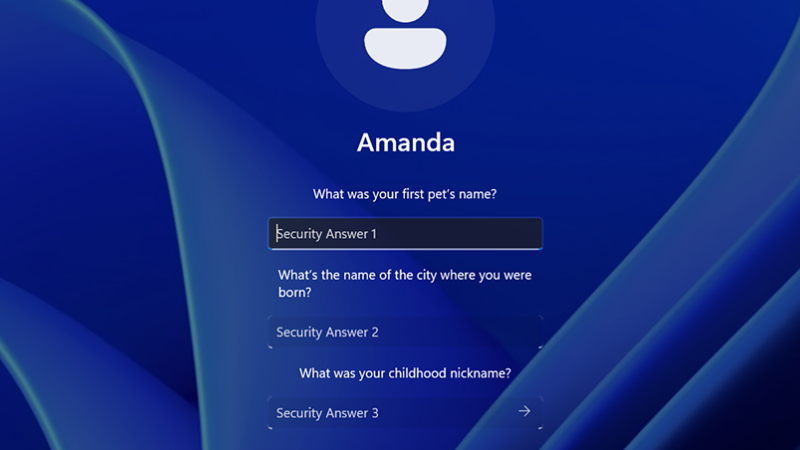
Answer the pre-set security questions correctly.
4. Use official Windows recovery as a last resort
A bootable USB drive should be used only as official Windows installation or recovery media. It does not reveal or safely remove an unknown account password. If the supported account-recovery methods are unavailable, use Windows Recovery Environment or Reset this PC and review what will be removed before continuing.
However, this method requires users to know how to access the BIOS/UEFI and set the boot order from USB. Incorrect operation can cause system errors, so inexperienced you should take their computer to a reputable repair center for assistance.
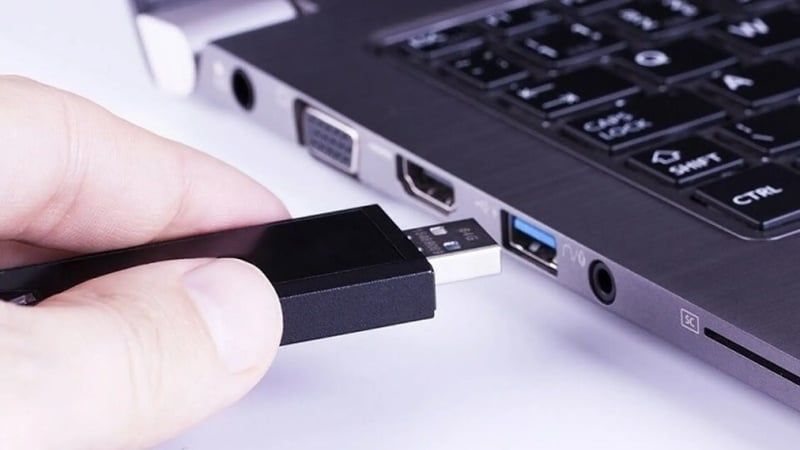
Use only official Windows recovery or installation media.
5. How to avoid forgetting your Acer laptop password next time
- Link your Microsoft account if you want easier online recovery.
- Create a PIN that's easy to remember but not too simple to log in faster.
- Set up security questions for your Local Account if you are still using a local account.
- Save your passwords in a reliable Password Manager to avoid manually memorizing them.
- Perform regular data backups for important documents.

Create a PIN that's easy to remember but not too simple to log in with.
6. PIN, account, and reset questions
6.1. Is forgetting the PIN on an Acer laptop the same as forgetting the password?
They are not the same. A PIN is a local login code on the device, while a password is the password for your Windows or Microsoft account used to authenticate login.
6.2. What is the difference between a Local Account and a Microsoft Account?
- Local Account: Can only be used on one device, recovery is more limited if you forget your password.
- Microsoft Account: Linked to email, can be recovered online through the Microsoft system.
6.3. Does resetting this PC delete installed applications?
Yes, in most cases. The " Keep my files" option doesn't preserve installed software or all system customizations.
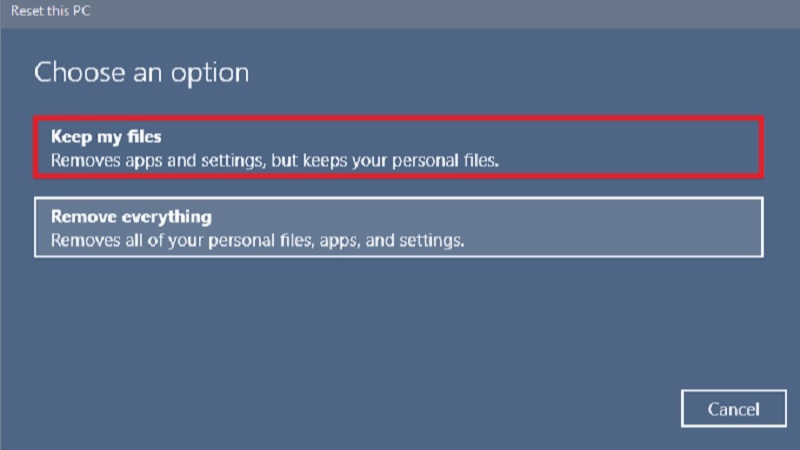
The "Keep my files" option does not preserve installed software.
Use the recovery option that matches the credential shown on the sign-in screen. Treat Reset this PC or a Windows reinstall as a last resort after checking backups and BitLocker recovery information.
Related Articles
 How to Unlock iPhone If You Forgot Your Password: Step-by-Step Guide5 minutes read
 Unlocking Excel Files When You Forget Your Password Is Super Simple Explained7 minutes read
 How to Unlock a Laptop Safely and Easily After Forgetting the Password9 minutes read
 You Can Still Unlock Your IPhone in iOS 17 Even If You Forget4 minutes read
 What Should I Do If I Forget My Laptop Password? 4 Ways to Open When You Forget9 minutes read
 How to Crack Winrar Password - Find the Winrar Compressed File Password6 minutes read
Reader Comments 0
Sign in with email or Google to join the discussion.