
Tricks application
How to Use Samsung Health on Galaxy S8, S8 Plus
Samsung Health is a user health monitoring application on Galaxy S8 and S8 Plus devices. Which Tracker is the most diverse tool of the app.
Browse more Discover Tricks application guides, useful tips, updates and step-by-step instructions to improve setup, gameplay and everyday use.
Samsung Health is a user health monitoring application on Galaxy S8 and S8 Plus devices. Which Tracker is the most diverse tool of the app.

Follow this guide to install and run the Android n 7.0 emulator on Windows PC correctly. Review the essential steps, key settings.

Download Booster on Galaxy S8 duo, S8 Plus is a feature that supports application downloads or files that exceed 30MB, when connecting to LTE and Wi-Fi.

This guide covers you can draw your own emoji on gboard right now with straightforward explanations, key considerations.

The camera function on Galaxy S8 has been provided with some new features, as well as improved features available, giving you more options for photos or videos.

Iris scanning is the system security method used by Galaxy S8 and Galaxy S8 Plus, in addition to fingerprint and password security.

This guide covers instructions for installing xposed framework for Android with straightforward explanations, key considerations.

You can make some customizations on Android without rooting the device. Join us to find out what those customizations are!

This guide covers install Android on your computer, run Android in parallel with with straightforward explanations, key considerations.

Use this practical guide to download applications on Google play store. It covers the main steps, important settings, and reliable fixes for common errors.

Night Mode on Samsung Galaxy S8 has the ability to filter the blue light, causing the screen to have a softer light, reducing the impact on users's eyes.

Get a practical overview of guide to lock and unlock Android screen with virtual assistant, including important details, common questions.

Review apps that help you block spam calls on Android and compare usability, features, value, and suitability for different users and needs.

Need to send extremely secure email encryption on Android? Use these practical instructions to complete the process, verify important settings.

Follow this guide to turn off the notification prompt on bixby galaxy s8 correctly. Review the essential steps, key settings.

On Samsung Galaxy S8 and S8 Plus has a feature that allows users to move multiple icons, application icons at the same time on the screen, or the app tray.
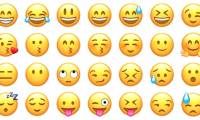
Want to create emoji emoticons with your own style? Let's also explore the following 4 methods. Review the key features, practical uses, and important details.

This guide covers prevent advertising notifications on Android with straightforward explanations, key considerations.

Adjusting the installation settings, customizing applications, etc. will help users save energy usage, avoid battery drain on Samsung Galaxy S8.

Opera Max is an application that manages data, minimizes unlimited data of applications installed on the device, to help the device save 3G / 4G.