Table of Contents
This guide provides a practical overview of create an emoji emoji with 'made by me' style with clear explanations and useful details. It focuses on the information users are most likely to need.
What is Emoji? You often use it when chatting on social networking applications, in messages to express your feelings and joys. Emoji are small stickers used to describe some reactions or emotions. Although there are hundreds of different emoji on social networking applications, users still want to create their own emoticons to express their intentions and emotions through homemade emojis. For many people who often use emoticons, it is sometimes found that emoji do not meet their needs. So in this article, we show you how to create emoji that anyone can do. Let's start now!
# 1 Bitmoji
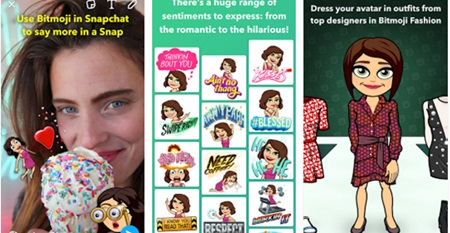
This is a popular application for emoji creation which is very popular. Using a large number of different sticker styles, this application allows users to make any type of emoji they want. It is used with snap chat or integrated in chat chat, so users who use snap chat can use this function to create their own style emoji expressing their feelings with friends on social networks.
To create an emoji from Bitmoji, select the avatar and edit the hairstyle, eyebrow shape and color and other details. Choose body style and emoji finish. Finally select the subpage for emoji and then press the Tick Button to 'emulate' emoji!
Download - iOS / Android
# 2 Moji Maker
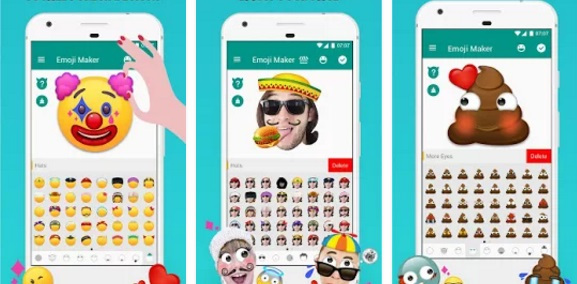
Another great emoji creation app is Moji Maker. For users who have experienced this application, they all know about its flexibility. No matter what you think about shapes or emoticons, this app can turn your imagination into reality. On the basic emoji, you can change the color, outfit or add accessories to the emoji by dragging, dropping and converting it into the shape you really want. The advantage of using this app is that it is very easy to use and users can quickly create another emoji style in seconds!
Download - iOS / Android
# 3 Makemoji
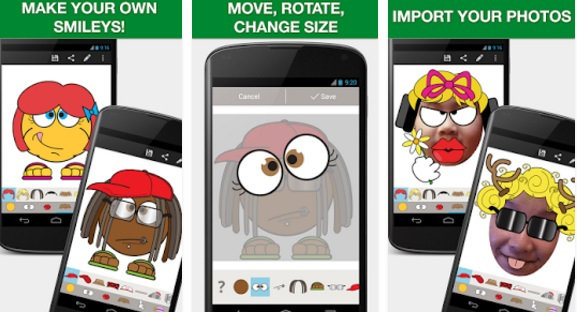
This application is similar to the above applications. Choose the basic template and then add facial expressions and create the desired appearance. After adding all the classes, you can still make the final edit and make it more aesthetic. After completing the work, press the Done Button and save or share your emoji easily!
Download - iOS / Android
# 4 Booble Keyboard and EmojiFace
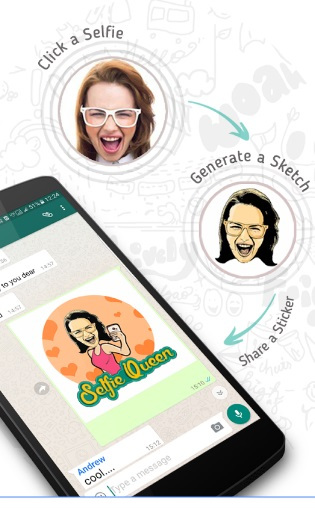
Two different applications but they work on the same principle. Booble Keyboard application compatible with Android devices as well as iOS while EmojiFace application is only available for iOS. Both applications allow users to take their selfies and turn them into funny emoji. This process is very simple, just take a selfie, then the app will turn it into a drawing and finally an emoji image. You can get many emoji created from your selfie, choose the emoji you like to save or share.
Booble Keyboard - iOS / Android
EmojiFace - iOS
FAQ
What is the main benefit of create an emoji emoji with 'made by me' style?
The main benefit is a clearer understanding of the topic and a practical way to apply the information covered in this guide.
What should I check before using create an emoji emoji with 'made by me' style?
Confirm compatibility, review the required settings, protect important data, and use the latest supported version whenever possible.
What should I do if the result is different?
Repeat the steps carefully, verify permissions and version differences, and consult the product's official support documentation for changes not shown in the article.
Related Articles
 Instructions for Creating Emoji Using AI Online: Main Insights3 minutes read
 Why Does the Emoji Keyboard on My iPhone 'Disappear'?4 minutes read
 How to Take an Emoji Style 'Selfie' with Memoji5 minutes read
 How to Create Emoji Wallpaper on iPhone3 minutes read
 How to Use Emoji on Mac3 minutes read
 You Can Draw Your Own Emoji on Gboard Right Now5 minutes read
Reader Comments 0
Sign in with email or Google to join the discussion.