
Security solution
5 Account Security Warning Signs and What to Do
Check unfamiliar sign-ins, breach notices, unexpected verification prompts, password resets, and recovery changes without mistaking every alert for a confirmed hack.
Browse more Find practical system guides, configuration tips and troubleshooting steps to keep Windows computers secure, stable and running smoothly.
Check unfamiliar sign-ins, breach notices, unexpected verification prompts, password resets, and recovery changes without mistaking every alert for a confirmed hack.

Control saved activity, Maps Timeline, personalized ads, connected apps, and app permissions. Understand what each setting changes before turning it off or deleting data.

Avoid relying on sync alone. Build independent backups, protect account access and encryption keys, and test that you can restore important files.

Reset current Notepad through Windows Settings, save open notes first, and understand why the older Registry method may not apply to your version.
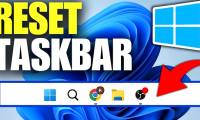
Restart Windows Explorer from Task Manager to refresh a frozen taskbar, and learn what to do if Explorer is missing or the problem returns.

Use Phone Link on a supported Android phone or SwiftKey Cloud Clipboard for text. Follow the correct setup for each method and check common sync problems.

Use the Windows Update driver-exclusion policy on supported editions, understand its limits, and avoid confusing it with older device-search settings.
Windows Installer cache files may be needed to repair, update, or uninstall apps. Keep the cache intact and use Windows storage cleanup tools to reclaim space.

Check which folders are slow, simplify their views, restart Explorer, and use the folder-type Registry workaround cautiously with a backup and undo plan.

Verify the account used to sign in to Windows, check device-registration limits, and distinguish the device list from Find my device and recent sign-in activity.
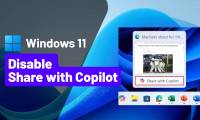
Hide the taskbar shortcut for Copilot Vision using Taskbar behaviors and the Copilot app's available settings, then check the result on an open app preview.

Adjust Explorer history, Home, folder views, and search indexing selectively. Test each change so you keep useful features and identify the real source of delays.

Find large downloads, organize files you want to keep, and remove unwanted items. Set up automatic cleanup only after reviewing what it will delete.

Choose indexed folders, exclude unnecessary locations, and understand the effect of disabling Windows Search. Includes corrected commands and steps to restore the service.
Use Shared Audio with two compatible Bluetooth LE Audio accessories. Check PC and driver support, start sharing in Quick Settings, and troubleshoot a missing option.

Uninstall the Windows Copilot app, stop its automatic launch, and review separate Edge and taskbar controls. Understand why older Registry tweaks are not a complete removal method.
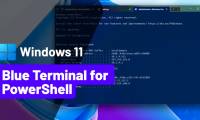
Apply the Campbell Powershell color scheme to a specific Terminal profile using Settings or a correctly placed JSON property.

Adjust the delay before supported classic submenus appear, keep an undo value, and distinguish a more responsive interface from a faster PC.

Remove the Copilot app, control Recall, and understand the limits and risks of third-party scripts that remove Windows AI components.

Install TTF or OTF files, find them in Windows Fonts settings, and remove custom fonts without deleting system files manually.