Ghost - Install Win
Should You Upgrade to Windows 10 Version 1903? Archived Advice
Historical upgrade advice for Windows 10 version 1903, plus current guidance on compatibility holds, backups, forced updates, and unsupported releases.
Browse more Find practical system guides, configuration tips and troubleshooting steps to keep Windows computers secure, stable and running smoothly.
Historical upgrade advice for Windows 10 version 1903, plus current guidance on compatibility holds, backups, forced updates, and unsupported releases.
Troubleshoot a failed or stuck Windows 10 version 1903 update by checking compatibility, running Windows Update diagnostics, resetting its cache, and repairing system files.
Upgrade Windows 10 Home to Pro with a valid license, verify activation, understand what Pro adds, and know when a clean installation is actually necessary.
A historical guide to the Windows 10 Insider Preview Build 19603 ISO download process, with warnings about expired links, test software, and safer current options.

A concise archive of Windows 10 version 2004 features, hardware considerations, and ISO availability, with safer guidance for installing a supported release.
Review the main Windows 10 May 2020 Update features, understand 32-bit versus 64-bit media, and learn why old version 2004 ISO links should not be used today.

Create Windows 10 installation media, boot from USB, complete a clean installation safely, and troubleshoot common UEFI, GPT, MBR, and missing-driver errors.
Understand how an SSD improves Windows 10 boot time, responsiveness, noise, power use, and durability—and what it will not improve.
Create a full Windows 10 system image on an external drive, prepare recovery media, and restore the image safely without confusing it with System Restore.
Download a genuine Windows 10 ISO with Microsoft's Media Creation Tool, choose the correct language and architecture, and avoid obsolete third-party downloader methods.
Get a Windows 10 ISO from Microsoft, choose 64-bit or 32-bit media correctly, check license and hardware compatibility, and prepare for a safe installation.
An archived Windows 10 version 1703 upgrade guide covering Windows Update, Update Assistant, and ISO setup—with the backup and keep-options that protect your files.
A historical Windows 10 version 1703 USB installation walkthrough, with safer media-creation options and critical warnings about licensing, partitions, and data loss.

Remove the weather or Widgets button from the Windows 11 taskbar and disable News and interests on Windows 10, with optional policy and Registry methods.
Create a bootable Windows 11 USB safely with Rufus or Microsoft's Media Creation Tool, choose the correct UEFI/GPT settings, and verify the drive before installation.

Move the Windows Downloads known folder to another internal drive without breaking its location, transfer existing files safely, and restore the default path if needed.
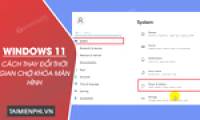
Adjust when the display turns off, when the PC sleeps, and when Windows 11 requires sign-in again using Settings, Power Options, or powercfg.

Switch Windows 11 taskbar icons between left and center alignment, and understand why moving the whole taskbar to the top or sides is not officially supported.

Change a Windows 11 local or Microsoft account password, update a Windows Hello PIN, and avoid confusing the device PIN with the account password.
Use Windows 11 Disk Management to shrink an existing volume and create a new partition without third-party software, with practical precautions to reduce the risk of data loss.