
Fridge
What Is a Smart Refrigerator? Features and Buying Checks
See which features make a refrigerator smart, which options vary by model, and what to check about fit, repairs, privacy, and software support before buying.
Browse more Find practical guides, troubleshooting advice and buying tips for electronics, household appliances and everyday electrical devices.
See which features make a refrigerator smart, which options vary by model, and what to check about fit, repairs, privacy, and software support before buying.
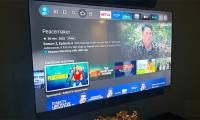
Organize apps and inputs, connect audio, check Ring integration, tune display output, compare network connections, and tidy cables with device-specific limits in mind.
Check the soundtrack, ports, audio format, passthrough settings, and cable before assuming that eARC or a new HDMI cable will enable Dolby Atmos.

Understand why install VPN on smart TV with clear context, practical implications, and the key details you need to evaluate the topic with confidence.
Install compatible APKs on Fire OS using Downloader or an Android phone, check device limitations, and troubleshoot installation and transfer problems.

Compare Projectivy with Google TV's Apps only mode, organize apps and shortcuts, and understand what a launcher can change—and which ads it cannot remove.
Find the right microphone control, distinguish wake-word detection from recorded requests, and disable hands-free voice input on supported smart TVs.

Check visible growth, musty odors, and drainage problems without assuming your AC explains every symptom. Know when to stop using it and call a professional.
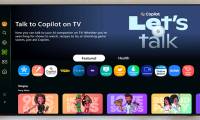
See which Samsung TVs and Smart Monitors support Copilot, how to open it, and how to ask for recommendations, recaps, and everyday information.
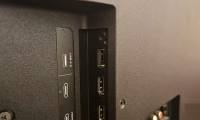
Check USB power ratings, storage compatibility, and accessory requirements before using your TV to power a device or play files.

Choose an Amazon Photos album for your Fire TV screensaver, prepare images for the screen and troubleshoot missing albums or different menus.

Match the cable, port and output settings to your devices, enable supported HDR and audio formats, and troubleshoot HDMI faults systematically.

Check floor preparation, app dependence, cleaning coverage, replacement costs and privacy controls to decide whether a robot vacuum suits your home.

Compare a computer, streaming player, phone, console or projector, with app, connection and display checks before replacing a working TV.

Find out whether slow menus, app crashes or buffering are the problem. Try a restart, updates and storage cleanup before resetting or replacing anything.

Compare real HDR picture quality, gaming inputs, app availability, and soundbar compatibility before choosing a budget 4K smart TV.

Use the official firmware for your exact TV model, prepare the USB drive correctly, and troubleshoot an update the TV does not detect.

See what tvOS 26 changed in the Apple TV interface, profiles, Apple Music Sing, FaceTime, screensavers, and speaker output.
Check whether unexpected ads, apps, or pairing requests come from one app, an HDMI device, or the television itself.

Compare the practical trade-offs of OLED monitors, especially for static office work, bright rooms, and text-heavy tasks.