Table of Contents
vnEdu problems usually fall into three groups: the app or website will not open, the account cannot sign in, or grades are unavailable after login. Start by identifying which problem you have and whether you are a parent, student, teacher, or school administrator; each role has different permissions.
1. vnEdu app or website will not open
First, confirm that other websites or apps work on the same device. Switch between Wi-Fi and mobile data, close and reopen vnEdu, and restart the device. If several users at the same school have the same problem, the service or the school’s connection may be temporarily unavailable.
If the mobile app fails, try the official web address supplied by the school. A school may use a subdomain such as school-name.lms.vnedu.vn, but do not guess the address from a placeholder. Ask the school for the exact URL and check that the domain ends in vnedu.vn before entering credentials.
Clear app or browser data only when necessary
On a browser, try a private window first. If that works, clear site data for vnEdu rather than deleting all browsing history. In the mobile app, install available updates and use the device’s app-storage controls to clear the cache where supported. Clearing data may sign you out, so make sure you know the correct account recovery route first.
Avoid “PC cleaner” utilities. They are unrelated to most authentication problems and can remove useful data without fixing the cause.
2. vnEdu rejects the username or password
- Check for accidental spaces, the wrong keyboard language, Caps Lock, or an outdated password saved by the browser.
- Confirm that you selected the correct role and are using the account issued for that student or staff member.
- Do not repeatedly guess the password; this can complicate access and does not confirm whether the account is active.
Use the correct password recovery channel
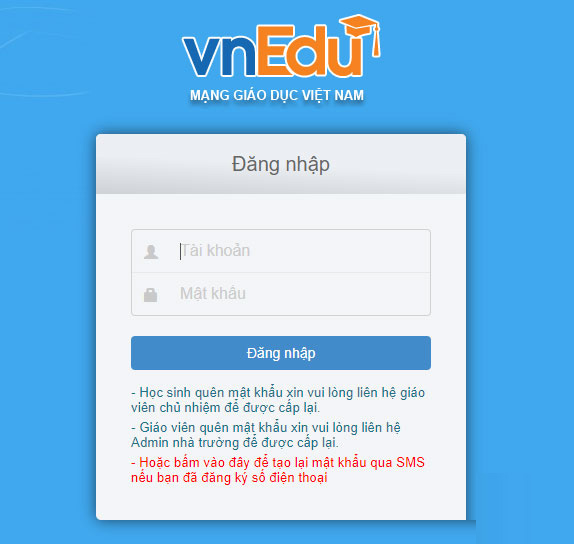
The official vnEdu sign-in page currently directs teachers who forgot their password to contact their school administrator. Students and parents are directed to contact the homeroom teacher. vnEdu LMS also provides a password recovery page that accepts the account’s registered email address or phone number.
Do not send a password-reset SMS to a number copied from an old article unless the current official vnEdu interface or your school explicitly instructs you to do so. Recovery methods and charges can change.
Sign in with an OTP when the option is offered
On a supported vnEdu screen, enter the registered phone number, choose the OTP sign-in option, and enter the one-time code received on that number.
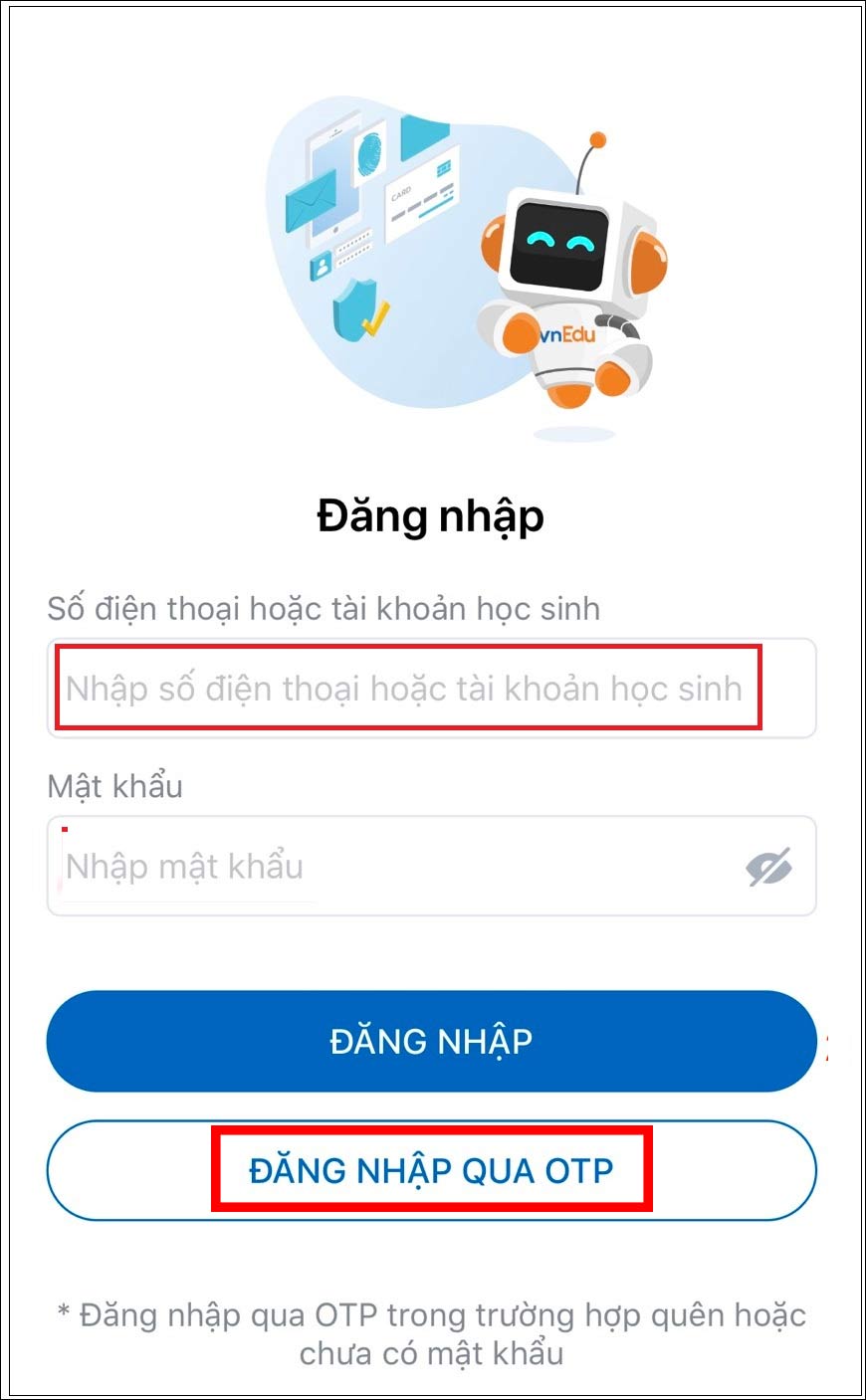
- Never share an OTP with a caller, message sender, or anyone claiming they need it to “verify” your account.
- Check the phone number and wait for the countdown before requesting another code.
- If no code arrives, confirm cellular service and contact the school to verify the registered number.
3. Parents or students cannot see grades
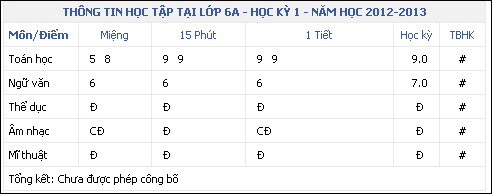
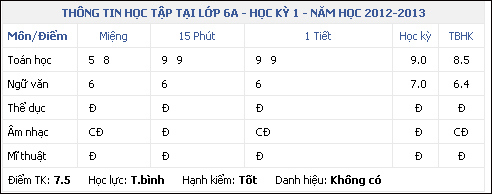
A blank result or “not published” message does not necessarily mean the app is broken. The school may still be entering, reviewing, or approving results; the selected school year or term may be wrong; or the student may be linked to a different account.
Parents and students should:
- Confirm the student name, class, school year, and semester shown in the app.
- Refresh once and sign out, then sign back in with the correct account.
- Ask the homeroom teacher whether results have been finalized and published.
- Report any mismatch privately to the school; do not post screenshots containing student information in public groups.
For authorized teachers or administrators
Only staff with the appropriate school permissions should change publication settings. In the school-management interface, open the relevant summary or grade-publication area, verify the correct academic year and semester, and review the publication configuration.
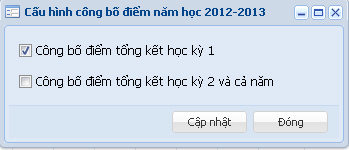
Before publishing, confirm that grades have been entered, reviewed, and approved according to school policy. After the authorized update, check the parent-facing view with a test account where your school’s process allows it.
4. Teachers cannot enter grades because the gradebook is locked
A locked gradebook is normally a permissions or workflow issue, not a browser failure. Common explanations include a closed entry period, finalized semester data, a subject or class assignment that has not been granted, or a lock applied by an administrator.
- Check that the correct school year, semester, class, and subject are selected.
- Confirm that your staff account is assigned to that class and subject.
- Read any lock or deadline message shown by vnEdu and capture its exact wording.
- Contact the school administrator or designated vnEdu manager. Provide the account role, class, subject, term, time of the error, and a screenshot that hides unnecessary student data.
- After access is restored, enter or correct grades through the approved school process and verify that changes were saved.
Do not try to bypass the lock or use another teacher’s account. Grade records are sensitive school data, and unlocking or reopening a term must be handled by an authorized administrator.
5. What to send when requesting support
- Your role: parent, student, teacher, or administrator.
- The school name and the affected vnEdu service or app.
- The exact error message and the time it occurred.
- Device type, operating system, app version, or browser.
- Whether the problem occurs on another network or device.
Never include a password or OTP. The official vnEdu documentation site and vnEdu support page provide current help information. If the issue affects only one school account or its grade settings, contacting the school first is usually the fastest and safest route.
Related Articles
 How to Retrieve the Simplest Vnedu Password6 minutes read
 How to Change Student Information on VnEdu4 minutes read
 How to Create Multiple Choice Questions on Vnedu6 minutes read
 Vietnam Education Network Vnedu: A Practical Guide7 minutes read
 Guide to Creating Multiple Choice Questions on Vnedu4 minutes read
 8 Facebook Login Errors and How to Fix Them: What You Need to Know11 minutes read
Reader Comments 0
Sign in with email or Google to join the discussion.