Browse more Latest Artificial intelligence Articles Page 16

Artificial intelligenceCompare six Chrome extensions for autofill, research, connected automation, knowledge capture, local browser agents, and cited search—with a security checklist before installation.
25 May 2026 · 7 min read

Artificial intelligenceCompare Comet, Dia, Edge Copilot, BrowserOS, and Opera Neon by automation, privacy, platform, and cost model—and understand why ChatGPT Atlas is no longer an option.
24 May 2026 · 9 min read

Artificial intelligenceUnderstand the agent loop, tool and state design, planning patterns, evaluation, observability, memory, and safety controls needed to move from a prototype to a production system.
23 May 2026 · 13 min read

Artificial intelligencePlan consistent storyboard panels, upload them as visual references in Google Flow, prompt one shot at a time, test motion and dialogue, then assemble and review the final sequence.
23 May 2026 · 4 min read

Artificial intelligenceA practical workflow for scoping changes, exploring the repository, planning, testing, reviewing diffs, enforcing checks, and limiting permissions when AI writes code.
23 May 2026 · 10 min read
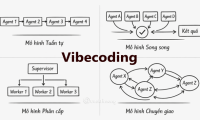
Artificial intelligenceLearn how to turn a broad app idea into small, testable work units so an AI coding assistant receives clearer context, produces safer changes, and is easier to verify.
23 May 2026 · 21 min read

Artificial intelligenceA plain-English guide to the AI terms you encounter most often, including generative AI, foundation models, prompts, tokens, context windows, RAG, fine-tuning, MCP, and AI agents.
22 May 2026 · 11 min read

Artificial intelligenceCreate a reusable Gemini Gem that analyzes an uploaded image and drafts a structured image-generation prompt, with a ready-to-copy instruction template and accuracy tips.
22 May 2026 · 4 min read

Artificial intelligenceAI is changing accounting tasks, not removing the need for accountable professionals. These five skills help accountants validate outputs, protect data, advise stakeholders, and lead responsible adoption.
22 May 2026 · 8 min read
Artificial intelligenceImport a PPT or PDF into HeyGen, choose an AI avatar, prepare a script for each scene, and generate a presentation video.
22 May 2026 · 4 min read

Artificial intelligenceUse Higgsfield Angles to upload a reference image, adjust the virtual camera direction, and generate alternative viewpoints while checking visual consistency.
22 May 2026 · 3 min read

Artificial intelligenceBuild an n8n form, test a submission, inspect the output data, and switch safely from the temporary Test URL to the Production URL.
22 May 2026 · 9 min read
Artificial intelligenceSee how ChatGPT for Excel can build and update workbooks, explain formulas, analyze data, and stage changes for review inside a spreadsheet.
21 May 2026 · 8 min read

Artificial intelligenceInstall a ChatGPT plugin, connect its external service when required, invoke it in a prompt, and review permissions before allowing actions.
21 May 2026 · 9 min read

Artificial intelligenceInstall a Cursor extension from the marketplace, verify its publisher and permissions, complete sign-in when needed, and disable or remove it safely.
21 May 2026 · 6 min read

Artificial intelligenceMusicFX DJ uses Lyria RealTime to generate a continuous music stream that responds to blended prompts and controls for tempo, key, density, and tone.
21 May 2026 · 9 min read
Artificial intelligencePrepare original lyrics and a focused style prompt, generate song variations in MiniMax Music, compare the results, and check usage rights before sharing.
20 May 2026 · 3 min read

Artificial intelligenceStart with Generate Image, Generative Fill, Generative Expand, the Remove Tool, and Generate Background for practical, non-destructive Photoshop edits.
20 May 2026 · 9 min read

Artificial intelligenceCompare AI tools for automation, chat, agent building, research, and marketing content, with practical criteria for choosing the right category.
20 May 2026 · 8 min read
Artificial intelligenceUse Cursor Agent Review or a scoped manual prompt to inspect a diff, verify findings with tests and code paths, and apply only reviewed fixes.
20 May 2026 · 6 min read