Table of Contents
MiniMax Music can generate a vocal track from lyrics plus a prompt describing the style, mood, and musical setting. Better results start with a clear song structure and a prompt that gives useful direction without trying to copy a specific living artist.
1. Open MiniMax Music
Go to the MiniMax AI Music Generator, create or sign in to an account, and review the credits or generation limits shown in the interface.
2. Prepare original lyrics
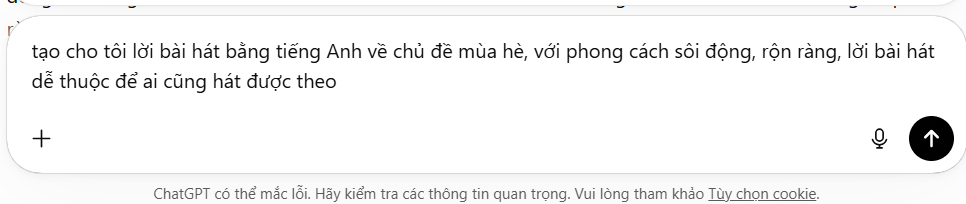
Write lyrics you own or have permission to use. Organize them with labels such as [Verse], [Chorus], and [Bridge] where supported. Keep line lengths singable and read the words aloud to catch awkward phrasing.
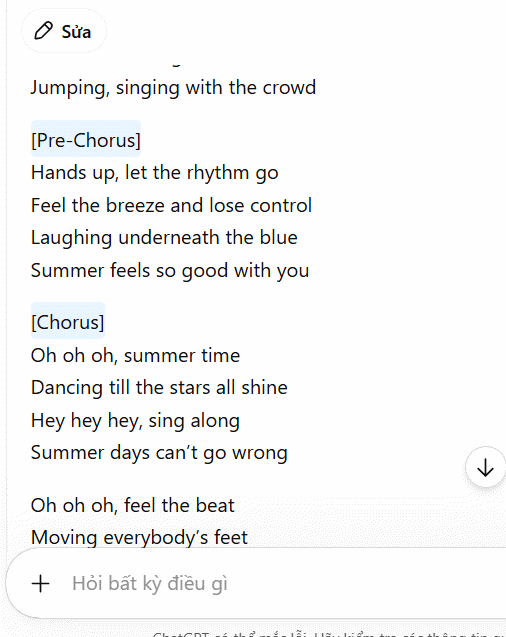
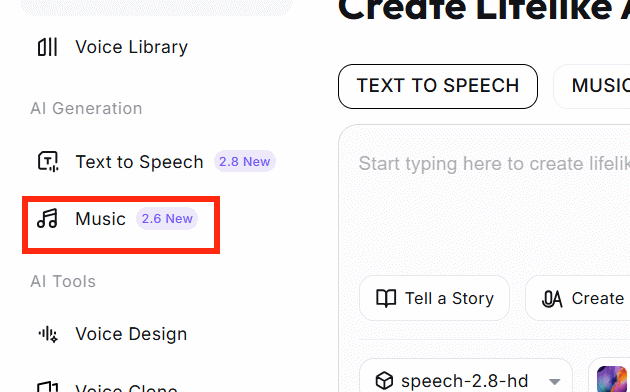
If you use an AI assistant to draft lyrics, revise them substantially, check for accidental similarity, and confirm that the final text matches the intended message. Do not paste copyrighted lyrics or request a close imitation of a known songwriter.
3. Enter the lyrics and music prompt
Open the Music workspace, paste the lyrics into the lyrics field, and describe the musical direction in the style or prompt field.
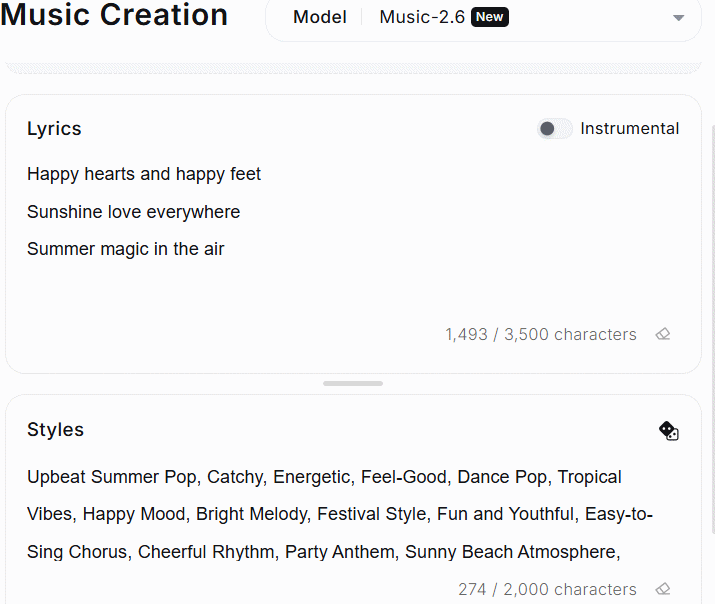
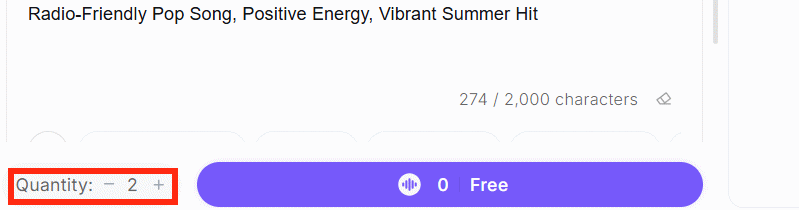
A practical prompt can specify genre, tempo range, mood, instrumentation, vocal character, and arrangement:
Upbeat indie pop, around 110 BPM, bright guitar and warm synth bass, restrained verses, wider energetic chorus, clear lead vocal, short instrumental outro.
Avoid stuffing the prompt with conflicting genres and adjectives. Generate a simple version first, then change one or two attributes between attempts.
4. Generate and compare variations
Select the number of versions offered by the current interface and start generation. Creating alternatives is useful because the same lyrics and prompt can produce different melodies, pacing, pronunciation, and arrangements.
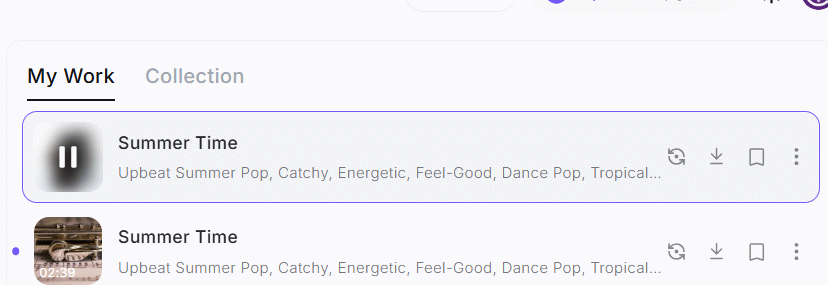
Listen from beginning to end. Compare:
- whether every lyric is pronounced clearly and in the correct order;
- whether the chorus is distinct from the verses;
- whether the vocal stays consistent;
- whether the instrumental has audible artifacts, abrupt transitions, or unwanted silence;
- whether the output matches the requested mood and tempo.
5. Save, download, or revise
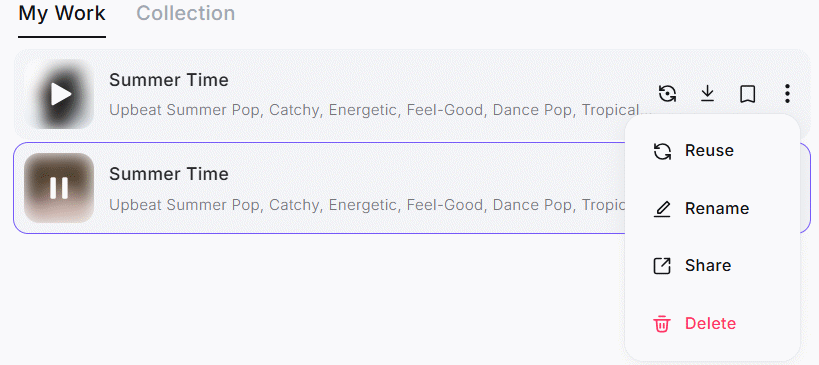
Use the available save or download controls for the strongest result, or return to the prompt and lyrics for another pass.
If pronunciation is unclear, simplify the line, spell an unusual word phonetically, or change punctuation. For multilingual lyrics, test short sections before generating a complete song because quality can vary by language and vocal style.
Check usage rights before publishing
Do not assume that every free generation includes commercial rights. MiniMax's subscription page currently distinguishes commercial-use rights for newly generated songs, and terms can differ between free, paid, web, and API products. Review the terms that apply to your account and generation date before monetizing, distributing, or licensing the result.
Also keep records of your lyrics, prompt, generation date, plan, and downloaded file. These help document what you contributed and which terms applied when the song was created.
Related Articles
 How to Create Your Own AI Voice3 minutes read
 Compose Songs Right on Google Chrome Browser3 minutes read
 Instructions on How to Search for Songs, Find Music Through Fast and3 minutes read
 Instructions for Recording CD Audio in Windows 83 minutes read
 How to Block Songs in Instagram Reels3 minutes read
 How to Delete Music Uploaded to iCloud: Step-by-Step Guide3 minutes read
Reader Comments 0
Sign in with email or Google to join the discussion.