Artificial intelligence
How to Cancel Copilot Pro and Delete Copilot Activity
Cancel Copilot Pro through the service that bills you, then remove conversation history or saved memory without unnecessarily closing your Microsoft account.
Browse more Explore artificial intelligence guides, AI tools, model comparisons and practical tutorials for using AI at work and in everyday tasks.
Cancel Copilot Pro through the service that bills you, then remove conversation history or saved memory without unnecessarily closing your Microsoft account.

AI slop is mass-produced content that looks polished but offers little value. Learn why it spreads, how to evaluate it, and what publishers should do instead.
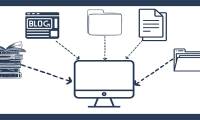
Design a RAG knowledge base with curated sources, permission-aware metadata, sensible chunking, hybrid retrieval, citations, evaluation, and an update process.

Open a photo in Meta AI on Messenger, describe what to add, remove, or change, refine the result, and save a copy without overwriting the original.

Upload a portrait to Bing's AI Costume Generator, choose a style, create a transformed image, and download it while protecting your privacy.

Build a repeatable AI image workflow using reference images, fixed prompts, structural controls, inpainting, and visual quality checks.

AI output can fail because context is missing, stale, irrelevant, or unauthorized. Diagnose retrieval and identity problems before switching models.

Clone an eligible English classic bot into Copilot Studio's standard agent experience, reconnect dependencies, test every path, and plan a controlled cutover.

Compare six OpenCode plugins for authentication, memory, terminals, web research, time tracking, and reusable skills, with security and privacy checks for each.

Improve Codex results with Plan mode, concise AGENTS.md guidance, reusable skills, explicit verification, and carefully scoped command-line tools.
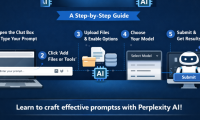
Get clearer, better-sourced Perplexity answers by defining the task, scope, source requirements, output format, and verification steps, with practical prompt templates.
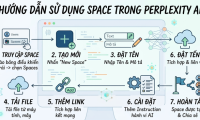
Create a Perplexity Project, add instructions, files and preferred sources, manage member permissions, and understand memory, sharing, and file-retention risks.

Learn how Copilot Studio uses generative answers, knowledge sources, natural-language authoring, and orchestration—and how to control grounding, testing, and risk.

Explore what's new in Copilot Studio, including key concepts, practical steps, useful tips, and common questions. Read the full guide below.

Control how ChatGPT uses conversations, manage memory, remove old chats, use Temporary Chat, export your data, or delete your account.

Reduce Claude Code usage by narrowing task scope, keeping CLAUDE.md concise, managing context, choosing models deliberately, and limiting noisy tools.
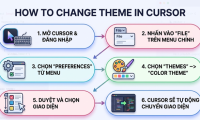
Switch Cursor color themes, install compatible theme extensions, change icon sets, follow the operating-system theme, and move themes from VS Code.

Use question-led prompts, competing hypotheses, multiple perspectives, and small experiments to turn ChatGPT into a structured brainstorming partner.

Use Character, Request, Examples, Adjustments, Type of output, and Evaluate to build clearer prompts and review AI responses before relying on them.
Use Brisk to create a quiz from a Gemini response, export it to Google Forms, review the answer key, and protect student privacy before assigning it.