Artificial intelligence
How to Use OmniVoice for Text to Speech and Voice Cloning
Generate speech from text in OmniVoice, design a synthetic voice, or clone a voice from a permitted recording, with practical setup and quality checks.
Browse more Explore artificial intelligence guides, AI tools, model comparisons and practical tutorials for using AI at work and in everyday tasks.
Generate speech from text in OmniVoice, design a synthetic voice, or clone a voice from a permitted recording, with practical setup and quality checks.

Google Information Agents monitor a topic in the background and send source-linked updates. Here is what Google announced, how to write a useful request, and the rollout limits.
Create a reusable Google Flow tool that turns a topic and optional media into a short-video script, scenes, captions, and a generated video, then test and refine it safely.

Compare seven FP&A platforms for spreadsheet-native planning, connected forecasting, scenario analysis, consolidation, and governed AI before choosing a finance workflow.

Use AI coding agents with safer permissions, isolated environments, protected credentials, controlled network access, and a deliberate review process.
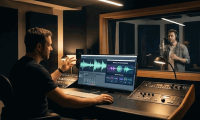
Record a clean voice sample, create a consent-based voice clone in MiniMax Audio, generate a test script, review the result, and manage the saved voice safely.
Compare free AI image generators for conversational editing, text-heavy graphics, vectors, quick concepts, and Adobe workflows—plus the limits to check before publishing.
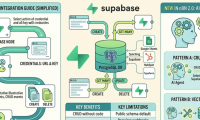
Configure Supabase credentials in n8n, test row operations with expressions, and secure production workflows that use privileged database keys.

Compare Perplexity Free and Pro for search, model choice, uploads, Projects, media generation, and support, then decide whether the subscription fits your actual research workload.
Animate a still image in Google Flow by adding it as a start frame, describing motion and camera behavior, choosing compatible video settings, and reviewing the generated clip.

Open an AI Detector through Canva Apps, scan a suitable text sample, interpret the score and highlighted patterns, and avoid treating the result as proof of authorship.
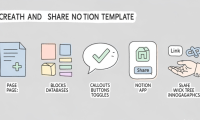
Build a reusable Notion page, remove private data, test databases and buttons, publish it with duplication enabled, and share a link that others can copy safely.

Generate text or image flashcards with a Canva app, verify every answer, refine the card design, and export a set that works for print or digital review.
Generate a fantasy map through Canva Apps, write a precise world-building prompt, fix labels and geography manually, and export a usable map for a story, lesson, or game.

Evaluate build versus buy, system complexity, data quality, inference timing, prompting versus fine-tuning, and human oversight with measurable production criteria.
Turn a story idea or script into an Anijam storyboard, define consistent characters and style, generate scenes carefully, and check audio, continuity, rights, and credits before export.

A practical workflow for uploading spreadsheets to ChatGPT, checking the data, requesting useful analysis and charts, and validating the results before use.
Set up Claude Cowork, give it useful context, review its plan, and use local files, projects, connectors, and scheduled tasks with appropriate safeguards.
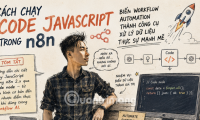
Add an n8n Code node, choose the correct execution mode, work with input items, return valid output, test safely, and understand module restrictions.

AI agents can accelerate data preparation, experimentation, documentation, and monitoring, but reliable data science still requires controlled tools, evaluation, and accountable human review.