Table of Contents
Higgsfield Angles generates new views of a subject from a reference image. It can be useful for concept art, product mockups, and social content, but it does not recover a true 3D model: details that are hidden in the source are generated and may be inaccurate.
Generate a different image angle
- Open Higgsfield and sign in. Account features and credit requirements can change, so review the usage information shown in your workspace.

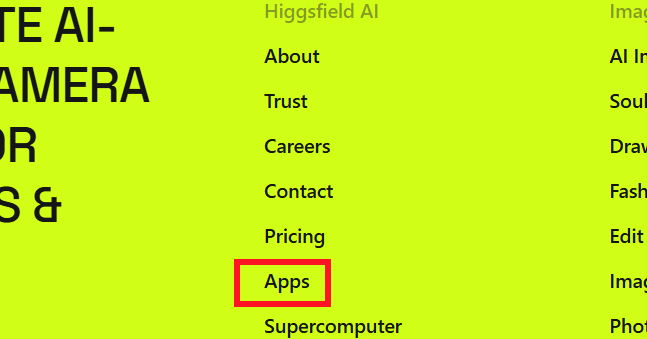
- Open Apps from the main interface.
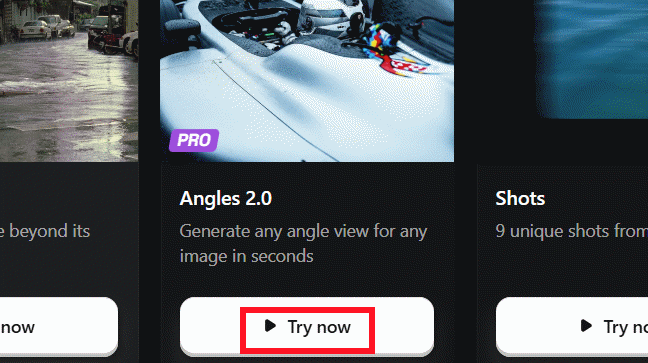
- Find Angles (the version number may differ) and select Try now.
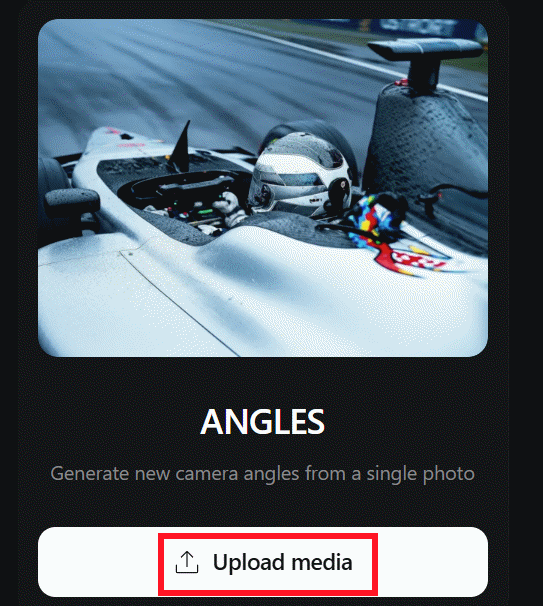
- Upload a clear source image. Portraits and products work best when the main subject is unobstructed and separated from the background.
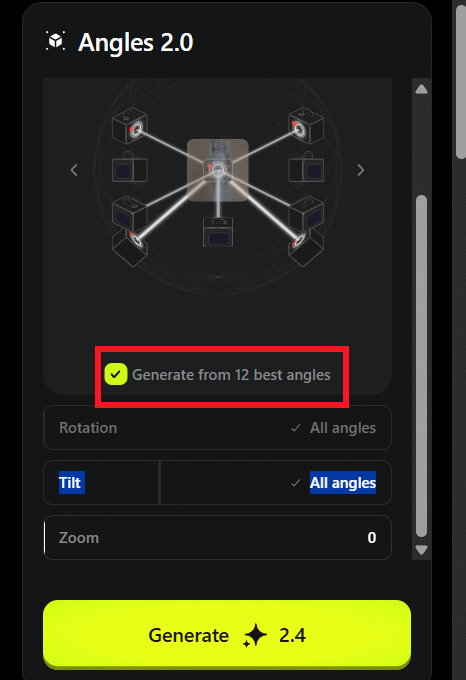
- Use the angle controls to move the virtual camera around the subject. Make one moderate change first; extreme rotations require the model to invent more unseen detail.
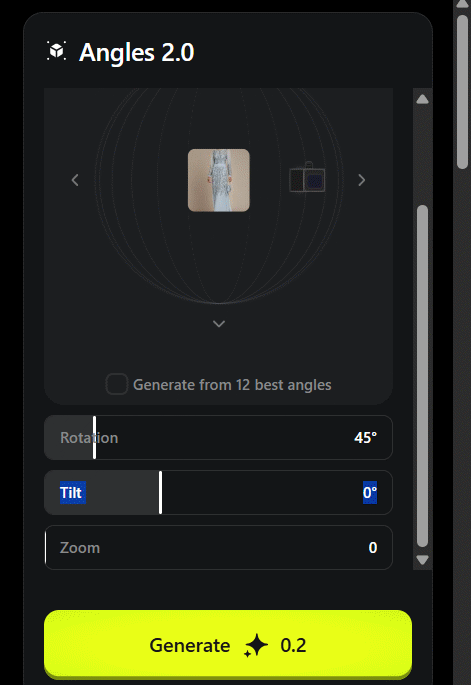
- Choose a preset batch such as Generate from 12 best angles if you want several viewpoints, or generate only the selected angle to conserve credits.
- Select Generate, then inspect the result before downloading or using it.
How to get more consistent results
- Use a high-resolution image without motion blur or heavy compression.
- Avoid cropped hands, products cut off by the frame, and busy backgrounds.
- For product work, compare logos, labels, ports, seams, and proportions with the source.
- For people, check hands, eyes, jewelry, clothing patterns, and hair across every angle.
- Generate smaller viewpoint changes when identity or product accuracy matters.
Important limitation
The output is a newly generated image, not a photograph of the subject from a verified angle. Do not treat reconstructed text, branding, product features, or personal details as factual. Obtain permission before uploading images of people or confidential products.
Related Articles
 How Higgsfield AI Solves Character Consistency Problems for Filmmakers7 minutes read
 How to Rotate Images Backwards, Horizontally on Computers Without4 minutes read
 Rotate and Move Images in Word3 minutes read
 How to Rotate Images in Word3 minutes read
 How to Rotate an Image in Photoshop3 minutes read
 How to Rotate Images on Facebook?3 minutes read
Reader Comments 0
Sign in with email or Google to join the discussion.