Table of Contents
AI browsers can summarize open tabs, answer questions using page context, and in some cases click, type, or navigate on the user's behalf. The category now includes mainstream browsers with optional AI, dedicated agentic products, and open-source tools that can run local models.
One important correction to older lists: OpenAI deprecated ChatGPT Atlas, and the browser was scheduled to stop working on August 9, 2026. It should not be installed or selected as a long-term browser. The current options below differ substantially in maturity, platform support, privacy controls, and how much autonomy they offer.
| Browser | Best fit | Automation level | Key consideration |
|---|---|---|---|
| Perplexity Comet | Research and an assistant across tabs | Can perform supported web tasks | Review access to email, calendar, and signed-in sites |
| Dia | Writing, tab context, and reusable Skills | Assistance and configurable workflows | Memory and content-sharing settings need review |
| Microsoft Edge with Copilot | Existing Edge and Microsoft users | Optional page actions and tab-aware help | Feature availability depends on account, region, and license |
| BrowserOS | Open-source and local-model experimentation | Agent can click, type, and navigate | Local privacy depends on the selected model and connectors |
| Opera Neon | AI power users and connected agent workflows | Task execution, research, and creation | Experimental premium product with changing limits |
Perplexity Comet: research and daily assistance
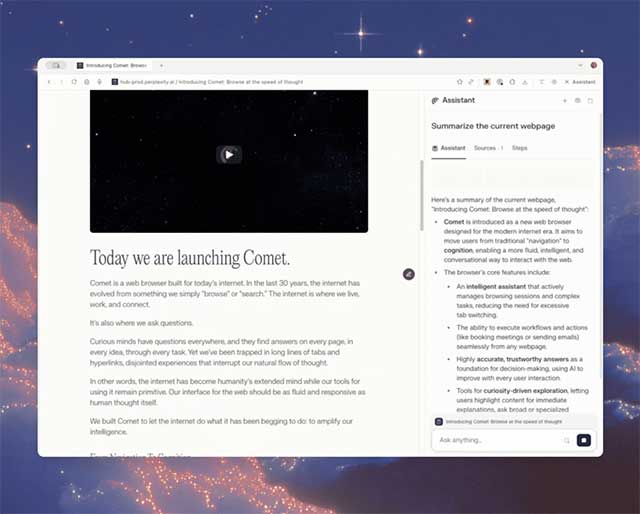
Perplexity Comet is a Chromium-based browser built around Perplexity's search and assistant. It supports conventional browser features and most Chrome extensions, while adding page summaries, tab context, research, and supported actions.
Choose Comet when research is the main job and you want the assistant to remain available across the browsing session. Treat any access to email, calendars, shopping, or other signed-in services as a separate permission decision. Review a transaction, message, or booking before it is finalized.
ChatGPT Atlas: discontinued
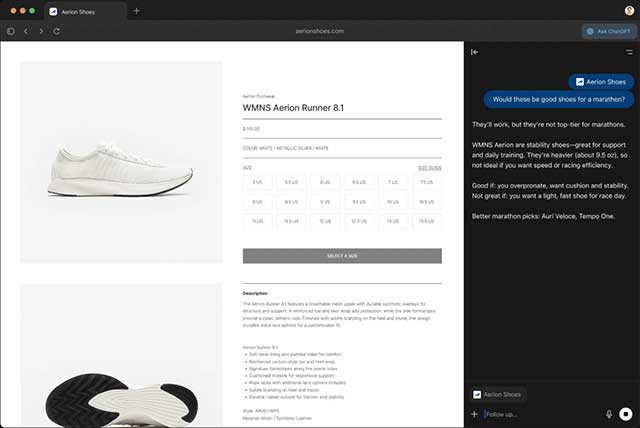
ChatGPT Atlas previously combined ChatGPT with page context and a preview agent mode. OpenAI's release notes state that Atlas was deprecated as browser-based agent capabilities moved into ChatGPT and Codex, with service ending on August 9, 2026.
Existing users should export or preserve any required browser data and move to a supported browser. Do not rely on old Atlas reviews, download mirrors, or unofficial installers.
Dia: context, memory, and reusable Skills
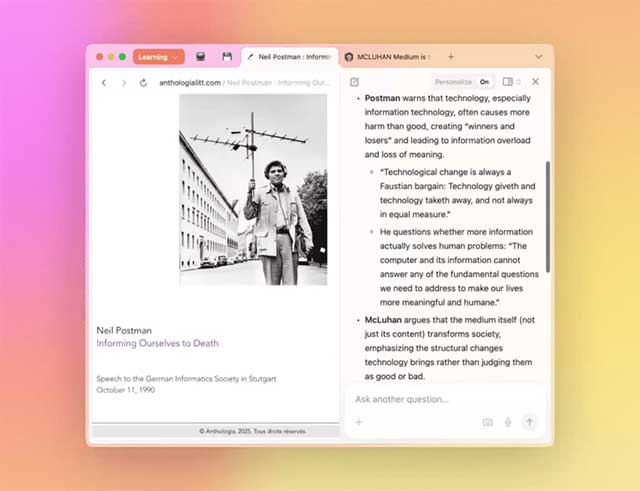
Dia, from the team behind Arc, emphasizes chatting with open tabs, writing with page context, memory across sessions, and reusable Skills. It is a better fit for interactive knowledge work than for unattended high-risk transactions.
Review Dia's Privacy settings before adding confidential work. The product lets users control memory and connected tools, and its published terms describe an opt-out for using content to improve models. Incognito and organization controls may behave differently from a normal personal profile.
Microsoft Edge with Copilot: integrated mainstream option
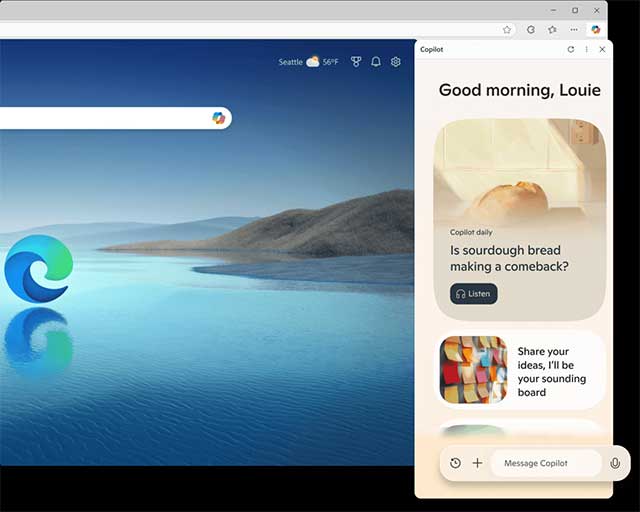
Copilot Mode in Edge adds research, writing, comparison across open tabs, and optional page interaction to a mature general-purpose browser. Browse with Copilot can select, type, and navigate within a tab while showing the steps and allowing takeover.
Journeys is an optional feature that groups earlier browsing into resumable topics. Copilot history, tab access, actions, and workplace controls should be configured separately. Some capabilities require a supported market, signed-in account, or Microsoft 365 Copilot license.
BrowserOS: open source with local-model options
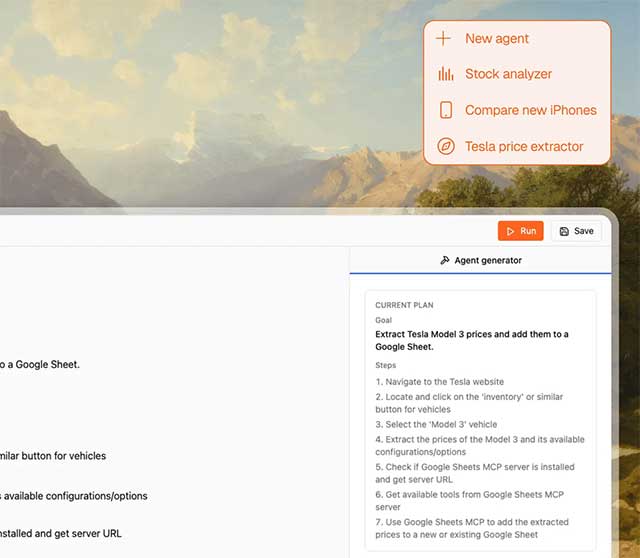
BrowserOS is an open-source Chromium browser with a built-in agent. It is available for macOS, Windows, and Linux and can use hosted providers or local models through tools such as Ollama or LM Studio.
BrowserOS is appropriate for technical users who want to inspect the code, bring their own model, or keep selected chat tasks offline. Local execution is not a blanket privacy guarantee: a cloud provider, web request, MCP connector, or signed-in website can still transmit information. Use a separate profile and grant connectors one at a time.
Opera Neon: premium agentic workflows
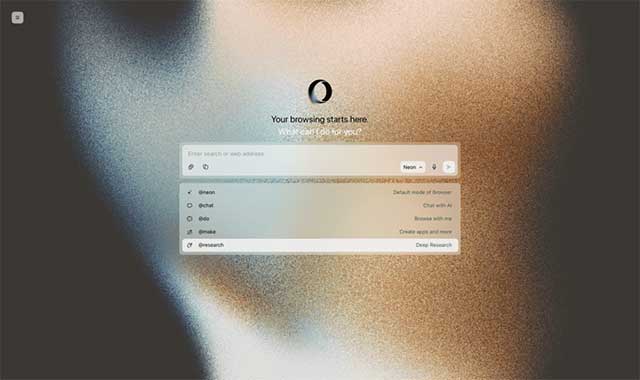
Opera Neon targets advanced AI users with chat, task execution, creation, deep research, and reusable workflows. Neon Do performs visible actions in the live browser, while newer connector options let compatible AI clients work with browser context.
Neon is a premium, evolving product rather than the standard free Opera browser. Check the current subscription, platform support, usage limits, and data controls before moving an established workflow.
How to choose
- For cited web research: start with Comet and verify each source.
- For contextual writing and reusable prompts: try Dia with memory configured deliberately.
- For the lowest switching cost: use Copilot in Edge if Edge already fits the organization.
- For open-source control or local models: test BrowserOS in a separate profile.
- For experimental agent workflows: evaluate Opera Neon against a clearly defined task and budget.
TipsMake provides a broader view in its guide to AI browsers that can replace Chrome or Safari. Readers choosing primarily between research assistants can also use the Perplexity vs. ChatGPT comparison.
Safety rules for browser agents
- Start with a new browser profile that does not contain banking, admin, health, or unrelated work sessions.
- Let the agent read only the tabs and services required for the current task.
- Assume webpages can contain malicious or misleading instructions intended for the agent.
- Require confirmation before sending messages, making purchases, accepting terms, deleting data, or changing account settings.
- Verify sources, totals, dates, recipients, and final form fields yourself.
- Remove unused connectors, clear retained context when appropriate, and keep the browser updated.
An AI browser should reduce a repeatable burden, not receive unlimited authority. Test one low-risk workflow, measure whether it is actually faster and accurate, and expand permissions only when the benefit is clear.
Related Articles
 Top AI Browsers to Replace Chrome and Safari Worth Mentioning In 20269 minutes read
 5 Experimental Flags Worth Activating on Edge Browser8 minutes read
 Google Blacklisted Some Web Browsers on Linux, Blocking Access to3 minutes read
 Be Happy to Pay for These 6 PC Apps Because They Are Really Worth It!7 minutes read
 7 Best Firefox-Based Web Browsers7 minutes read
 Don't Lower Your Self-worth by Comparing Yourself to Others7 minutes read
Reader Comments 0
Sign in with email or Google to join the discussion.