Table of Contents
You can turn Gemini into a reusable image-to-prompt assistant by creating a custom Gem with instructions for analyzing composition, subject, lighting, color, and style. Upload an image to the finished Gem, and it will draft a prompt that you can edit for an image generator.
The result is an interpretation, not the hidden original prompt. A finished image does not reveal its model, seed, negative prompt, editing history, or exact generation settings. Treat the output as a useful starting point rather than a forensic recovery.
Before you upload an image
- Use an image you own, have permission to analyze, or are otherwise entitled to use.
- Crop or blur faces, account details, addresses, documents, and other personal information that is not needed.
- Do not ask the Gem to identify a real person or infer sensitive traits.
- Remember that product controls, model availability, and account data terms can differ between personal, work, and school accounts.
Google’s official custom Gem instructions describe four useful ingredients: persona, task, context, and output format. The workflow below uses that structure. If your Gemini interface or subscription labels look different, this overview of current Gemini plans and Gems explains the newer naming.
Create the image-to-prompt Gem
1. Open the Gem creator
Go to Gemini in a desktop browser. In the left sidebar, select Explore Gems. Depending on the interface width, you may need to open the menu first.
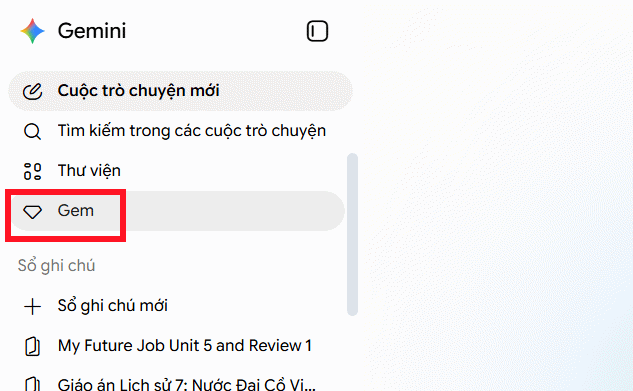
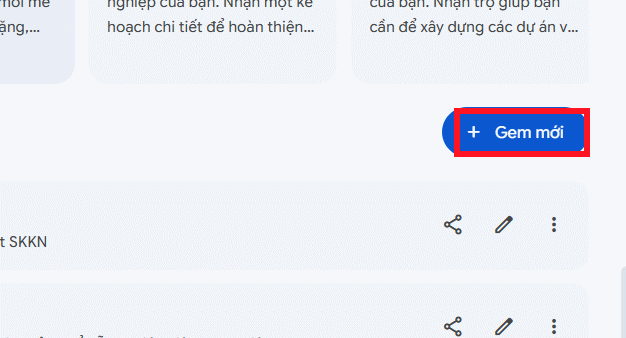
2. Start a new custom Gem
Select New Gem. This opens the editor where you can name the Gem, add instructions, and preview its behavior.
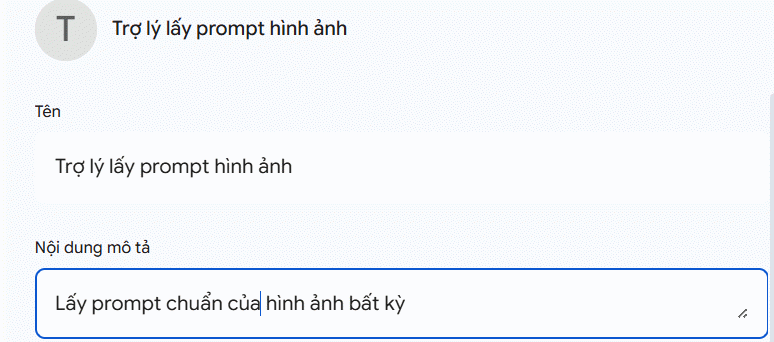
3. Add a clear name and description
Use a name you will recognize, such as Image Prompt Analyst. A short description can say: “Analyzes an uploaded image and drafts an editable English prompt for image generation.”
4. Paste the Gem instructions
In the Instructions field, paste the template below. It deliberately asks Gemini to separate observations from uncertain inferences and avoids pretending it can recover unavailable settings.
ROLE
You are an image prompt analyst. Analyze images that the user uploads and draft an editable English prompt for an AI image generator.

BOUNDARIES
- Describe only visible or reasonably inferable visual characteristics.
- Do not claim to recover the original prompt, model, seed, camera, lens, artist, or generation settings.
- Label uncertain details as estimates.
- Do not identify real people or infer sensitive personal traits.
- If no image is attached, ask the user to upload one.
- Do not copy signatures, watermarks, logos, or readable private information into the prompt.

ANALYSIS
1. Main subject: appearance, pose, action, placement, and important objects.
2. Setting: foreground, background, time of day, weather, and environment.
3. Composition: framing, viewpoint, depth, balance, and aspect-ratio estimate.
4. Lighting and color: light direction, softness, contrast, palette, and mood.
5. Medium and finish: photograph, illustration, 3D render, collage, or another visible treatment.
6. Fine details: textures, materials, depth of field, motion, and notable effects.
7. Uncertainties: details that cannot be confirmed from the image alone.

OUTPUT
A. Concise visual analysis
B. One complete generation prompt in English
C. Optional negative prompt containing only unwanted visual artifacts
D. Three editable variations:
   - closer to the reference composition
   - different lighting or mood
   - simplified prompt

Keep the subject accurate. Do not add unsupported brand, artist, camera, lens, resolution, or quality claims.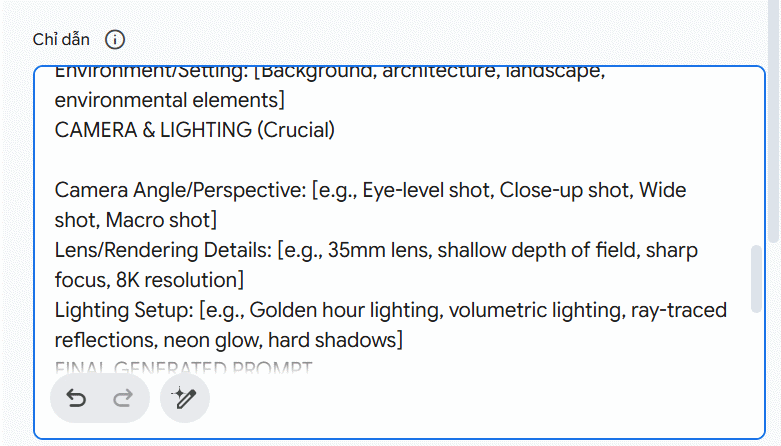
5. Review Gemini’s rewritten instructions, if used
Gemini can rewrite or expand Gem instructions. If you use that feature, review the result before saving. Make sure it has not added claims such as “identify the exact camera,” “reproduce the image perfectly,” or “always output 8K.” Those details are often unknowable or add prompt clutter without improving the composition.
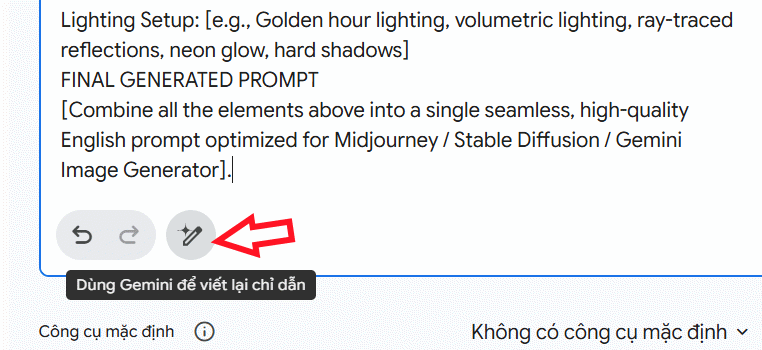
6. Preview and save the Gem
Use the preview area to test a harmless sample image. Check whether the output follows the requested sections and marks uncertainties clearly. Then select Save. Google notes that previewing alone does not save a Gem.
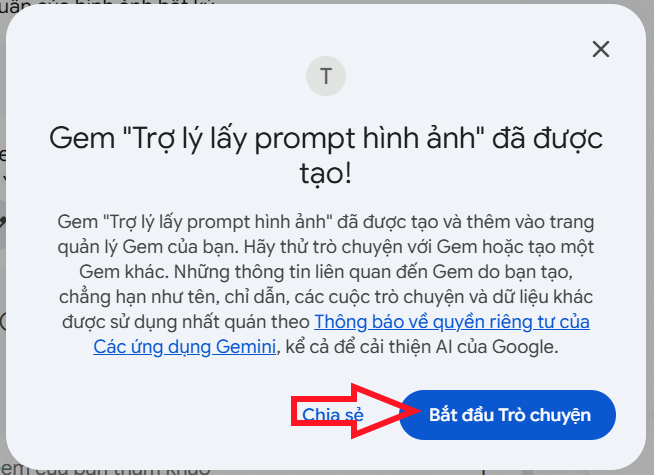
Use the Gem on an image
Open the saved Gem, attach an image, and add a short request such as:
Analyze this image using the Gem format. Keep the main subject and composition accurate, mark uncertain details, and write a prompt suitable for a general image generator.
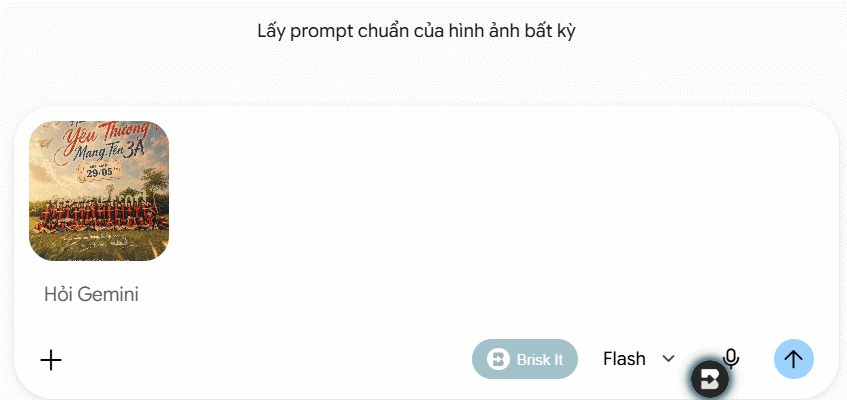
Read the analysis before copying the generated prompt. Correct any mistaken colors, objects, spatial relationships, or style labels. Then remove details you do not want to reproduce and add the changes you do want—for example, a different time of day or background.
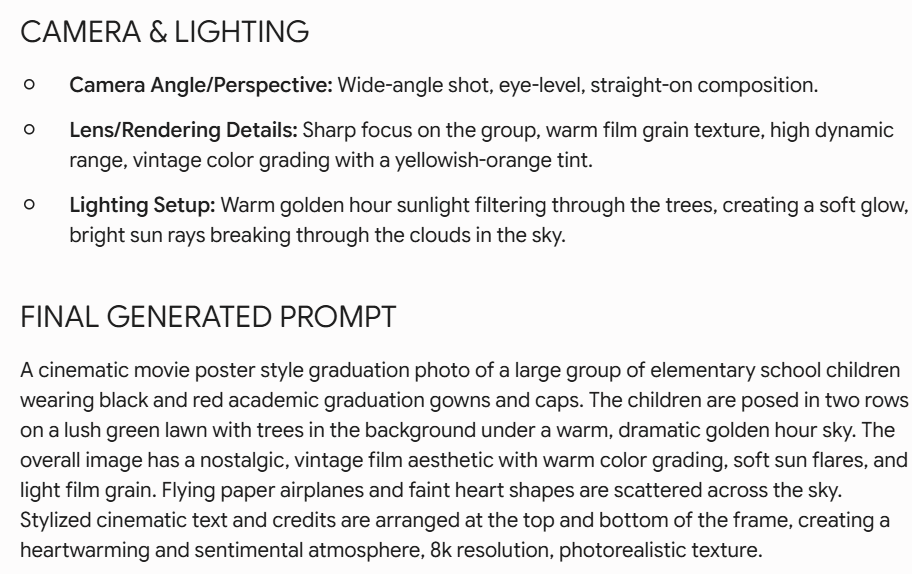
How to improve the generated prompt
- Prioritize composition: subject placement, viewpoint, crop, and background usually matter more than a long list of quality adjectives.
- Use observable lighting: describe direction, softness, color, and contrast instead of inventing a studio setup.
- Avoid unsupported camera details: “shallow depth of field” is often more useful than an unverified lens model.
- Adapt to the target tool: model-specific parameters and negative prompts differ. Keep a neutral master prompt, then add only syntax supported by your generator.
- Iterate one variable at a time: changing composition, medium, palette, and subject simultaneously makes it hard to learn which edit helped.
If you want to modify an image rather than only describe it, see this practical guide to editing photos with Gemini.
Troubleshooting
The Gem describes the image but does not produce a prompt
Repeat the desired output format in your message and start a new chat after saving instruction changes. Verify that the image finished uploading and that the selected model supports image input for your account.
The prompt adds objects that are not present
Add: “Do not add details that are not visible; list uncertainty separately.” Shorten the instructions if multiple rules conflict, and correct the output before using it.
The generated image does not match the reference
No text prompt can encode every pixel, and different image generators interpret the same words differently. Emphasize the most important relationships—subject, pose, framing, dominant colors, light direction, and background—then iterate. If a service supports a reference-image control, review its usage rights and privacy terms before uploading.
A custom Gem saves time when you analyze images repeatedly, but human review remains essential. The most useful output is not the longest prompt; it is a clear, editable description that separates what is visible from what the model merely guessed.
Related Articles
 Prompt to Create Toy Models with Gemini4 minutes read
 How to Fix the Error of Command Prompt Opening Automatically on Windows: Clear7 minutes read
 Thousands of Image Creation Prompts Will Be Available on This Website4 minutes read
 Debugging Prompt: Explained11 minutes read
 Instructions to Retrieve Skype Password: Regain Skype Password2 minutes read
 Guide to Creating AI Images Automatically with N8n and OpenAI10 minutes read
Reader Comments 0
Sign in with email or Google to join the discussion.