
Office information
How to format paragraphs in Word: Alignment, indents, and spacing
Use Word's Paragraph dialog to align text, set first-line or hanging indents, and control spacing within and between paragraphs.
Browse more Find practical software and app guides, setup instructions, troubleshooting steps and productivity tips for popular desktop and online applications.
Use Word's Paragraph dialog to align text, set first-line or hanging indents, and control spacing within and between paragraphs.

Format selected text from the Home tab or the Font dialog. Use shortcuts for basic emphasis and styles for consistent headings and body text.

Set Word 2016 to show centimeters in its ruler and margin dialogs, then verify the change in Page Setup.

Save a Telegram video to Downloads, Photos, or Files. Find the exported copy and understand why some chats hide the save option.

Choose a free Canva layout, crop two photos to fit, add a caption, and export the collage for sharing or printing.

Download Zalo PC from the official site, install it on Windows or macOS, and sign in with the phone app or the options shown on screen.

Check a total in the status bar, insert an AutoSum formula, or write SUM for a specific range. Use SUBTOTAL if the sheet is filtered.

Use LOWER to convert a column of text, paste the results as values, or use Flash Fill for a one-time cleanup.

Block messages from a specific Zalo contact, turn off messages from strangers, or limit friend requests sent through phone-number lookup.

Hide your full date of birth on Zalo or show only the day and month. Find the privacy setting and check what happens to birthday notifications.

Consumer Skype has retired. See how to block a contact in Teams for personal use and recognize the old Skype screens for reference.

Close your Viber account from your phone, or disconnect only a desktop session. Check what happens to your chats, backups, and subscriptions first.

Learn the QWERTY home row, use a 10-minute touch-typing routine, and track speed and accuracy with repeatable tests.

Recognize suspicious email requests, verify a sender independently, and act quickly if you opened a file or shared a password.

See how blogs, wikis, social networks, and collaborative apps changed what people could do online, and what browser features made it possible.
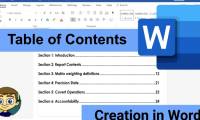
Apply heading styles, insert an automatic table of contents, and refresh it after edits. Includes the separate menu path for Word 2003.

Compare built-in and third-party screenshot tools for quick captures, annotation, scrolling windows, and repeated documentation work.

Compare free video editors and photo slideshow makers, understand trial and watermark limits, and test your export before building the full project.

Compare free VPNs and proxies, learn what an IP check can verify, and spot privacy claims that a different public IP cannot support.

Choose a translator or dictionary for English and Vietnamese, check offline support, and verify the meaning before using a machine translation.