
Application
Watching Netflix on your phone: five drawbacks and practical fixes
Weigh battery use, interruptions, comfort, sound, and screen size before choosing your phone for Netflix, with ways to improve mobile viewing.
Browse more Find practical software and app guides, setup instructions, troubleshooting steps and productivity tips for popular desktop and online applications.
Weigh battery use, interruptions, comfort, sound, and screen size before choosing your phone for Netflix, with ways to improve mobile viewing.

Choose a red, green, or blue laser pointer in desktop PowerPoint and test it during your slide show.

Use the Ho Chi Minh City Digital Citizen app to look up a police unit after administrative changes, then verify the address before travelling.

Check Google Contacts Trash, Samsung's Recycle bin, and existing backups to recover missing contacts without confusing sync with backup.

Find the off-Meta activity controls in Accounts Center, disconnect future activity, and understand what this privacy setting does not stop.
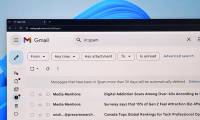
Choose between plus addressing and separate forwarding aliases, organize incoming mail, and disable unwanted aliases without losing account-recovery messages.
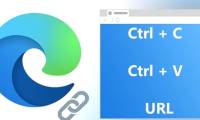
Switch Edge between linked page titles and plain web addresses, or paste a URL as text once without changing the default.

Match seven browser extensions to study tasks, from dictation and citation drafts to text snippets and saved tabs, with checks before relying on them.
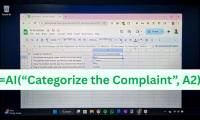
Try AI formulas for summaries, draft text, extraction, and categories, with corrected examples and checks for availability, ambiguity, and output accuracy.

Compare free sports options on Tubi, Pluto TV, The Roku Channel, CBC Gem, and YouTube, with checks for regional rights and live-event availability.

Choose an older series by mood, from Gilmore Girls and Lost to Six Feet Under, and check regional Netflix availability before watching.
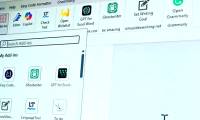
Assess Grammarly, GPT for Work, a writing timer, and Wikipedia integration without relying on outdated add-ins, pricing, or automatic accuracy claims.

Open an event draft with cal.new, check the correct account, and understand how prefilled event links differ from automatic scheduling.

Generate a background, compare relighting options, and inspect edges, reflections, colors, and product details before using an edited photo.

Find Photo to video, choose an animation option, review generated motion, and distinguish it from Photo remix and ordinary highlight videos.
Use an expanding source Table and spill formulas outside it to build unique lists, sorted results, and filtered reports that include new rows.

Connect WhatsApp with your Facebook or Instagram account for optional shared features, check which accounts are selected, and understand what linking changes.
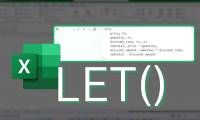
Name values and intermediate calculations with LET, follow a corrected discount example, and check naming rules and formula compatibility.

Find TikTok's feed-refresh setting, understand the popular content shown afterward, and use feedback controls to guide future recommendations.

Set an object's animation to repeat a fixed number of times or until the slide ends, then test its timing in Slide Show view.