Table of Contents
This practical guide explains how to convert photos to videos using Google photos AI. Follow the steps in order, review the requirements first, and use the troubleshooting notes when a setting or option does not work as expected.
Use the photo to video feature
Converting photos to videos with Google AI is simple, but the results vary. Open Google Photos, tap the + button in your photo library, and select a clear, high-quality photo.
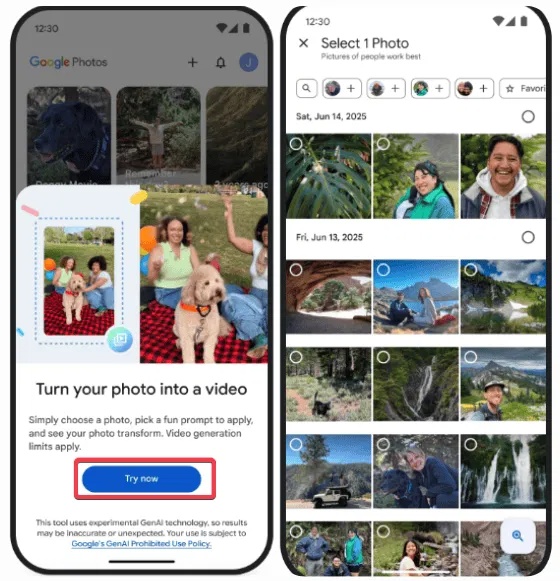
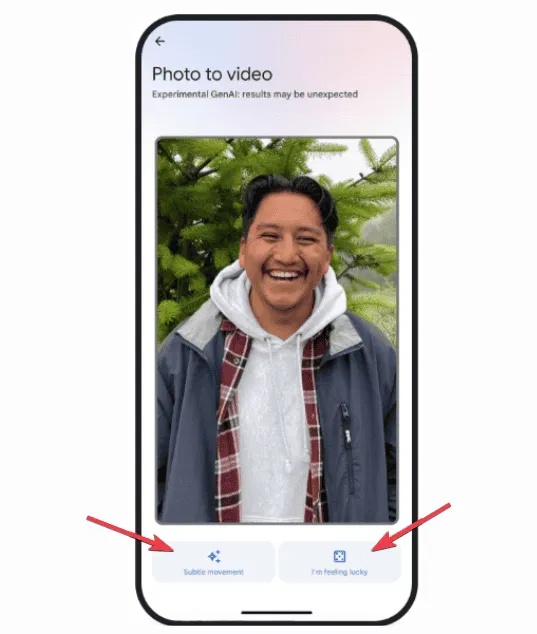
Choose Subtle movements for a cinematic effect, or choose I'm feeling lucky for a random effect.
The app, powered by Google 's Veo 2, takes about a minute to generate a 6-second clip. If you like it, save it, if not, click Regenerate to try again.
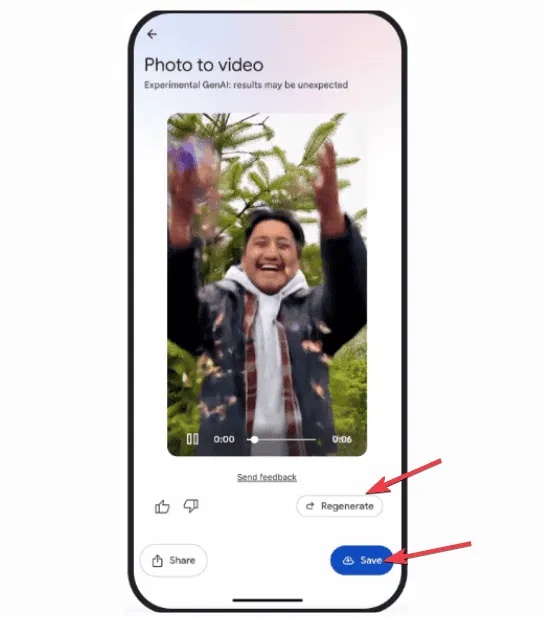
'Subtle movements' is great for landscapes, but 'I'm feeling lucky' can be off-putting, like a bad TikTok filter. You'll need to be patient and recreate it until you get the perfect result.
For creators, it's a quick way to create shareable content, but the inconsistent quality means you'll need to be patient. You can try TikTok's AI Alive feature, which now offers similar effects but with better consistency.
Remix photos into artistic styles
The Remix feature is really cool, as you can style your photo in anime, comic, sketch, or 3D animation style. Tap the + button, select Remix , and tap Try now .
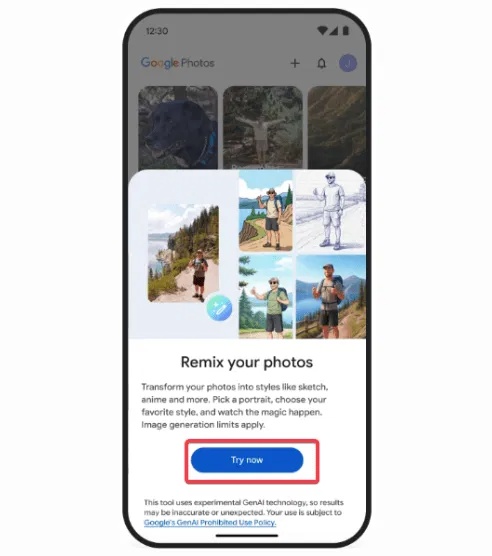
Select a photo of a person or pet, choose a style from the options, press create and wait a second.
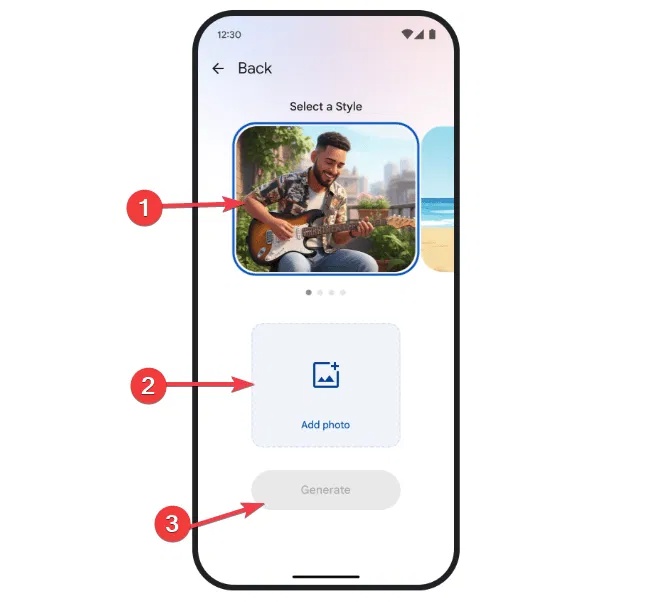
If the results aren't perfect, hit Regenerate until you're happy with the results and save. This is an experimental feature, so experiment.
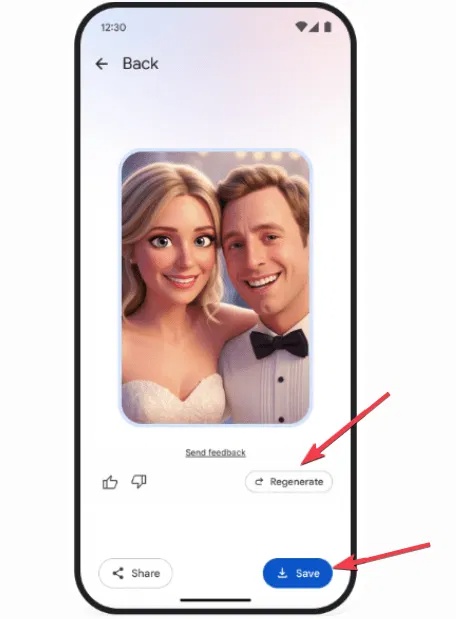
For fun, remix your pet photos into anime for fun or to share with your followers. Cute pet anime are popular on social media. If you want to explore more editing options, try SmartSHOW 3D to turn your photos into audiovisual videos.
Navigate to the Create tab
Starting in August 2025, the Create tab will be the one-stop shop for all of Google Photos' creative tools.
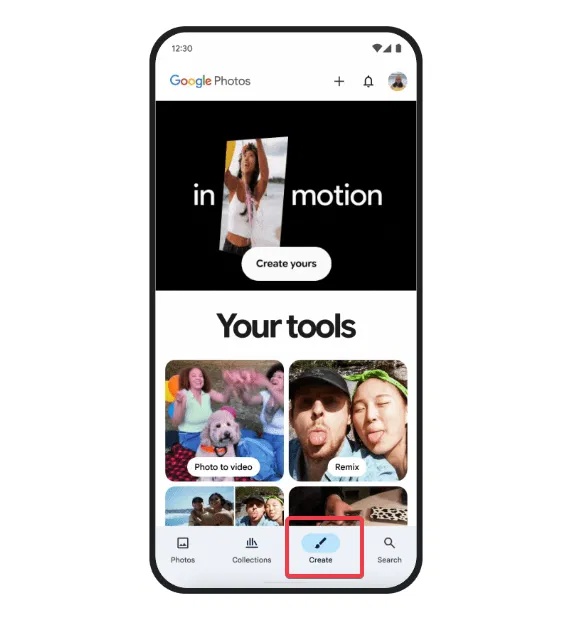
You'll find this tab at the bottom bar of the app for easy access. It integrates Photo to Video, Remix, Collage, and Highlight Video features. It's a time-saver for anyone who loves quick edits and photo organization.
Additionally, you can respond to results by hitting the like or dislike button, a useful feature that helps Google improve its AI.
These tools are perfect for short-form content creators, but you may encounter inconveniences that make it hard to ditch paid apps like Canva.
This update is a solid start, with some significant improvements, but it's not yet a revolution in photo editing. So if you're ready to turn photos into videos with Google AI, follow the steps in this guide and share your best clips online.
FAQ
What should you know about use the photo to video feature?
Converting photos to videos with Google AI is simple, but the results vary. Open Google Photos, tap the + button in your photo library, and select a clear, high-quality photo.
What should you know about remix photos into artistic styles?
The Remix feature is really cool, as you can style your photo in anime, comic, sketch, or 3D animation style. Tap the + button, select Remix, and tap Try now.
What should you know about navigate to the Create tab?
Starting in August 2025, the Create tab will be the one-stop shop for all of Google Photos' creative tools.
Related Articles
 Edit Videos on Google Photos: How to Edit Videos in Google Photos4 minutes read
 How to Move Photos and Videos from Google Drive to Google2 minutes read
 Google Photos Sends Many Private Videos of Some Users to3 minutes read
 Instructions on How to Put Google Photos GIF Images on Instagram on4 minutes read
 Guide to Creating Short AI Videos Using Google Vids5 minutes read
 Use Google Photos to Store Unlimited Photos6 minutes read
Reader Comments 0
Sign in with email or Google to join the discussion.