Table of Contents
After the merger, the administrative boundaries changed, the agencies also changed, including the location of the police headquarters. Therefore, people sometimes do not know where the new ward/commune police station is after the merger. Below is a guide to see the address of the ward/commune police station after the merger.
Instructions for viewing the address of the ward/commune police station after the merger
Currently the application is only applicable in Ho Chi Minh City, other provinces and cities will be deployed in the near future.
Step 1:
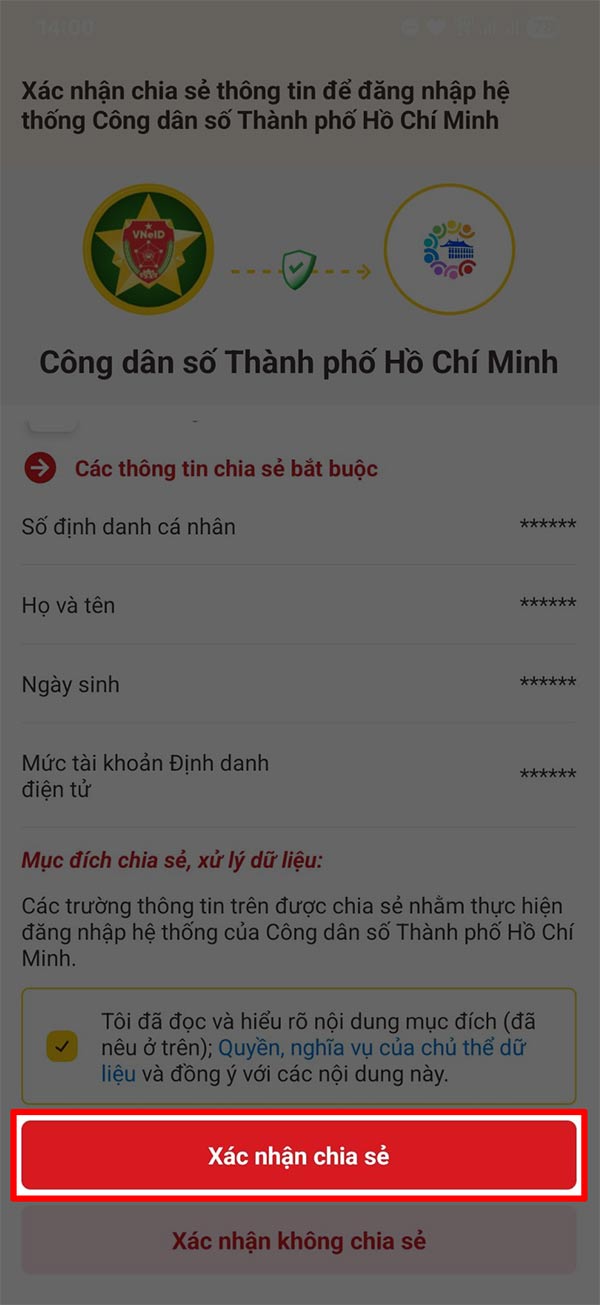
Download the Ho Chi Minh City Digital Citizen application to your phone and then register an account using your VNeID account.
- Download Ho Chi Minh City Digital Citizen for iOS
- Download Ho Chi Minh City Digital Citizen Android
Step 2:
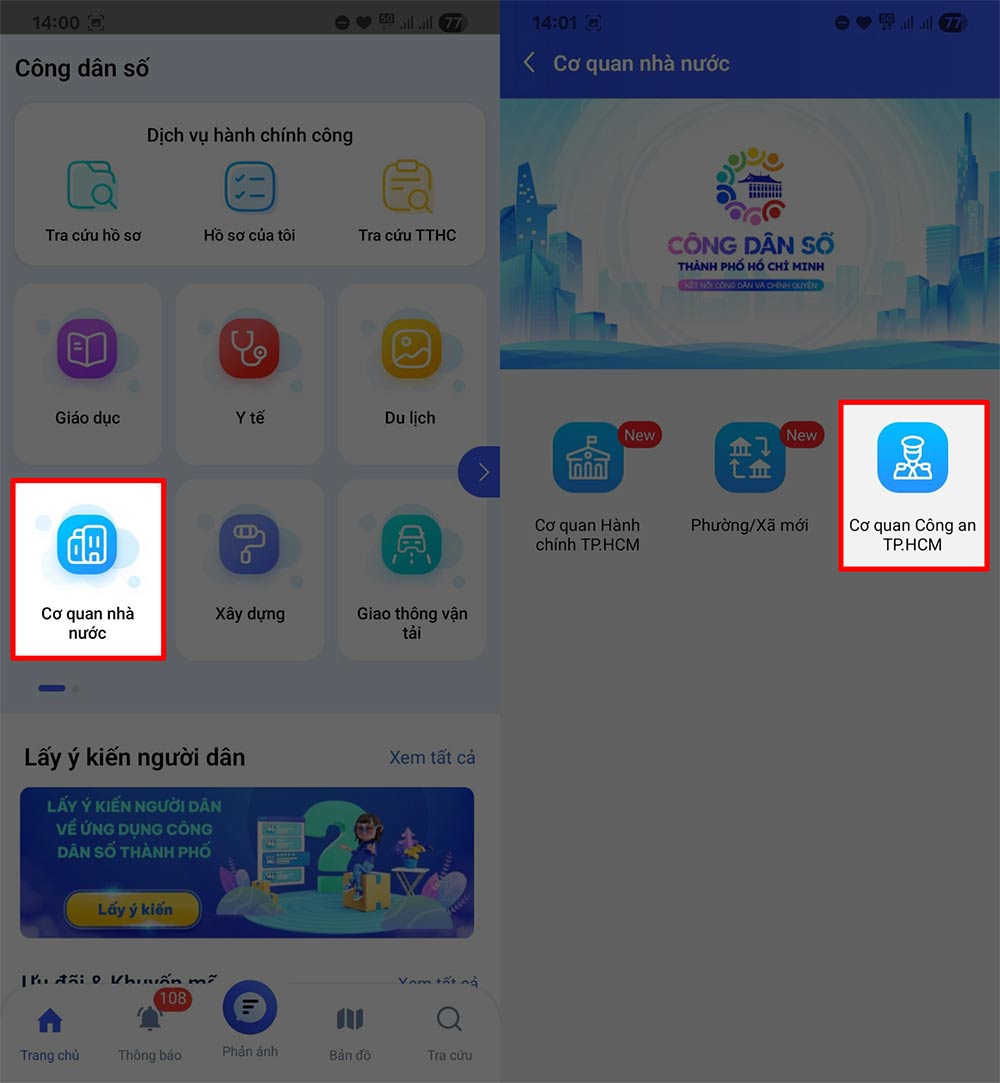
Scroll down and select the State Agency section . Information about the Agency is displayed, select Ho Chi Minh City Police Department to look up information about the affiliated police units.
Step 3:
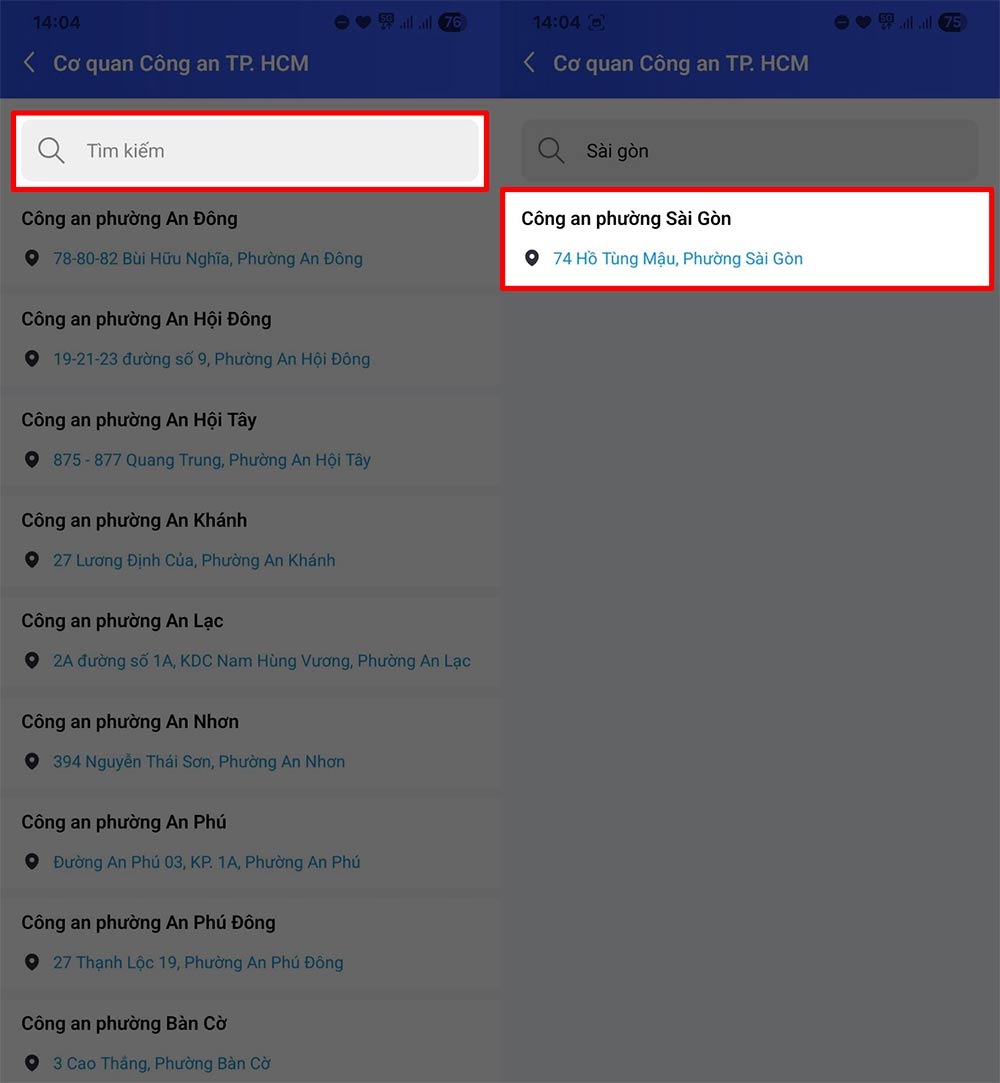
In the new interface as shown, select the search bar and enter the name of the new ward or commune after the merger to find the address of the new ward/commune police station. When you enter the correct address, the police station you are looking for will be displayed.
Step 4:
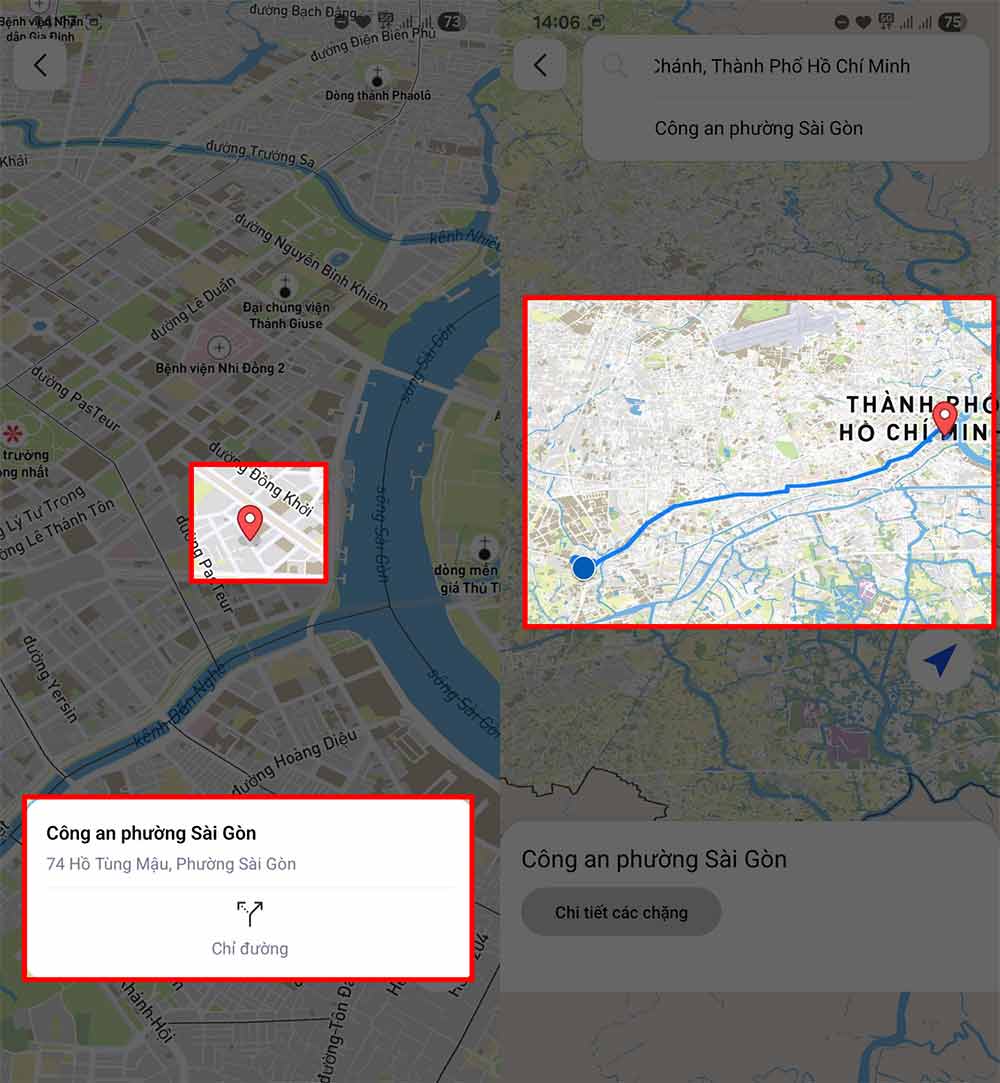
select the displayed Police address, then you will be transferred to the map interface so you can easily find your way to the new ward or commune Police address.
Final Thoughts
Following the steps in order and checking version-specific settings should make it easier to View the Address of the Ward/commune Police After the Merger. If an option looks different, verify the device, app, or operating-system version before changing additional settings.
FAQ
What is the best way to View the Address of the Ward/commune Police After the Merger?
Start with the requirements described in the article and follow the steps in order. After the merger, the administrative boundaries changed, the agencies also changed, including the location of the police headquarters. Therefore, people sometimes do not know where the new ward/commune police station is after the merger.
What should you know about Instructions for viewing the address of the ward/commune police station after the merger?
Currently the application is only applicable in Ho Chi Minh City, other provinces and cities will be deployed in the near future.
What should you do if the instructions do not match your screen?
Check the device, software version, account permissions, and regional settings. Interfaces can change after updates, so use the closest matching option and consult the official support documentation when necessary.
Related Articles
 2 Simple Ways to View and Read MAC Addresses on Windows 103 minutes read
 How to View MAC Address on Windows Using Command Prompt5 minutes read
 How to Check Your Computer's IP Address — View and Find the3 minutes read
 How to View the iPhone Mac Address?3 minutes read
 How to View the IP Address, Check the Computer's IP6 minutes read
 How to View the Mac Address of Android3 minutes read
Reader Comments 0
Sign in with email or Google to join the discussion.