Table of Contents
Meta tracks all of your Facebook activity and recommends content to display on the interface, including your searches. This also makes users uncomfortable when Meta knows all of your activities. You can limit what Meta sees and prevent it from using off-platform activity to show recommendations, following the instructions below.
How to Block Meta from Tracking External Activity on Facebook
Step 1:
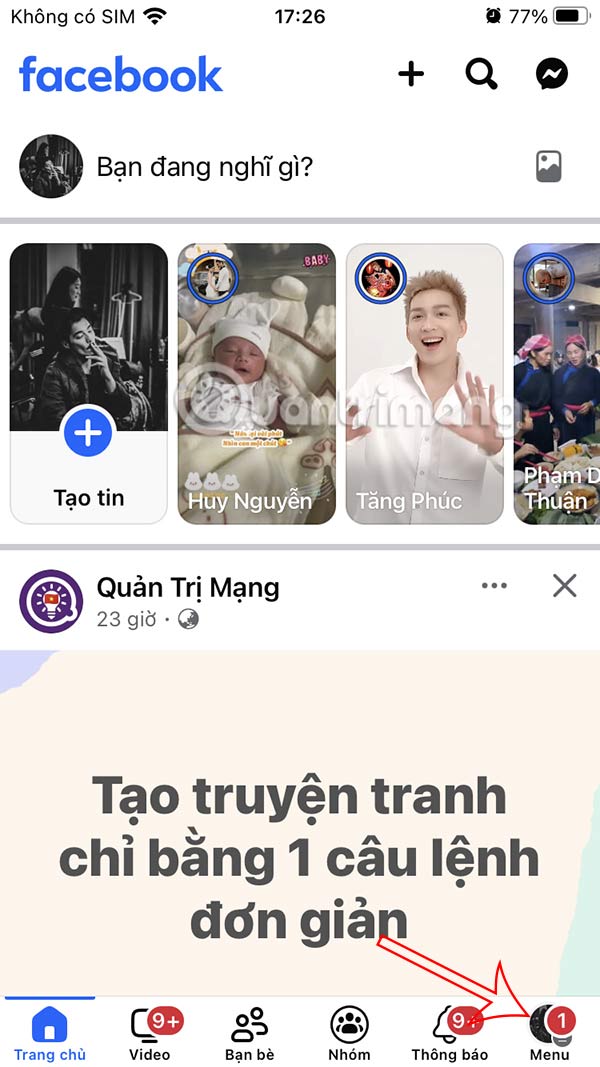
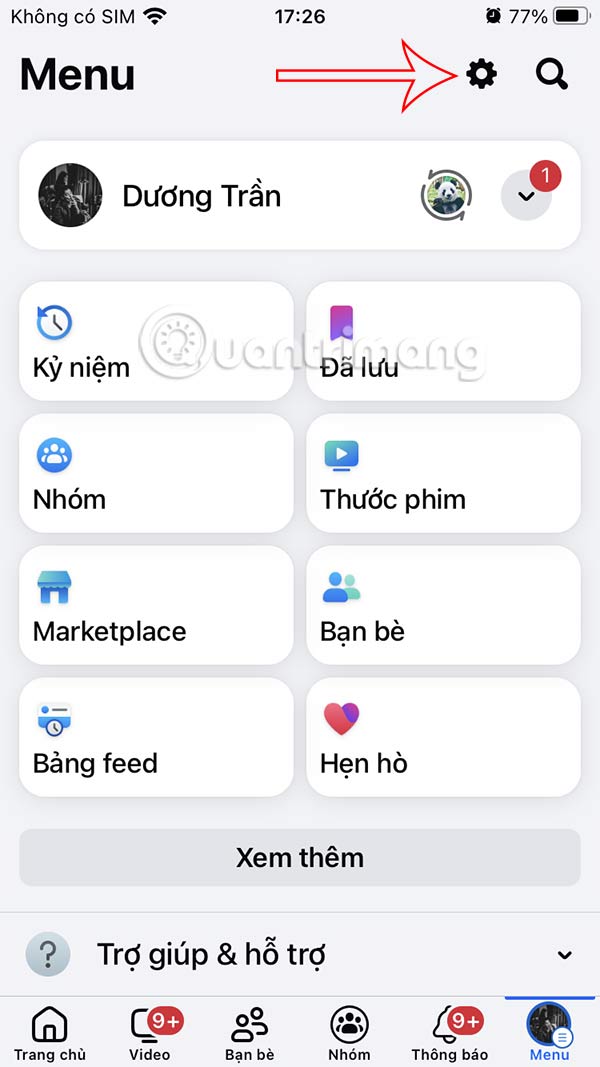
On the Facebook interface, select the 3 dashes icon . Then select the gear icon .
Step 2:
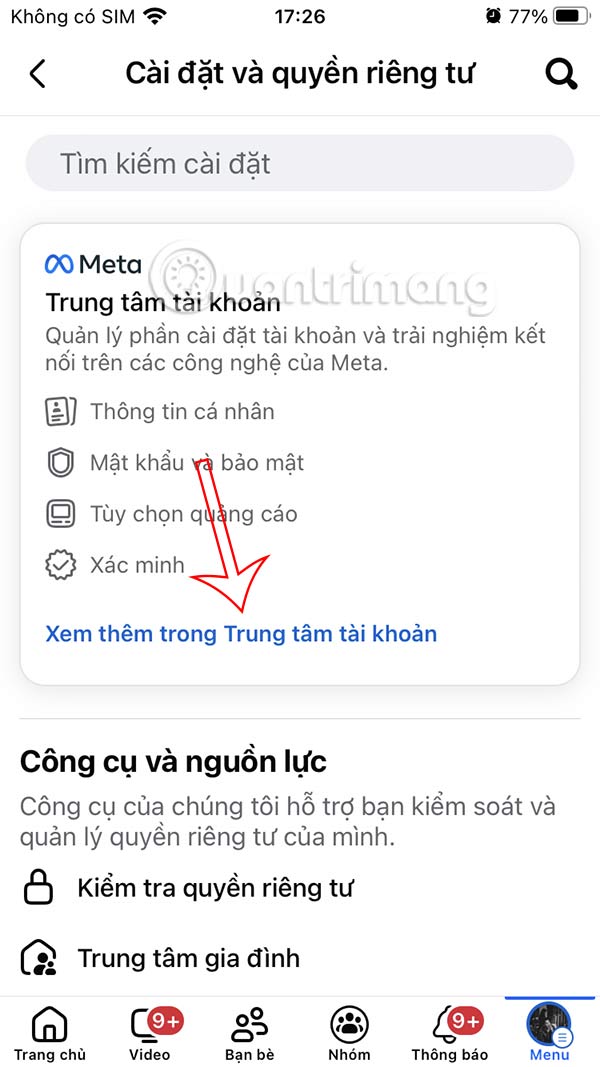
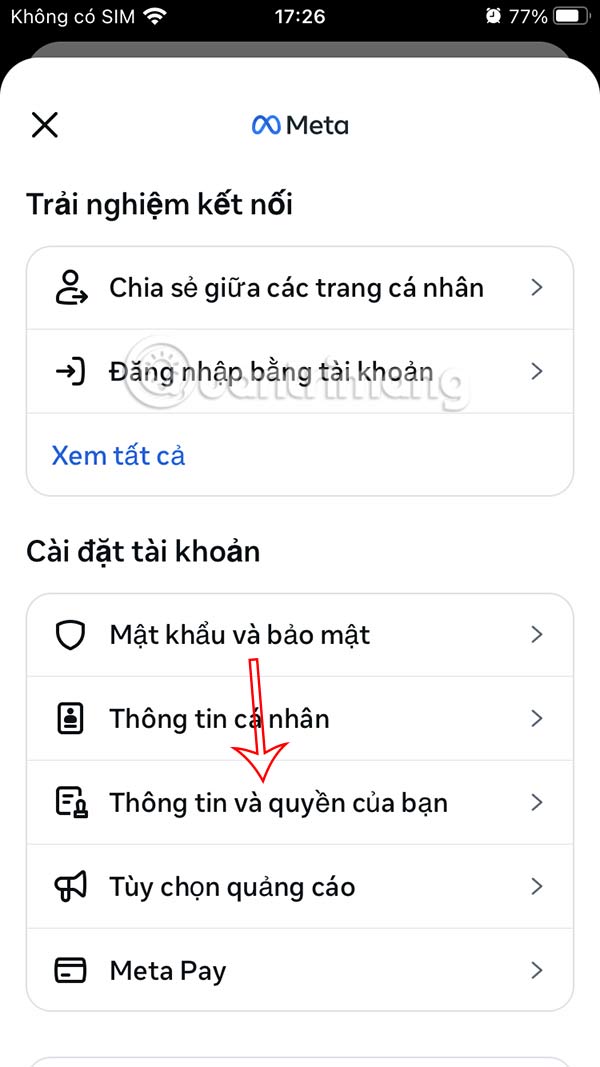
Go to the new interface, select See more in Account Center . Continue to select Your information and rights .
Step 3:
At this interface, you select Your activities outside of Meta technologies. We will select Manage future activities .
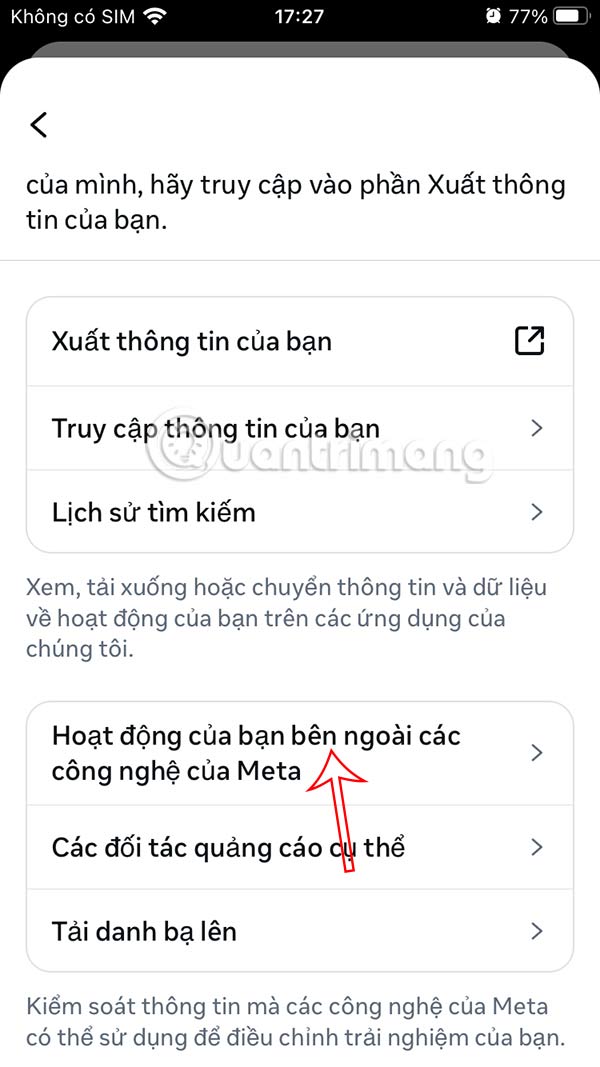
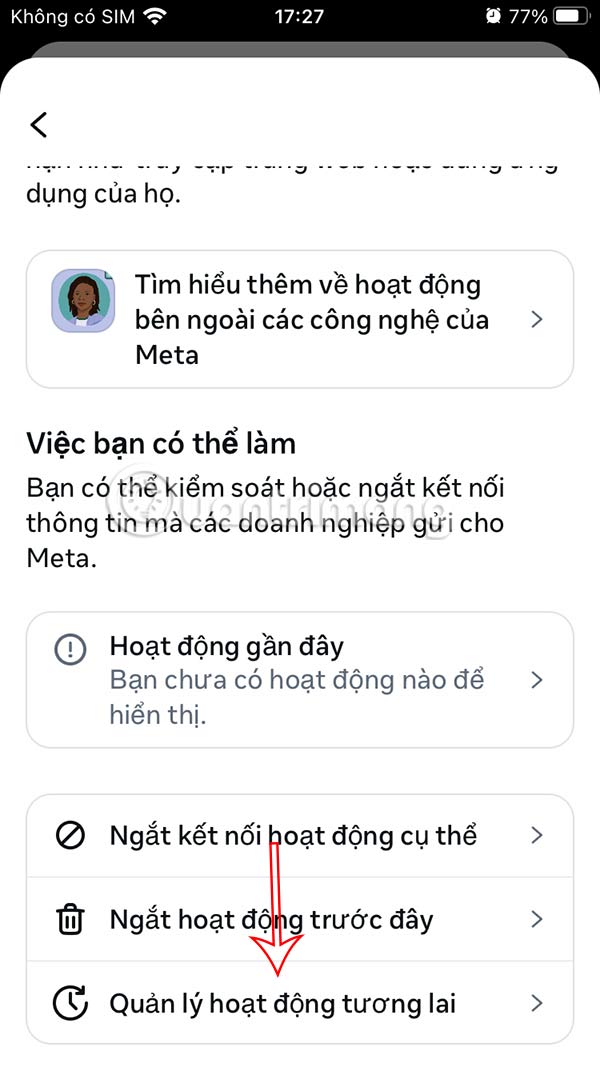
Step 4:
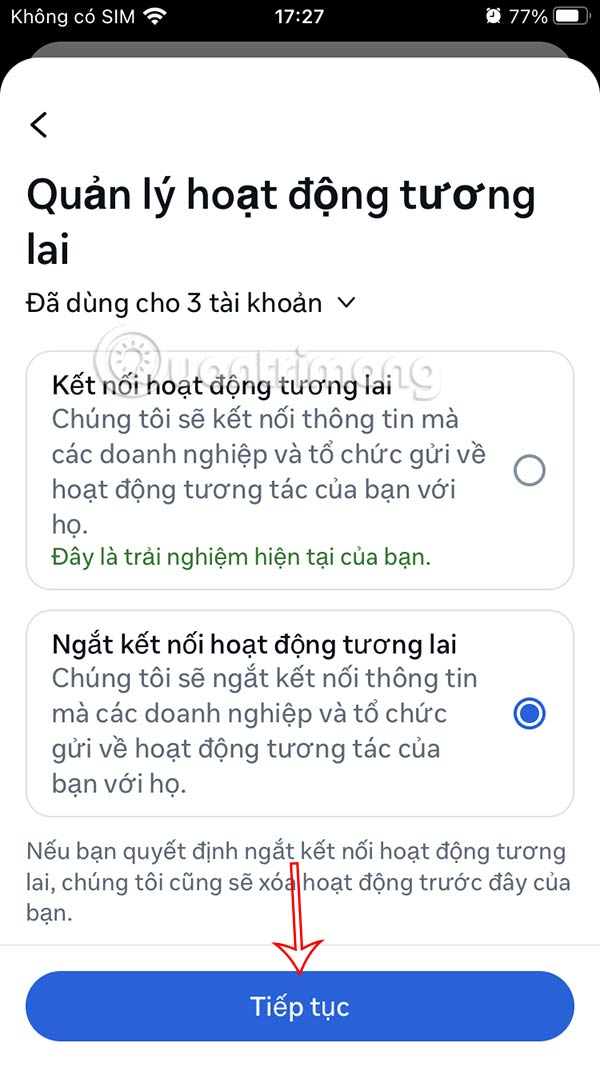
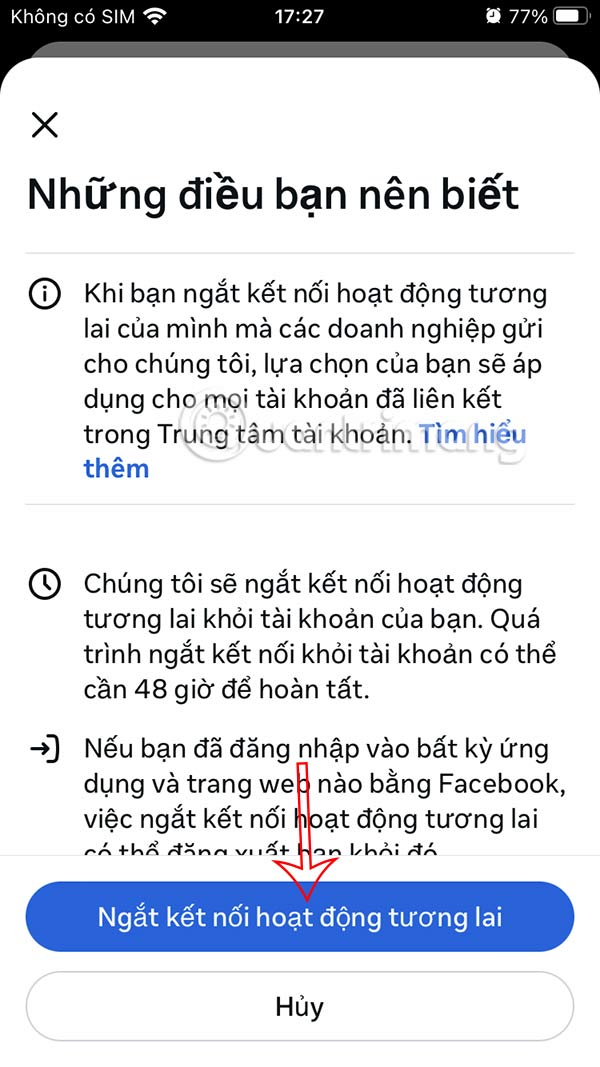
You'll tap Disconnect Future Activity , then tap Continue below to move to the new interface.
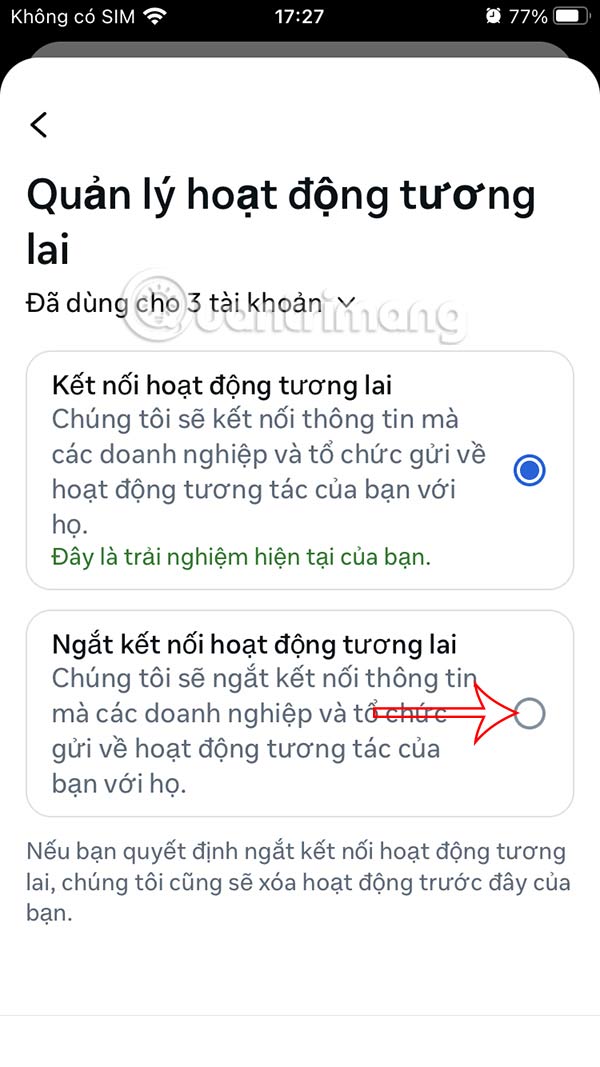
Step 5:
You will tap Disconnect Future Activity to block Meta from tracking your Facebook activity.
Final Thoughts
Following the steps in order and checking version-specific settings should make it easier to Block Meta from Tracking Your Activity on Facebook. If an option looks different, verify the device, app, or operating-system version before changing additional settings.
FAQ
What is the best way to Block Meta from Tracking Your Activity on Facebook?
Start with the requirements described in the article and follow the steps in order. Meta tracks all of your Facebook activity and recommends content to display on the interface, including your searches. This also makes users uncomfortable when Meta knows all of your activities.
What should you know about How to Block Meta from Tracking External Activity on Facebook?
On the Facebook interface, select the 3 dashes icon. Then select the gear icon.
What should you do if the instructions do not match your screen?
Check the device, software version, account permissions, and regional settings. Interfaces can change after updates, so use the closest matching option and consult the official support documentation when necessary.
Related Articles
 Did You Know How to Block Facebook Tracking?10 minutes read
 How to Block Meta AI from Using Chat for Ads: Step-by-Step Guide2 minutes read
 How to Block Facebook Nick, How to Block an Annoying Invitation?4 minutes read
 How to Use Meta AI in Facebook Messenger4 minutes read
 Facebook Container, Facebook Blocking Extension to Track Mozilla Users3 minutes read
 How to Stop Meta from Tracking Your Android Phone5 minutes read
Reader Comments 0
Sign in with email or Google to join the discussion.