Table of Contents
School can be overwhelming without the right tools. If you spend a lot of time researching and writing, having the right browser extensions can help you stay organized, focused, and make the school year go much more smoothly.
7. Grammarly
Whether you're writing a thesis, a discussion paper, or an email to a professor, Grammarly is your friend. The extension automatically checks your spelling, ensuring you don't miss any spelling errors. Grammarly also analyzes your grammar, punctuation, tone, and clarity in real time, offering suggestions to improve your writing, from sentence structure to word choice.
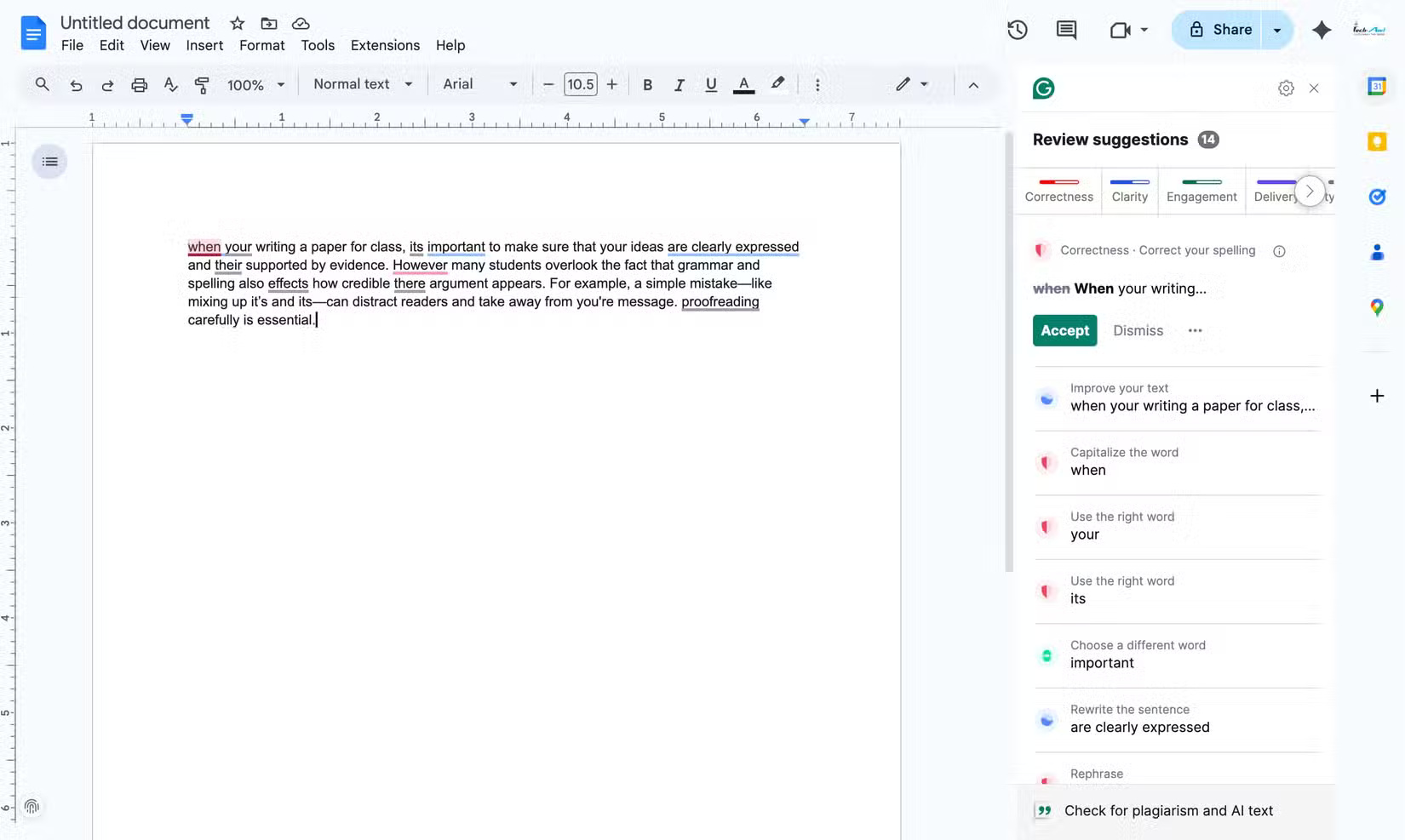
Grammarly also has a built-in plagiarism checker that helps you spot any citation errors throughout your document. What makes Grammarly even better is its customization. You can choose the text type, purpose, audience, and format to ensure the final draft is perfect for your needs.
6. Voice In
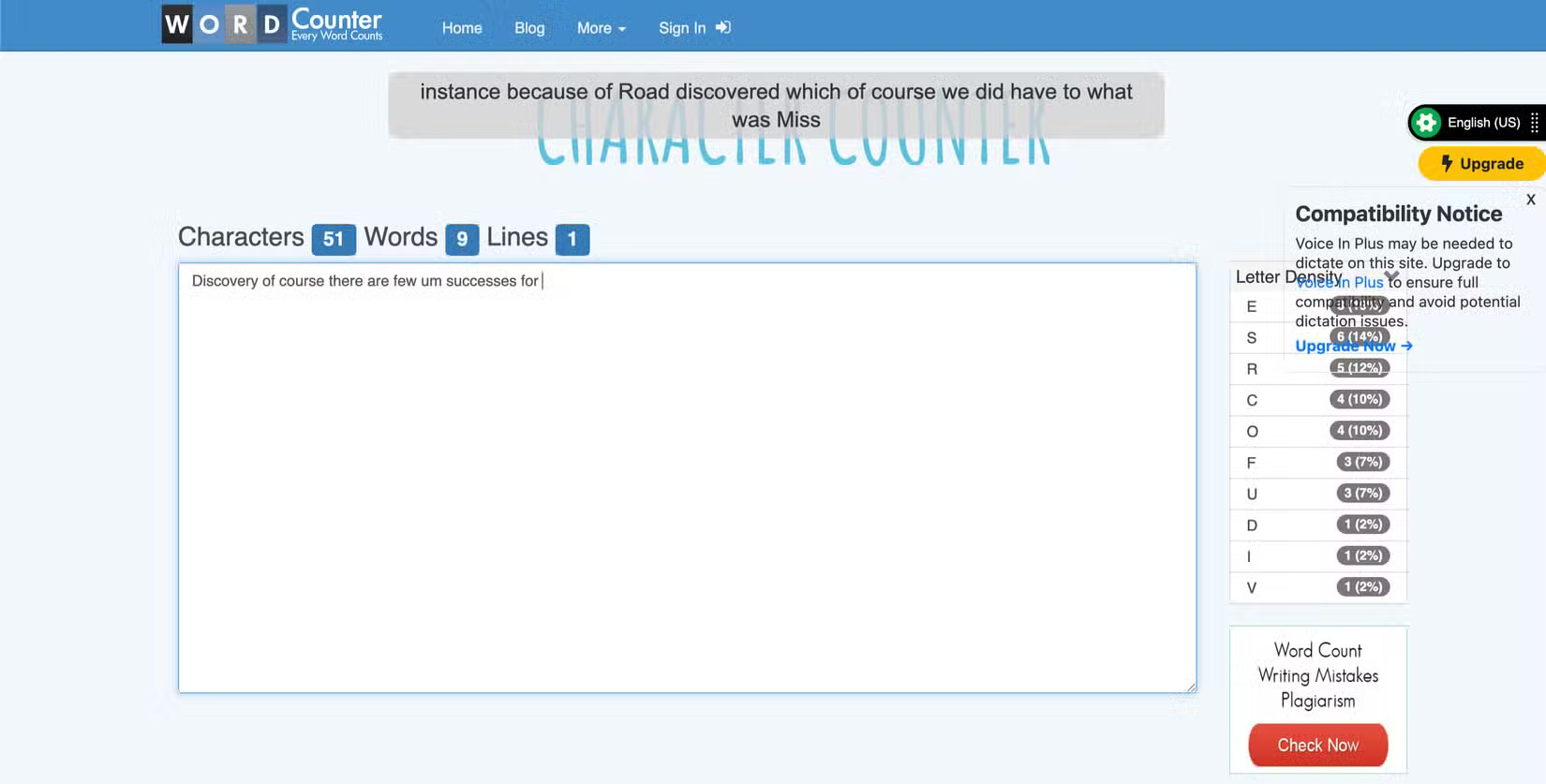
If you're tired of typing out your essays or discussions, Voice In is a must-have. This voice-to-text extension lets you dictate into any text field in your browser, including Google Docs, Gmail, etc.
Since we tend to think faster than we type, voice typing makes things faster. It's great for brainstorming, drafting essays, or even replying to messages without lifting a finger. Just tap the microphone icon, start speaking, and watch your words appear on screen in real time.
5. Text Blaze
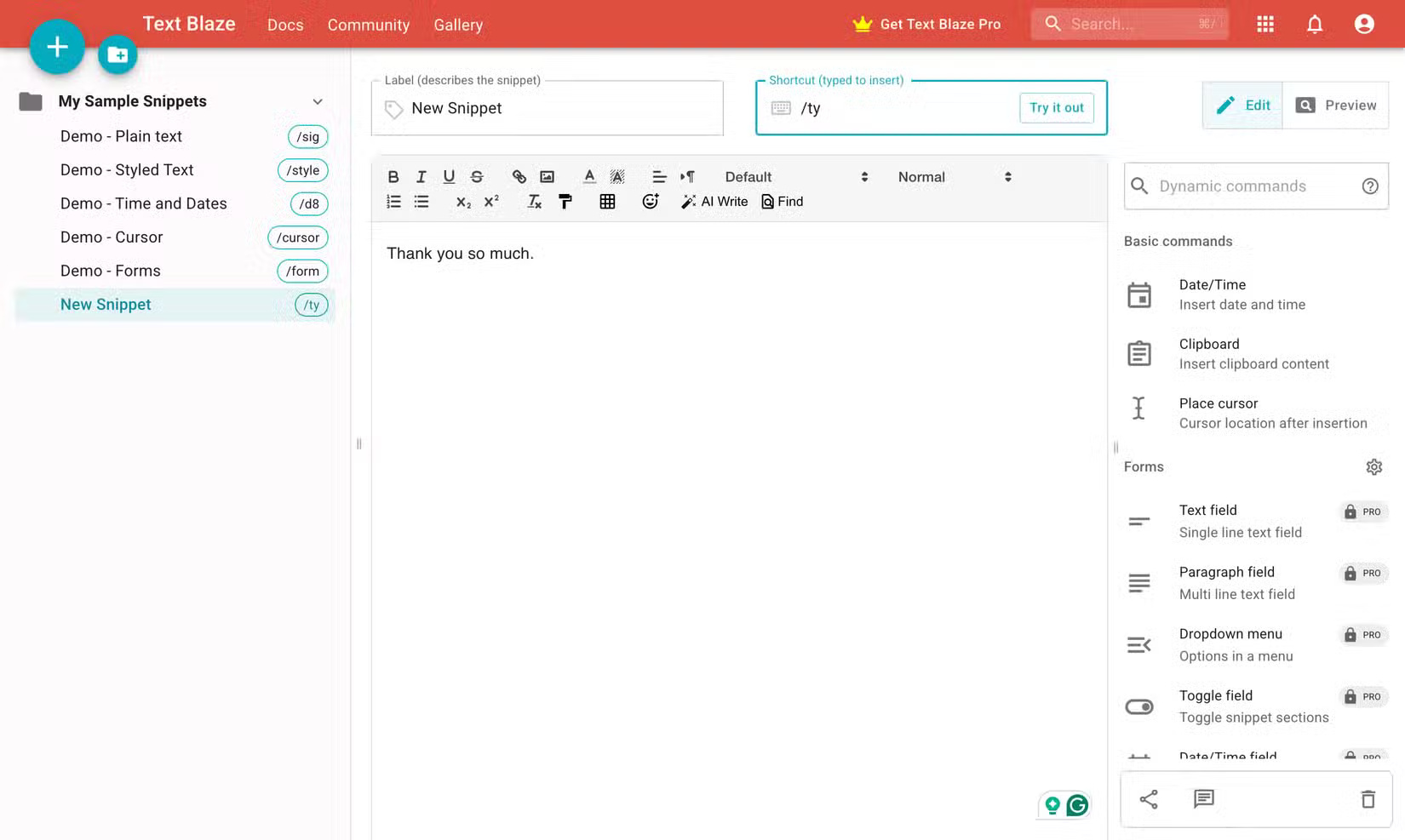
As a student, you often type certain phrases over and over again, whether it's replying to emails, introducing discussion forums, or taking class notes. That's where Text Blaze becomes an essential productivity tool. The extension lets you create custom shortcuts (called snippets) that instantly expand into phrases, complete sentences, or even entire paragraphs.
For instance, you can set /sig to instantly paste your entire email signature, or /faq to insert frequently used answers for group projects. This feature is perfect for saving time replying to professors, filling out forms, or organizing repetitive class assignments.
4. Web Highlights
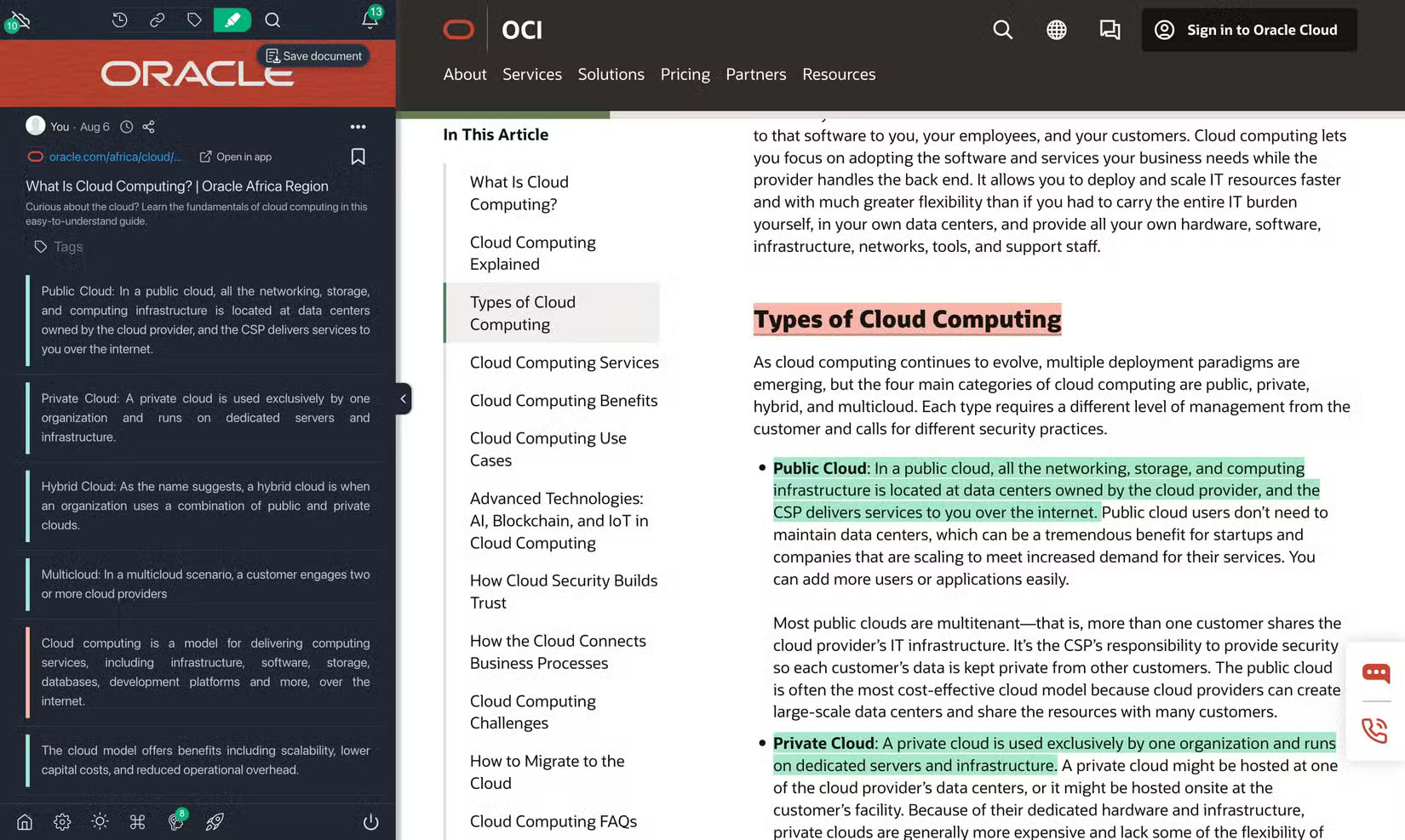
A typical study session involves toggling between articles, PDFs, and websites. As you study, you'll find valuable information from a variety of sources, making Web Highlights an indispensable tool. As the name suggests, it allows you to highlight text on any website or online PDF, just like you would with a textbook. However, unlike a textbook, Web Highlights saves everything in one organized place for later review.
You can color code your highlights by choosing from one of the available options, add notes, tag highlights, and review saved snippets at any time via the extension's dashboard or by syncing with tools like Notion. What makes Web Highlights different is how it helps you organize information.
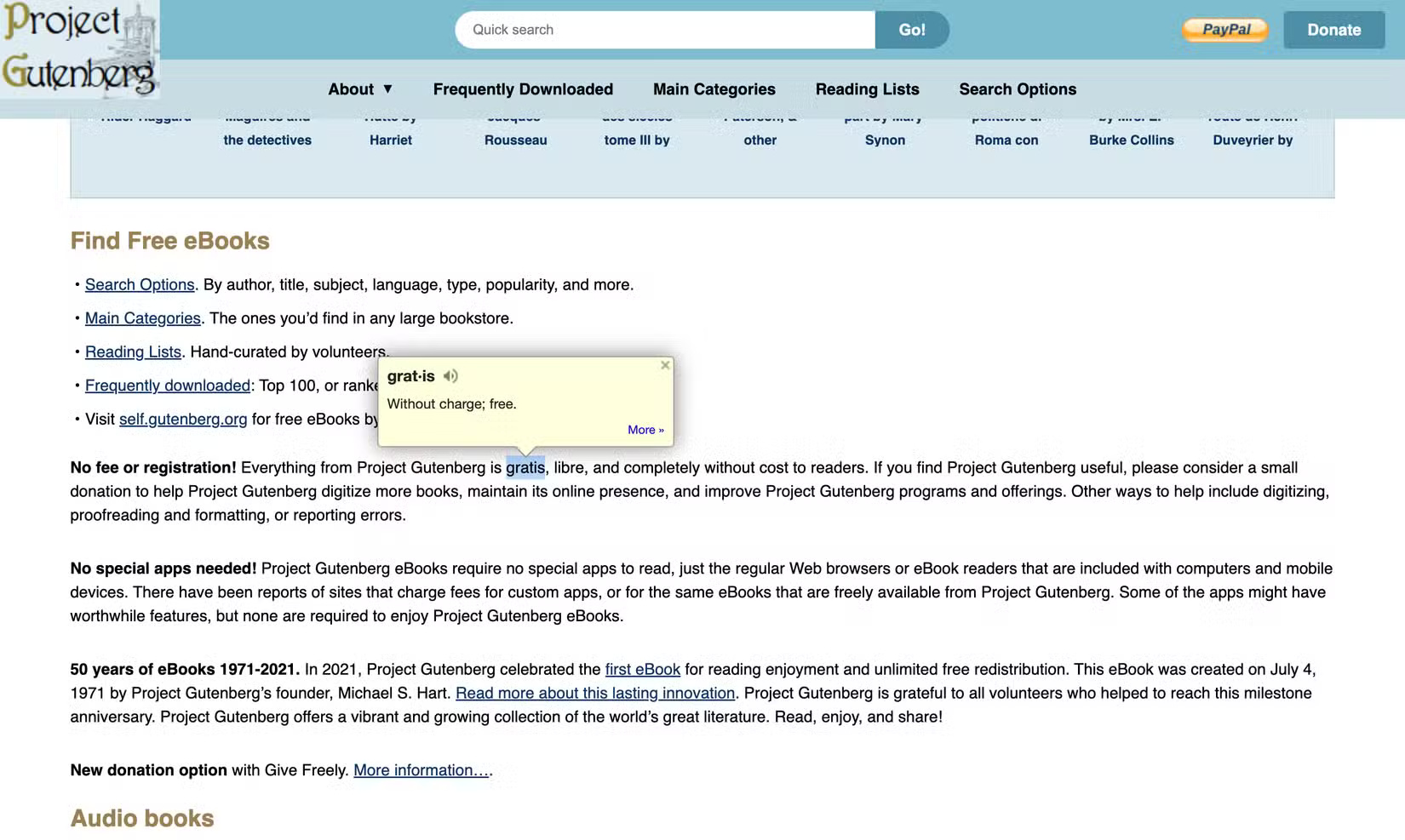
3. Google Dictionary
Being a student means that you will occasionally come across new words while reading. These unfamiliar words can make it more difficult to understand the material. But with the Google Dictionary extension installed, you will have a dictionary at your fingertips to simplify any unfamiliar words you come across. While you can search for the meaning of these words on the Internet, Google Dictionary makes it easy to do so without interrupting your train of thought.
2. MyBib
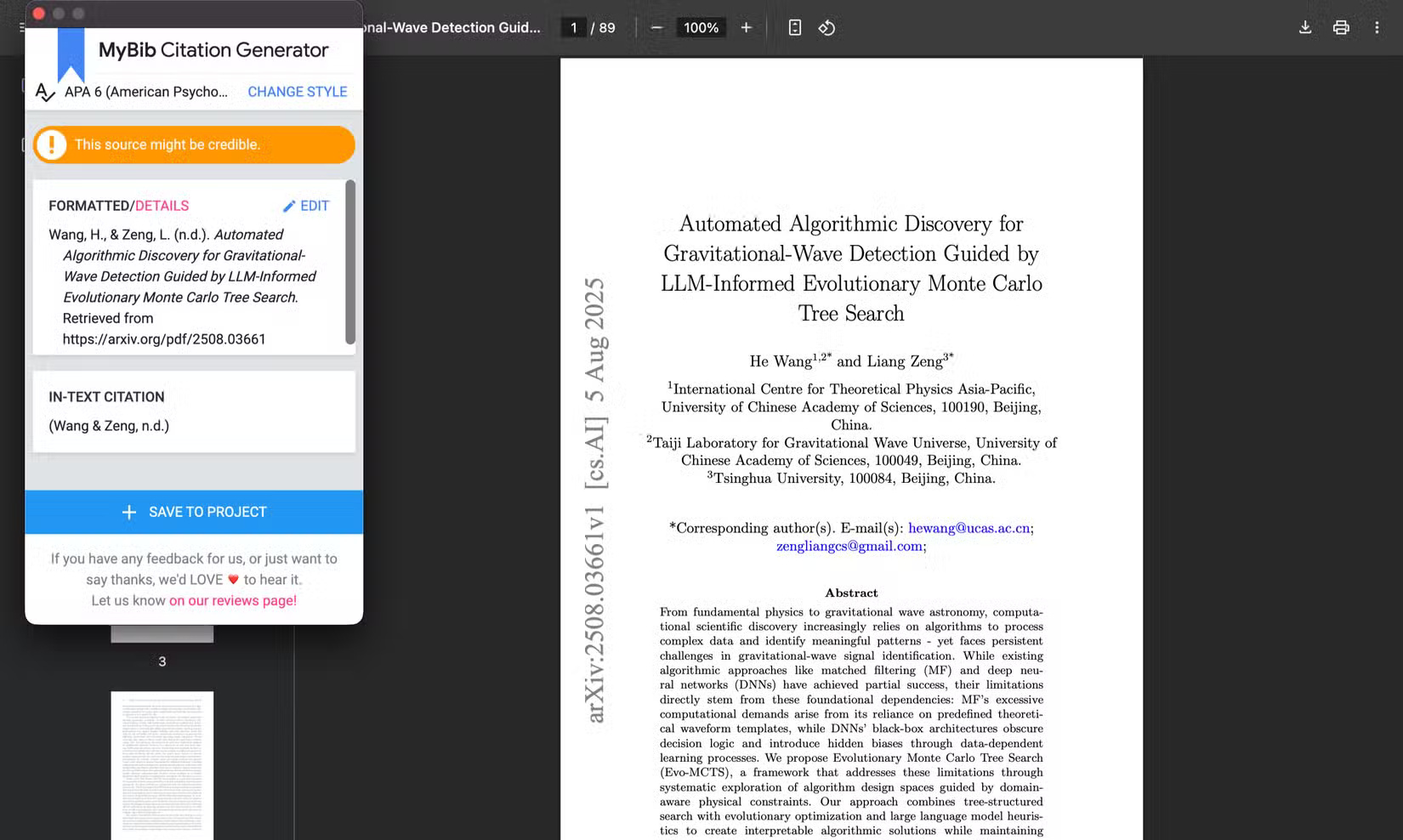
If you've ever spent too much time formatting citations or stressed out about APA vs. MLA rules, you should install MyBib. MyBib is a free citation generator that lets you create accurate citations and bibliographies with just one click, right from your browser.
When you're reading a newspaper, magazine, or website that you want to cite, just click the MyBib icon. The extension will instantly pull in the relevant information and format it in your chosen citation style, including APA, MLA, Chicago, Harvard, and more. You can then copy and paste the citation into your paper. You can also create projects within the extension to better organize your citations.
1. Toby
If your browser looks like a mess of open tabs, Toby is the tab manager you never knew you needed. It lets you organize your tabs into neat, visual collections, which is great for students who have multiple classes. With Toby, you don't need any tricks to manage your browser tabs.
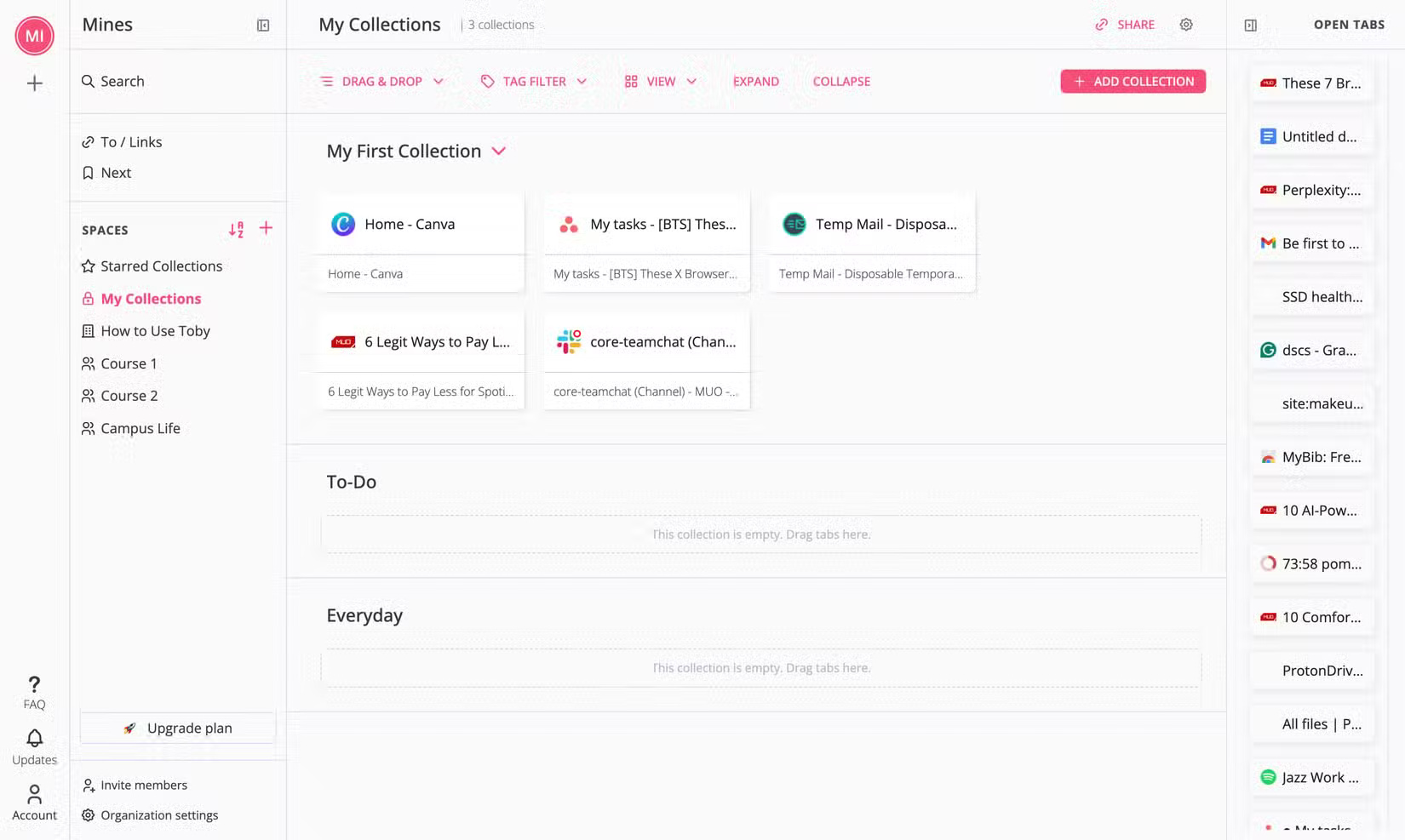
You can save tabs by subject, class, project, or whatever category you choose and open them later with just one click. Instead of bookmarking everything (and never finding it again), Toby gives you a workspace that's quick, organized, and easy to navigate.
Final Thoughts
The development covered in this article is worth following, but specifications, dates, and feature details may change until the relevant company or organization publishes an official confirmation.
FAQ
What is the main development covered in this article?
School can be overwhelming without the right tools. If you spend a lot of time researching and writing, having the right browser extensions can help you stay organized, focused, and make the school year go much more smoothly.
What should you know about 7. Grammarly?
Whether you're writing a thesis, a discussion paper, or an email to a professor, Grammarly is your friend. The extension automatically checks your spelling, ensuring you don't miss any spelling errors.
Is every reported detail officially confirmed?
Not necessarily. Product leaks, preview builds, research reports, and early announcements can change. Confirm important specifications, dates, and availability through an official source before making a decision.
Related Articles
 6 Browser Extensions That Change the Way You Use the Web6 minutes read
 5 Browser Extensions That Make Every Website More Useful: Practical Guide7 minutes read
 4 Chrome Extensions to Help You Surf the Web Faster5 minutes read
 7 Extensions on Firefox No Browser Has8 minutes read
 How to Remove Add-Ons (Extensions) on Chrome, Firefox and Some Other6 minutes read
 Completely Disable the Extension for Maximum Browser Security5 minutes read
Reader Comments 0
Sign in with email or Google to join the discussion.