Table of Contents
This practical guide explains how to link WhatsApp to meta account center. Follow the steps in order, review the requirements first, and use the troubleshooting notes when a setting or option does not work as expected.
How to Link WhatsApp to Meta Account Center
Step 1:
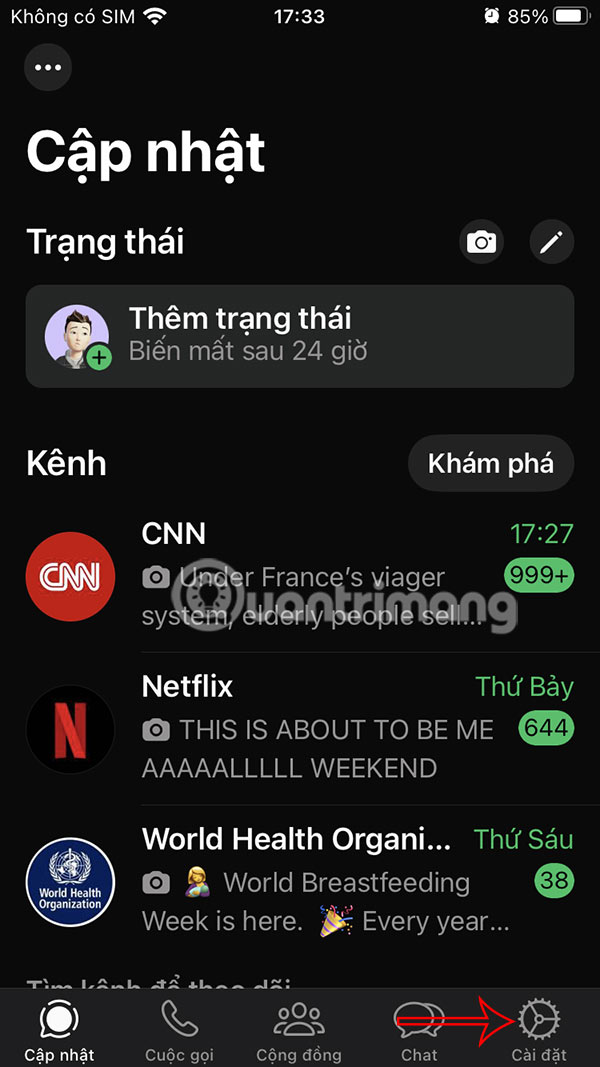
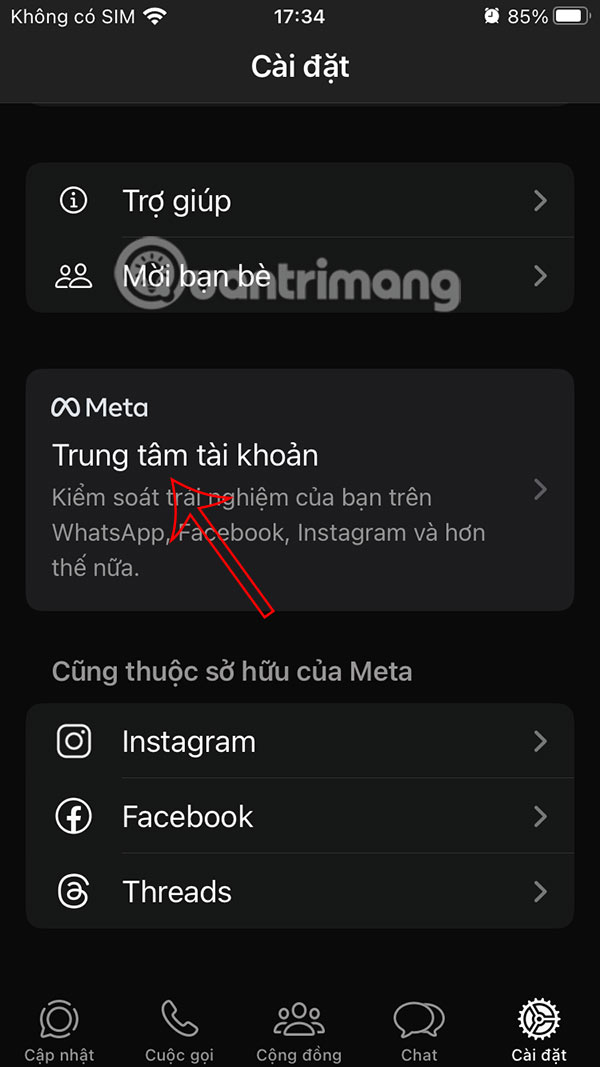
You select the Settings item in the corner to access the settings on the application. Then, you select Meta Account Center to perform.
Step 2:
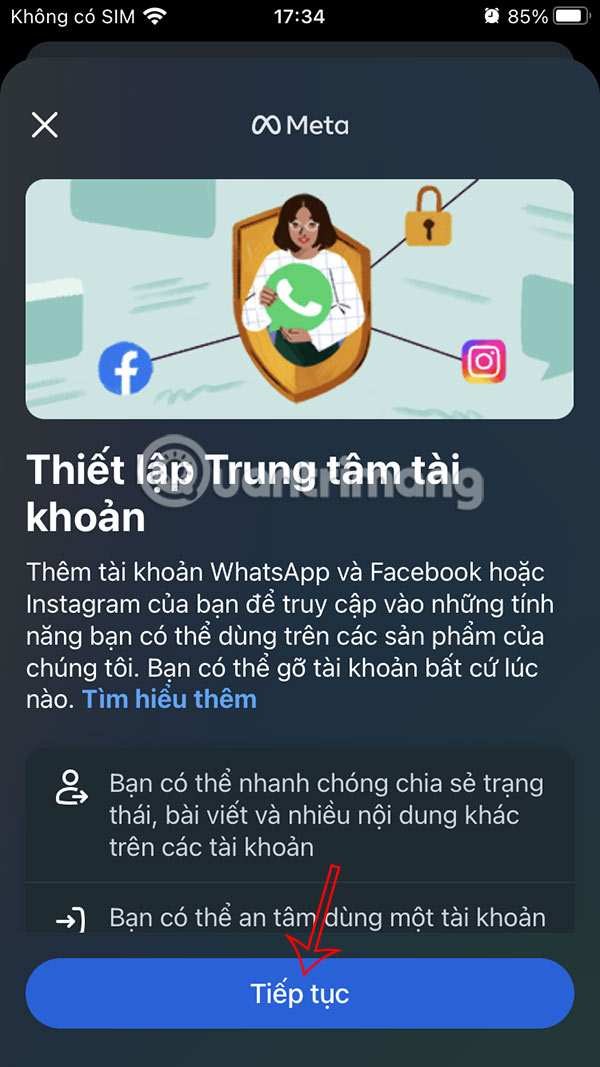
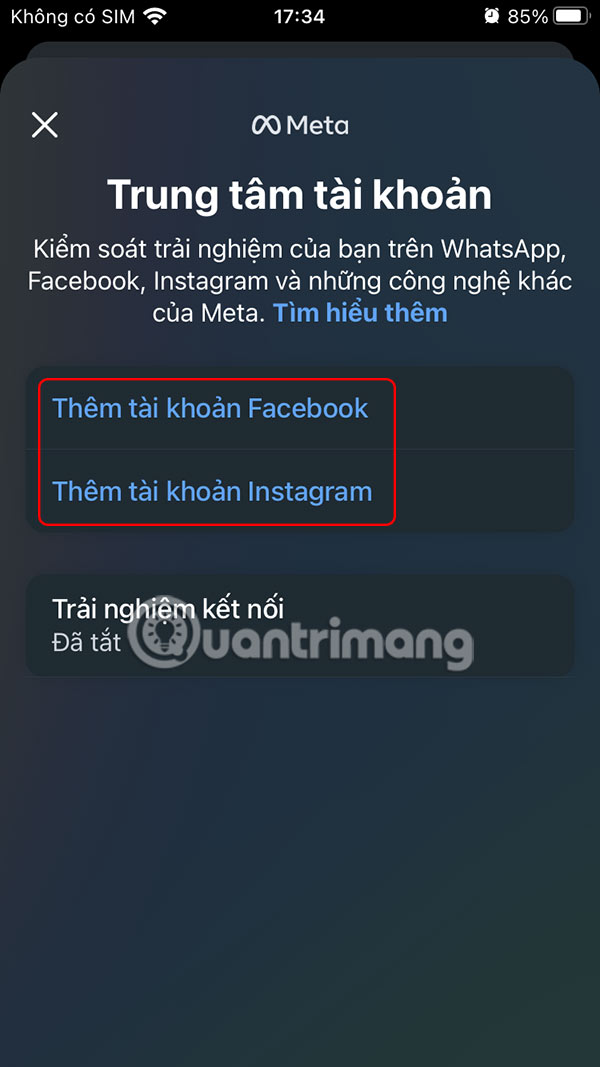
A new interface will appear to perform the operation, click the Continue button below. Now you have the option to add a Facebook account or an Instagram account to choose to connect to your WhatsApp account.
Step 3:
Click Allow and continue to connect the two accounts together. Finally , click Yes to complete the process of adding the WhatsApp account to the Meta Account Center.

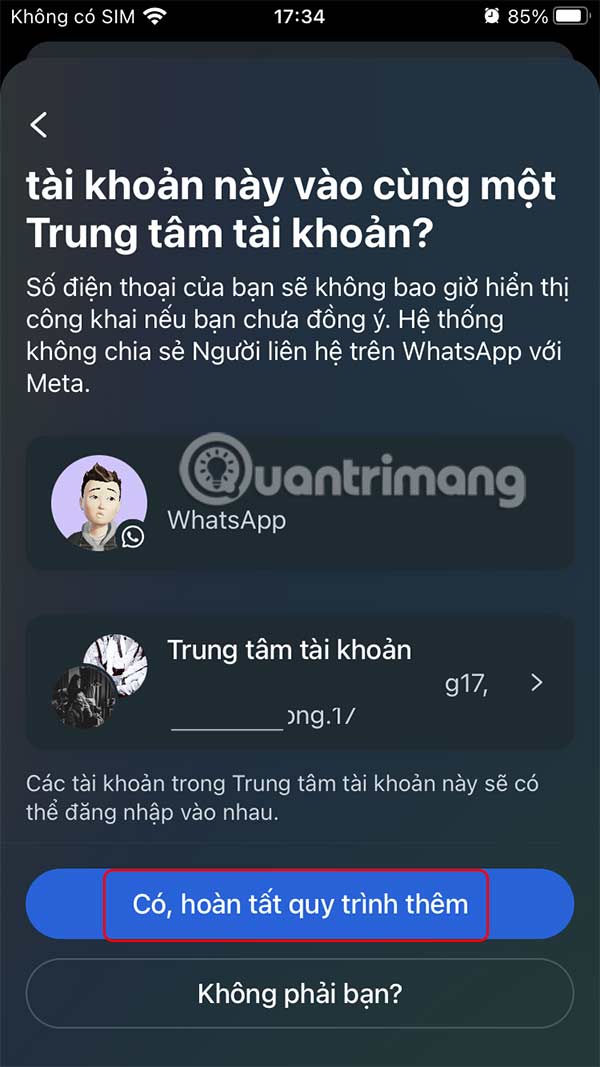
Linking WhatsApp to Meta Account Center gives you more control over how your accounts work together. Whether you want to set up faster logins, better ad personalization, or simply get an overview of your connected apps, it's easy.
FAQ
How to Link WhatsApp to Meta Account Center?
You select the Settings item in the corner to access the settings on the application. Then, you select Meta Account Center to perform.
What does this guide cover?
This guide explains link WhatsApp to meta account center, including the main steps, important details, and practical considerations.
Who is this guide for?
It is designed for readers who want a clear, practical overview and a reliable process they can follow without unnecessary complexity.
Related Articles
 How to Use Meta AI on WhatsApp7 minutes read
 5 Reasons Why Users Don't Use WhatsApp's Meta AI Button, Despite Its Usefulness8 minutes read
 Instructions for Using Meta AI on WhatsApp: What to Know4 minutes read
 How to Log Out of Whatsapp Account Remotely3 minutes read
 Delete Whatsapp Account on Phone in 6 Steps: Whatsapp Messenger2 minutes read
 Meta Will Use Your Chat Data with AI to Personalize Ads and Content On4 minutes read
Reader Comments 0
Sign in with email or Google to join the discussion.