
Application
6 CarPlay Settings to Make Apps, Audio, and Notifications Easier to Use
Reorder CarPlay apps, choose widgets, configure Driving Focus, prepare contacts and audio, and adjust the display before your next journey.
Browse more Find practical software and app guides, setup instructions, troubleshooting steps and productivity tips for popular desktop and online applications.
Reorder CarPlay apps, choose widgets, configure Driving Focus, prepare contacts and audio, and adjust the display before your next journey.

Choose between King of Thorn, Josee, Suzume, Sword of the Stranger, and Akira with spoiler-light descriptions, trailers, and regional availability checks.
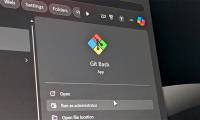
Create a notes repository, push to a private remote, clone on another computer, and use a pull–edit–commit–push routine while handling conflicts carefully.
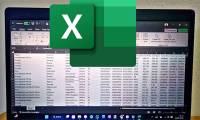
Build a dashboard with PivotTables, PivotCharts, helper sheets, connected slicers, and meaningful formatting—then test totals, filters, and refresh behavior.

Use a Reel's activity reply bar when available, check who will receive the message, and understand how the feature differs from public comments and like notifications.

Compare Kodi's customizable player with Plex's server-and-client approach, including remote-playback subscriptions, hardware needs, and practical testing.

Open Quick Analysis with Ctrl+Q, choose the right tool for your data, and verify generated charts, formulas, tables and sparklines.

Choose Paint.NET extensions for object effects, content-aware repair, color adjustment and filters, with compatibility and installation checks.

Set future Facebook profile posts to Friends or a custom audience, verify the setting before publishing, and review older posts separately.

Compare photo storage, quality and cross-device access, and avoid accidental iCloud deletions when using Google Photos to free iPhone space.

Select the correct extra Facebook profile, export its information, review deletion consequences and cancel a pending request before its deadline.

Compare Row Zero's cloud spreadsheet workflow with Excel's grid and data-model options, and test imports, formulas, summaries and exports before switching.
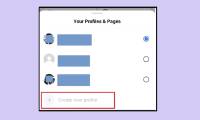
Temporarily pause the correct additional Facebook profile, understand the difference from deletion, and reactivate it through account settings later.

Choose between Dan Da Dan, Ranking of Kings, Parasyte, and the original Dragon Ball with spoiler-light descriptions and viewing considerations.
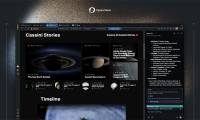
What Opera Neon's Tasks, Cards, and Do features offer, how its subscription works, and why browser actions still involve cloud AI processing.

Choose a supported Dahua client, understand the older SmartPSS installation screens, add a camera or recorder, and check live viewing safely.
Compare QWinFF, FFmpeg Batch AV Converter, StaxRip, Shotcut, and Shutter Encoder by workflow, platform, and the controls you actually need.

Use worked examples to compare GROUPBY and PIVOTBY, control headers and totals, and decide when a conventional PivotTable is still the better fit.

Understand Neon Do, organize browsing tasks, reuse Cards, and evaluate whether paid browser automation fits the work you actually do.
Use corrected Excel regex syntax and practical examples to check patterns, extract text, and replace matches, with clear limits for email and phone cleanup.