Table of Contents
Smart PSS (Professional Surveillance System) serves as a specialized surveillance software developed by Dahua Technology, allowing users to manage and monitor camera systems.
Smart PSS (Professional Surveillance System) is a specialized surveillance software developed by Dahua Technology, allowing users to manage and monitor camera systems, DVR/NVR recorders remotely right on their computers.
With an intuitive interface, the ability to connect multiple devices and integrate many smart features such as live viewing, playback, PTZ control or instant alerts, Smart PSS provides a comprehensive security solution for individuals, businesses and organizations. If you do not know how to get started with this software, follow the article below.
Steps to download and install Smart PSS
Step 1: Visit Dahua Technology and download the software
- Open the browser and go to the Smart PSS software download page here > Https://dahua.vn/phan-mem-dfi2.html
- Download the software that is compatible with your operating system, then launch the downloaded installation file.
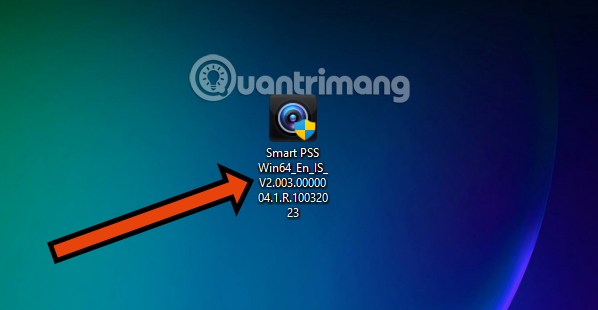
Step 2: Install the software
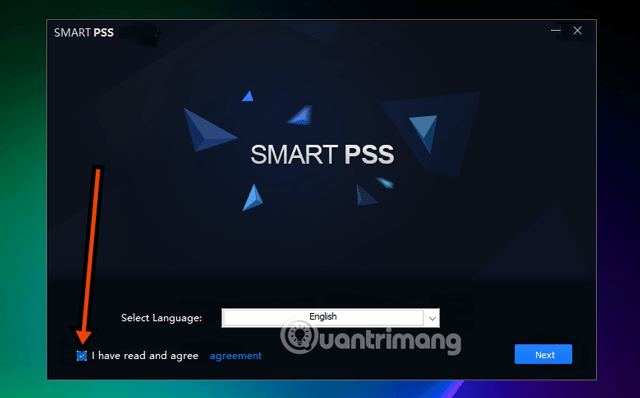
- After booting up, select to agree to the publisher's Terms and Services. Then select Next.
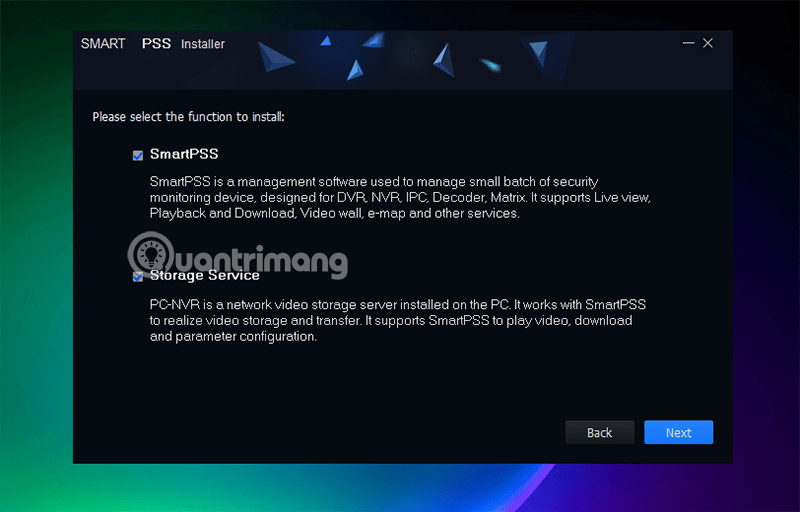
Select the two options Smart PSS And Storage Service And select Next.
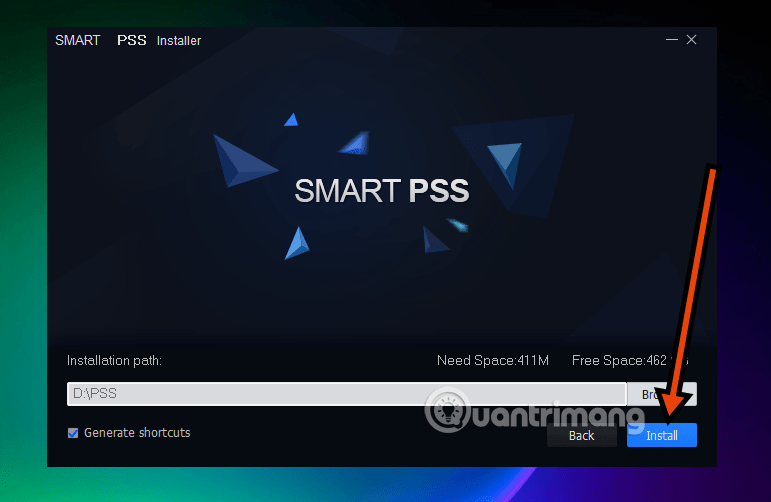
Step 3: Select the software installation drive
Select Install to install, before that, select Browse. then select the path to the hard drive where you want to install. Then select Install to install the software.
Step 4: When finished, select Finish, the software will be launched then.
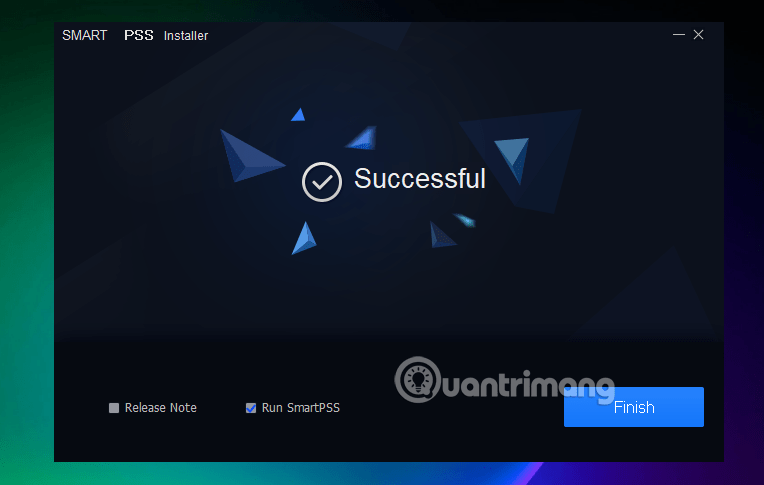
Initial setup after installation
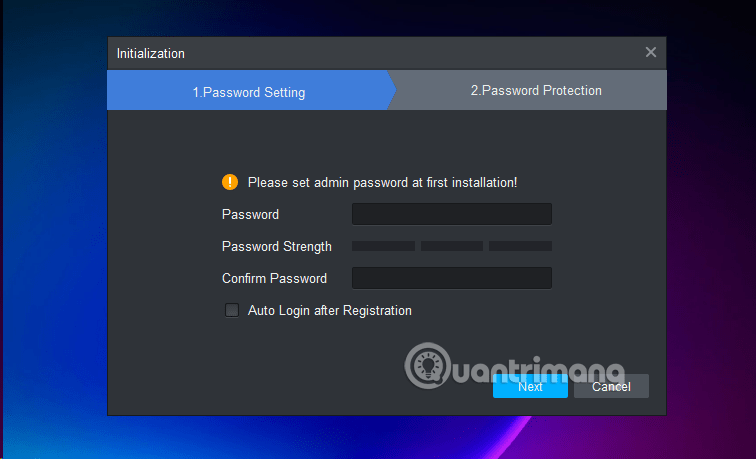
Step 1: Initialize password
- Open Smart PSS, create a login password for first use.
- You can select Auto-Login To automatically log in.
- Set up security questions in case you forget your password.
Step 2: Add camera device
-
Go to Device → select + Add .
-
Enter camera information:
-
Device Name : Device name
-
Method to Add : IP/Domain or P2P
-
IP/Domain Name , Port (37777)
-
Group Name , User Name & Password
-
-
Click Add , if the status is Online (green) then the connection is successful.
Step 3: View camera live
- Go to Live View → drag and drop the camera from the list into the viewport.
- Multiple frames can be displayed (1, 4, 9, …).
- Support zoom in, zoom out, and take screenshots right on the interface.
What is Smart PSS? Professional Monitoring Solution
Smart PSS (Professional Surveillance System) software
Smart PSS is a powerful security monitoring application developed by Dahua Technology, a reputable global security solution provider. This application is designed to provide centralized remote management and control of the company's security devices such as IP cameras, DVRs, and NVRs right on your personal computer. With an intuitive interface and multi-device integration capabilities, Smart PSS provides a synchronized and effective monitoring system for all users, from individuals to large enterprises.
Highlights of Smart PSS
Downloading Smart PSS gives users a series of superior features, making it an indispensable tool in the security system:
- Device Synchronization Control: Ability to connect and centrally manage multiple cameras/recorders from different geographical locations within the same software interface. Ideal for monitoring chain stores, offices or large production areas.
- Diverse monitoring and playback: Provides high-resolution live video monitoring and supports smooth playback of saved recordings, making security data retrieval quick and easy.
- Flexible PTZ Camera Control: Supports remote control of PTZ (Pan-Tilt-Zoom) Cameras, allowing users to rotate, tilt, or zoom in/out of the image with high precision to focus on specific details without physically moving.
- Smart analysis and warning: Integrates advanced video analysis algorithms such as motion detection and abnormal event recognition. As soon as an incident occurs, the system will Immediately send alerts To connected devices, supporting timely emergency response.
- Secure data storage: Monitoring data can be flexibly stored on The cloud Or Local hard drive , enhancing security and ensuring data retrieval at any time, preventing loss.
- Electronic map integration (E-Map): Allows uploading of digital maps of the monitoring area, helping users easily locate, monitor and control the location of cameras visually on the map.
- Cross-Platform Compatible: The software is optimized and well compatible with popular operating systems such as Windows and macOS , ensuring flexibility and easy deployment on most personal computers.
- Friendly and multilingual interface: Intuitive, easy-to-use interface design, including Vietnamese Support, helps users get acquainted and operate conveniently right from the first use.
Important notes for optimizing performance
To ensure the software runs stably and efficiently, please pay attention to the following points:
- Computer Configuration Requirements: Make sure your computer has At least 4GB of RAM And A multi-core CPU For smooth processing, especially when managing multiple video streams at the same time. The hard drive space must be sufficient to store the recordings.
- Stable transmission: It is recommended to use A wired network connection Instead of Wi-Fi for IP cameras to maximize stability and minimize latency and lag during image transmission.
- Set up strong security: Always Change the default password Of the camera and software immediately. Take advantage of the Auto-lock Feature and Security questions To increase data security and account recovery.
- Manage devices by group: Divide cameras into groups (e.g. Factory, Office) for easy monitoring and management. Ensure all devices are always Online .
- Bandwidth Optimization: Adjust Video resolution To a level suitable for Live View to save bandwidth. Keep high resolution only for important recordings.
Smart PSS is more than just a monitoring tool; it is a comprehensive security solution that gives peace of mind to every user. Download and experience it now to control your security system in the most optimal way!
FAQ
How do you download and use smart PSS: step-by-step guide?
In practical terms, smart PSS (Professional Surveillance System) is a specialized surveillance software developed by Dahua Technology, allowing users to manage and monitor camera systems.
What should you check before getting started?
Review the requirements, compatible device or software version, and any warnings described in the guide before making changes.
What should you do if the steps do not work?
Repeat the steps in order, confirm that your app or system is up to date, and review the troubleshooting details provided above.
Related Articles
 How to Download Applications on Smart TV LG 20176 minutes read
 4 Reasons Why You Shouldn't Buy a Smart TV7 minutes read
 What Is Smart TV: What Is a Smart TV?7 minutes read
 Smart Home - What Does a Smart Home Have?8 minutes read
 Netflix on Android Automatically Downloads New Episodes of Your4 minutes read
 Quickly Download and Use ESET SMART Security® for 6 Months Free of4 minutes read
Reader Comments 0
Sign in with email or Google to join the discussion.