Table of Contents
Whether you're just starting out with Paint.NET or have been using it for years, these are the plugins you absolutely must download.
Paint.NET is one of my favorite photo editing tools. It caters to everyone's needs, skills, and limitations in a photo editing tool.
Paint.NET is free, works on relatively low-end devices, and best of all, it has a ton of free plugins that significantly extend the functionality of the original software.
It's that last point that has kept many people using Paint.NET over the years, so whether you're just starting out with Paint.NET or have been using it for years, these are the plugins you should definitely download.
BoltBait Paint.NET Plugins
This classic pack has almost 50 plugins
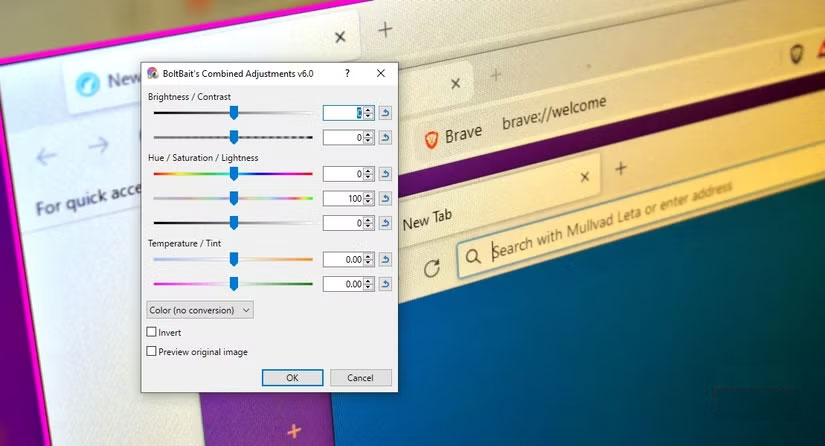
BoltBait's Paint.NET plugin package is one of the top choices for anyone using this free photo editor. It's often the first choice when people want to start expanding the capabilities of the native software, and it's highly regarded for a number of reasons.
It brings nearly 50 different new effects and tools to Paint.NET, including adjustments, objects, photos, rendering, and more.
It also includes a handy text editor with some extra features that the basic Paint.NET version lacks.
Content-Aware Fill
It's not like Photoshop, but it's great for small blemishes

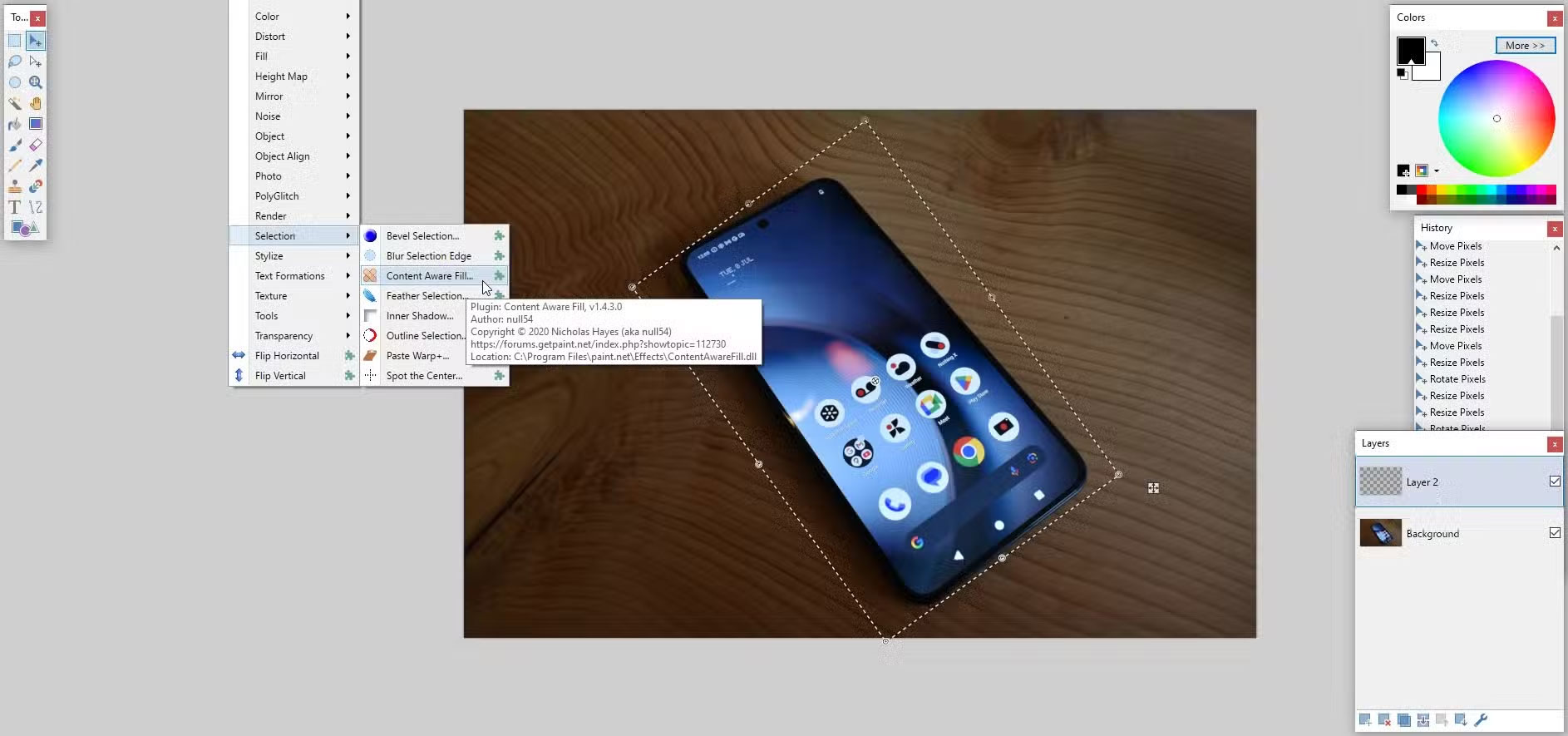
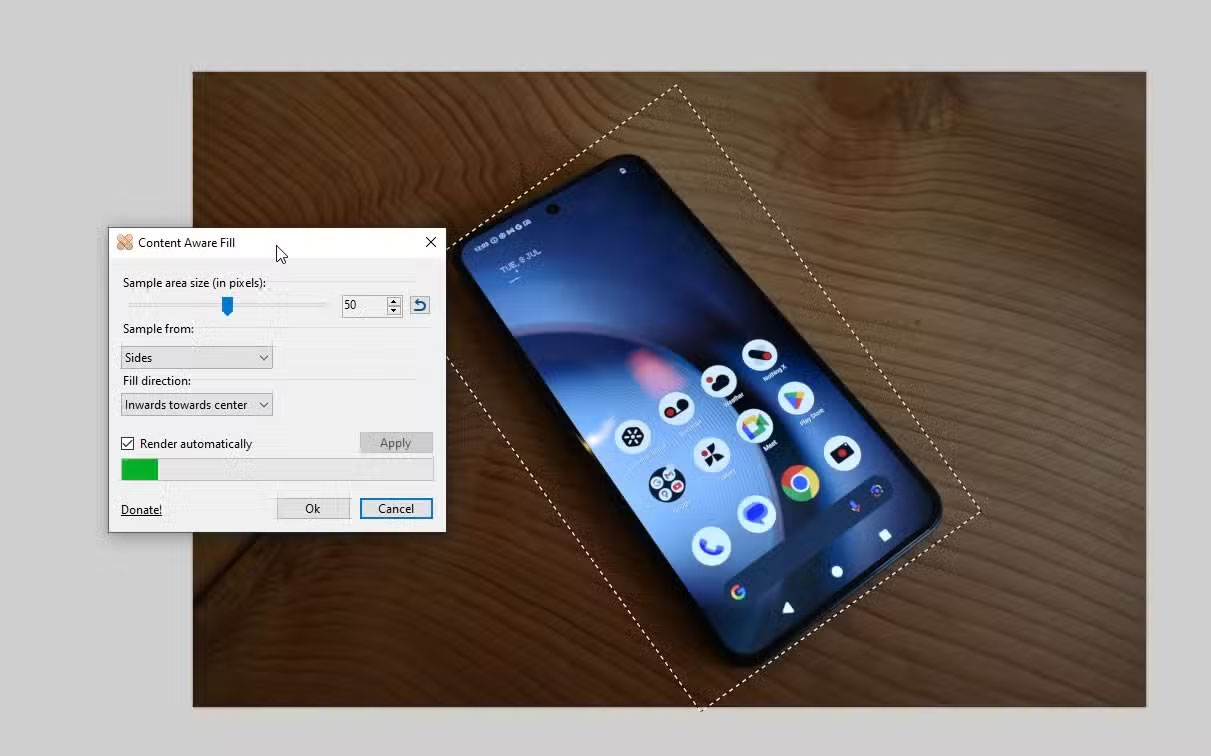
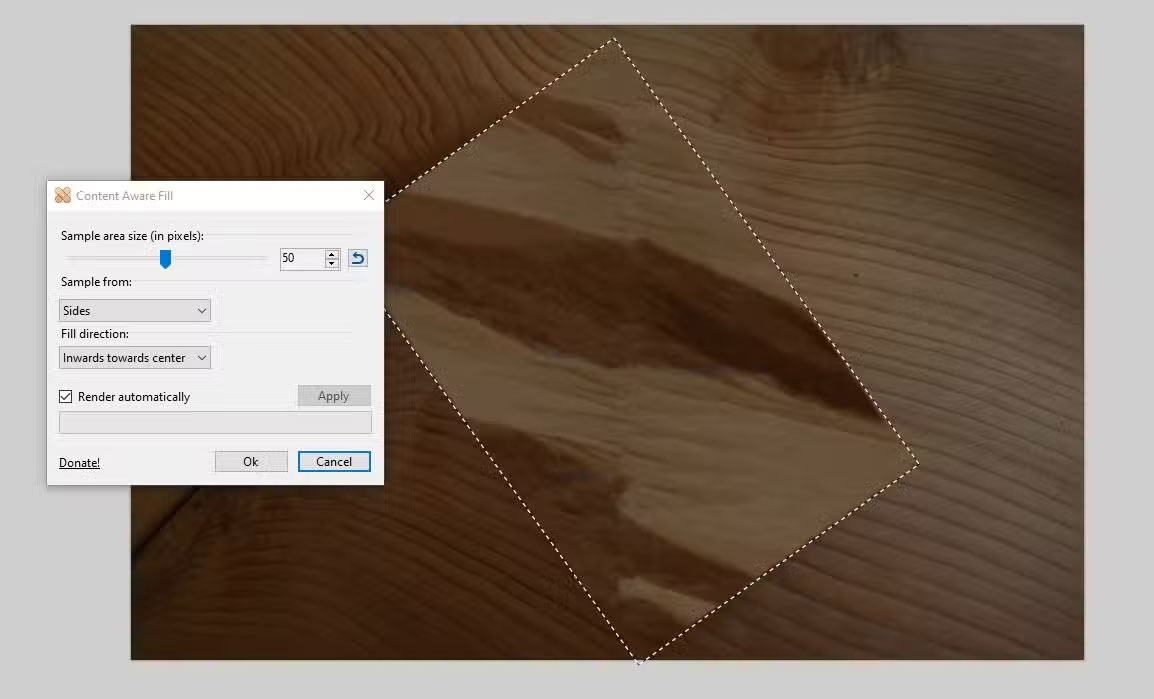
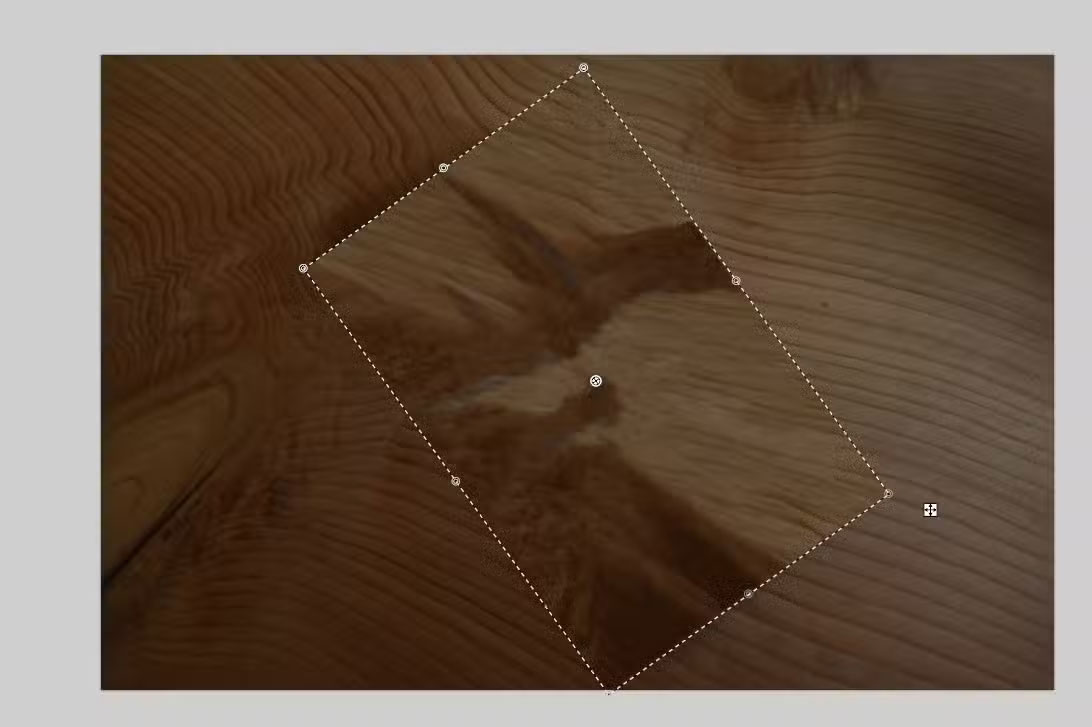
Another really handy Paint.NET plugin is Content Aware Fill, which basically matches the content you select to the edges to fill in the gaps.
This tool is extremely handy for removing small blemishes in photos and other images, as well as unifying textures when needed. It doesn't always work well on large areas and is best used on small blemishes.
Considering the plugin is free and still being updated regularly, this is a welcome addition to the Paint.NET plugin list.
Pyrochild Plugins
This plugin is really packed with useful features.
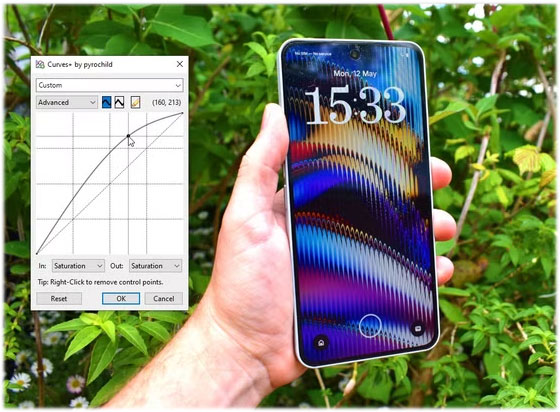
The main use for the Pyrochild plugin pack is Curves+, which is like the default Curves tool in Paint.NET but with some really useful extra features. First, it lets you use presets, which is great if you want to apply the same set of parameters to a bunch of images. It also addresses one of the problems with Paint.NET, which is that you can't easily apply effects to a group of images, but Curves+ is a great alternative. The Pyrochild plugins also include other handy tools like gradient mapping, gradient mesh, color matching, random effects, and more.
G'MIC
Everything about this plugin is awesome
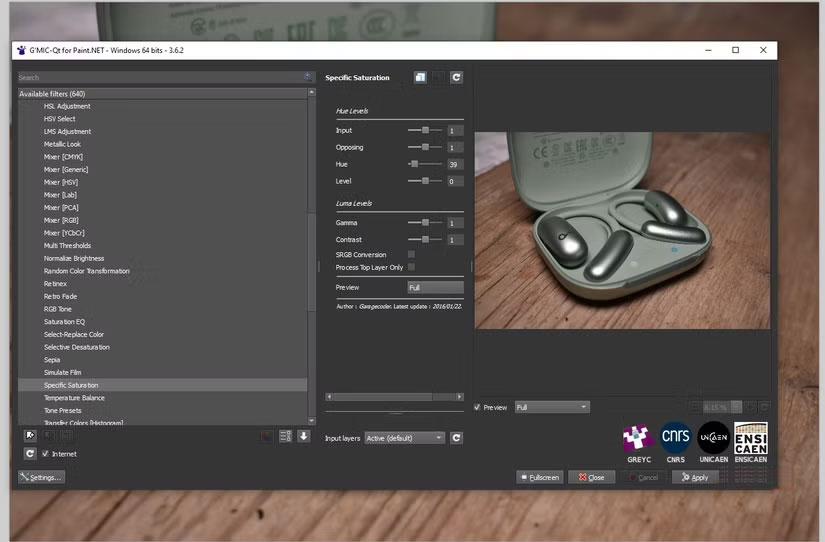
GREYC's Magic for Image Computing (G'MIC) is an open-source framework focused entirely on digital image processing. It's a super-powerful Paint.NET plugin that brings over 600 new filters and effects to the free photo editor, each with a range of parameters and adjustments you can make right in the window.
Browser Plugin
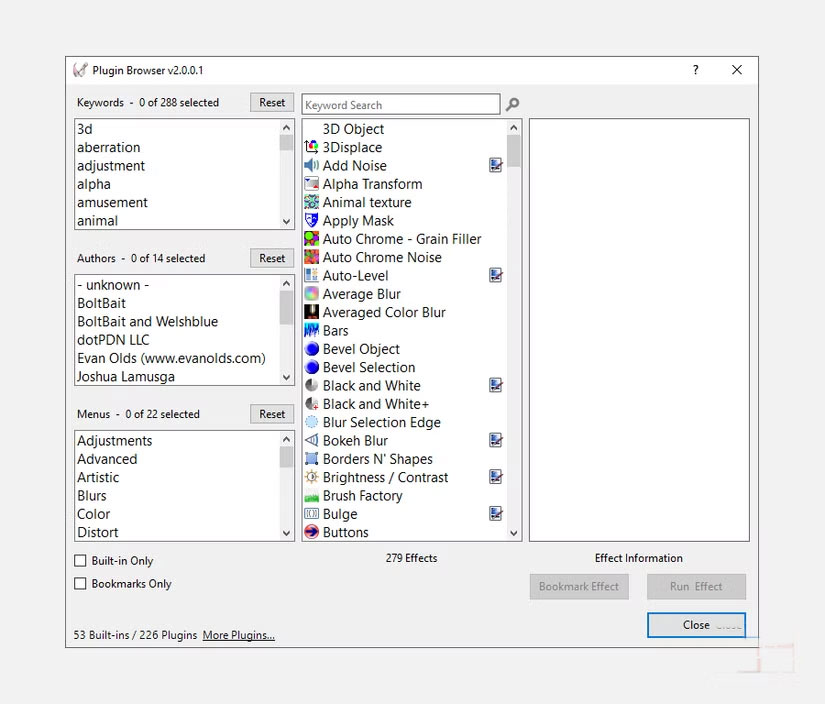
Once you have all those plugins installed, you need a way to manage them. The final Paint.NET plugin you need is the Plugin Browser. Once you start installing multiple plugins, plugin packs, and possibly random plugins you find on the Paint.NET forums, things start to pile up.
Plugin Browser is a really handy way to keep track of them and find out where they are. It's especially useful when you know you have a plugin, but can't remember exactly what it's called or which of the many menu trees it's hidden in.
FAQ
What should you know about the options in this guide?
In practical terms, whether you're just starting out with Paint.NET or have been using it for years, these are the plugins you absolutely must download.
Which option is the best choice?
The best choice depends on your priorities, compatibility, budget, and the specific features discussed in the comparison.
What should you compare before deciding?
Compare core features, limitations, ease of use, compatibility, and long-term value before making a decision.
Related Articles
 Paint.net 4.3.4 - Paint.net 4.3.4 Download and Installation6 minutes read
 5 Remarkable New Plugins for Wordpress: Tutorials1 minutes read
 What Are Plugins in Claude Code?7 minutes read
 The 4 Top Copilot Plugins Today: Recommended Choices5 minutes read
 5 Best Productivity Plugins for Tmux7 minutes read
 Top 9 Essential Oils with Effective Bactericidal Disinfectants9 minutes read
Reader Comments 0
Sign in with email or Google to join the discussion.