Table of Contents
A quick way to ensure your future Facebook posts are more private is to change your viewing from Public to Friends.
A quick way to make sure your future Facebook posts are more private is to change your Facebook post setting from Public to Friends. This will only allow your friends to see your Facebook posts. Here's how to change who can see your future Facebook posts.
Instructions for changing the audience for future Facebook posts
Step 1:
At the Facebook interface, users Click on Menu Below. Then switch to the new interface, we Click on Settings and Privacy . Next, we click on Settings To adjust.

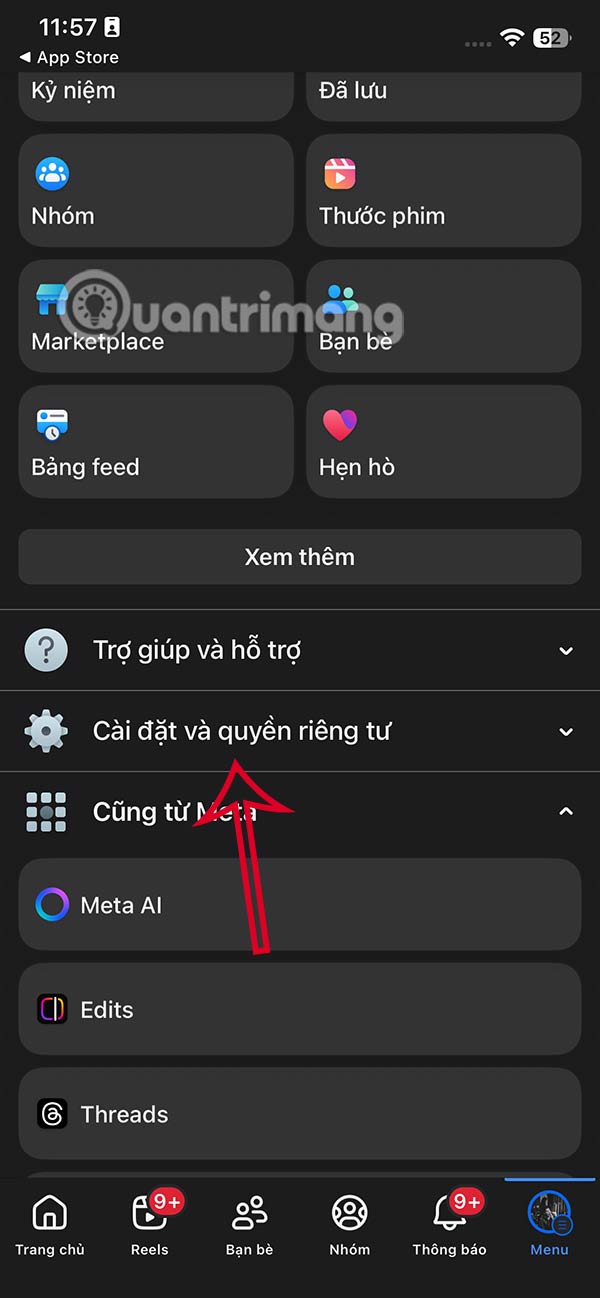
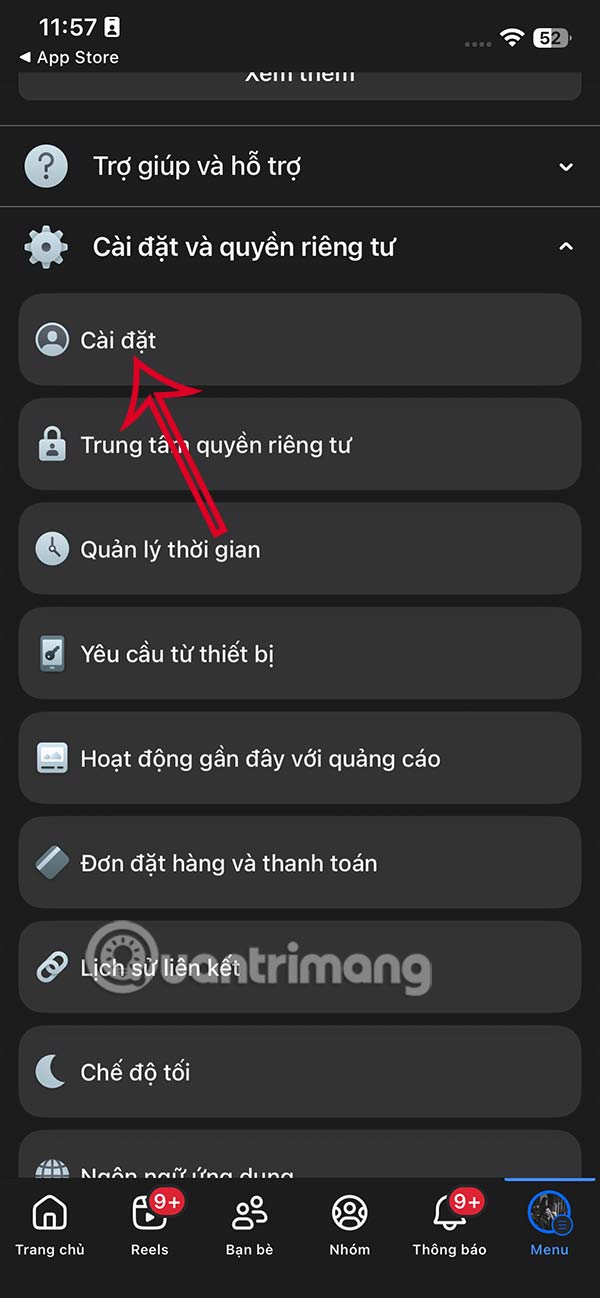
Step 2:
In the Facebook account customization settings section, click on Posts To make adjustments.
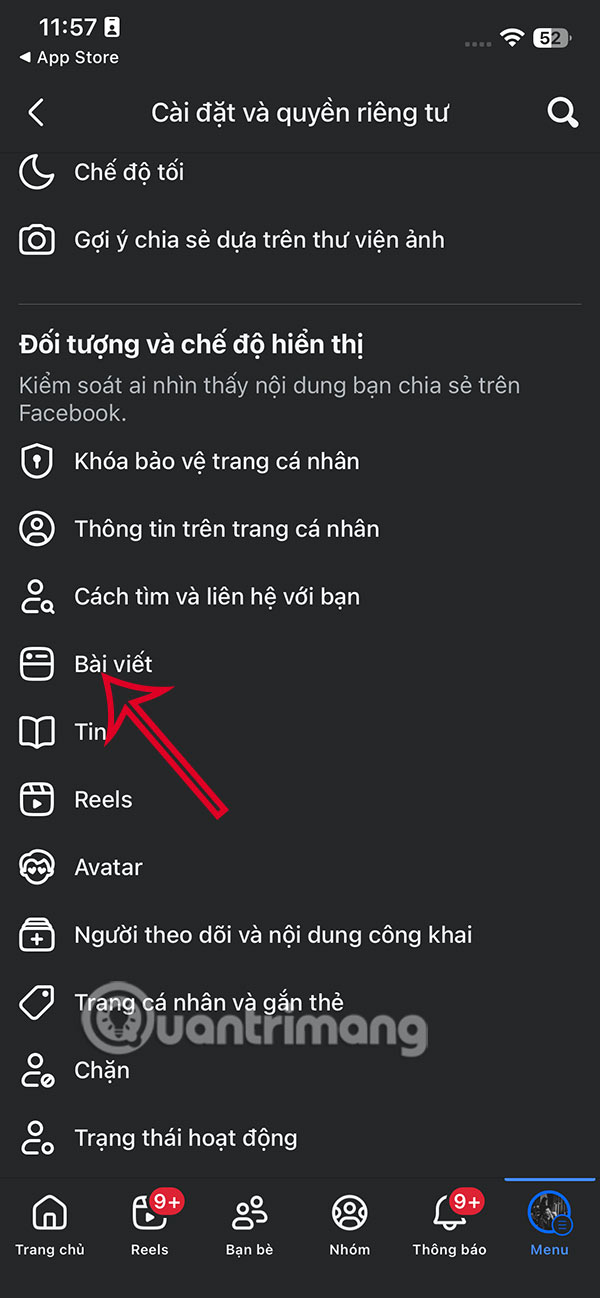
Step 3:
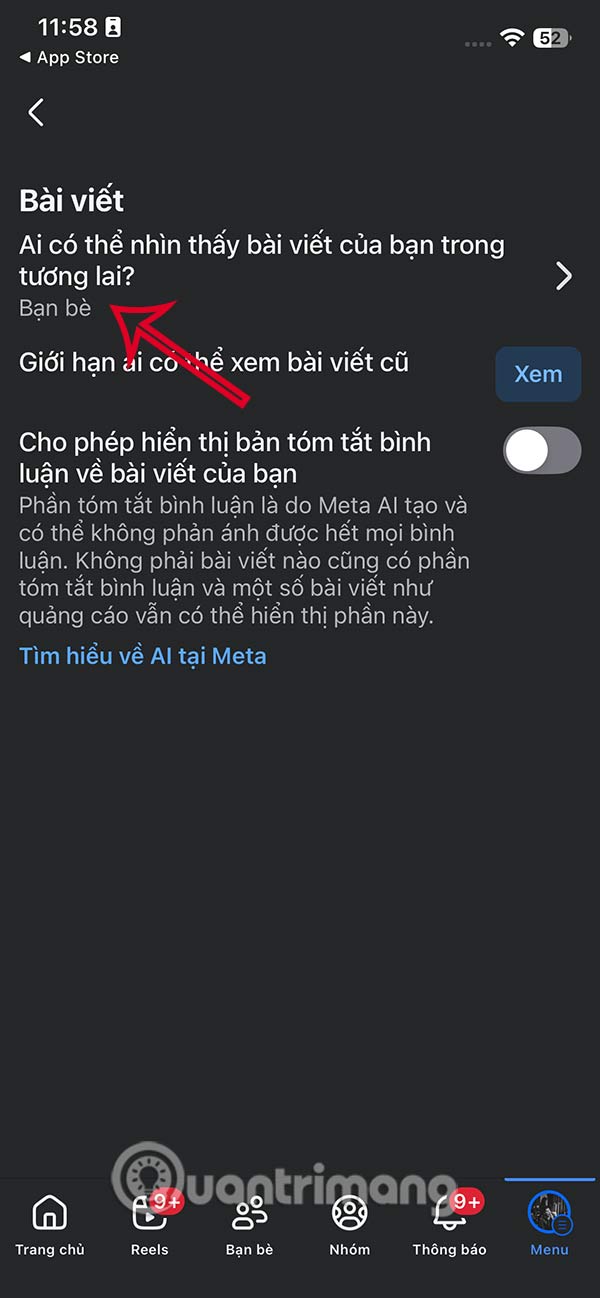
In the post customization interface, you click on Who can see your posts in the future . Now you will see the audience customizations for future posts on Facebook as shown below.
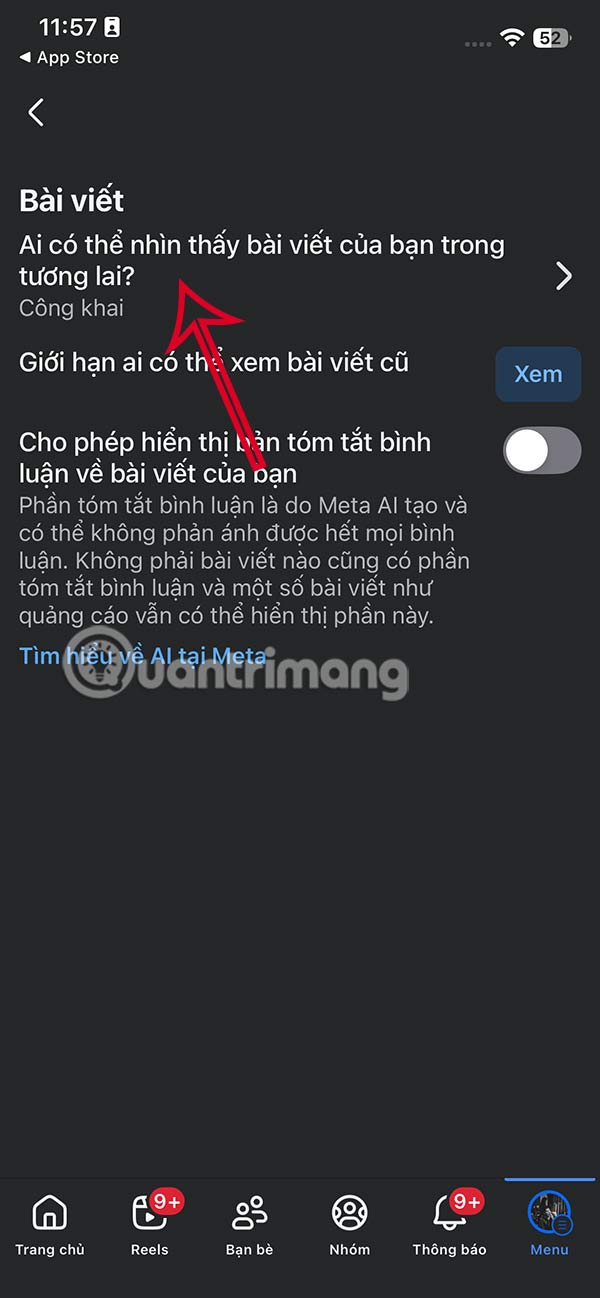

Click On Friends To adjust the audience for future Facebook posts, then click Save below to save the settings.
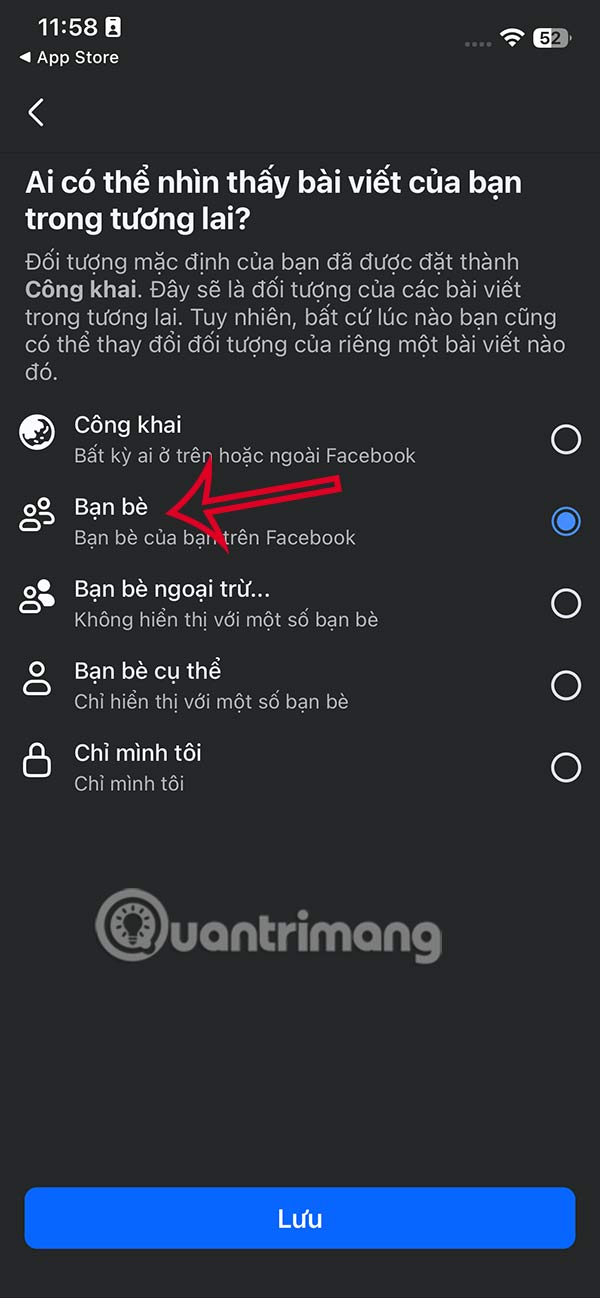
This way all future Facebook posts will be visible only to your friends.
FAQ
How do you change the audience for future facebook posts: step-by-step guide?
In practical terms, a quick way to ensure your future Facebook posts are more private is to change your viewing from Public to Friends.
What should you check before getting started?
Review the requirements, compatible device or software version, and any warnings described in the guide before making changes.
What should you do if the steps do not work?
Repeat the steps in order, confirm that your app or system is up to date, and review the troubleshooting details provided above.
Related Articles
 How to Limit the Audience of Fanpage Posts: Step-by-Step Guide4 minutes read
 How to Prevent Others from Finding Old Posts on Facebook?2 minutes read
 Facebook Is About to Change the Algorithm, Articles That Use 'Interactive Traps' Will Be Downgraded4 minutes read
 How to Send Facebook PC Posts to Your Phone2 minutes read
 How to See Total Number of Posts on Facebook: Step-by-Step Guide4 minutes read
 How to Change Facebook Font Using Yaytext Online, Free5 minutes read
Reader Comments 0
Sign in with email or Google to join the discussion.