
Application
6 YouTube Settings and Tools for a Better Viewing Experience
Control sponsor segments, shortcuts, alerts, autoplay, volume, and resolution with practical YouTube settings for desktop and mobile.
Browse more Find practical software and app guides, setup instructions, troubleshooting steps and productivity tips for popular desktop and online applications.
Control sponsor segments, shortcuts, alerts, autoplay, volume, and resolution with practical YouTube settings for desktop and mobile.

Chrome can remove notification permissions from sites you rarely engage with. Review what changes, how to restore useful alerts, and how to block them yourself.
Compare browser and dedicated password managers by device support, locking, recovery, and sharing, then migrate Chrome passwords carefully if you decide to switch.
Add interactive fields to an existing PDF with PDFgear, adjust their properties, and test the downloaded form before sharing it.
Know when to use Notepad, Remote Desktop Connection, Control Panel, Task Manager, Registry Editor, and the command-line tools—and how to open them.
Compare Bookmark Sidebar, Dark Reader, DuckDuckGo Search & Tracker Protection, and Clipboard History Manager by purpose, permissions, and practical tradeoffs.
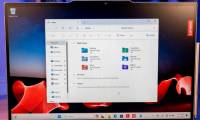
Choose a tool for previews, bulk renaming, search, file sorting, copy verification, or Explorer styling, with practical limits and free-use conditions.

Open Instagram Map, choose who can see your last active location, and understand how shared locations differ from location-tagged posts and live chat sharing.

Set your practice language, level, and goal in Google Translate, choose listening or speaking activities, and check availability if the Practice tab is missing.

Fetch an XML response with WEBSERVICE, extract values with XPath, and troubleshoot format, platform, and refresh limitations using a small worked example.
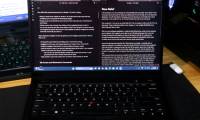
Install Pane Relief, set up a writing-and-reference layout, configure navigation hotkeys and test sliding panes and Focus Lock without losing track of notes.
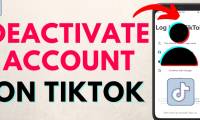
Pause your TikTok account in the app, understand what remains visible, and reactivate it later using the same login details.
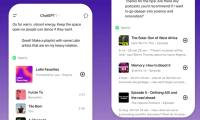
Connect Spotify when prompted, describe the music you want, refine the results and open Spotify to listen or save a playlist.

Learn how to create AI instagram story videos with clear steps, important checks, and troubleshooting advice for a smoother, more reliable result.

Match eight Windows utilities to everyday tasks, with practical checks for Store listings, file support, screenshot uploads, clipboard privacy, and resource use.
Understand Word's proofing underlines, the limits of legacy registry color settings, how to undo changes, and safer options for managing distracting marks.
Compare LastPass, Dashlane, RoboForm, KeePass, and 1Password by browser integration, device support, vault management, and migration requirements.
Choose the right Microsoft utility for repetitive tasks, PC cleanup, or desktop customization, with practical starting points and licensing checks.

Understand what SPF checks, why it differs from the visible From address, how it works with DKIM and DMARC, and which setup mistakes affect legitimate mail.

Learn how to create an AI image of yourself looking at a museum painting with clear steps, checks and troubleshooting tips for a smoother, more reliable result.