Table of Contents
Google Translate Practice Mode serves as a language learning feature that uses Gemini AI to create a personalized listening and speaking experience.
Google Translate Practice Mode is a language learning feature that uses Gemini AI to create personalized listening and speaking experiences. It allows people to practice conversations and build language skills based on their goals. With this feature, you can learn a language without signing up and it's completely free. Here's how to use practice mode on Google Translate.
Practice instructions on Google Translate
You'll need to upgrade the app to the latest version. The app is in beta and is currently only available to English speakers learning Spanish and French, and Spanish, French, and Portuguese speakers learning English.
Step 1:
In the application interface, click on The Practice icon Below the interface as shown.
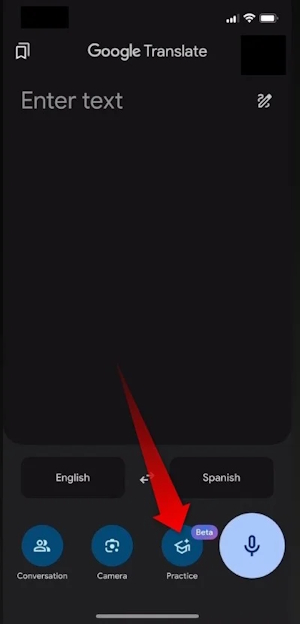
Step 2:
Click Get Started To use the Beta version. Then in The Display Language section, select the language you speak , Practice Language Is The practice language , then click Next to continue.
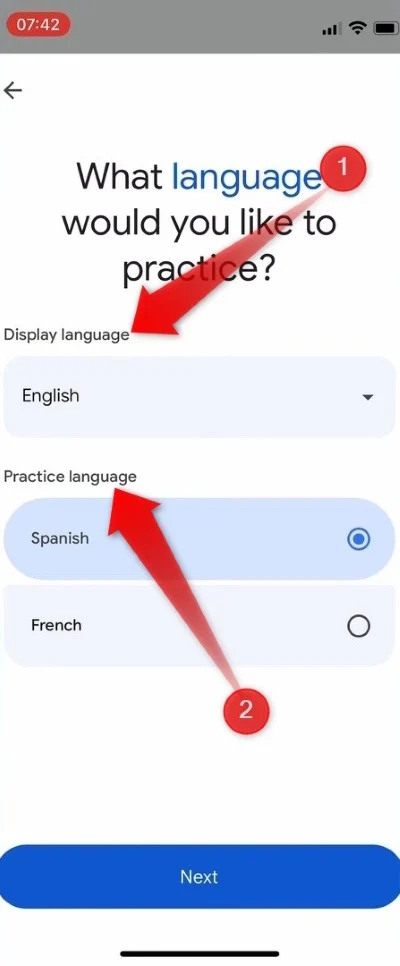
Step 3:
You'll be asked a few questions to help the AI understand your level of understanding of the new language. Tap Basic To continue.
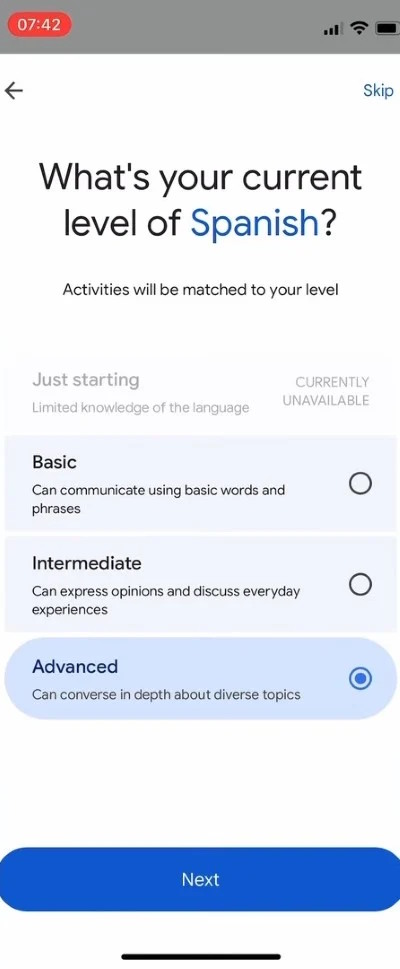
Then you will see A list of goals , select the appropriate goal. Finally, Select Start practicing to start learning The new language.
You will have the option to Listen or Speak. Listening helps you get familiar with the words, and speaking helps you improve your pronunciation.
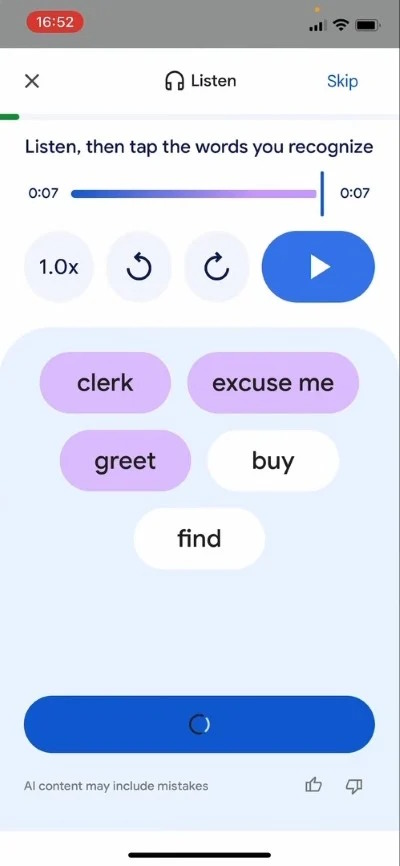
Google Translate will customize your learning based on the options you've selected. If you've reached a goal or want to switch to a different goal, you can do so at any time by tapping the Goal box you entered earlier.
FAQ
How do you use practice mode on Google translate: step-by-step guide?
In practical terms, Google Translate Practice Mode is a language learning feature that uses Gemini AI to create a personalized listening and speaking experience.
What should you check before getting started?
Review the requirements, compatible device or software version, and any warnings described in the guide before making changes.
What should you do if the steps do not work?
Repeat the steps in order, confirm that your app or system is up to date, and review the troubleshooting details provided above.
Related Articles
 Google Translate May Have a 'Language Learning' Feature to Compete4 minutes read
 How to Use Google Translate to Translate Languages on the Phone8 minutes read
 How to Translate the Example of the Original Word on Google4 minutes read
 How to Translate Web Pages into Vietnamese, English or Any Language7 minutes read
 How to Use Google Translate Offline on a Windows Computer4 minutes read
 For the First Time in 4 Years, Google Translate Is Adding New3 minutes read
Reader Comments 0
Sign in with email or Google to join the discussion.