Table of Contents
How to integrate Spotify with ChatGPT, and how you can use it to create playlists, song suggestions. Here is a guide on how to use ChatGPT to create Spotify playlists.
Spotify has just announced a partnership with ChatGPT to let you create playlists and receive personalized recommendations. How to integrate Spotify with ChatGPT, and how you can use it to create playlists, song suggestions. Here is a guide to using ChatGPT to create Spotify playlists.
Instructions for using ChatGPT to create Spotify playlist
Step 1:
You go to ChatGPT and then Enter the command line that prompts Spotify to create a playlist, or suggest songs .
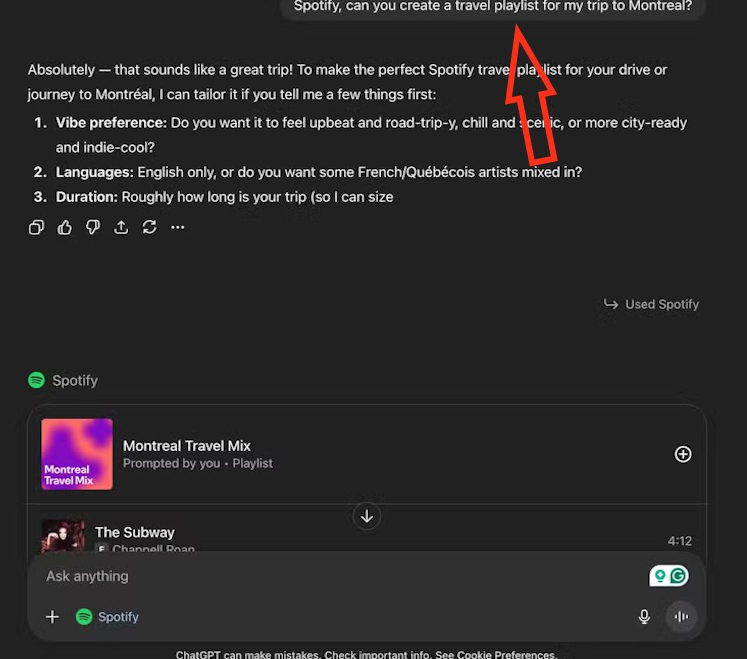
ChatGPT will then automatically give you the option to connect to Spotify, click Continue To continue. Continue To select Continue to Spotify To agree to the integration terms.
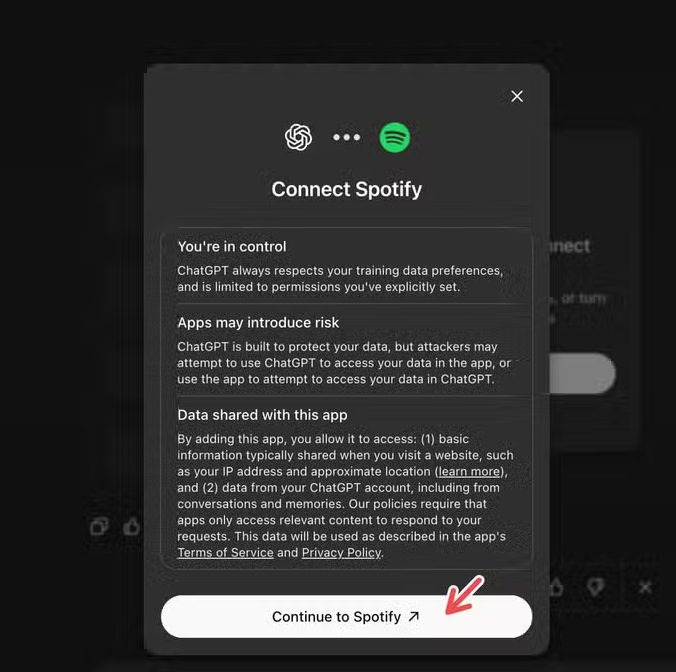
Step 2:
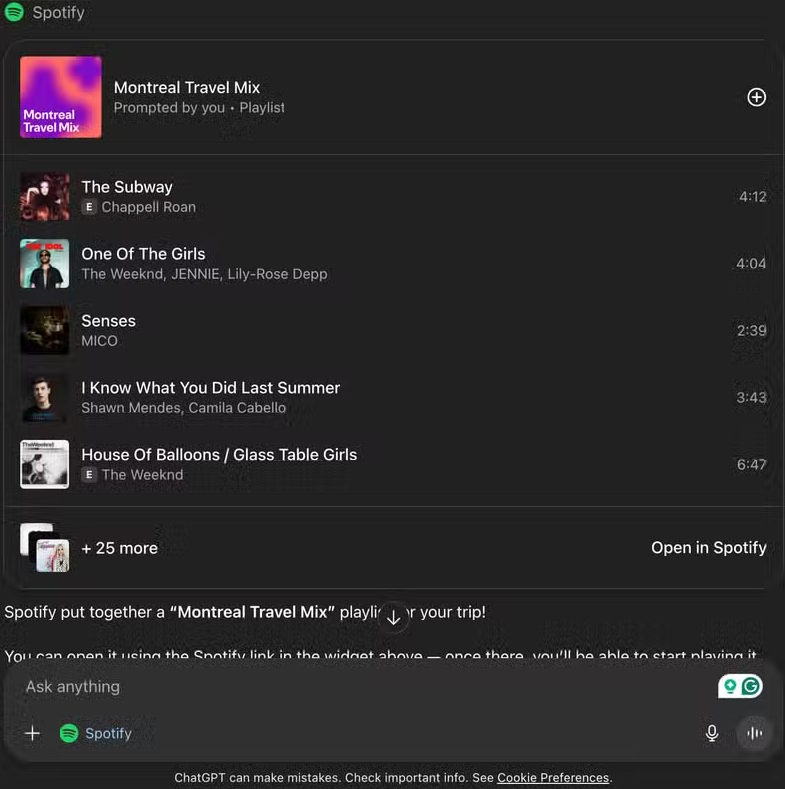
Once ChatGPT is connected to Spotify, ChatGPT will open Spotify in the chat to create playlists that can be opened on Spotify.
Now you just need to click on the plays to open on Spotify.
Step 3:
You can also open Spotify song or podcast recommendations on ChatGPT using the chat pop-up widgets.
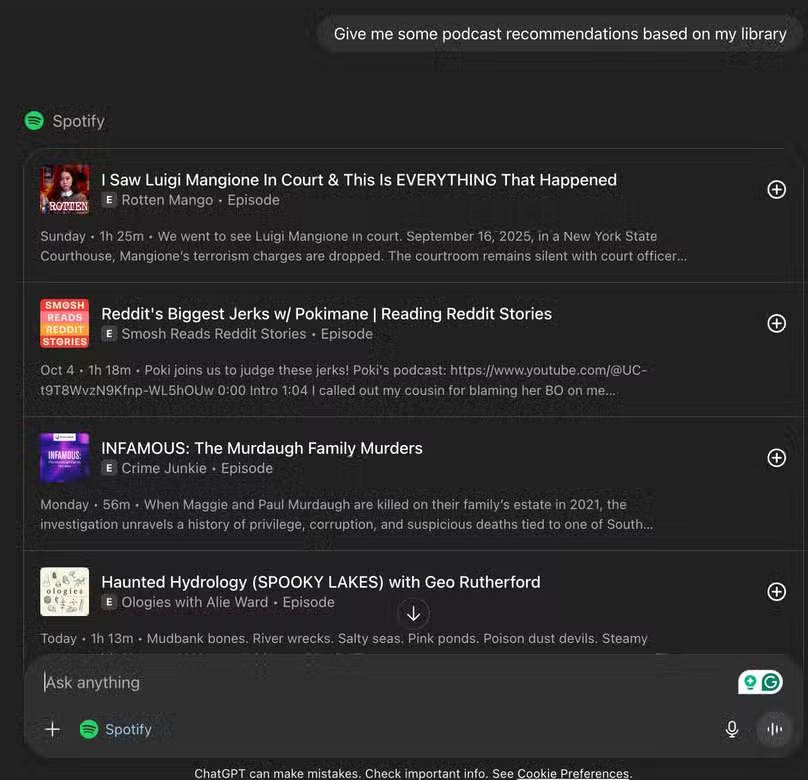
The Spotify integration for ChatGPT is rolling out to both free and Premium Spotify users. Simply log in to Spotify and link ChatGPT. Free accounts source music from Spotify's catalog of playlists already available on the app, such as Discover Weekly and New Music Friday, while Premium You can create their own playlists using ChatGPT.
Since it's still rolling out in some regions, there's still an error creating live playlists in chat.
FAQ
How do you use ChatGPT to create Spotify playlist: step-by-step guide?
In practical terms, how to integrate Spotify with ChatGPT, and how you can use it to create playlists, song suggestions. Here is a guide on how to use ChatGPT to create Spotify playlists.
What should you check before getting started?
Review the requirements, compatible device or software version, and any warnings described in the guide before making changes.
What should you do if the steps do not work?
Repeat the steps in order, confirm that your app or system is up to date, and review the troubleshooting details provided above.
Related Articles
 How to Create a Random Playlist on Spotify4 minutes read
 How to Play Playlist Spotify into YouTube Video and Vice Versa6 minutes read
 How to Increase the Spotify Experience with Support Websites6 minutes read
 How to Backup and Restore Playlist Spotify6 minutes read
 3 AI Playlist Generators That Work Much Better Than Spotify5 minutes read
 Tips to Copy Entire Playlists on Spotify3 minutes read
Reader Comments 0
Sign in with email or Google to join the discussion.