Table of Contents
In addition to deleting your TikTok account completely, you can deactivate your account and come back whenever you want.
In addition to deleting your TikTok account completely, you can deactivate your account and come back whenever you want. Deactivating your account does not delete your personal data, so you do not need to download your TikTok data. There is no time limit to return to TikTok like permanently deleting your account. Below is a guide to deactivating your TikTok account.
How to deactivate TikTok account
Step 1:
At the personal TikTok interface, we click on The 3-dash icon , then select Settings and privacy on the interface next to the screen.
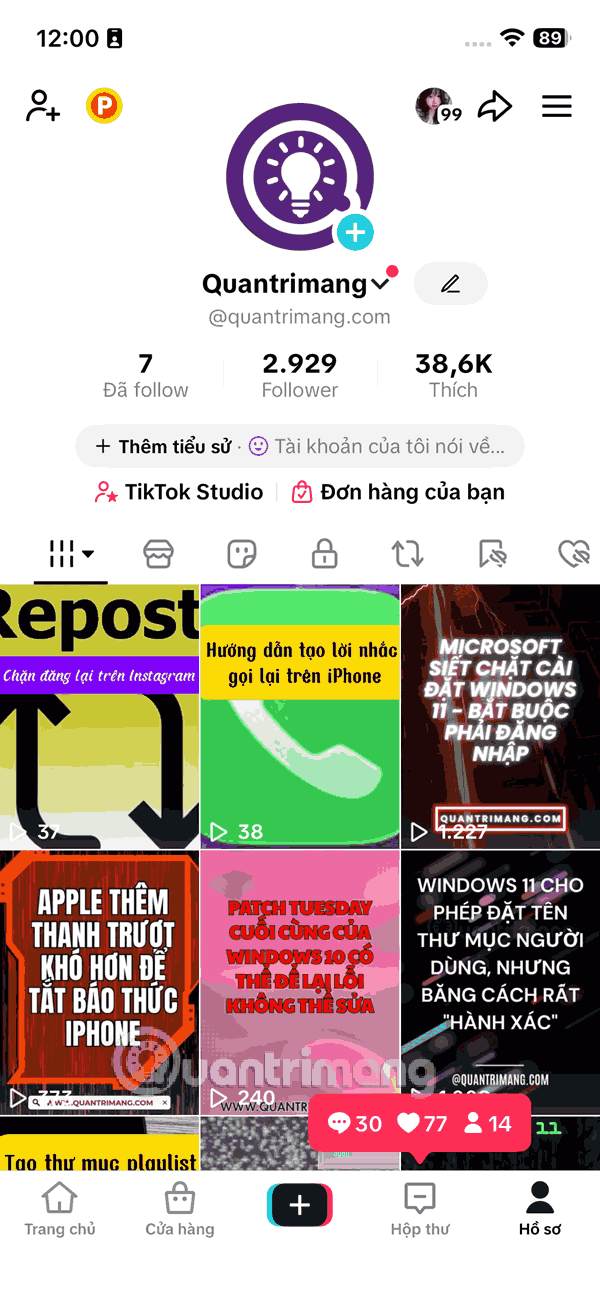
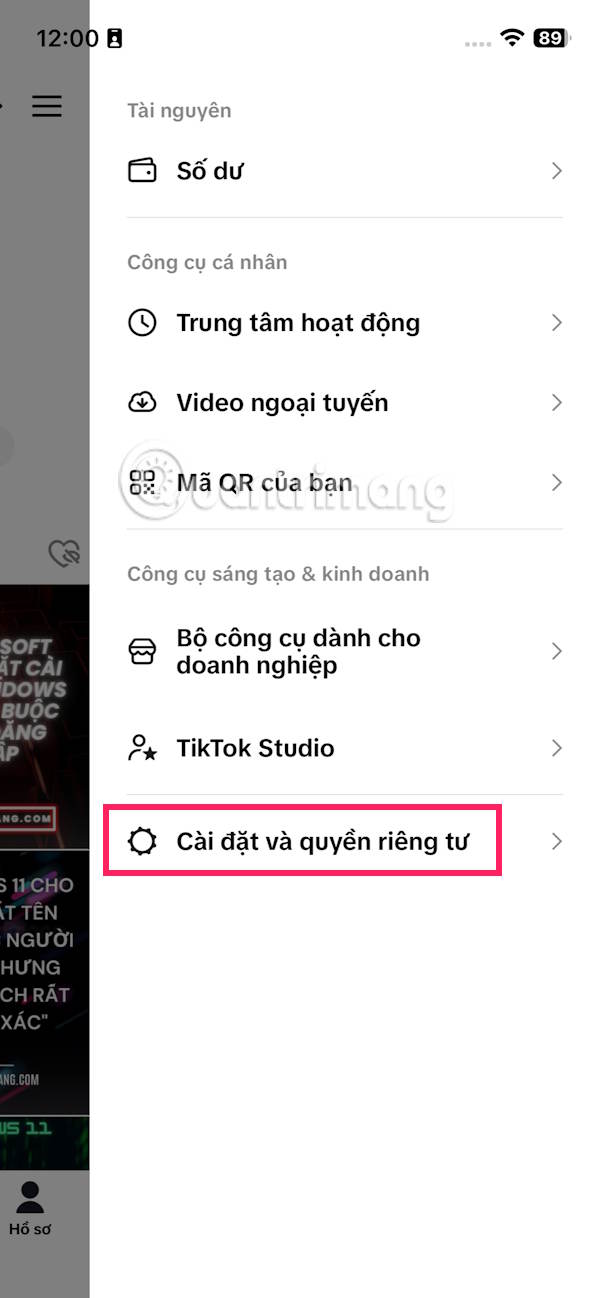
Step 2:
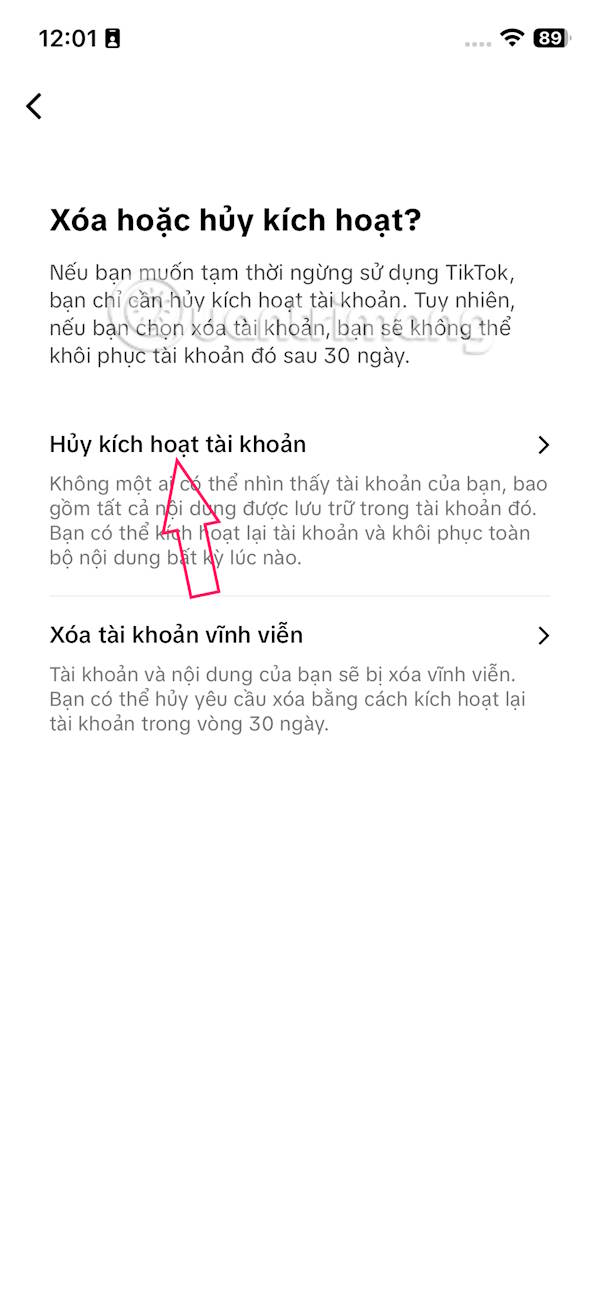
In the next interface, the user selects The Account item To make adjustments. At this point, the user Selects Deactivate or delete account .
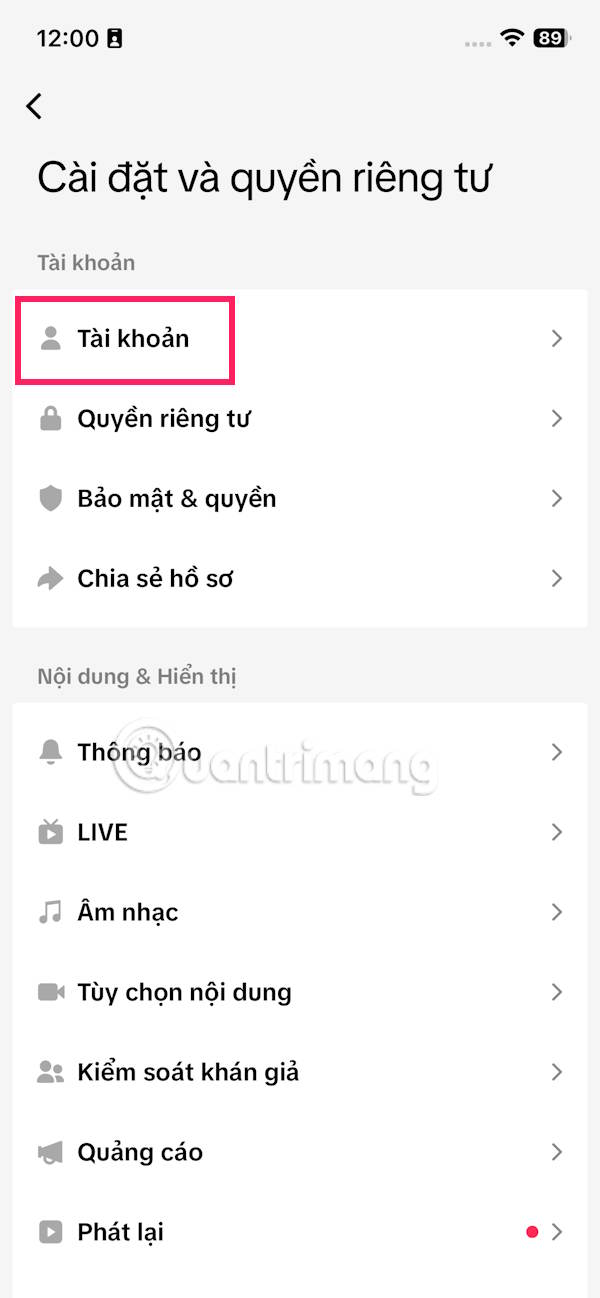
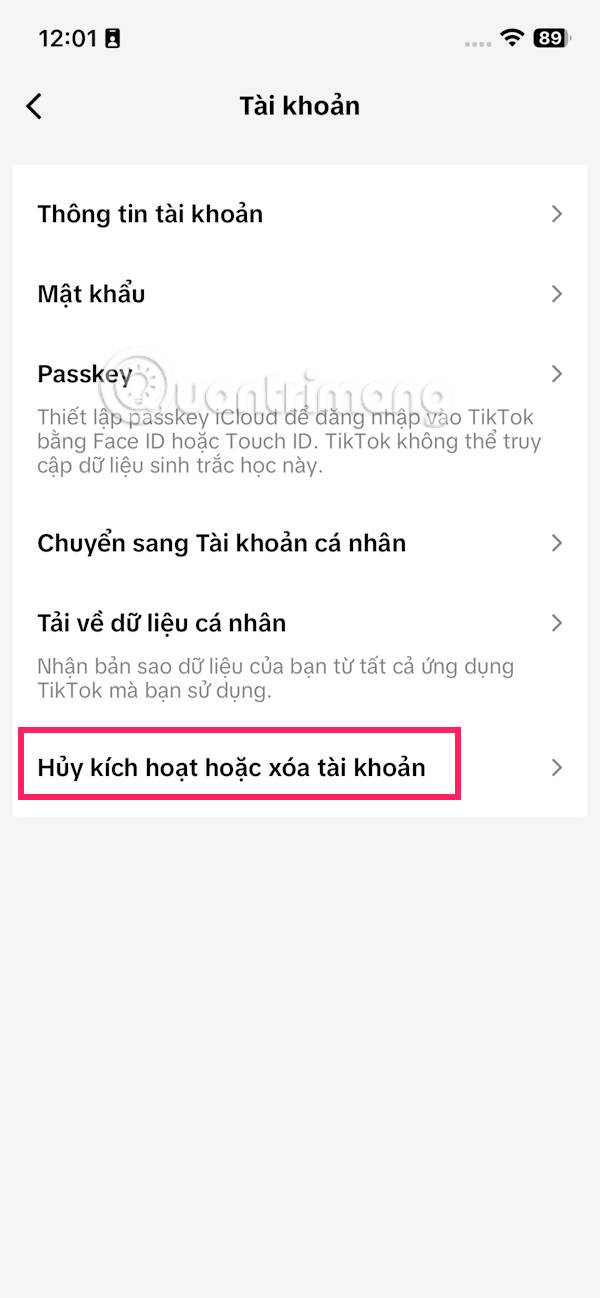
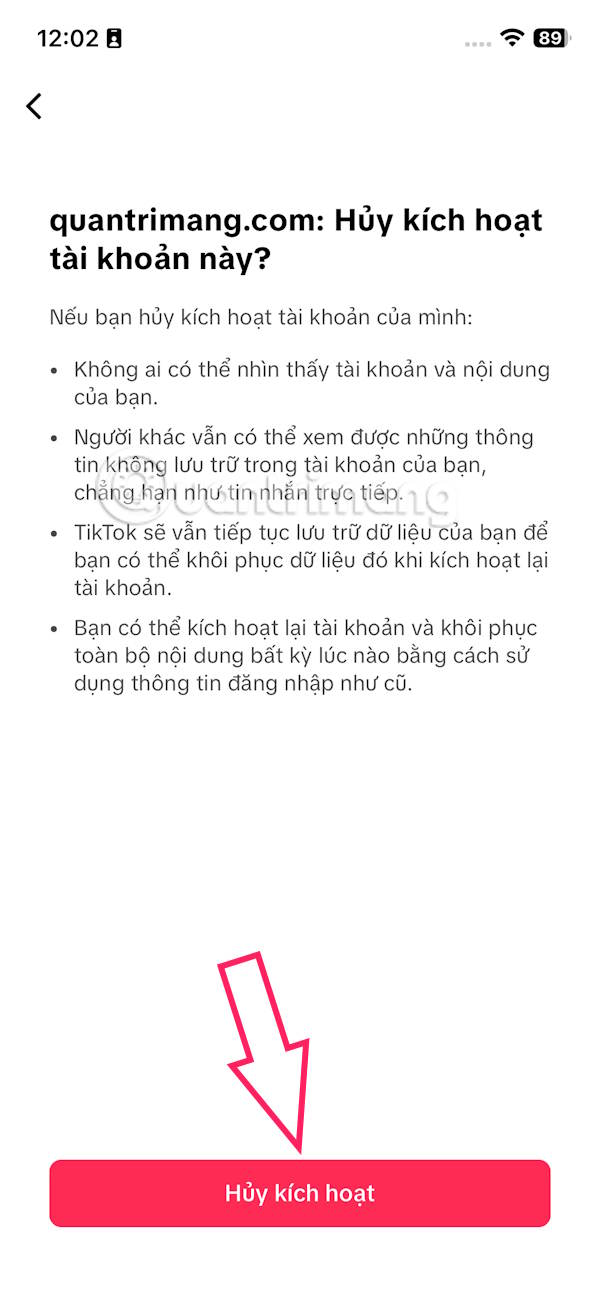
Now you select Deactivate account To do it. We read the content when deactivating TikTok and then Click Deactivate Below to do it.
Step 3:
Finally, you are asked To enter the deactivation code sent to your phone number Or email address to confirm the operation.

Your TikTok account will then be hidden and no longer visible to others for content and video viewing. However, those who have messaged you will still see your TikTok account.
FAQ
How do you deactivate TikTok account?
In practical terms, in addition to deleting your TikTok account completely, you can deactivate your account and come back whenever you want.
What should you check before getting started?
Review the requirements, compatible device or software version, and any warnings described in the guide before making changes.
What should you do if the steps do not work?
Repeat the steps in order, confirm that your app or system is up to date, and review the troubleshooting details provided above.
Related Articles
 How to Block Tagging Your Tiktok Account3 minutes read
 How to Check TikTok Account2 minutes read
 How to Set Up TikTok Account Privacy, Account Security3 minutes read
 How to Watch Tiktok Videos on Computers Without an Account5 minutes read
 What Is TikTok Live Studio? Instructions for Using TikTok Live Studio3 minutes read
 What Is Zefoy TikTok? How to Use It3 minutes read
Reader Comments 0
Sign in with email or Google to join the discussion.