Table of Contents
Instagram introduces Instagram Map feature, which lets you share your live location with friends.
Instagram has now introduced the Instagram Map feature, which lets you share your live location with friends, see where they are, and explore geotagged posts, Reels, Stories, and Notes around you. This makes Instagram not just a place to follow people, but also a place to discover what's happening nearby. Here's how to use the Instagram Map.
How to use Instagram map to share location
Step 1:
You update Instagram to the latest version. Then Access Instagram messages To see The Map section . Now we click on the map to see the location.
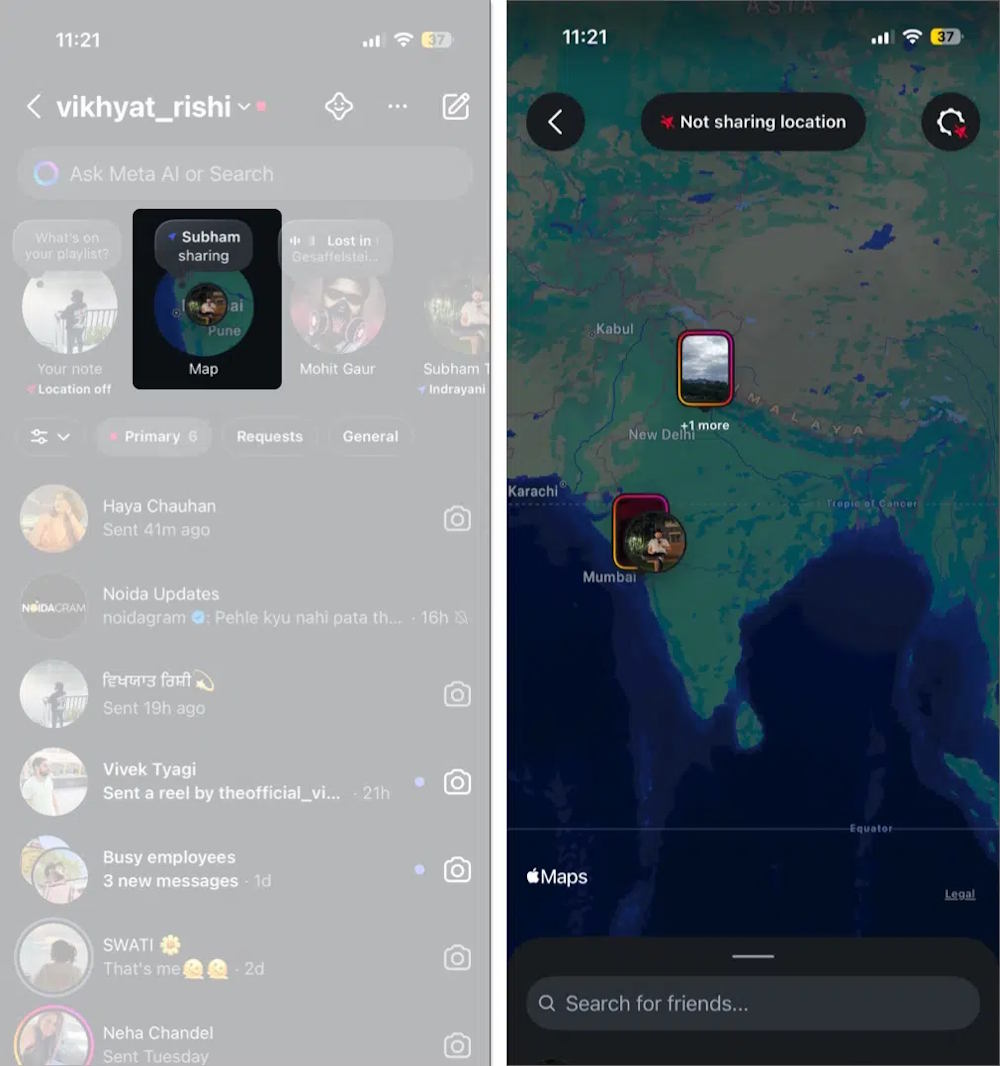
Step 2:
Then you will see the interface introducing this Instagram map, Click Next To continue. Then you choose the person you want to share your Location with and Click Share location Below.
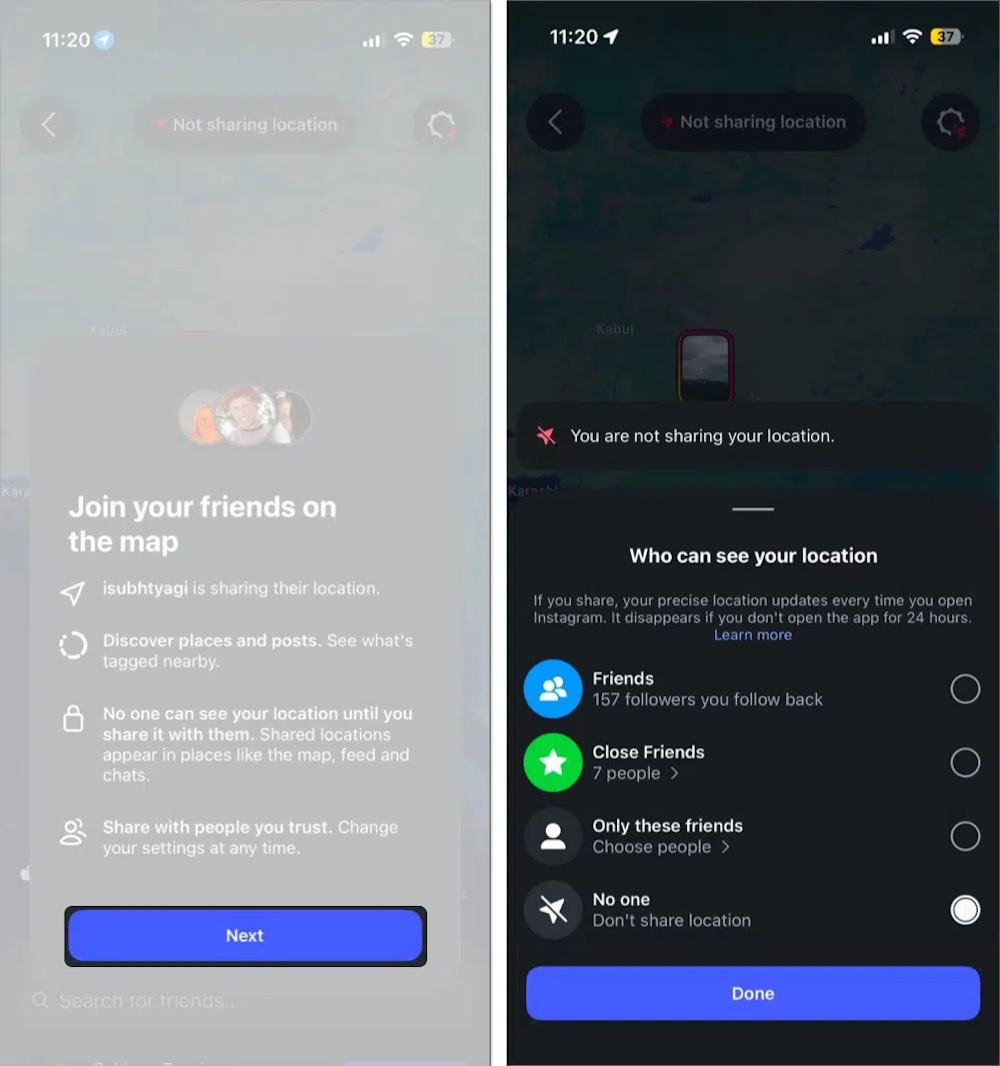
Step 3:
In the map we also see the location of friends if they share. We click On the name of the friend we want to share the location With, Select Share Back .
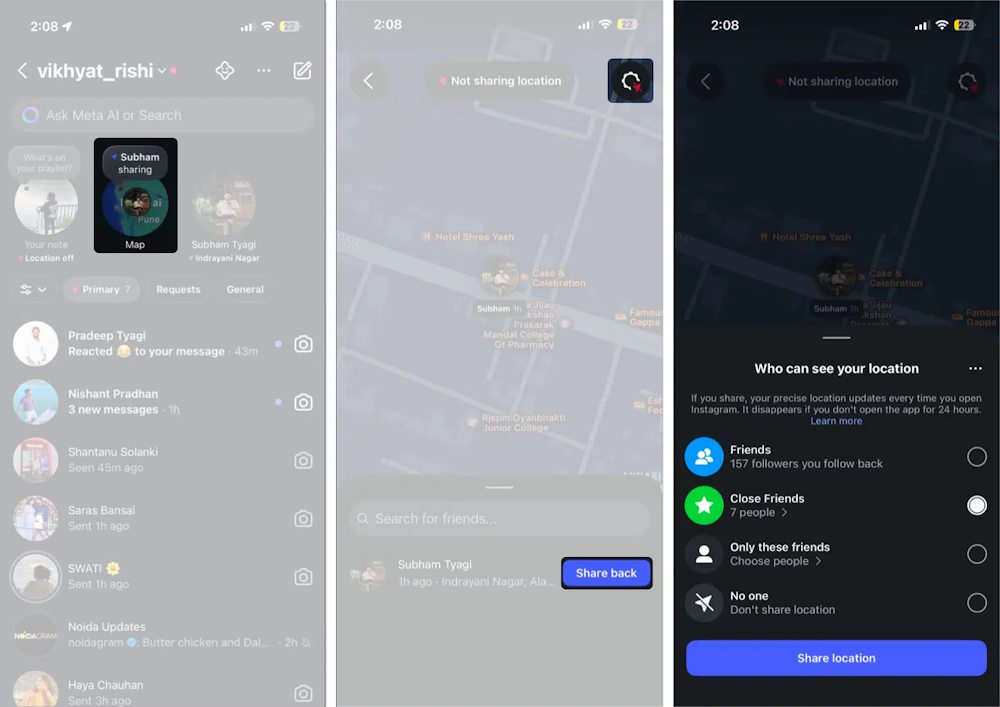
Even without sharing your location, Instagram Map lets you explore content from people around your location, including Reels and Stories from people you follow (visible for 24 hours), notes from mutual followers, and content tagged with places like cafes, events, and attractions.
FAQ
How do you use instagram map to share location: step-by-step guide?
In practical terms, instagram introduces Instagram Map feature, which lets you share your live location with friends.
What should you check before getting started?
Review the requirements, compatible device or software version, and any warnings described in the guide before making changes.
What should you do if the steps do not work?
Repeat the steps in order, confirm that your app or system is up to date, and review the troubleshooting details provided above.
Related Articles
 How to Send Live Location on Instagram3 minutes read
 Guide to Insert Sticker Check in Position on Instagram5 minutes read
 Instagram Allows Sharing Posts to Stories3 minutes read
 Tap: How to Share a Location on Apple Messages2 minutes read
 How to Share Your Location on iPhone3 minutes read
 12 Tips to Make It Easier for You to Master Instagram8 minutes read
Reader Comments 0
Sign in with email or Google to join the discussion.