Table of Contents
This guide provides a clear overview of 3 most trusted vpn extensions for chrome: google chrome, including how it works, key details, and practical considerations that can help you use the information effectively.
When you search for a VPN in the Google Chrome Web Store, there are a lot of options available. However, you shouldn't just jump on any VPN extension, as some extensions protect your data better than others. Here are three of the most reliable VPN extensions for Chrome.
Cyberghost
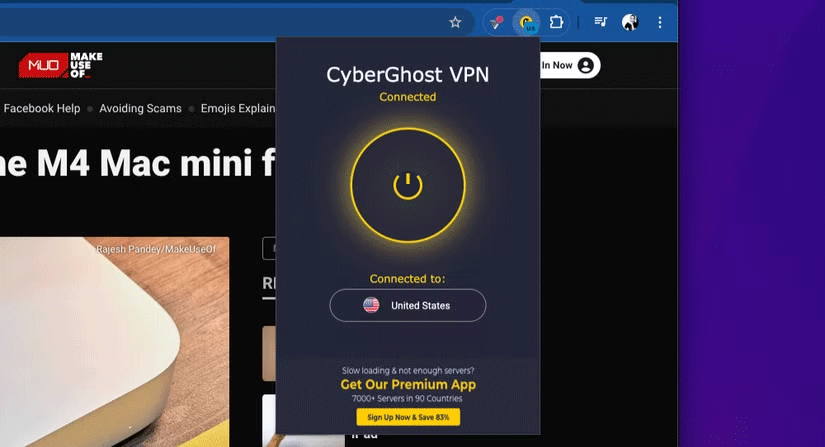
CyberGhost is a reputable VPN service that offers a free plan with some limitations. CyberGhost is easy to use: You install the extension in your browser, choose one of four servers, hit connect, and you're done. You don't even need to sign up to use the extension.
Plus, there are no data caps, so you can use it all the time without worrying about hitting your bandwidth limit. The only limitation is the number of servers you can connect to. But aside from all the perks, CyberGhost VPN is trusted by many for its security and privacy features.
CyberGhost VPN is a no-logs VPN. Additionally, the company is based in Romania. It also uses AES-256 encryption and supports major VPN protocols like WireGuard and OpenVPN.
Proton VPN
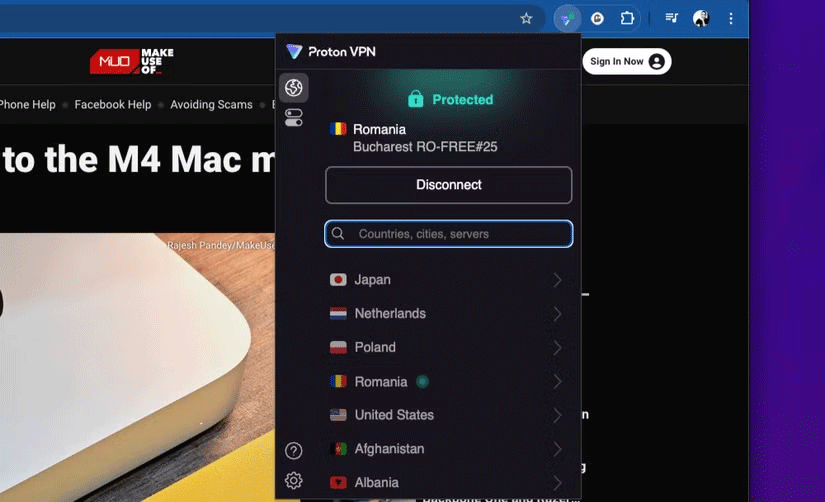
Proton VPN is another VPN Chrome extension that many people trust. Starting with security, Proton AG (the company behind Proton VPN and other Proton-branded products like Proton Mail) takes security very seriously. In fact, security is a major focus of the company.
First, Proton VPN is a VPN based in Switzerland, which means the company is protected by the country's strict privacy laws. On top of that, it has a no-logs policy just like CyberGhost VPN, which makes it one of the best free VPNs for privacy.
Proton VPN is also open source, audited, and supports modern VPN protocols like WireGuard and OpenVPN. It has an easy-to-use interface and no bandwidth limits. Proton also automatically connects to a VPN server when you open your browser, which is convenient if you need your VPN running all the time. Proton is also one of the fastest VPN services on the market.
Windscribe
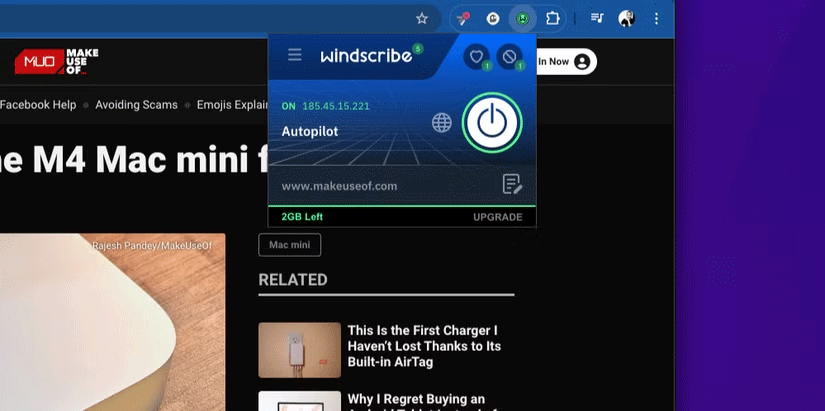
Windscribe VPN's Chrome extension includes all the perks you get with its cross-platform apps. There are three things that make Windscribe a trustworthy VPN extension. One is its open-source nature; two, it was built with privacy in mind, which is evident in its strict no-logs policy. Finally, the company's strong work ethics make it trustworthy.
The company behind this VPN is self-funded and doesn't advertise its products. It uses strong mainstream VPN protocols like OpenVPN and Wireguard, along with industry-leading encryption standards like AES-256 to keep your data safe. Unlike CyberGhost and Proton VPN, Windscribe has bandwidth limits, with 10GB allocated to users with a confirmed email address.
If you don't want to add email, you only get 2GB per month. Windscribe also has an easy-to-use interface and includes other features like port forwarding and Split Tunneling. It also includes features like a built-in ad blocker, notification blocker, auto-connect which automatically connects to the VPN when the browser restarts which is great, and more.
Most VPN extensions for Chrome are created by bad companies that want to track and sell your data. However, these three Chrome VPN extensions are from reputable companies that keep your data and internet activity safe, thanks to their strict no-logs policies. In addition to focusing on security and privacy, they are also easy to use, allowing you to get up and running as soon as you install the extensions.
FAQ
What is Google Chrome?
It is the main topic covered in this guide, including the relevant tools, settings, features, or steps connected with 3 Most Trusted VPN Extensions for Chrome: Google Chrome.
Why is Google Chrome useful?
It can make 3 Most Trusted VPN Extensions for Chrome: Google Chrome easier to understand, compare, configure, or troubleshoot by organizing the most important information in one place.
What should I check before using this guide?
Confirm that the instructions match your device, software version, region, and intended use, then back up important data before making major changes.
Related Articles
 Top 7 Most Useful Chrome Extensions You Should Try8 minutes read
 The Best Chrome Extensions You Should Know9 minutes read
 9 Extensions That Help Optimize the Browsing Experience on Chrome8 minutes read
 5 Browser Extensions That Make Every Website More Useful: Practical Guide7 minutes read
 Google Chrome Temporarily Prevents Sideload of Extensions3 minutes read
 5 Chrome Extensions to Stay Safe Online6 minutes read
Reader Comments 0
Sign in with email or Google to join the discussion.