Table of Contents
Understanding Google released Google chrome 26 is easier when the main points are organized clearly. This guide brings together the essential details and practical considerations.
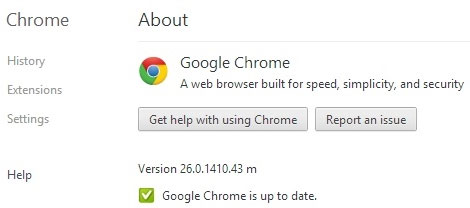
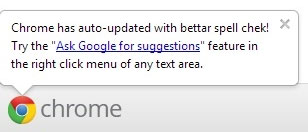
In this new version, Google has fixed many security-related errors. This new feature added to this version of Google Chrome 26 includes adding "Ask Google for suggestions" lines (ask Google for suggestions) to help you learn more about automatic spelling checking.
Another nice feature that has been upgraded for Windows is Browser support for many users . Each user will be able to set up his own icon, then Google will create a "shortcut user" right at the desktop. Each user's history and settings are separate.

Readers can download the new version of Google Chrome Here . If you are using Google Chrome browser, it will automatically update, you do not have to do anything more.
FAQ
What is the main benefit of Google released Google chrome 26?
The main benefit is a clearer understanding of the topic and a practical way to apply the information covered in this guide.
What should I check before using Google released Google chrome 26?
Confirm compatibility, review the required settings, protect important data, and use the latest supported version whenever possible.
What should I do if the result is different?
Repeat the steps carefully, verify permissions and version differences, and consult the product's official support documentation for changes not shown in the article.
Related Articles
 Google Released Chrome 70 with Many New Improvements4 minutes read
 Google Released Chrome 67 for Windows, Mac and Linux4 minutes read
 Google Chrome Released Chrome 15 Beta4 minutes read
 Please Download Google Chrome 62 for Windows, Mac and Linux5 minutes read
 Google Released Chrome Browser Version 153 minutes read
 Google Launched Chrome 33, Patched 7 New Security Bugs3 minutes read
Reader Comments 0
Sign in with email or Google to join the discussion.