Table of Contents
The most useful coding-agent skills are not collections of clever prompts. They are repeatable procedures that give an agent the project context, constraints, tools, and verification steps needed to complete a specific kind of development work safely.
Claude Code calls these packages “skills,” while other agents may use rules, commands, plugins, or workflows. The names and file formats differ, so a package advertised for one product is not automatically compatible with another. The ten capabilities below are a practical baseline whether you install an existing skill or write your own.

What a good coding-agent skill contains
A skill should answer five questions:
- Trigger: when should the agent use this workflow?
- Inputs: which files, commands, examples, or user decisions are required?
- Constraints: what must remain unchanged and which actions need approval?
- Procedure: what ordered steps should the agent follow?
- Verification: what evidence proves the task is complete?
Anthropic’s Claude Code skills documentation describes skills as reusable instructions and supporting files that Claude loads when relevant. Check the documentation for your own agent before assuming a skill’s commands, permissions, or directory layout will work unchanged.
1. Repository onboarding
An onboarding skill teaches the agent how a specific codebase is organized before it changes anything. It should identify the supported runtime, build and test commands, important directories, generated files, style rules, and architectural boundaries.
Keep the instructions concise and verifiable. Link to the canonical project documentation instead of copying a long description that will drift. Include a command that confirms the development environment is healthy and tell the agent which folders or secrets it must not inspect or edit.
2. Change planning and scope control
A planning skill turns a broad request into a reviewable change. It should require the agent to locate the relevant code, list assumptions, identify affected interfaces, explain migration or compatibility risks, and define acceptance tests before editing.
For a one-line fix, the plan can be one paragraph. For a cross-service feature, it may include data flow, rollout order, feature flags, and rollback. The important control is that the agent does not silently widen the task while “cleaning up” nearby code.
3. Project-specific implementation
Generic code generation is less useful than code that follows the repository’s existing patterns. An implementation skill can encode preferred libraries, error-handling conventions, dependency rules, naming, logging, accessibility requirements, and examples of a well-built feature.
Avoid vague demands such as “write production-quality code.” Give the agent observable rules: reuse the existing request wrapper, preserve the public API, add no dependency without approval, and update the adjacent tests. For interface work, a project design-system skill is more reliable than a generic “make it beautiful” instruction.
4. Test selection and execution
A testing skill should map common changes to the checks they require. It can tell the agent where tests live, how to run a focused test during iteration, when to run the full suite, and how to report skipped or unavailable checks.
Require tests for the behavior being changed, not just for lines of code. Good cases include the normal path, an invalid input, an important boundary, and the failure of a dependency. The agent must not claim that a test passed unless it ran the command and saw the result.
5. Structured code review
A review skill should inspect the final diff for correctness, unintended changes, security, maintainability, and missing tests. It should compare the implementation with the task’s acceptance criteria and distinguish blocking defects from optional improvements.
Tell the reviewer not to rewrite code merely to match personal taste. Useful checks include broken error paths, duplicated business rules, inconsistent authorization, data loss, race conditions, expensive queries, inaccessible controls, and changes to public interfaces. Pair this with a final human review for consequential code.
6. Browser and interface verification
Unit tests cannot prove that a page renders correctly or that a complete user flow works. A browser skill can open the local or approved test environment, exercise the affected workflow, inspect console or network errors, and capture evidence at relevant viewport sizes.
The workflow should use stable, user-facing selectors, avoid production writes, and specify which actions require confirmation. It should also check empty, loading, error, and keyboard-focus states where applicable. This turns “the code compiles” into evidence that the feature is usable.
For examples of how agent tools fit into a broader development process, see AI coding tools compared for real development work.
7. Database and migration safety
A database skill should make schema and query changes reviewable. It can require the agent to inspect existing migrations and indexes, estimate the effect on old and new application versions, use a non-production database, and provide both rollout and rollback steps.
Important checks include nullability, defaults, uniqueness, foreign keys, transaction boundaries, lock duration, backfill size, query plans, and data preservation. Never give a third-party skill unrestricted production credentials. The skill should default to generating or testing a change, not applying it to live data.
8. Security review
A security skill should start with a threat model for the change: assets, trust boundaries, entry points, attacker capabilities, and likely abuse cases. Then it can check authorization, input validation, output encoding, secret handling, dependency changes, logging, and data exposure.
Automated scanners and security agents can find useful leads, but a tool’s finding is not automatically a confirmed vulnerability and the absence of a finding is not proof of safety. Active testing belongs only in systems you own or are explicitly authorized to test. Require a human security review for authentication, cryptography, payments, sensitive data, or other high-risk changes.
9. Documentation and architecture diagrams
A documentation skill should update the material a future maintainer needs: setup instructions, configuration, public APIs, operational notes, and a concise explanation of important design decisions. It should not generate a long README section that simply restates the code.
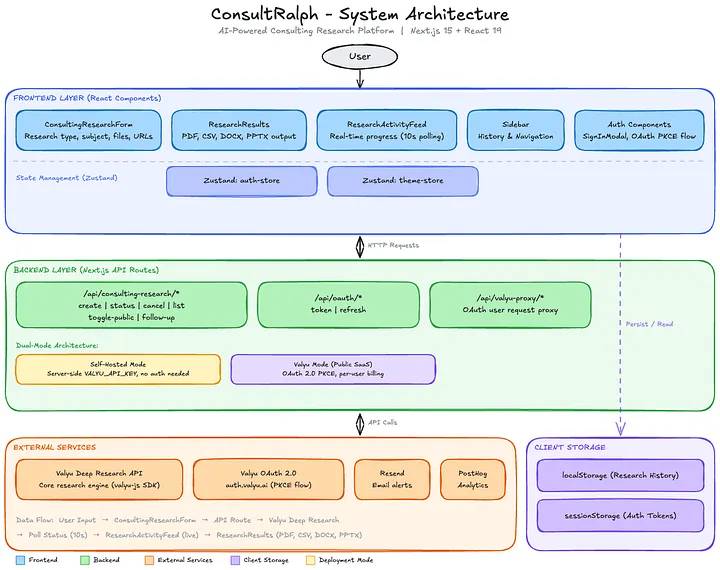
A diagram skill is useful when it can show a real relationship—such as a request flow, ownership boundary, deployment topology, or migration sequence—and validate that labels and arrows are readable. Keep diagrams close to the source format so maintainers can update them.
10. Pull request and release preparation
A release skill can assemble the final evidence without making the release decision. It should summarize the behavior change, list files or services affected, record test results, call out migrations and configuration, update release notes when required, and provide a rollback plan.
Require a final diff check for generated files, debugging output, local settings, secrets, unrelated formatting, and accidental dependency changes. The skill may draft a commit or pull-request message, but it should never invent test results or issue references.
A compact skill template
Purpose
- State the single task this skill performs.
- State when it should and should not run.

Required inputs
- List files, commands, examples, and user decisions.
- Stop and ask when a required input is missing.

Constraints
- Preserve public interfaces unless the task approves a change.
- Do not access secrets or production systems.
- Do not add dependencies without approval.

Procedure
1. Inspect the relevant code and project instructions.
2. Propose the smallest change that meets the request.
3. Implement only the approved scope.
4. Add or update tests for changed behavior.
5. Run the required checks.
6. Review the final diff.

Report
- Summarize the change.
- List commands run and their actual outcomes.
- Identify anything not verified.
- Call out risks, migrations, and rollback steps.
How to evaluate a third-party skill
- Read every instruction, script, and executable file before installation.
- Check the maintainer and repository history; star counts are not a security review.
- Look for network calls, broad filesystem access, shell commands, credential handling, and automatic write actions.
- Pin or record the reviewed version instead of executing an unreviewed moving target.
- Test with a disposable repository and low-privilege credentials.
- Verify compatibility with the exact agent and version you use.
Large community collections can be useful for discovery, but installing many overlapping skills makes triggering less predictable and expands the review burden. Begin with the workflows your team repeats most often, measure whether they improve results, and keep only the instructions you can maintain.
If you are designing the overall workflow rather than a single skill, read how AI workflow automation tools differ. The strongest setup combines narrow skills with version control, automated checks, limited permissions, and accountable human review.
Related Articles
 What Is Claude Skills?: What You Need to Know14 minutes read
 Claude Code Learns from Mistakes7 minutes read
 Overview of Agent Skills: What You Need to Know4 minutes read
 How to use Claude Skills to improve work efficiency4 minutes read
 Tips for Using Claude AI to Program Effectively for Beginners8 minutes read
 How to Learn About Claude Opus 4.68 minutes read
Reader Comments 0
Sign in with email or Google to join the discussion.