Table of Contents
ChatGPT Go is OpenAI’s lower-cost paid plan between Free and Plus. It is designed for people who are satisfied with the everyday ChatGPT model but need more image generation, file uploads, data analysis, memory, and related tools than the Free plan provides.
OpenAI launched Go worldwide at a listed U.S. price of $8 per month. The checkout price, currency, and taxes can vary by country and can change, so confirm the amount shown in your account before paying.
What ChatGPT Go includes
OpenAI’s current Go documentation lists everything in the Free plan plus:
- higher limits for eligible ChatGPT tools;
- more image generation and file uploads;
- more use of advanced data analysis, including Python-based work;
- longer memory and a larger context window;
- access to projects, tasks, custom GPTs, and Library, subject to feature and storage limits; and
- Think mode for harder questions, although the model differs from the higher-tier reasoning options.
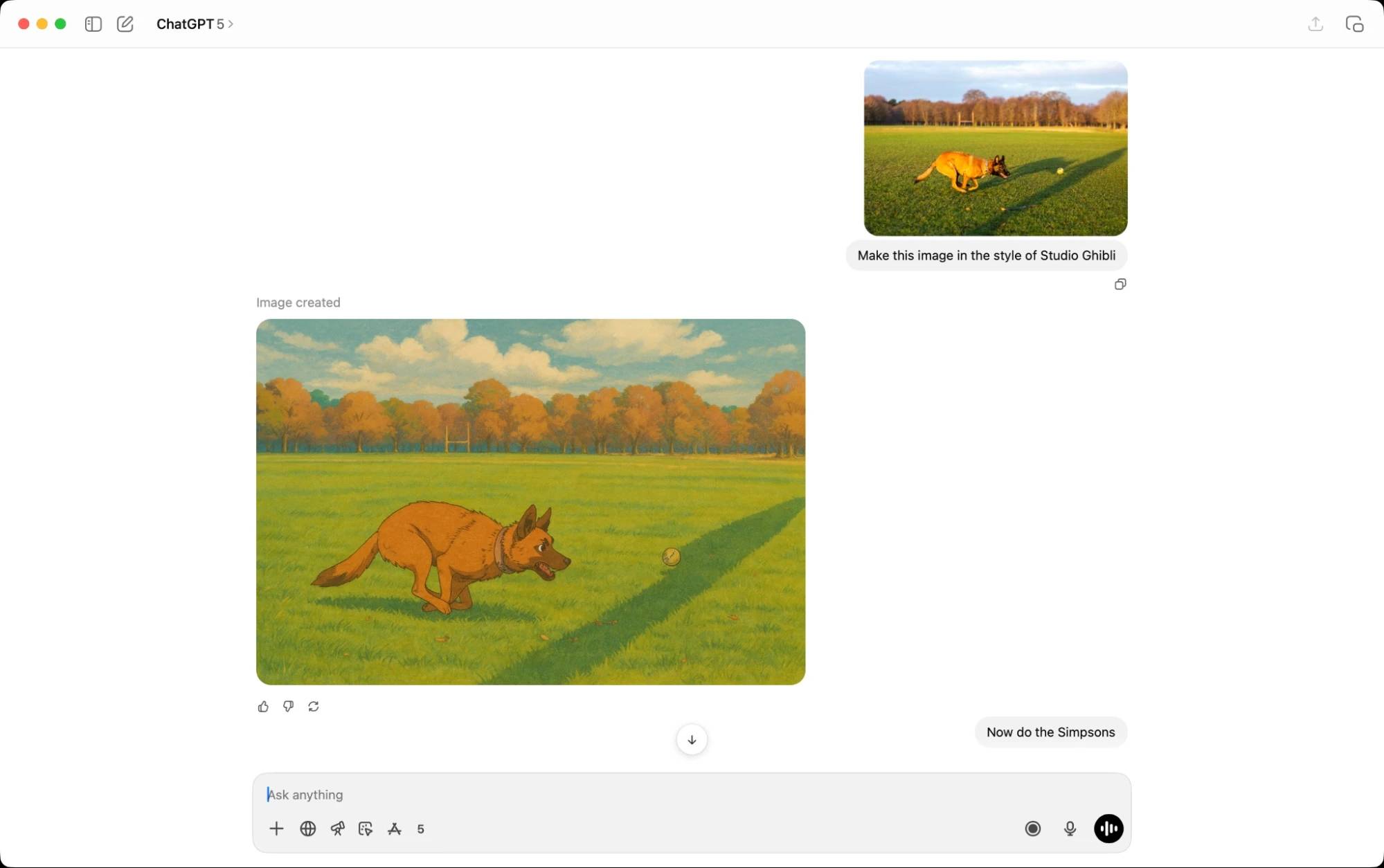
Free and Go both include unlimited everyday text chats, subject to abuse-prevention safeguards. Images, files, voice, data analysis, and other tools still have separate limits. OpenAI does not publish one permanent numeric allowance for every tool, and temporary restrictions may apply during high demand.
ChatGPT Go vs. Free and Plus
| Area | Free | Go | Plus |
|---|---|---|---|
| Everyday text chat | Included | Included | Included |
| Images, files, and data analysis | Lower limits | Higher than Free | Higher limits and broader access |
| Memory and context | Basic | Longer than Free | Higher than Go |
| Reasoning | Think with the Free model | Think with the Go model | Access to higher-tier reasoning options |
| Legacy-model selection | Not included | Not included | May be included where supported |
| Advanced products | Limited | Some require a higher plan | Broader access, including eligible work and coding tools |
| Ads | May appear for eligible users | May appear for eligible users | Ad-free |
Feature availability depends on the current product, region, account, and rollout. OpenAI’s ChatGPT Go help page is the best source for the latest inclusions.
Model and reasoning limits
As of September 2026, OpenAI says Free and Go use GPT-5.6 Luna for everyday chat and for the optional Think mode. Go does not include GPT-5.6 Sol, the model used for the Medium and High reasoning levels on eligible higher plans.
This distinction matters more than an old message-count comparison. Go is intended to provide more everyday tool use at a lower price; Plus is intended for work that benefits from stronger reasoning, broader model access, Codex, and higher limits. Model names and allowances change, so check the model picker and the current model-and-limits documentation before subscribing for a particular model.
Files, images, and data analysis
Go is most useful when Free interrupts a real workflow: a document comparison needs another upload, a spreadsheet analysis needs another run, or an image task hits its allowance. The plan does not make these tools unlimited, but it raises the eligible limits.
Do not buy Go based on an unofficial promise of a fixed number of uploads or images. Allowances can vary by feature and demand. Instead, use the Free plan for several days and note which limit you actually reach.
Projects, tasks, and custom GPTs
Go includes access to projects, tasks, custom GPTs, and Library where those features are currently available. Projects group related chats and files. Tasks can run supported prompts on a schedule. A custom GPT packages instructions, knowledge, and enabled tools for a repeatable use case.
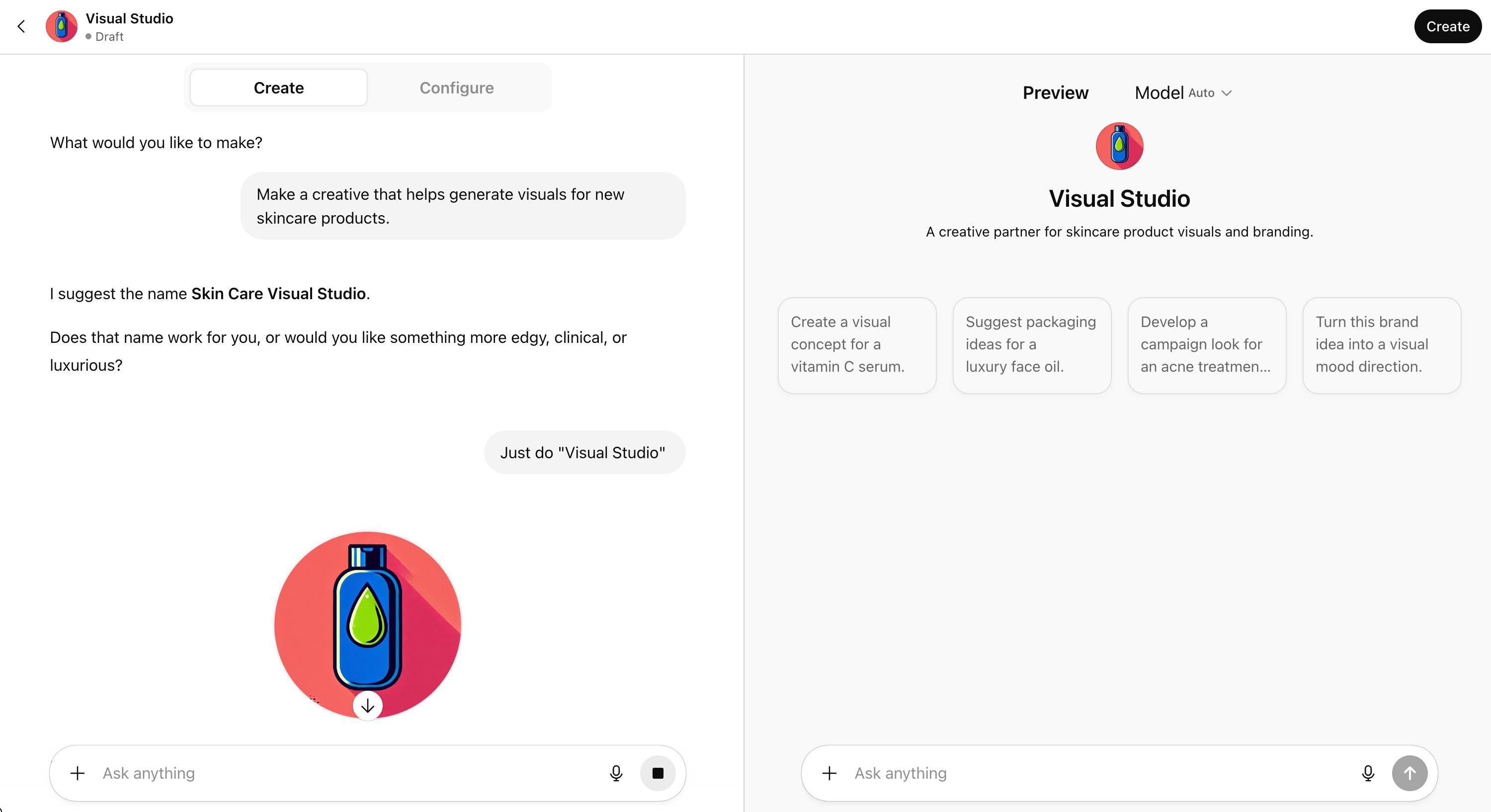
These features do not turn a personal subscription into a managed business workspace. If you need centralized administration, organization-wide data controls, or shared billing, compare the appropriate business offering instead of treating a personal custom GPT as an enterprise deployment.
Is ChatGPT Go worth it?
Go is a sensible upgrade when:
- you repeatedly hit Free limits for images, files, or data analysis;
- your work mostly uses everyday chat rather than the strongest reasoning models;
- longer conversations, projects, tasks, or custom GPTs would save time; and
- the displayed local price fits your budget better than Plus.
Stay on Free when:
- you ask occasional questions and rarely encounter a limit;
- you do not use files, images, data analysis, or persistent projects regularly; or
- you have not yet tested whether ChatGPT is useful for your actual tasks.
Choose Plus instead when:
- you need stronger reasoning and broader model access for complex work;
- you depend on higher limits or advanced features that Go does not include;
- Codex or another Plus-level product is central to your workflow; or
- you want an ad-free personal plan.
For a broader tool decision, compare ChatGPT with Microsoft Copilot or review AI productivity tools by task before paying for overlapping subscriptions.
How to subscribe to ChatGPT Go
- Sign in to ChatGPT on the web or a supported app.
- Select your profile icon, then Upgrade Plan.
- Select Try Go.
- Review the price, billing currency, taxes, renewal terms, and payment method before confirming.
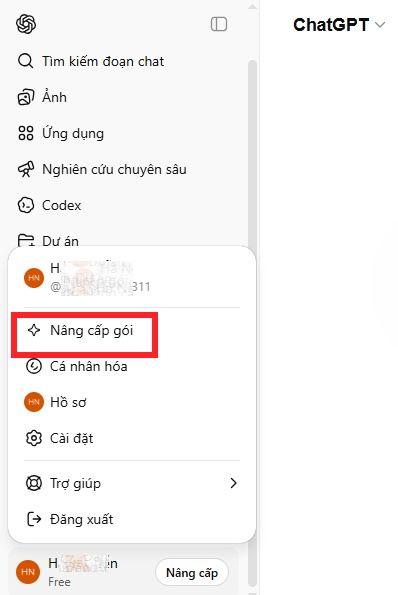
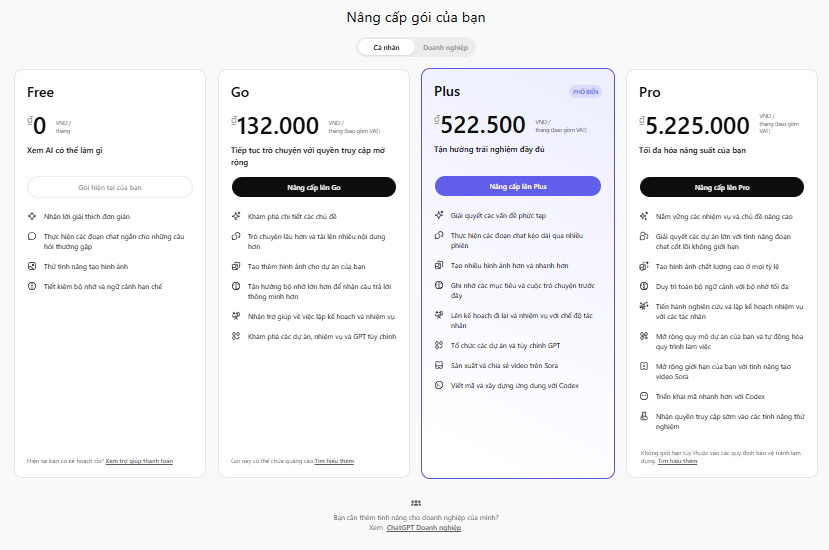
If Go does not appear, confirm that you are signed in to the intended account and check the current pricing page. Purchases made through an app store may take a few minutes to appear; restart the app if necessary.
Billing details to check
- Go is billed monthly and renews automatically until canceled.
- OpenAI currently does not offer annual prepayment for Go, Plus, or Pro.
- Changing from Plus or Pro to Go takes effect after the current billing period; OpenAI says the unused period is not refunded merely because of the switch.
- ChatGPT subscriptions do not include API usage. API charges are separate.
- OpenAI may show ads to eligible Free and Go users; availability and implementation can vary.
The practical test is simple: if Free regularly blocks the same useful workflow and Go removes that friction at an acceptable price, Go is worth considering. If you need advanced reasoning or coding rather than merely more everyday usage, compare Plus directly before choosing.
Related Articles
 What Is ChatGPT Pro? Is It Worth It in 2026?8 minutes read
 Is ChatGPT Plus Still Worth Using in 2026?9 minutes read
 minutes read
 7 Reasons Copilot Is Worth Using7 minutes read
 Learn About ChatGPT-4o: Features, Benefits and How to Use It: Complete Guide7 minutes read
 How to Convert ChatGPT-5 to ChatGPT-4o3 minutes read
Reader Comments 0
Sign in with email or Google to join the discussion.