Table of Contents
Multimodal AI processes or relates more than one type of data, such as text and images or video and audio. For example, a system can use a photograph together with a written question to explain what is visible. The value comes from connecting the inputs, not simply accepting several file formats.
Multimodal capability does not imply human-like senses, consciousness, or reliable judgment in every setting. A system may interpret an image incorrectly, miss a sound, or generate an unsupported explanation.
What is a modality?
A modality is a type of information or signal. Text, images, audio, depth measurements, and motion-sensor readings carry different kinds of evidence. Video adds a temporal dimension, and synchronized sound can supply context that individual frames lack.
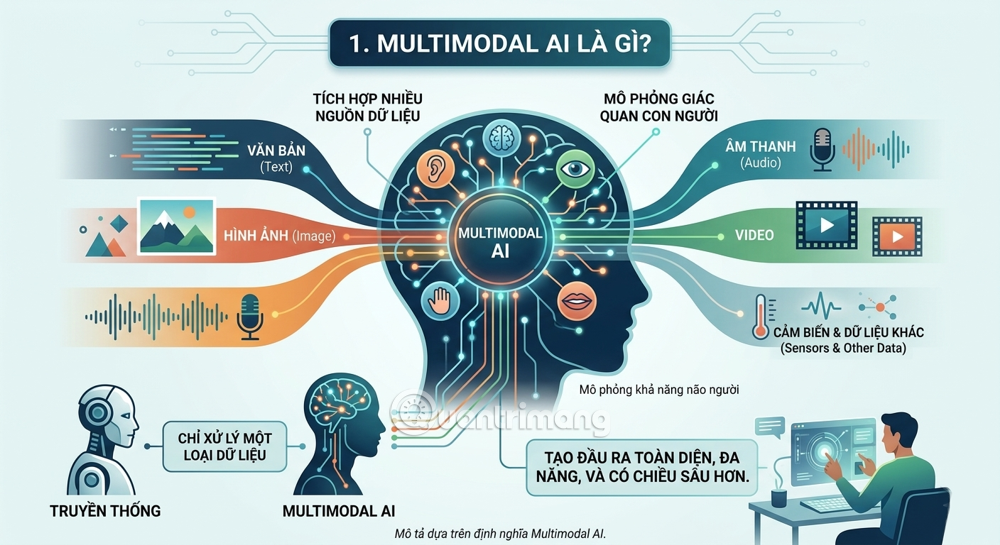
A text-only system might answer from a written description of a chart. A vision-language system can also examine the chart itself. That extra input may resolve ambiguity, but small labels, poor resolution, and misleading layouts can still cause errors.
Multimodal research predates modern chatbots
Research connecting language, vision, and sound did not begin with GPT-4. A 2017 survey of multimodal machine learning already organized the field around representation, translation, alignment, fusion, and co-learning. Recent conversational products made some of these capabilities easier for a broader audience to use.
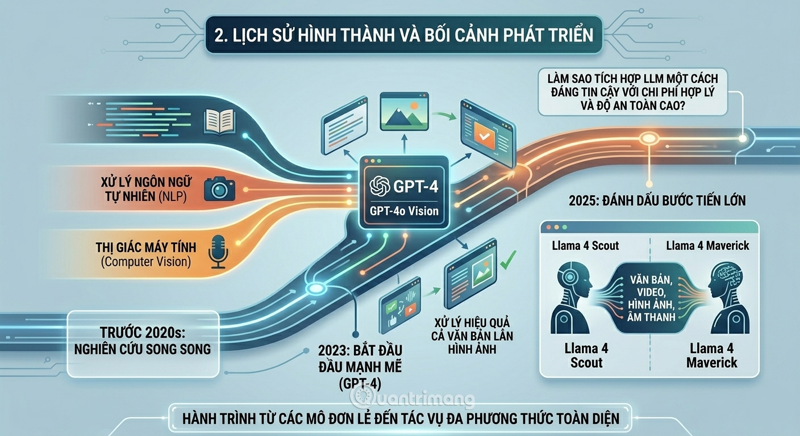
Distinguish a research model, a deployed model, and the app that exposes it. They may support different inputs, outputs, and tools. A brand name alone is not enough to establish whether a particular account can analyze video or generate audio.
How information from different inputs is combined
A useful conceptual breakdown is input representation, cross-modal interaction, and task output. Actual architectures vary; images do not always require a CNN, nor does audio always require an RNN.
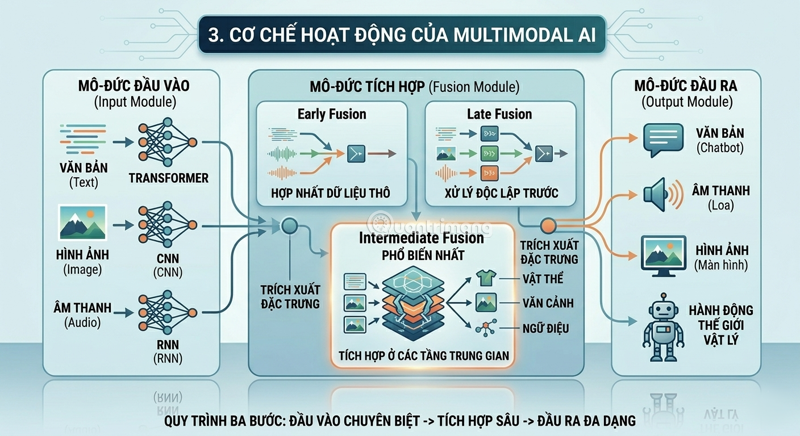
- Representation: transform each input into features the model can use.
- Alignment: connect related information, such as a spoken sentence and the video segment occurring at the same time.
- Fusion or interaction: combine evidence across inputs to support the task.
- Output: produce a classification, description, retrieval result, or generated content supported by that system.
Early fusion combines information near the input stage; late fusion combines separately produced results. Intermediate approaches let representations interact within the model. These are broad design categories, not a universal three-part recipe or a ranking of which approach is best.
Understanding model capabilities
Check input and output support separately. A model that reads pictures and writes text is multimodal even if it cannot generate pictures. An application may also combine several specialized models to deliver one workflow.
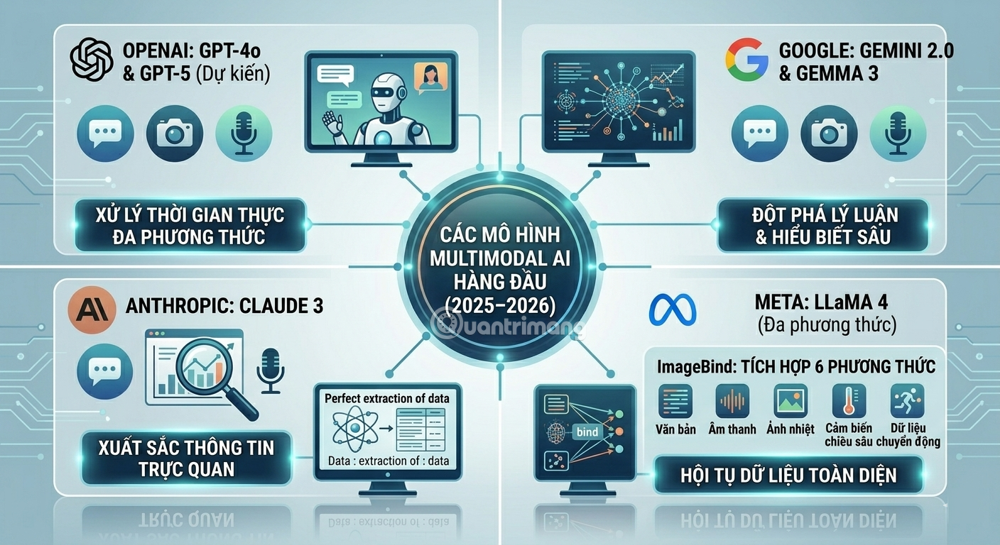
A research example is Meta's ImageBind, which learns a shared embedding across images, text, audio, depth, thermal, and inertial measurement data. A shared embedding connects related signals; it is not by itself a general-purpose assistant that generates every kind of media.
When comparing consumer products, use the exact feature set available to you. The Claude and Gemini comparison illustrates why product access matters alongside model capability.
Where multimodal systems can be useful
Documents and education
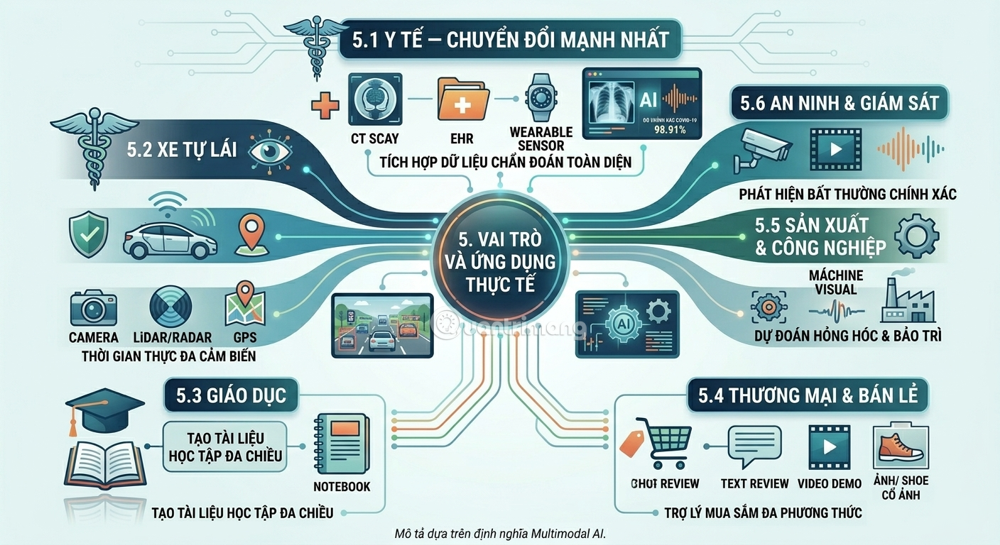
A system can connect a page's prose with its figures, explain a diagram, or relate lecture slides to a transcript. The practical check is whether the generated explanation preserves labels, qualifications, and source references. Students still need to solve problems and verify the material.
Healthcare research
Combining different clinical data types is a research direction, but general-purpose AI performance does not establish diagnostic suitability. A useful clinical system needs evidence for its intended population and task. Do not infer a diagnosis from a chatbot's interpretation of a photo or recording.
Transportation and industrial monitoring
Systems may combine cameras with other sensors to interpret surroundings or monitor equipment. Additional signals can help when one source is incomplete, but synchronization, sensor failures, and operating conditions must be tested. A sensor-rich design does not automatically make a system reliable.
Shopping and media search
Text plus images can support visual product searches or help describe an item. Video and audio can help retrieve a relevant moment in a recording. Appearance alone cannot establish a product's comfort, durability, or authenticity; those questions need appropriate evidence.
Benefits depend on the task
Different inputs can supply complementary information. For example, a photo may show the shape of a connector while text identifies the device model. Together they can support a more specific answer than either input alone.
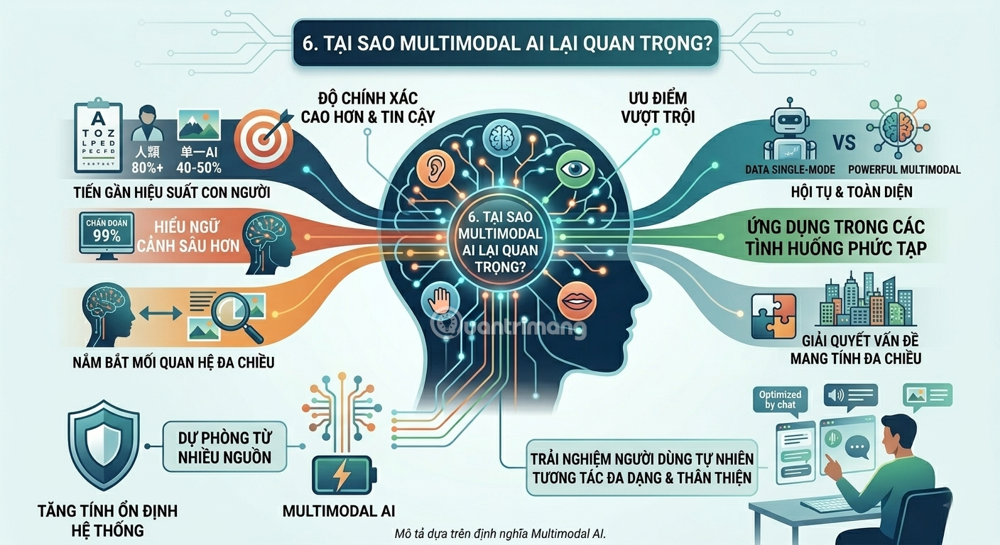
Measure that benefit against a simpler baseline. If a clear text description already solves the problem, adding images may increase processing without improving the result. If inputs conflict, the system should flag the conflict rather than silently favor one.
Limitations to plan for
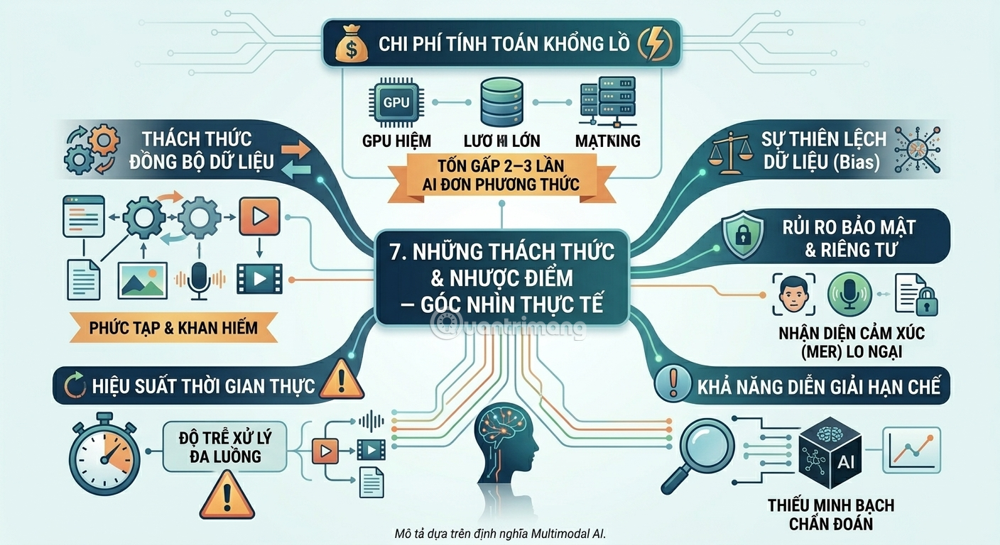
- Input quality: blur, background noise, missing pages, and cropped labels can alter the meaning.
- Timing: audio, video, and sensors may need alignment; mismatched timestamps can create false associations.
- Cost and latency: larger files and multiple processing stages can add expense and delay. There is no single cost multiplier that applies to all systems.
- Missing inputs: decide what happens when a camera, microphone, or source file is unavailable.
- Unsupported inferences: a fluent explanation does not prove that a model correctly interpreted the evidence.
- Privacy and bias: images and recordings can contain personal information, and performance may vary across environments and populations.
A face or voice is not a reliable shortcut to a person's internal emotional state. Avoid consequential judgments based on speculative emotion or intent labels.
How to evaluate a multimodal workflow
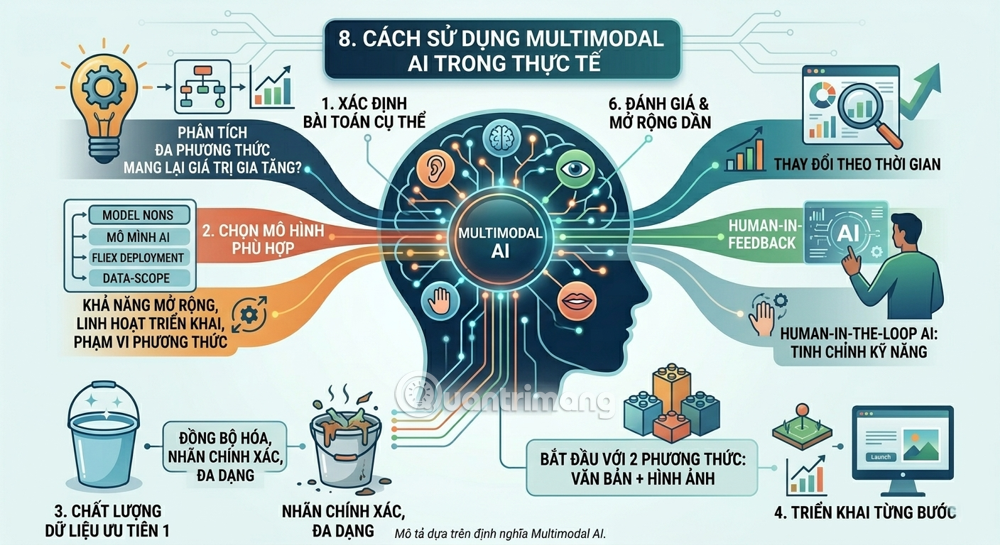
- Define one task. For example, identify an error message in a screenshot and explain it using the supplied software documentation.
- Check required modalities. Verify the exact model and app can accept the inputs and produce the output you need.
- Prepare representative cases. Include clear inputs, difficult inputs, missing data, and cases where the inputs disagree.
- Compare with a baseline. Test whether additional modalities improve accuracy or reduce manual work enough to justify the cost.
- Inspect the evidence. Require references to visible details or source passages when appropriate.
- Define a fallback. Send uncertain or consequential cases for human review.
What to watch as the technology develops
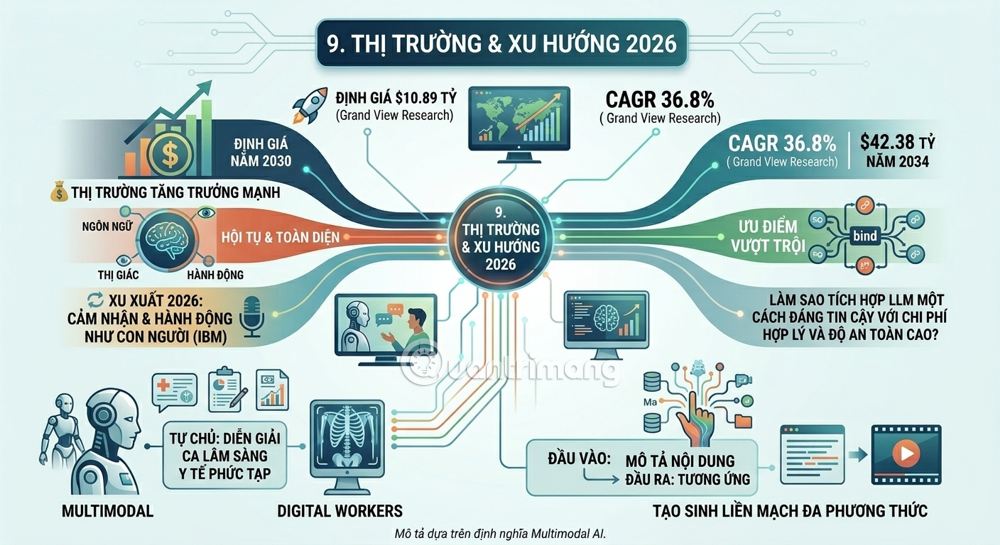
Useful progress includes better handling of long recordings, more reliable alignment of sound and video, clearer uncertainty, and lower processing cost. Evaluate those improvements through repeatable tasks instead of treating a market forecast as evidence of technical readiness.
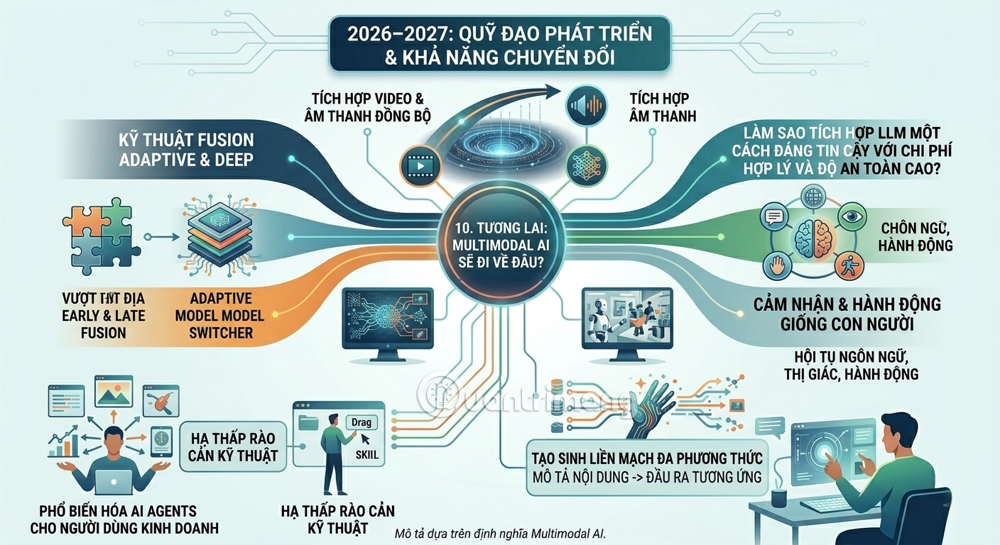
For a deployment decision, compare exact supported inputs, retention settings, tools, latency, and results on your own examples. A model comparison can help build a shortlist, but a successful pilot on representative data is the stronger basis for adoption.
Related Articles
 HTC Is About to Refresh the Sense Interface on Android4 minutes read
 Brainrot Evolution Code Full Latest Rewards and How to Redeem Code: Key Facts7 minutes read
 Review F-secure Sense Routers: Effective, Affordable Protection7 minutes read
 Latest Pet Evolution Diary Code and How to Redeem Code6 minutes read
 Latest Roblox Code Pet Evolution Simulator3 minutes read
 It Turned Out That the Octopus Gave up Its Ability to Evolve to Become Smarter4 minutes read
Reader Comments 0
Sign in with email or Google to join the discussion.