Article on the subject of "start menu on windows 10"
-

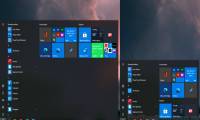
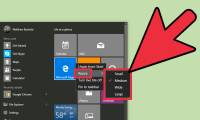
Steps to resize Start Menu on Windows 10
on windows 10, you can optionally change the size of the start menu vertically and horizontally to suit the needs of each person. if you want to change the size of the start menu, you just need to do the following:
-
How to enable / disable the Start menu full screen in Windows 10
while in desktop mode, windows 10 allows you to use the start menu in full screen mode (like the start menu in tablet mode) or in the traditional way, only partially covering the screen. here's how to change the way the start menu works.
-
3 ways to fix Start Menu on Windows 10 stopped working
start menu is probably the most popular feature of windows 10. however, for some pc versions, this feature may be corrupted. in this article, tipsmake.com will guide you how to fix start menu errors on windows 10.
-
Windows 11 is hiding a second Start menu: Why should you use it?
most windows 11 users know about the regular start menu with its colorful tiles and suggested apps. but microsoft has hidden a second start menu that you should definitely use.
-
How to pin any file to Start Menu on Windows 10
on windows 10 you can easily pin an any file on the start menu. to do this, please refer to the following article of network administrator.
-
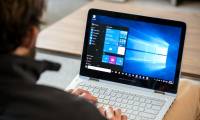
How to Use the Windows 10 Start Menu
the windows 10 start menu is a hybrid of the windows 7 start menu and the windows 8 start screen, as windows 8 introduced tiles. the start menu allows you to open and uninstall apps, access device power options, sign out of windows, get...
-
How to add and remove folders in the Windows 11 Start menu
the windows 11 start menu displays all applications, settings, and files. you can also select folders you want quick access to within the start menu.
-
Back up Start Menu settings on Windows 10
start menu on windows 10 is one of the useful and customizable tools. you can arrange a new layout on the left to access settings and other locations. in the middle you can quickly access the list of applications you have installed and on the right side you can set live tiles to continuously
-
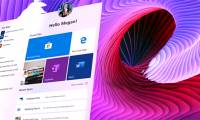
Invite to admire Start Menu on Windows 10 completely new with modern design and more elegant
recently, cage ata, a designer has shared the image of the idea of start menu with remarkable changes, creating good visual effects and creating a fresh feeling that many people can enjoy.
-
Some ways to fix Start Menu error on Windows 10 stops working
start menu is probably the most popular feature of windows 10. however, for some pc versions, this feature may be broken. in this article, tipsmake.com will guide you how to fix start menu errors on windows 10.
-
Reveal the first image of the improved Start Menu, remove Live Tiles on Windows 10
what microsoft is testing with the start menu has been leaked due to an incident that caused the windows insider program to accidentally send a version of windows 10 build 18947, which is used in the xbox development team to test users.
-
How to add tile column on Windows Start menu
by default, windows 10 displays three tile columns in the start menu. it has a hidden fourth column that users don't know.
-
Instructions to pin web pages to Start Menu in Windows 10
recently, tipsmake.com has guided you to read how to pin the website to the windows 10 taskbar in the article: browser tips useful on windows 10 fall creators update, if you want to pin your favorite website to the start menu don't miss the article below!
-
Start Menu does not work and free applications replace
here are 6 great apps and useful shortcuts you can use when windows 10 start menu fails.
-
Trick to speed up Start Menu on Windows 10
the start menu is one of the highlights of the windows 10 operating system. in particular, the start menu on windows 10 has higher customization capabilities than other operating systems. however, many windows 10 users feel uncomfortable with this feature because of the slow boot speed like slugs.
-
20 best tips for the Start menu and Taskbar in Windows 7
the start menu and the taskbar in windows 7 are a complete 'makeover' improvement compared to windows xp. users will be interested and familiar with its sleek interface. however, the start menu in windows 7 not only improves on appearance but also many other new features that not all users know.
-
How to fix Pin to Start error on Windows 10
to pin any file to the start menu bar, you'll use the pin to start option. thus, we can access files and programs on the computer faster. but, what if i lost pin to start?
-
Instructions on disabling the split Start menu in Windows 11
microsoft has been experimenting with splitting the windows 11 start menu into two separate sections. if you don't like this setting, you can disable the split start menu by following the instructions below.
-
Personalize the Start Menu of Windows 10
finally, with windows 10 version, microsoft also brought back the familiar start menu button. and of course it also allows users to customize more than before. here are ways you can personalize the start menu the way you want.
-
Tips or help you master the Start Menu on Windows 10
the start menu is one of the highlights of the windows 10 operating system. in particular, the start menu on windows 10 is more customizable than other operating systems.
-
Live Tiles will really go into oblivion if the Windows 10 20H1 Start Menu looks great like this
certainly many of us don't like the idea of eliminating the heads of live tiles in redmond.
-
Instructions to customize your Start Menu bar on Windows 10
did you know that the windows 10 start menu can be easily customized to make it easier to use for your needs? if you are still wondering how to edit the start menu interface then follow this article. tipsmake.com will guide you to customize the menu in the simplest and easiest way.
 Home
Home Tech info
 Technology
 Science
 Life
Life Application
 Electric
 Program
 Mobile
 System