Table of Contents
You can stream Truy Kích gameplay to Facebook by capturing the game window in OBS Studio, connecting OBS to Facebook Live Producer, and starting the broadcast from both tools. The screenshots below come from an older version of OBS and Facebook, so button names and layouts may look different, but the overall workflow remains the same.
What you need
- A computer that can run Truy Kích and OBS Studio at the same time
- A stable upload connection
- Permission to create a live video from the Facebook profile, Page, or group you plan to use
- The current version of OBS Studio
If you are comparing streaming tools, see TipsMake's guide to popular Facebook Live streaming software and its OBS Studio vs. Wirecast comparison.
1. Open Truy Kích and create a scene in OBS
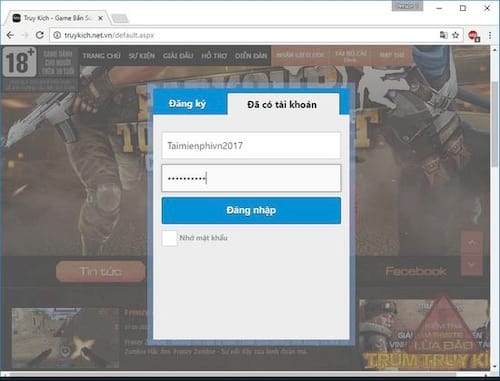
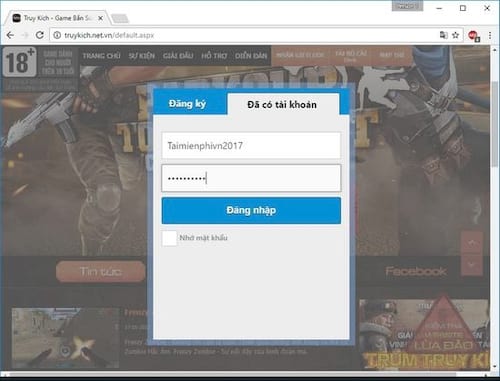
Launch the game in your browser and sign in. Keep the game window open, then start OBS Studio. In the Scenes panel, click the plus button and create a scene for the broadcast.
2. Capture the game window
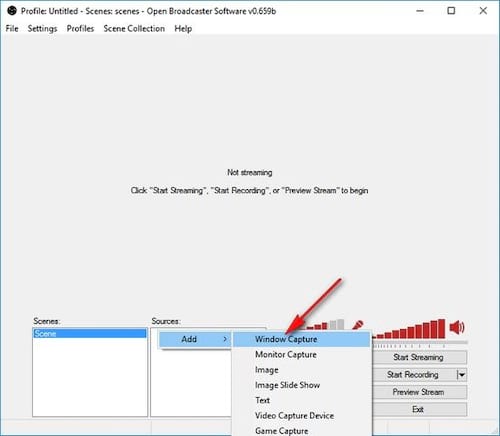
In the Sources panel, click the plus button and choose Window Capture. Give the source a recognizable name, such as “Truy Kích,” and select the browser window that contains the game.
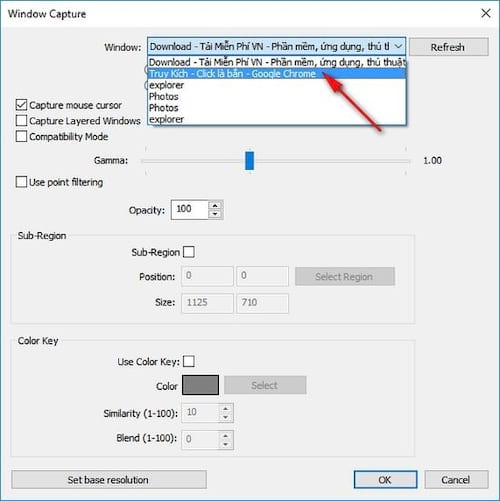
Resize the captured window in the OBS preview so the game fills the canvas without stretching. If the preview is black, make sure the game is visible, select the correct browser window again, and try running OBS with the same graphics-performance setting as the browser. TipsMake also has a dedicated guide to fixing a black screen in OBS.
3. Check video and audio before connecting Facebook
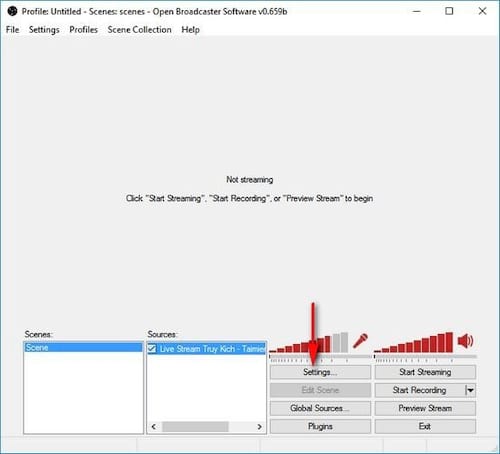
Open Settings in OBS. Under Video, choose a canvas and output resolution your computer and connection can handle reliably. Under Output, select a streaming bitrate that fits your available upload speed. Avoid choosing the highest settings automatically; a stable broadcast is more useful than a sharper stream that continually buffers.
Watch the Audio Mixer while the game produces sound. The desktop-audio meter should move without reaching the red zone. Add a microphone source only if you want commentary, and use headphones to prevent the stream audio from feeding back into the microphone.
4. Create the live video on Facebook
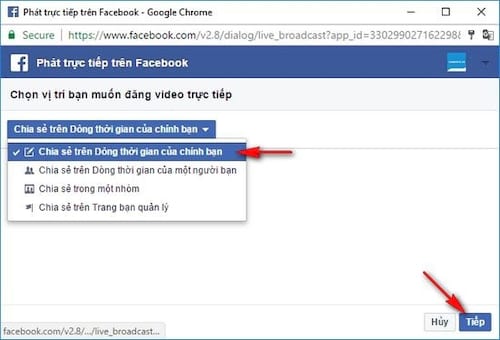
Open Facebook Live Producer and choose where you want to publish the stream. Select the option to use streaming software. Facebook will provide the connection information OBS needs, usually through a service selection and stream key.
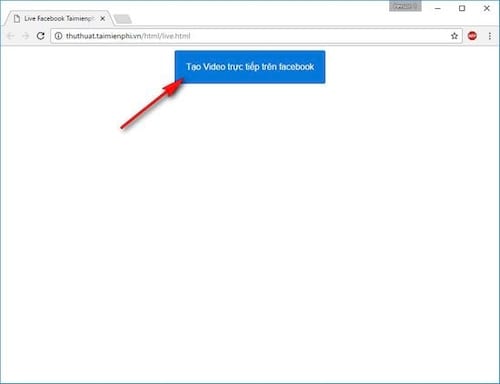
Keep the stream key private. Anyone who has an active key may be able to send video to that live destination. If you accidentally expose it, create a new key before broadcasting.
5. Connect OBS to Facebook
In OBS, go to Settings > Stream. Choose Facebook Live when it is available, or select the custom-service option and enter the server information shown in Live Producer. Paste the stream key into the appropriate field, save the settings, and return to the main OBS window.
The original tutorial used fields called “FMS URL” and “Play Path/Stream Key.” Those labels belong to an older OBS interface and should not be used as a guide for current versions.
6. Test the preview and go live
Click Start Streaming in OBS. This sends the feed to Facebook but does not always make it public immediately. Return to Live Producer and wait for the preview to appear. Confirm that the game image is correctly framed and that both game sound and microphone audio are present.
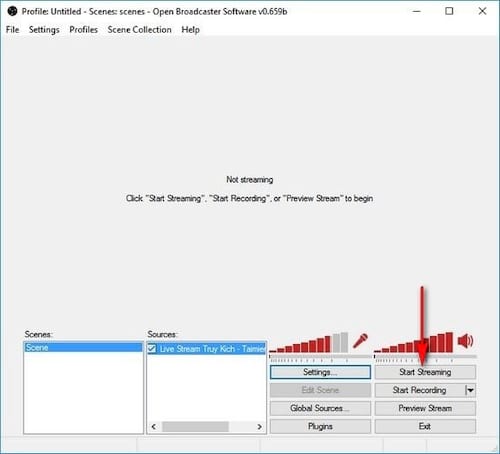
Add a clear title and description, select the intended audience or destination, and use Facebook's Go Live control when the preview is stable. Because Facebook changes its publishing options over time, follow the labels displayed in Live Producer rather than relying on the older screenshots.
7. End the broadcast cleanly
When you finish playing, end the live video in Facebook first and then click Stop Streaming in OBS. Check the published replay to confirm that the beginning and ending were captured correctly. If you do not want the replay to remain available, change its visibility or remove it using Facebook's post controls.
Quick troubleshooting
- No picture: Re-select the correct window in the Window Capture source and make sure the game is not minimized.
- No game sound: Verify that Desktop Audio is enabled and that the browser is not muted in the operating system's volume mixer.
- Stream disconnects: Lower the output bitrate and stop other uploads on the same connection.
- Facebook shows no preview: Confirm that the stream key is current, then stop and restart streaming from OBS once.
- Video looks cropped: Right-click the source in OBS and use the transform option that fits it to the canvas.
Related Articles
 Instructions for Setting up Live Stream Feature Facebook Videos on8 minutes read
 This Is How Live Stream Facebook Video on PC, Fanpage16 minutes read
 How to Live Stream on Facebook, Broadcast Live Video on Facebook15 minutes read
 How to Turn Off Live Stream Notifications on Facebook3 minutes read
 The Most Popular Facebook Live Stream Video Software6 minutes read
 How to Live Stream Facebook Right on Your Computer6 minutes read
Reader Comments 0
Sign in with email or Google to join the discussion.