Table of Contents
AdBlock and Adblock Plus are separate browser extensions, despite their similar names and overlapping features. Both use filter lists to hide many ads and page elements, both offer site exceptions, and both provide free basic blocking. For most users, the best choice is the one that works reliably in their browser and offers the controls they understand.
The two projects teamed up in 2021 but continue as distinct products, according to the Adblock Plus Help Center. That means you should still check the exact product name and official publisher when installing.
AdBlock and Adblock Plus at a glance
| Question | AdBlock | Adblock Plus |
|---|---|---|
| Are they the same extension? | No. AdBlock began as a separate Chrome-focused product. | No. Adblock Plus began as a Firefox add-on. |
| Core function | Uses filter lists and page-element rules to block or hide content. | Uses filter lists and page-element rules to block or hide content. |
| Common desktop browsers | Available for Chrome, Firefox, Edge, and Safari; check the official site for the current list. | Available for Chrome, Firefox, Edge, Safari, Opera, and other listed platforms; check the official download page. |
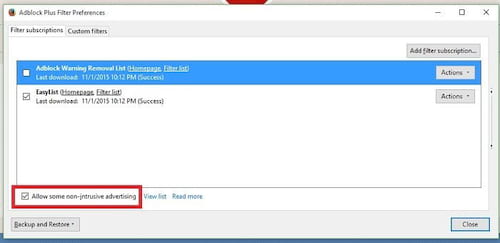
| Acceptable Ads | Enabled by default in supported desktop extensions and can be changed. | Included among the default filter lists and can be disabled. |
| Site exceptions | Supports pausing or allowlisting sites and pages. | Supports turning blocking off for a site and maintaining an allowlist. |
| Cost | Basic ad blocking is free; optional paid features may be offered. | Basic browser ad blocking is free; optional paid features may be offered. |
Feature lists and browser support can change. Use the current AdBlock site and Adblock Plus download page rather than relying on an old compatibility chart.
How Adblock Plus works
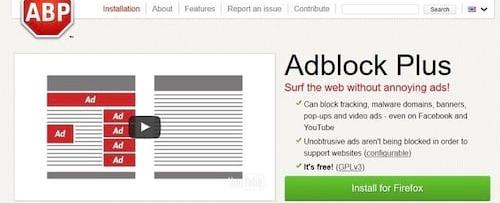
Adblock Plus installs with several filter lists. These include rules for blocking common ad formats, language-specific filtering, and anti-circumvention measures. Users can add lists or write custom filters, but the default configuration is intended to work without manual setup.
Reasons to choose Adblock Plus
- You already use it on another supported browser and want a familiar interface.
- You want access to its filter-list controls and documented custom-filter system.
- You need a browser or platform listed on the current Adblock Plus download page.
Points to consider
- Acceptable Ads is part of the default setup, so review that setting if you want stricter filtering.
- Adding too many regional or overlapping filter lists can increase maintenance and may break pages.
- Some sites use anti-blocking measures or embed sponsorships directly in their content, so no extension can promise to remove everything.
How AdBlock works
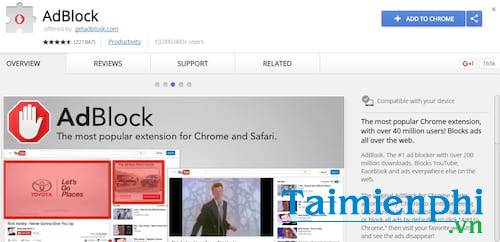
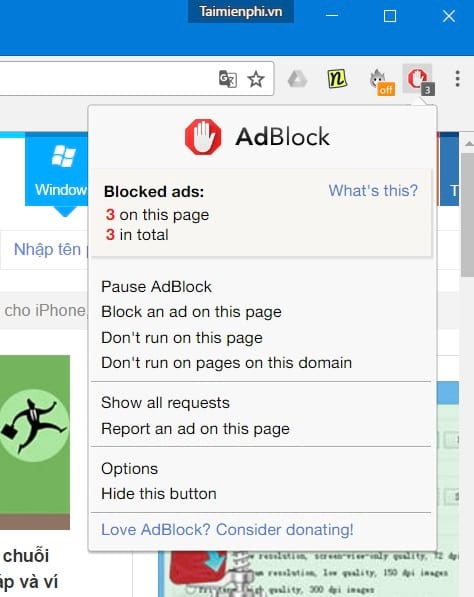
AdBlock also relies on filter lists and element-hiding rules. It provides controls for pausing on a site, allowlisting pages, and applying custom filters. Like Adblock Plus, it may allow ads that meet Acceptable Ads criteria by default, depending on the browser and current configuration.
Reasons to choose AdBlock
- You prefer its toolbar controls and allowlisting workflow.
- You want the same product across one of its currently supported browsers.
- You need its custom-filter or page-level pause controls.
Points to consider
- Review Acceptable Ads and other filter lists after installation rather than assuming every ad is blocked.
- Smart allowlisting behavior can change how long a temporary site exception remains active, so check the current setting when troubleshooting.
- A similar name or copied icon does not prove that a store listing is the official AdBlock extension.
Which extension should you use?
There is no universal winner. Both products cover the basic task, and unsupported claims that one is always faster in Chrome or always better in Firefox should be treated cautiously without a current, reproducible benchmark.
- Choose AdBlock if you prefer its interface, pause controls, or existing configuration.
- Choose Adblock Plus if you prefer its settings, filter documentation, or wider current platform list.
- Choose neither if your browser has a built-in blocker that meets your needs, or if you do not want an extension to read and modify page content.
Install one primary blocker, not both. Running them together usually duplicates filter work and makes it harder to identify which extension caused a broken page.
How to compare them on your own browser
- Install one product from its official browser-store listing.
- Keep its default lists for the first test and browse the sites you actually use.
- Check whether video, checkout, login, and comment functions still work.
- Review the Acceptable Ads and privacy-filter options.
- If the experience is poor, remove the first extension before testing the other.
Our Adblock Plus installation guide walks through the safe store-based setup. For alternatives and narrower tools, see browser extensions that reduce common web annoyances.
Security and privacy considerations
Any content blocker needs significant page access to examine and hide elements. That does not make the extension unsafe by itself, but it makes publisher verification and updates important. Install only from an official browser store, review the permission prompt, and remove extensions you no longer use.
Neither product replaces browser updates, Safe Browsing protections, or antimalware software. If ads or redirects continue when the blocker is disabled, inspect other extensions, site-notification permissions, and installed applications rather than assuming the filter simply failed.
Related Articles
 Adblock Download Link 4.16.09 minutes read
 What Is the Difference Between Adblock and Adblock Plus?5 minutes read
 How to Turn Off Adblock: Complete Guide6 minutes read
 How to Turn Off, Disable, or Hide Adblock4 minutes read
 How to Turn Off Adblock on Chrome, Coc Coc3 minutes read
 Adblock Plus Filter Can Be Exploited to Run Malicious Code10 minutes read
Reader Comments 0
Sign in with email or Google to join the discussion.