Table of Contents
Windows 11 already includes Microsoft Defender Antivirus through the Windows Security app, so many home users do not need to install a separate antivirus immediately. A third-party free product can still make sense if you prefer its interface, web controls, firewall tools, or cross-device features. The right choice depends on current test results, compatibility, privacy terms, and how much promotional software you are willing to tolerate.

No antivirus provides absolute protection. Keep Windows and applications updated, use a supported operating system, back up important files, and avoid unexpected attachments and installers. Antivirus is one layer of security, not a substitute for those habits.
Start with Windows Security
Microsoft Defender Antivirus is built into Windows 11 and provides real-time protection without another installer or subscription. Open Settings > Privacy & security > Windows Security > Virus & threat protection to confirm that protection and updates are active. Microsoft's Windows Security guide explains the current components.
Use the built-in option first if you want minimal setup and no third-party upgrade prompts. Before changing products, check recent independent tests rather than relying on a permanent ranking. AV-TEST publishes current Windows home-security results for protection, performance, and usability.
Current free antivirus options at a glance
| Product | Current position | Main reason to consider it | Important caveat |
|---|---|---|---|
| Windows Security | Built into supported Windows | No extra installation; integrates with Windows | Fewer bundled extras than many third-party suites |
| Bitdefender Antivirus Free | Free Windows edition available | Focused antivirus with real-time protection | Free feature set is narrower than paid plans |
| Avast Free Antivirus / Avast One | Free Windows option available | Security and additional privacy or utility tools | Review optional components and upgrade prompts |
| AVG AntiVirus Free | Free Windows option available | Straightforward antivirus and web-related protection | Review optional offers during installation |
| Avira Free Security | Free Windows suite available | Antivirus plus selected privacy and utility tools | Some displayed features require a paid plan |
| Panda Free Antivirus | Free Windows edition available | Simple real-time protection and scheduled scans | Advanced suite features are paid |
| ZoneAlarm Free Antivirus | Available for Windows 10 and 11 | Combines antivirus with a two-way firewall | Vendor says to remove other third-party antivirus first |
| 360 Total Security | Free PC security product available | Antivirus plus system utilities | Decide whether bundled cleanup tools are useful to you |
| Comodo Antivirus | Free download remains available | Uses containment and sandbox-style controls | Official page lists older Windows versions; verify Windows 11 support |
| Bkav | Current products vary by market | Vietnam-focused support and security products | Do not assume the old Bkav Home Edition is still the current free offer |
| Kaspersky | Regional restrictions apply | Products may remain available outside the United States | Updates and sales are prohibited in the U.S.; not a practical U.S. choice |
1. Bitdefender Antivirus Free
Bitdefender currently offers a free Windows antivirus with real-time protection and on-demand scans. It is a sensible candidate for users who want a dedicated third-party antivirus without starting with a large utility suite. Check the official Bitdefender Free page for supported Windows versions and the current feature list.
Do not assume that the free and paid editions have identical web, ransomware, privacy, or support features. Compare the actual plan table before installation.
2. Avast Free Antivirus
Avast continues to provide a free Windows product, now presented alongside Avast One in some regions. It can suit users who want antivirus plus selected web, scam, privacy, or maintenance tools. The official Avast download page identifies the current free package.
Read every installer screen. Decline optional browser changes or extra utilities you do not want, and confirm which advertised features are actually included in the free tier.
3. AVG AntiVirus Free
AVG AntiVirus Free remains available for Windows. Its core appeal is an accessible interface with real-time malware protection and checks for risky web or email content. Use the official AVG page rather than a download mirror.
Avast and AVG are both part of Gen Digital, so installing both does not create useful “double protection.” Choose one primary antivirus and leave Microsoft Defender in the mode Windows selects for third-party security software.
4. Avira Free Security
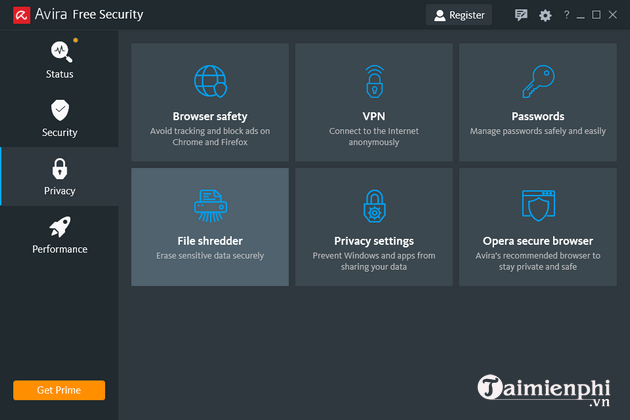
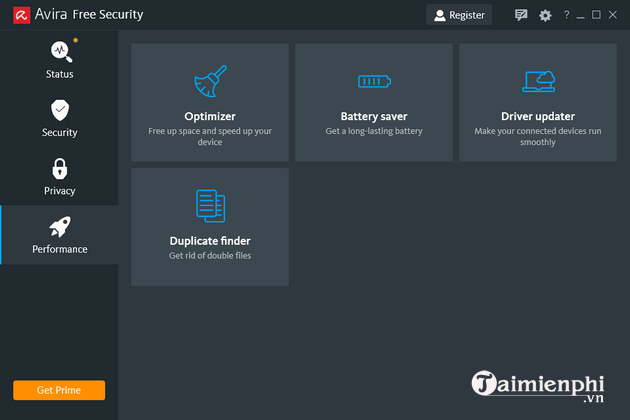
Avira's current free Windows offering combines antivirus with a selection of privacy and maintenance features. This can be convenient if you want one dashboard, but it also means the interface may show tools that require an upgrade. Check Avira Free Security for the current package.
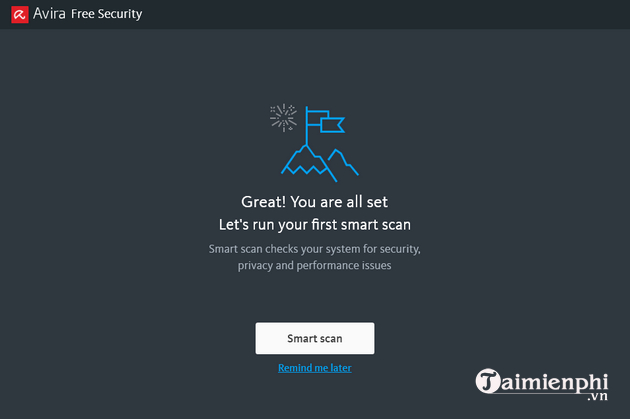
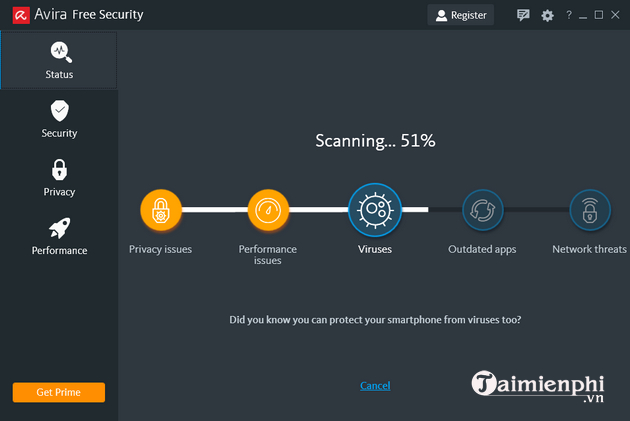
Running a scan in Avira
- Open Avira and let it download protection updates.
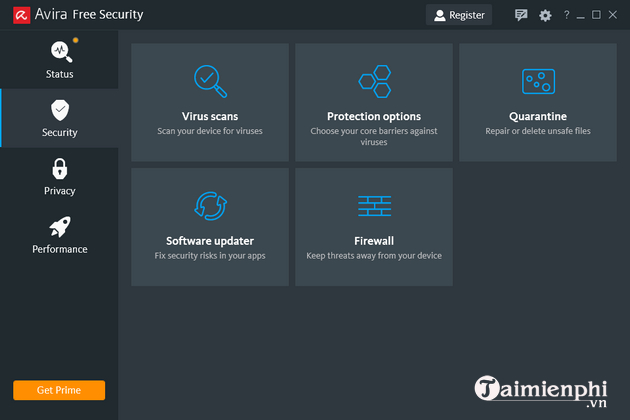
- Use Smart Scan for a broad initial check, or open the security area to select a quick, full, or custom malware scan if offered in your version.
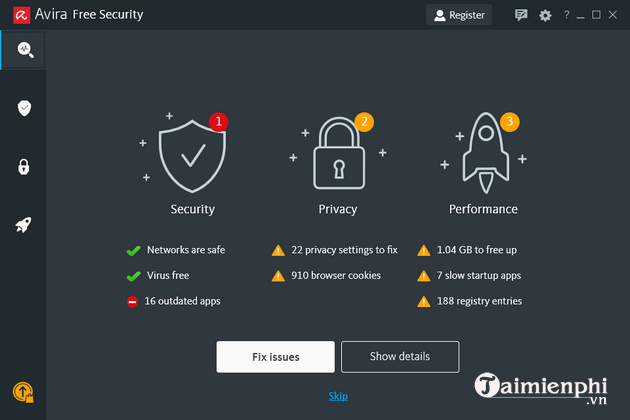
- Review each detected item before removing or quarantining it. A warning about privacy or performance is not necessarily a malware detection.
- Restart Windows if the product requests it, then run Windows Update.
The screenshots below show an older Avira interface. Preserve them as orientation only; labels, included features, and free-versus-paid limits may differ now.
5. Panda Free Antivirus
Panda offers a free Windows antivirus with real-time protection and scan controls. It is worth comparing if you prefer its interface, but features such as a full firewall, unlimited VPN use, or other suite components may belong to paid plans. Verify the offer on the official Panda Free Antivirus page.
6. ZoneAlarm Free Antivirus
ZoneAlarm's current free product combines antivirus with its firewall and lists Windows 10 and Windows 11 support. Its vendor warns that other third-party antivirus products should be uninstalled first; Microsoft Defender is the stated compatibility exception. Read the current ZoneAlarm requirements before installing.
This is a more specialized choice for users who specifically want ZoneAlarm's network controls. It is not automatically better merely because it includes another firewall.
7. 360 Total Security
360 Total Security continues to offer a free PC antivirus alongside optimization and anti-ransomware utilities. Users who want an all-in-one dashboard may appreciate that scope; users who prefer a smaller security-only installation should compare it with Windows Security or a focused free antivirus. Download only from the official 360 Total Security page.
Do not let a cleanup or optimization warning distract from the core question: whether real-time protection is active and updated. Back up files independently instead of relying only on any antivirus recovery feature.
8. Comodo Antivirus
Comodo's free antivirus emphasizes containment of unknown programs. That approach offers more control but can generate decisions that are confusing for less technical users. The official Comodo product page still lists older Windows versions, so confirm current Windows 11 compatibility and support before installation.
Avoid claims of near-perfect or 100% detection unless they refer to a named, recent, reproducible lab test of the exact version and configuration you plan to use.
9. Bkav
Bkav remains active in cybersecurity and offers products for Vietnamese consumers and organizations, but the old Bkav Home Edition name and feature list in this article should not be treated as a current free plan. Check Bkav's official site for present products, licensing, language, and support in your market.
10. Kaspersky: a regional restriction you cannot ignore
Kaspersky products may still appear in old rankings and may remain available in some countries. However, the U.S. Department of Commerce prohibited new transactions and, after September 29, 2024, antivirus signature and codebase updates for U.S. customers. The agency encouraged affected users to move to another vendor. See the official U.S. restriction notice.
Therefore, Kaspersky is not a practical current recommendation for a U.S. system. Elsewhere, check local government guidance, product availability, update delivery, and organizational policy before deciding.
How to choose without relying on a “top 10” ranking
- Confirm operating-system support. Antivirus cannot make an unsupported Windows release safe; upgrade the operating system when possible.
- Compare recent independent tests. Look at protection, false positives, and performance together, and confirm whether the tested edition matches the free product.
- Read the privacy policy. Security software has deep system access, so vendor reputation and data practices matter.
- Inspect the installer. Decline unwanted browsers, extensions, search changes, trials, or system tools.
- Check the free limits. Real-time protection, ransomware controls, web filtering, VPN allowances, firewall tools, and support can vary by plan and country.
- Measure impact on your PC. Test startup time, file operations, and the applications you use; vendor claims are not a substitute for your own experience.
Free or paid antivirus?
Free antivirus can provide core real-time malware protection. Paid suites may add parental controls, identity monitoring, a password manager, expanded ransomware defenses, VPN service, cross-device management, or direct support. Those extras are worthwhile only if you will use them and understand their limits.
Paying does not create “absolute safety,” and a long feature list is not automatically better. For a typical Windows 11 home PC, current Windows Security plus updates, backups, and cautious browsing may be sufficient. A paid suite is easier to justify for multiple family devices, centralized controls, or a specific feature that would otherwise require another service.
Safe installation checklist
- Download from the vendor's official domain, not a software mirror or advertisement.
- Verify the digital signature on the installer when Windows exposes it.
- Create or confirm a recent backup before replacing a security product.
- Uninstall the old third-party antivirus with its official remover if necessary, then restart.
- Install one real-time third-party antivirus, update it, and run an initial scan.
- Open Windows Security afterward and make sure Windows recognizes the active provider.
If an unfamiliar installer caused the concern, use our guide to detecting and avoiding malicious EXE files. If slow performance is the main symptom, follow the broader checks in Computer Running Slow: Causes and Fixes before assuming malware is responsible.
What to do if you suspect an infection
Disconnect from sensitive accounts, update your active antivirus, and run a full scan. If Windows remains usable, run a Microsoft Defender Offline scan from Windows Security > Virus & threat protection > Scan options. Do not install several antivirus products in quick succession or delete system files manually based on a generic web list.
If ransomware has encrypted files, stop using the affected drive, preserve evidence, and seek incident-response help. Do not trust a product page that promises it can decrypt every ransomware family. Recovery depends on the specific malware, available decryptors, and clean backups.
Related Articles
 Top Free Antivirus Software for Windows15 minutes read
 Top Free Antivirus Software, No Bloatware and Requires Upgrade to6 minutes read
 7 Best Antivirus Options for Windows in 20269 minutes read
 AVG AntiVirus FREE 2020 - the Best Free and Effective Antivirus Software4 minutes read
 Should You Choose Free or Paid Antivirus Software?11 minutes read
 7 Best Free Antivirus Software for Mac7 minutes read
Reader Comments 0
Sign in with email or Google to join the discussion.