Table of Contents
This article explores should the updated iOS 11.2.6 update be launched with straightforward explanations and useful context. It also highlights common questions and important details to consider.
- IOS 11.2.5 just launched, should it be updated?
- Errors when upgrading iOS 11.2.5 and how to fix it
- IOS 11 upgrade you need to know the following issues
1. The reasons for iOS 11.2.6 update
Update to fix the problem
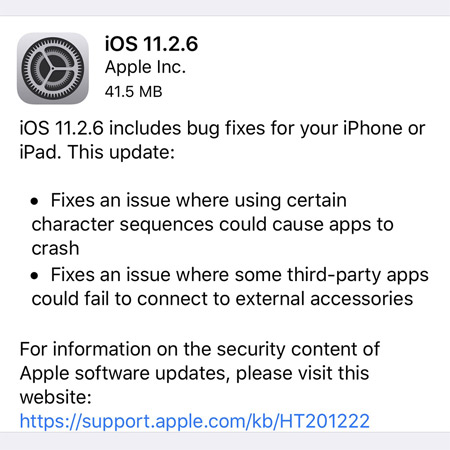
As we know, Apple released iOS 11.2.6 for the main purpose of fixing Indian characters (Telugu), causing iPhone and iPad to hang. Previously, if you sent an Indian character and when you clicked to send a message, the screen would start to have a stall phenomenon and then it would be impossible to open the Messages application again, because this application tries display that Indian character but failed. Now when you decide to update iOS 11.2.6, this situation will of course be completely terminated.
Upgrade when needed toEnd the trouble of connecting accessories
Not only patching the Indian characters, iOS 11.2.6 also helps users troubleshoot some third-party applications that cannot interact with accessories that are connected to the iPhone or iPad. Realizing that your device (running iOS 11.2.5 or below) is also experiencing this problem, you can choose the update option to iOS 11.2.6 to enhance the experience process.
Update toHandle performance-related issues
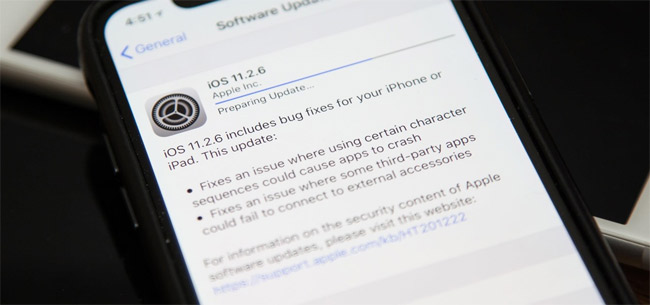
IOS 11.2.6 update has a positive impact on the overall performance of iPhone, iPad. Although not listed on the list of changes that Apple announced, the Gottabemobile technology page said that iOS 11.2.6 has partly solved previous problems such as battery drain, flickering Wi-Fi connection or Bluetooth error. This is one of the good news for users and you can then upgrade to iOS 11.2.6 if you feel necessary.
Updated for long-term application support
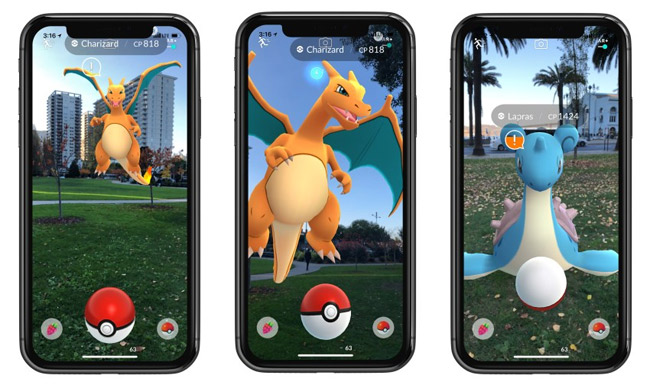
Don't be confused, but upgrade iOS 11.2.6 to the device for long-term application support. According to the developers, they are inclined to stop supporting iPhones and iPads using older iOS versions. For example, Niantic announced that users need to upgrade to iOS 11 to play Pokemon GO after this February. In addition, the latest update of Google Chrome browser also only allows operation on iOS 10 and above. Other names like Slack and Asana are also opening up the possibility of not supporting devices that still use iOS 9.
2. The reasons for not upgrading iOS 11.2.6
Do not updateWhenYou are not well prepared
Any new version, when there is no optimal preparation, it is best not to rush to upgrade. With iOS 11.2.6 too, the situation loses all possible information if you subjectively do not back up the information before upgrading. Besides, please delete unnecessary data if your device is full of memory to make room for iOS 11.2.6 download.
Do not update if yourDeviceIs jailbroken
The jailbreak community has released the official jailbreak for iOS 11.0 and iOS 11.1.2, if you have used the iPhone and iPad jailbroken devices, do not upgrade to iOS 11.2.6 because this will make your device You lost the jailbreak immediately. You can expect Jailbreak developers to release versions for iOS 11.2.6 soon, we also do not encourage Jailbreaking because this will affect the warranty program and damage the rights. your own.
Do not install if theDevice remains stable
Your device is stable, not encountering the errors mentioned above, upgrading to iOS 11.2.6 is not really necessary for you to do at this time. However, if you still want to experience and explore the new version, try to wait for another time to listen to feedback from the iPhone and iPad community before upgrading. Not good feedback you can wait for iOS 11.3 version to be released in March next.
We have just recently learned about the latest iOS update and the question of whether to upgrade iOS 11.2.6. The reasons should and should not update iOS 11.2.6 will greatly support you in making your decision.
Hope the article is useful to you.
- Instructions to turn off iOS update notifications
- Backup jailbreak application when upgrading iOS
- Guide to downgrade iOS 11.3 to 11.2.2, 11.2.5
FAQ
What is the main benefit of should the updated iOS 11.2.6 update be launched?
The main benefit is a clearer understanding of the topic and a practical way to apply the information covered in this guide.
What should I check before using should the updated iOS 11.2.6 update be launched?
Confirm compatibility, review the required settings, protect important data, and use the latest supported version whenever possible.
What should I do if the result is different?
Repeat the steps carefully, verify permissions and version differences, and consult the product's official support documentation for changes not shown in the article.
Related Articles
 iOS 11.2.5 Just Launched, Should It Be Updated?9 minutes read
 List of Devices to Be Updated Android 4.4 Kitkat4 minutes read
 Should I Update to iOS 15?7 minutes read
 Should I Upgrade the Official iOS 11. 3 Update for iPhone, iPad?6 minutes read
 How to Update iOS 13 for iPhone Using 3utools Without a4 minutes read
 How to Update Apps on Mac5 minutes read
Reader Comments 0
Sign in with email or Google to join the discussion.