Table of Contents
This updated guide explores Microsoft authenticator password manager is shutting down with practical details, clear explanations, and useful takeaways. Many people have used Microsoft Authenticator as their go-to password manager — but now that it is shutting down, it is time to move on to a better alternative that actually protects your passwords.
Why Microsoft Authenticator Removed Password Manager
Microsoft Authenticator's password manager is a handy tool that combines a multi-factor authentication app with a password manager. Still, Microsoft is removing this feature in favor of Edge's built-in password manager. So if you're still using Microsoft Authenticator, it is time to start exporting your passwords.

The autofill and password generation capabilities are great, but starting in June 2025, Microsoft Authenticator will no longer save new passwords. Autofill will stop working in July 2025, and any saved passwords will be inaccessible after August 2025. Your saved financial information and unsaved passwords will be deleted in July and August, respectively.
Microsoft recommends using Edge's built-in password manager, which also offers autofill. The company didn't give a specific reason for why this feature was removed from Microsoft Authenticator, but given that Microsoft's support documentation emphasizes using Edge, it is likely that Microsoft now wants users to use Edge on their phones.
What's Wrong with Microsoft Edge?
Microsoft Edge is a really underrated browser. Keep it on your PC and Linux desktop as a backup browser and as your primary browser on your smartphone. So the idea of having a browser and password manager in one is pretty appealing, right?
Not really!
it is true that having a browser-based password manager is convenient. Your browser is where you'll interact with most services that require a login, and having your login information at your fingertips is a lifesaver. This is especially true if you have long, complex, unique passwords for each site—which they should be.
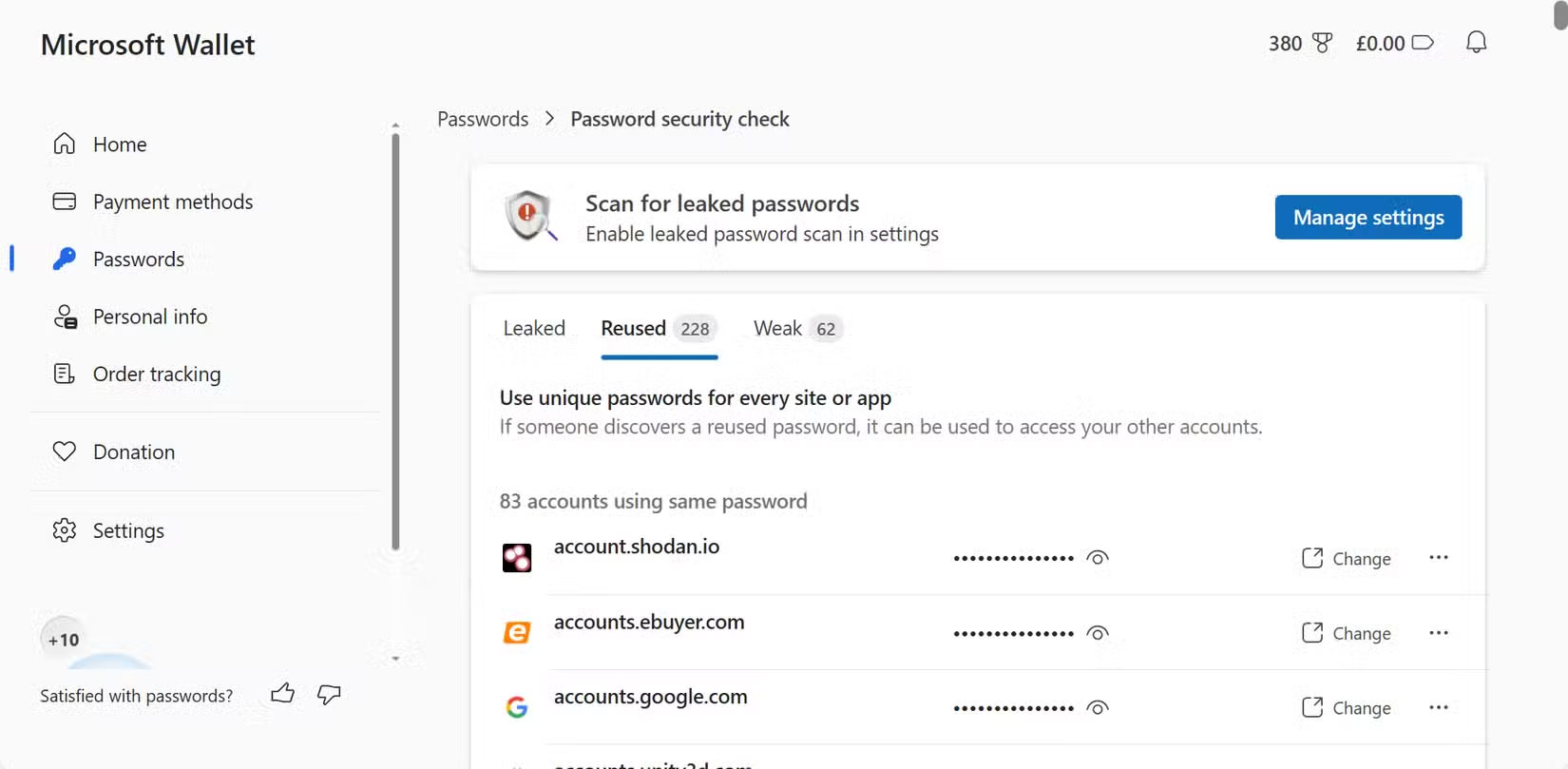
That said, browser-based password managers aren't the most secure option, especially when you consider that dedicated password managers offer significantly more features and security. You can use a browser-based password manager with a few precautions, but many people do not feel comfortable storing important passwords in it. This is one of the reasons why It is best to avoid using browser-based password managers altogether.
Why Use Proton Pass?
With browser-based password managers gone, your only real choice is to pick a new password manager. Now, there's a password manager for every situation, but which one you choose will largely depend on your specific needs and whether you're willing to pay for one.
There is a good reason to use the free plan of Proton Pass.
First, autofill works perfectly on both desktop and mobile. Another benefit of Proton Pass' autofill is that it will confirm with you before filling in your password in the login field, and the prompt is designed in a way that reduces the chance of accidental clicks.
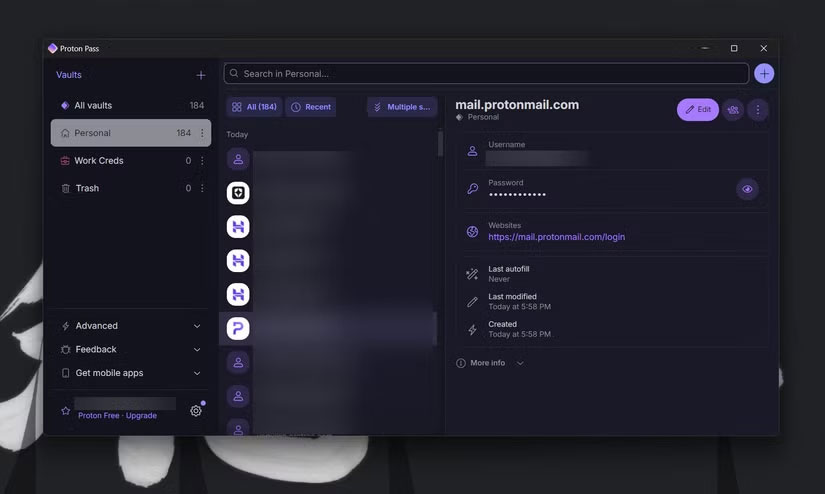
Along with being a password manager, it also offers email aliases. Currently, the free version is limited to 10 aliases at a time. If you frequently sign up for websites and do not want to give out your real email address every time, this feature will definitely come in handy.
There are also custom fields when you set up a password, which means you can save additional information right next to your login information for a site. to jot something down but do not want it to show up in your notes app, Proton Pass does the job just fine.
Other potentially more important features, like built-in two-factor authenticator, dark web monitoring, and password sharing, are also included in Proton Pass but locked behind a subscription. Many people do not use these features because they've set up most of their accounts with Microsoft Authenticator and transferring them to Proton is a hassle. Still, if you want one app for everything, you have that option too.
Finally, many people are pretty well-versed in the Proton ecosystem Now. They also use Proton's VPN, email, and cloud drive. So if they decide to subscribe in the future, it will be a much better value than some other password managers.
That does not mean other programs like 1Password, Bitwarden, or Avira Password Manager are bad. If anything, they might meet your needs better than Proton Pass, so feel free to test out a few before deciding on one and moving all your passwords to it.
You will find many more practical uses for password managers than just storing passwords that you might not know about. So if you're still using Microsoft Authenticator and are worried about what to do when your perfectly good password manager stops working, there are plenty of better alternatives.
FAQ
What is the main takeaway about Microsoft Authenticator Password Manager Is Shutting Down?
The key is to understand the core idea, compare the available options, and apply the practical guidance that matches your situation.
What should beginners know about Microsoft Authenticator Password Manager Is Shutting Down?
Start with the essential steps and terminology. Avoid changing advanced settings until you understand how they affect performance, privacy, cost, or compatibility.
How can I use this information in practice?
Follow the relevant section in order, test one change at a time, and confirm the result before moving to the next step or recommendation.
Related Articles
 Microsoft Authenticator Removes Password Manager to Boost Edge Users3 minutes read
 How to Use the Microsoft Authenticator App5 minutes read
 Microsoft Authenticator No Longer Saves Your Passwords: Export Them Now!5 minutes read
 How to Use Microsoft Authenticator as a Password Manager8 minutes read
 Review the Cyclonis Password Manager Password Manager6 minutes read
 It's Time to Switch to Passkey: the Anti-phishing Password6 minutes read
Reader Comments 0
Sign in with email or Google to join the discussion.