Table of Contents
This updated guide explores fake password manager highlights download security risks with practical details, clear explanations, and useful takeaways. Downloading the program is a fairly easy task, but only if you use official websites or app stores. If you use third-party sources or torrents, this fake password manager is a useful reminder of why official sources are so important.
This Password Manager Steals Your Passwords
Security researchers at WithSecure have discovered a malware campaign in which hackers have been distributing trojanized versions of the KeePass password manager since at least October 2024. These versions install malware called Cobalt Strike alongside the password manager, which can steal saved passwords and other credentials from your PC and deploy ransomware on your network.
Since KeePass is open source, it was easy for hackers to access the source code and create a convincing copy. This malicious version, called KeeLoader, contained all the functionality of KeePass, except it saved all your passwords as a text file and sent them to hackers using Cobalt Strike beacons.
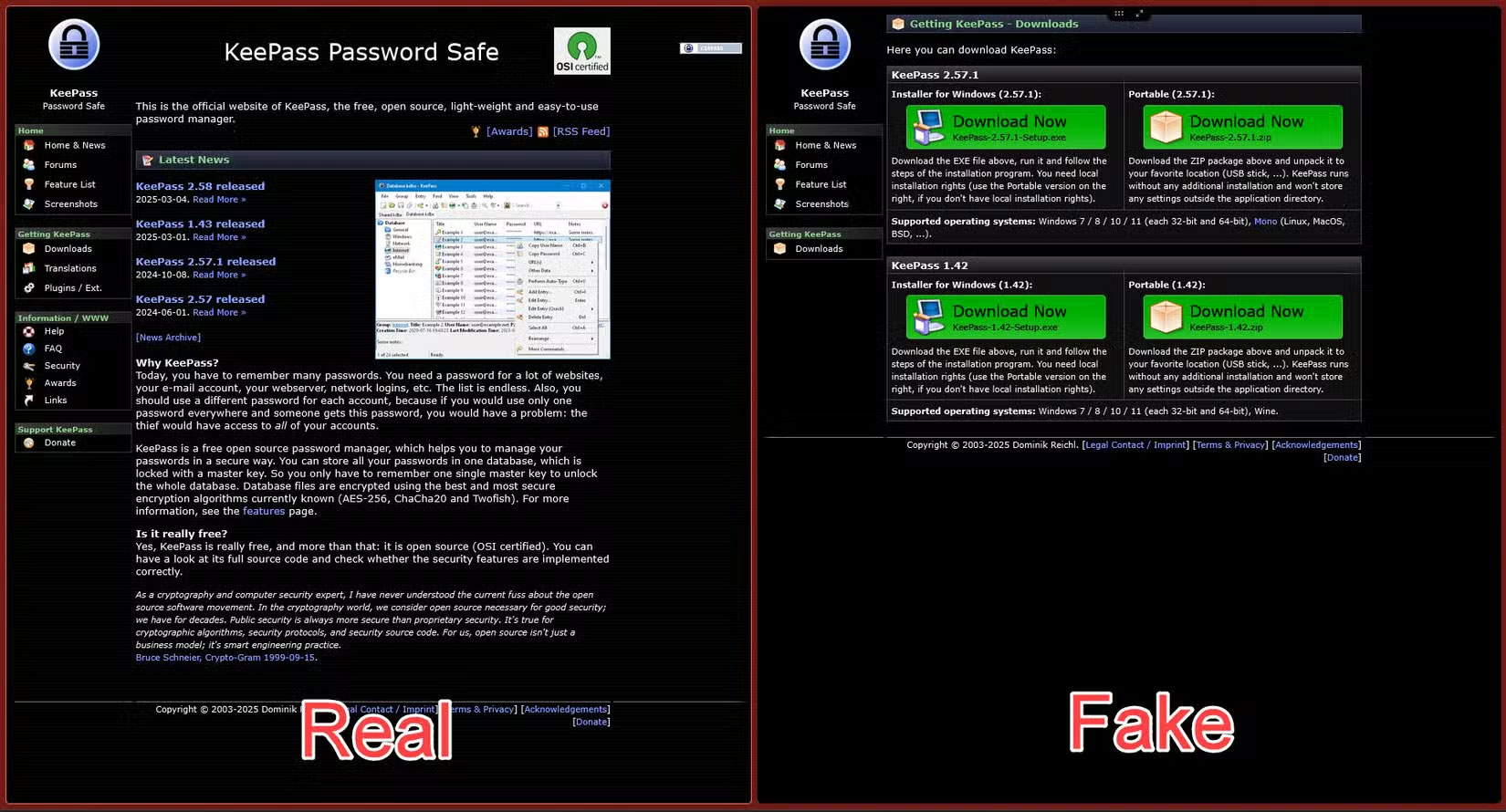
Distribution is handled by fake websites using hijacked domains such as:
- keeppaswrd.com
- keegass.com
- KeePass.me
- keespass.biz
- keebass.com
- KeePassx.com
Some of these domains are still active and distributing fake versions of KeePass. For more information, the legitimate KeePass website is keepass.info. The fake sites are available through Microsoft's Bing search engine. WithSecure claims that the fake domains are being served through DuckDuckGo ads. Still, since Microsoft and DuckDuckGo have formed a partnership on Microsoft-powered advertising, it is likely that they are also being advertised with Bing.
The entire campaign was uncovered during WithSecure's investigation into a ransomware incident at a European IT service provider. It turns out that the fake password manager was not only stealing credentials, but also installing ransomware on the company's VMware ESXi servers. WithSecure notes that this is the first time an open-source password manager has been used simultaneously as a credential stealer and a malware loader.
Be Careful When Downloading Programs!
You can use a browser-based password manager with precautions, but using a dedicated program is a much safer alternative. Hackers target password managers for exactly this reason – it puts the risk where you least expect it, meaning they can catch you off guard.
It is best to always download all programs, especially sensitive ones like password managers, from their official website or your platform's app store. Downloading software and games from third-party websites or torrents always carries the risk of your program being bundled with malware.
As an added precaution, It is best to also avoid clicking on ads and sponsored links that encourage you to download a program. Even if the ad displays the program's legitimate URL, hackers have repeatedly proven that they can bypass advertising policies and display the legitimate URL while still redirecting you to fake websites.
FAQ
What is the main takeaway about Fake Password Manager Highlights Download Security Risks?
The key is to understand the core idea, compare the available options, and apply the practical guidance that matches your situation.
What should beginners know about Fake Password Manager Highlights Download Security Risks?
Start with the essential steps and terminology. Avoid changing advanced settings until you understand how they affect performance, privacy, cost, or compatibility.
How can I use this information in practice?
Follow the relevant section in order, test one change at a time, and confirm the result before moving to the next step or recommendation.
Related Articles
 4 Ways to Fix IDM Error Fake Serial Number6 minutes read
 Review the Cyclonis Password Manager Password Manager6 minutes read
 How to Safely Backup Your Password Manager9 minutes read
 These Android Apps Could Put Your Passwords at Risk If You're Not Careful8 minutes read
 Neat Manager 1.3/1.8.0, Download Neat Download Manager4 minutes read
 Instructions on How to Fake IP with SoftEther VPN Client Manager4 minutes read
Reader Comments 0
Sign in with email or Google to join the discussion.