Table of Contents
This updated guide examines Mot: Packet Sniffers Is Free for Windows 2003 // Vista // 2008 and organizes the essential facts, background, and practical takeaways in clear American English.

Download Microsoft Network Monitor has both 32 bit and 64 bit versions Wireshark Wireshark is the world's best network protocol analyzer, and is the standard for many educational and industrial organizations. Wireshark is used by network professionals around the world to solve software development and protocol analysis. It has all the standard features you would expect in a protocol analyzer and some features not found in any other product. It runs on all the most popular operating systems, including Unix, Linux, and Windows.
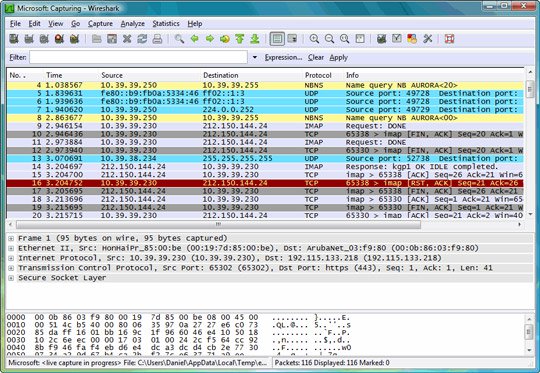
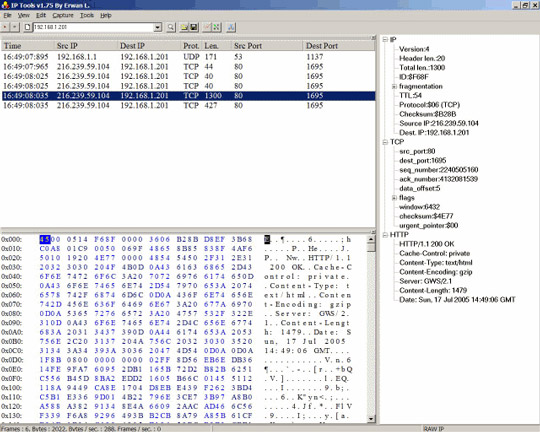
Download Wireshark here . IP Sniffer IP Sniffer has basic features like filter, decode, replay, parse Some IP Sniffer tools are: bandwidth management, Adapter statistics, listing and managing ARP entries, analyzing IP from / to Mac, scanning ARP, creating ARP proxies, sending a WAKEUP call, RARP client / server, list and manage routers, enable & disable hosts as a route, list and manage open ports and associated processes, view network configuration (interfaces, adapters, parameters), Spoof ARP, replace change MAC address, SNMP Get & Set, List interface, switch port mapper, attachment Unit table, Net to media table, network statistics, table connection, WINS and DNS query, Whois Query and many other features.
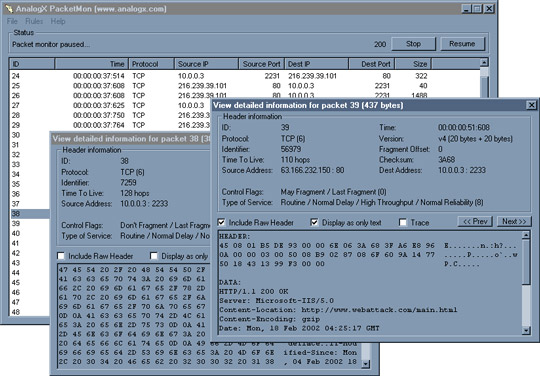
Download IP Sniffer PacketMon PacketMon is a fast and simple tool that uses network monitoring. It allows you to capture IP packets transmitted through your network interface - it starts from a machine that Packetmon is installed, or another machine on your network. When a packet is received, you can check its headers and content, and you can export those results to a file that allows you to import your favorite programs. In addition, PacketMon has a powerful rule system that allows you to narrow down the packets that will be captured to make sure you get exactly the packets you need.
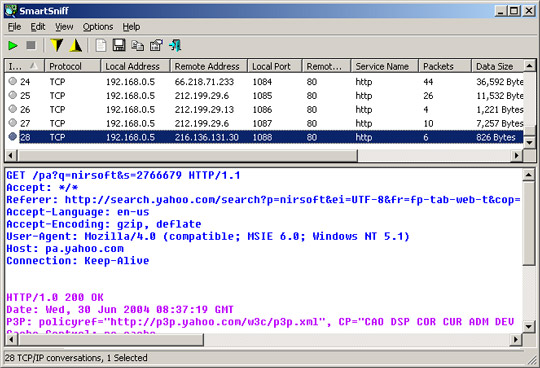
Download Packetmon SmartSniff SmartSniff allows you to capture TCP / IP packets through your network card, and view captured data as a series of conversations between the client and server. You can view TCP / IP conversations under Ascii mode (including protocols like HTTP, SMTP, POP3, FTP) or in hex dump format (like DNS)
Download SmartSniff VisualSniffer Visual Sniffer is a powerful packet capture tool and a protocol analyzer used for Windows systems. VisualSniffer 2.0 is a free software. VisualSniffer can be used by LAN administrators, and it is very professional in security with intrusion detection systems and network traffic logs. It can also be used by network program writers for the purpose of checking the development of sending and receiving programs, or other purposes. For example, parents want to know what their children are doing when online. If you store important data on the system, you need to know whether your data is sent out by "Adware" or "Spyware". If you are a student, you may want to know how your network works and the mechanism of each network protocol.

Download Visual Sniffer
FAQ
What is Mot: Packet Sniffers Is Free for Windows 2003 // Vista // 2008 about?
It provides a structured overview of Mot, explains the main context, and highlights practical takeaways for readers.
Why does this topic matter?
Understanding the main concepts helps readers evaluate the issue, avoid common mistakes, and make better-informed decisions.
How should readers use this information?
Use the guidance as a practical starting point, confirm details that may have changed, and follow current product, safety, or security recommendations.
Related Articles
 What Is Packet Sniffer?15 minutes read
 Remove Original Network Packet Analyzer Adware9 minutes read
 What Is Packet Loss? How to Fix and Prevent Packet Loss8 minutes read
 10 Free Applications for Windows Vista7 minutes read
 Click: How to Free up Hard Disk Space on Windows Vista5 minutes read
 Taskbar: How to Change Windows 7 into Windows Vista3 minutes read
Reader Comments 0
Sign in with email or Google to join the discussion.