Table of Contents
Explore instructions on removing objects from photos using ChatGPT.
Instructions on removing objects from photos using ChatGPT
Step 1
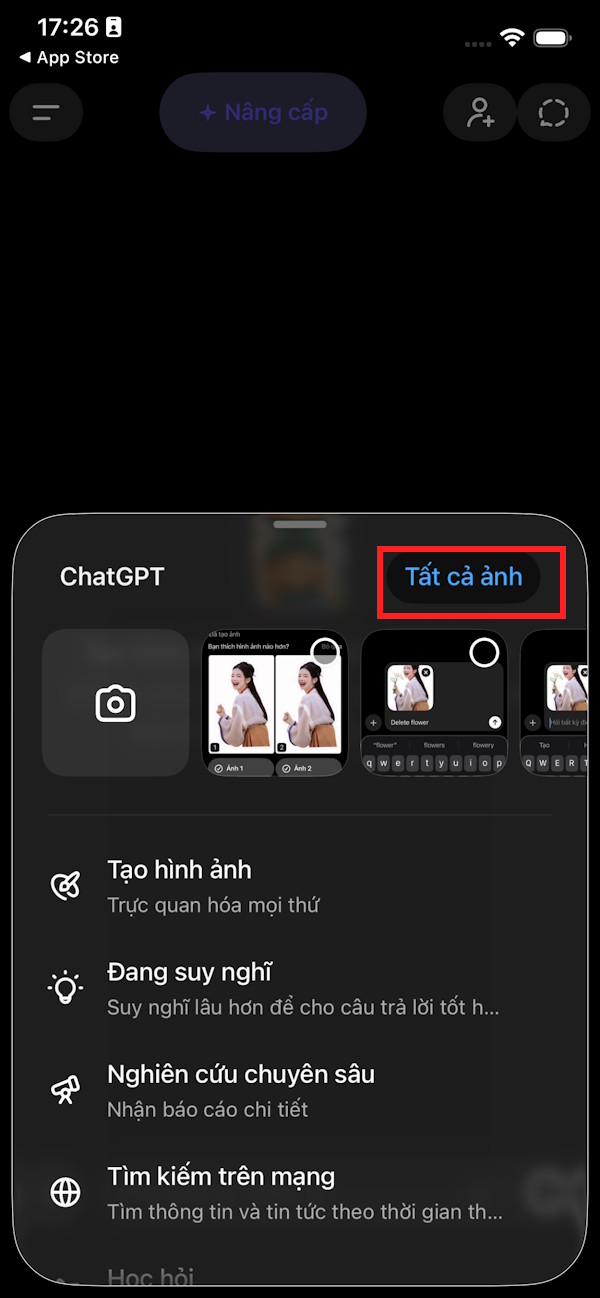
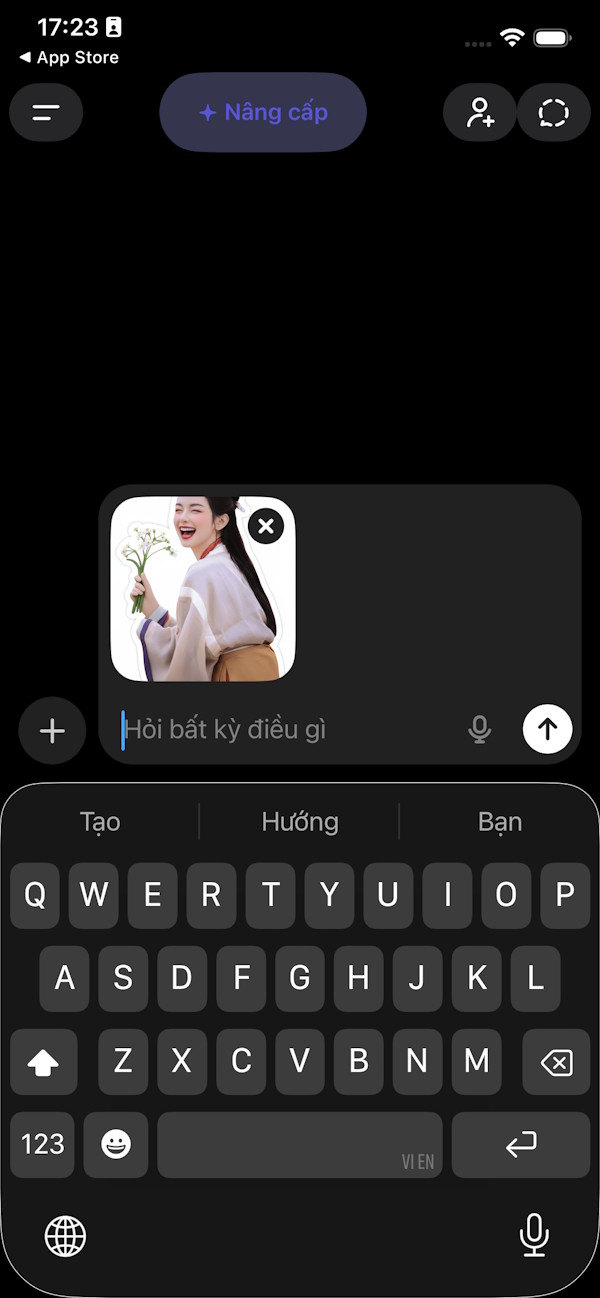
On the ChatGPT interface, click the plus icon in the command input box, then select "Expand photo album" to choose the photo you want to remove the object from using the image editing tool in ChatGPT.
Step 2
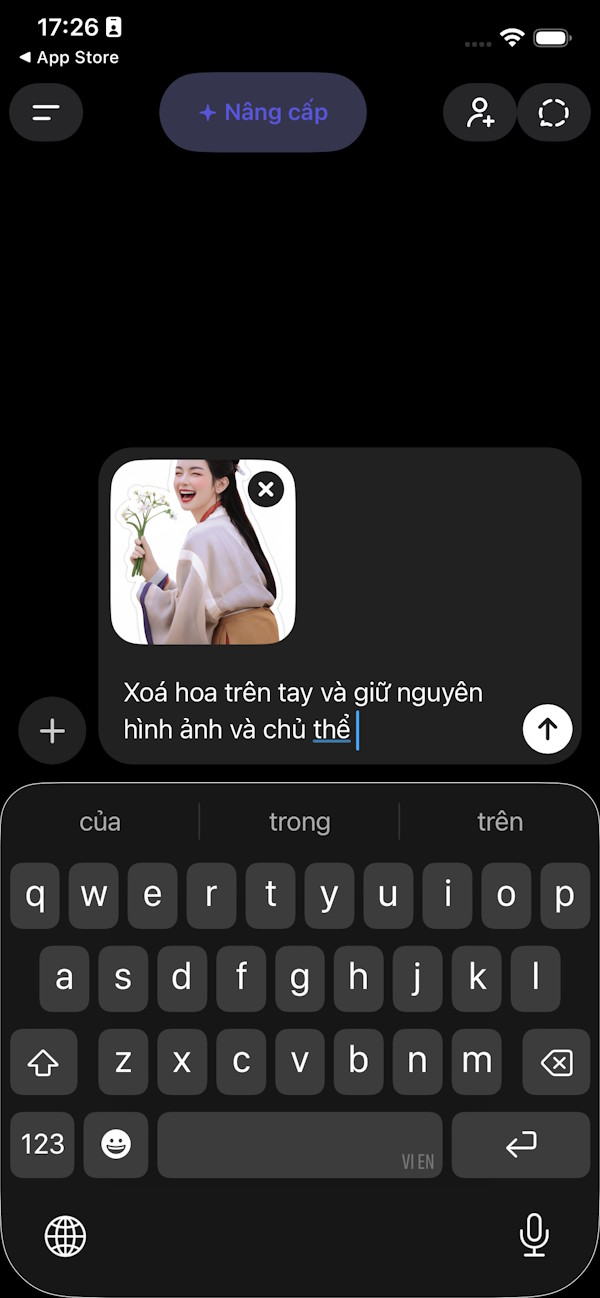
After selecting the image, enter the command to delete the object at a specific location , specifying the location and requesting that the image quality and subject be preserved. Once the command is successfully entered, press submit as usual.
Step 3
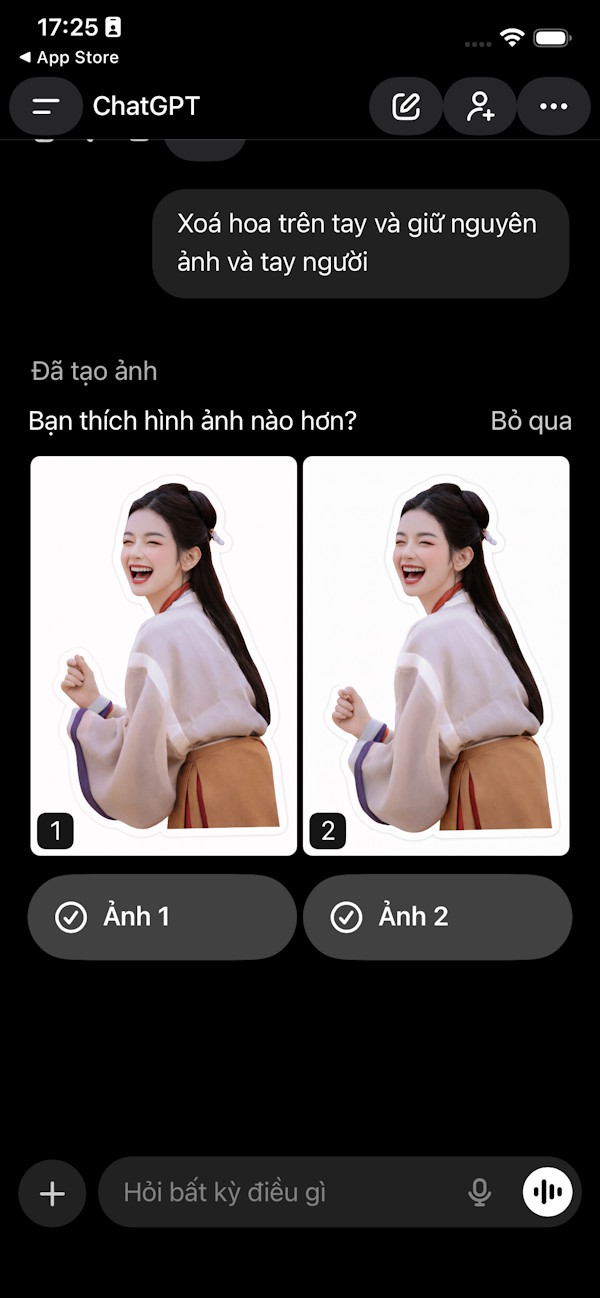
We need to wait for the object removal process in the image using ChatGPT to complete, and you will see the image after the object removal as shown below. If you are satisfied, click on the image and download it as usual.
Final Thoughts
Understanding instructions on removing objects from photos using chatgpt makes it easier to evaluate the information and apply the most relevant recommendations. Focus on the key points above and verify details that may change over time.
FAQ
What is instructions on removing objects from photos using chatgpt?
Explore instructions on removing objects from photos using ChatGPT.
What key points does this article cover?
The article focuses on Instructions on removing objects from photos using ChatGPT, Step 1, Step 2, with practical explanations and examples.
How can you use this information in practice?
Use the explanations to compare options, verify important details, and make a more informed decision. Apply the recommendations that best match your goals and situation.
Related Articles
 Tips for Removing Redundant People: Complete Guide3 minutes read
 How to Create Images Using AI Technology with ChatGPT Photos3 minutes read
 How to Taking Photos Using ChatGPT on Computer3 minutes read
 Instructions for Deleting Objects in Photos on iOS 183 minutes read
 How to Convert ChatGPT-5 to ChatGPT-4o3 minutes read
 minutes read
Reader Comments 0
Sign in with email or Google to join the discussion.